

ajaxStardust
Well-known member
- Local time
- 10:51 AM
- Posts
- 58
- OS
- Windows 11 Pro 22631.3447
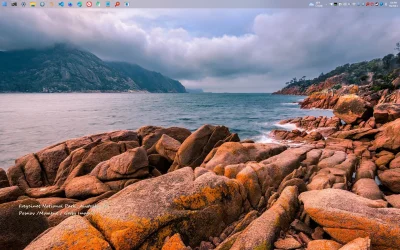
I've been trying a new desktop layout. toolbar on top. i usually have the StartAllBack "Small Icons" mode on, but not here.
The issue-- i didn't realize until I noticed my apps requesting elevated privileges were waiting in the taskbar, flashing. Didn't notice because I'm not used to having the bar up there. whatever. point is. Typically, that would come into focus and "blur" the screen. Or if another app launches in the b/g, designed to come into focus on launch. it doesn't take the focus.
The issue-- i didn't realize until I noticed my apps requesting elevated privileges were waiting in the taskbar, flashing. Didn't notice because I'm not used to having the bar up there. whatever. point is. Typically, that would come into focus and "blur" the screen. Or if another app launches in the b/g, designed to come into focus on launch. it doesn't take the focus.
- Windows Build/Version
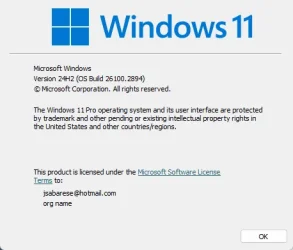
- 24H2 26.100.2894
My Computer
At a glance
Windows 11 Pro 22631.3447Intel(R) N100 800 MHz16 GBIntel UHD Graphics: 8086-4E61
- OS
- Windows 11 Pro 22631.3447
- Computer type
- PC/Desktop
- Manufacturer/Model
- Trycoo
- CPU
- Intel(R) N100 800 MHz
- Motherboard
- WI-6
- Memory
- 16 GB
- Graphics Card(s)
- Intel UHD Graphics: 8086-4E61
- Sound Card
- USB Audio Device
- Monitor(s) Displays
- HP E241i
- Screen Resolution
- 1920x1200






