UPDATE 7/09/26:

 www.elevenforum.com
UPDATE 10/29:
 www.elevenforum.com
 www.elevenforum.com
Windows updates keep you protected and productive in different ways, and we continue to optimize the update experience. Whether you're an IT administrator or a general user, Windows monthly updates provide you with the security fixes to help keep your devices protected—as well as enhancements based on your feedback. Monthly updates are cumulative and include all previously released fixes to guard against fragmentation of the operating system (OS). This contributes to the reliability and quality of the Windows platform.
This post summarizes the different types of monthly updates and shares insights on how we've optimized our approach to Windows servicing and delivery.
 www.elevenforum.com
Monthly security updates are mandatory and are available through our standard channels, which include Windows Update, Windows Update for Business, Microsoft Intune, Microsoft Configuration Manager, Windows Server Update Services (WSUS), and the Microsoft Update Catalog.
Optional non-security preview releases are also cumulative and are only offered for the most recent supported versions of Windows.
Starting in April 2023, we now target optional non-security preview releases for the fourth week of the month. We have found this to be the optimal time for us to publish and for you to consume these updates. That's two weeks after your latest monthly security update and about two weeks before you'll see these features become part of the next mandatory cumulative update. We're excited for this improvement as it is meant to optimize the validation of payloads, improve consistency, and enhance the predictability of your testing, update, and upgrade experience.
To access optional non-security preview releases, navigate to Settings > Windows Update > Advanced options > Optional updates, select from the available updates, and click Download and install.
 www.elevenforum.com
Experiences may be introduced in an optional non-security preview release prior to being made available broadly via a monthly security update or via Controlled Feature Rollout (CFR) technology. For more information on how to control when select features introduced via servicing are released to the devices you manage, see Commercial control for continuous innovation.
To help manage updates across your organization, bookmark these resources:
IT admins may validate fixes and features in a preview release by leveraging the Windows Insider Program for Business or via the Microsoft Update Catalog.
If you are a Microsoft Partner or registered commercial customer, you can also take advantage of the Security Update Validation Program (SUVP). It's a quality assurance testing program designed for the monthly security update release. As a SUVP partner, you can start testing these security updates three weeks prior to Update Tuesday and provide us with feedback regarding usability, bug reports, test reports, etc.
For additional tips, read Ensuring a successful Windows quality update experience.

 techcommunity.microsoft.com
See also:
 www.elevenforum.com
 www.elevenforum.com

 techcommunity.microsoft.com
 support.microsoft.com
 www.elevenforum.com
 techcommunity.microsoft.com
Understanding Windows 11 monthly updates: Servicing explained
Windows IT Pro Blog: Windows updates help keep devices secure, reliable, and productive. Whether you're an IT admin or a general user, understanding the different types of Windows updates can help you keep devices protected, productive, and continuously improving. Most individuals and...
www.elevenforum.com
UPDATE 10/29:
New Simplified Windows Update titles
Windows IT Pro Blog: Editor's note 10.31.2025: We are actively listening to your feedback and planning further improvements. Thank you for helping us create a better user experience. Windows updates play a vital role in keeping devices secure, performant, and up to date. To further enrich the...
www.elevenforum.com
Windows IT Pro Blog release:
Optional non-security preview updates for Windows 11 22H2 end Feb. 27, 2024
UPDATE 2/27: https://www.elevenforum.com/t/optional-non-security-preview-updates-for-windows-11-22h2-now-ends-june-26-2024.22977/ IMPORTANT After February 27, 2024, there will no longer be optional, non-security preview releases for Windows 11, version 22H2. Only cumulative monthly security...
www.elevenforum.com
Windows updates keep you protected and productive in different ways, and we continue to optimize the update experience. Whether you're an IT administrator or a general user, Windows monthly updates provide you with the security fixes to help keep your devices protected—as well as enhancements based on your feedback. Monthly updates are cumulative and include all previously released fixes to guard against fragmentation of the operating system (OS). This contributes to the reliability and quality of the Windows platform.
This post summarizes the different types of monthly updates and shares insights on how we've optimized our approach to Windows servicing and delivery.
Check for Windows 11 Updates
This tutorial will show yo how to manually check for and install updates in Windows Update in Windows 11. In Windows 11, you decide when and how to get the latest updates to keep your device running smoothly and securely. When you update, you'll get the latest fixes and security improvements...
www.elevenforum.com
Monthly security update release
For many of you, Update Tuesday (also referred to as "Patch Tuesday") is a regular part of Windows servicing. Published on the second Tuesday of each month, our security update releases are cumulative. That is, they include both new and previously released security fixes along with non-security content introduced in the prior month's optional non-security preview release (see below). These updates help keep Windows devices secure and compliant by deploying stability fixes and addressing security vulnerabilities.| Note: People tend to use "B release," quality update, security update, and LCU interchangeably. |
Monthly security updates are mandatory and are available through our standard channels, which include Windows Update, Windows Update for Business, Microsoft Intune, Microsoft Configuration Manager, Windows Server Update Services (WSUS), and the Microsoft Update Catalog.
Optional non-security preview release
You've got options with optional non-security preview releases. Available the fourth week of the month, these production-quality updates are released ahead of the planned security update release for the following month. In addition, new features, like Search highlights, may initially be deployed in the prior month's optional non-security preview release, then ship broadly in the following month's security release.| Note: The term “optional non-security preview release” now replaces what we used to call either a “C” or “D” release to align with the current process. |
Optional non-security preview releases are also cumulative and are only offered for the most recent supported versions of Windows.
Starting in April 2023, we now target optional non-security preview releases for the fourth week of the month. We have found this to be the optimal time for us to publish and for you to consume these updates. That's two weeks after your latest monthly security update and about two weeks before you'll see these features become part of the next mandatory cumulative update. We're excited for this improvement as it is meant to optimize the validation of payloads, improve consistency, and enhance the predictability of your testing, update, and upgrade experience.
To access optional non-security preview releases, navigate to Settings > Windows Update > Advanced options > Optional updates, select from the available updates, and click Download and install.
Check for and Install Optional Updates in Windows 11
This tutorial will show you how to check for and install optional updates in Windows 11. In Windows 11, you decide when and how to get the latest updates to keep your device running smoothly and securely. When you update, you'll get the latest fixes and security improvements, helping your...
www.elevenforum.com
Out-of-band releases
Out-of-band (OOB) releases may be provided to fix a recently identified issue or vulnerability. They are used in atypical cases, such as security vulnerabilities or a quality issue, when devices should be updated immediately instead of waiting for the next monthly quality update release. Out-of-band releases are cumulative, meaning that they include the updates from the previous security and/or non-security release, as well as the additional fix.Continuous innovation in Windows 11
Beginning with Windows 11, version 22H2, new features and enhancements are delivered to the most recently released in-market version of Windows 11 more frequently using servicing technology. As with all updates, we utilize a phased and measured approach in rolling out continuous innovation to the Windows 11 ecosystem.Experiences may be introduced in an optional non-security preview release prior to being made available broadly via a monthly security update or via Controlled Feature Rollout (CFR) technology. For more information on how to control when select features introduced via servicing are released to the devices you manage, see Commercial control for continuous innovation.
Recommendations
As a general practice, we recommend that you update your devices as soon as possible, whether you're a general user or an IT professional. For IT admins, we also recommend taking advantage of the optional non-security preview releases to internally validate releases ahead of the following month's security update release.To help manage updates across your organization, bookmark these resources:
- Windows 11 update history and release notes
- Windows 10 update history and release notes
- Windows release health on Microsoft Learn (also available in the Microsoft 365 admin center)
IT admins may validate fixes and features in a preview release by leveraging the Windows Insider Program for Business or via the Microsoft Update Catalog.
If you are a Microsoft Partner or registered commercial customer, you can also take advantage of the Security Update Validation Program (SUVP). It's a quality assurance testing program designed for the monthly security update release. As a SUVP partner, you can start testing these security updates three weeks prior to Update Tuesday and provide us with feedback regarding usability, bug reports, test reports, etc.
For additional tips, read Ensuring a successful Windows quality update experience.
Source:
Understanding Windows monthly updates - Windows IT Pro Blog
Get a quick guide to the purpose of each update type, when updates are released, and how they fit into the modern Windows servicing model.
techcommunity.microsoft.com
See also:
Windows 11 version 24H2 improved update fundamentals
Windows IT Pro Blog: Windows 11, version 24H2 represents significant improvements to the already robust update foundation of Windows. With the latest version, you get reduced installation time, restart time, and central processing unit (CPU) usage for Windows monthly updates. Additionally...
www.elevenforum.com
Microsoft introducing Windows 11 checkpoint cumulative updates
Windows IT Pro Blog: We’re excited to further optimize the delivery of continuous innovation in Windows 11 with new checkpoint cumulative updates.[1] As early as late 2024, you will automatically get this optimization on any devices running Windows 11, version 24H2 or later, as well as on...
www.elevenforum.com
Flight Hub - Windows Insider Program
Flight schedules and status for Windows Insider Program
learn.microsoft.com
Windows 11 - release information
Learn release information for Windows 11 releases
learn.microsoft.com
Ensuring a successful Windows quality update experience | Microsoft Community Hub
Explore the best ways to test updates for compatibility with your infrastructure, applications, and managed devices.
techcommunity.microsoft.com
Delivering continuous innovation in Windows 11 | Microsoft Support
Windows 11 delivers new features as part of an annual feature update and through periodic updates using servicing technology to ensure quality and reliability.
support.microsoft.com
Enable or Disable Get Latest Updates as soon as available in Windows 11
This tutorial will show you how to turn on or off "Get the latest updates as soon as they are available" in Windows 11. Starting with Windows 11 build 22621.1635, Microsoft added a new "Get the latest updates as soon as they are available" toggle under Settings > Windows Update. When you turn...
www.elevenforum.com
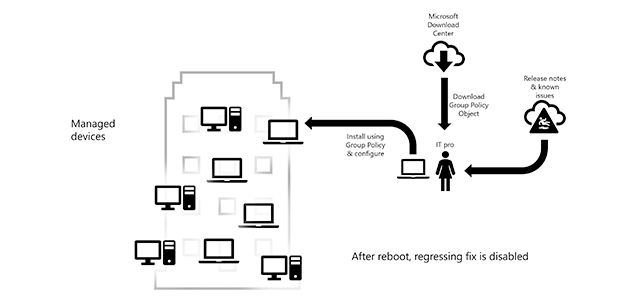
Known Issue Rollback: Helping you keep Windows devices protected and productive | Microsoft Community Hub
Learn about this new Windows 10 servicing capability and how you can utilize it in your organization.
techcommunity.microsoft.com
Last edited:


 Apple 13" Macbook Pro 2020 (m1)