Solved Windows 11 device encryption, Benefits and problems


Asus S5606

Member
Member
Local time
8:34 AM
Posts
55
OS
Windows 11 home ver 25H2 Build 26200.7840
Dear experts,
U received my notebook with device encryption on, but I turned it off. Now I am considering to turn it on my device gets stolen, lost or the notebook would not turn on anymore (than I would have to sell it without having erased my files)
I understand that device encryption is beneficial in case of lost or stolen notebook, but an expert could still gain access to the data somehow, no?
Does device encryption have other benefits?
Can it cause problems in case that you need to revert to a restore point, use a recovery drive? could it cause file corruption or any other kind of problem?
Thanks
 

My Computer My Computer

At a glance

Windows 11 home ver 25H2 Build 26200.7840Ultra 7 155H16 RAMArc 8 cores
OS
Windows 11 home ver 25H2 Build 26200.7840
Computer type
Laptop
Manufacturer/Model
Asus S5606MA MX095W
CPU
Ultra 7 155H
Motherboard
S5606MA
Memory
16 RAM
Graphics Card(s)
Arc 8 cores
Monitor(s) Displays
Oled
Screen Resolution
3200 x 2000
Hard Drives
1, 1 Tera
Keyboard
FR- BE
Internet Speed
6E
Browser
FF
Antivirus
Windows security
Other Info
HDMI 2.1, 2 USB A 3.2, 2 Thunderbol 4 (1 of them used for power supply)
BitLocker Encryption is a security measure in case the laptop is lost or stolen.

However, It does not prevent viruses or malware being installed if you are logged in.
Also, If you want to resell the computer, you can Format the drive and Install Windows without having to provide a Bitlocker key.
 

My Computer My Computer

At a glance

Windows 11 Pro Insider 64 bit 25H2 26200.5742Intel Core i7 9700K 3.6016 GBnVidia GEForce RTX 2060 Super
OS
Windows 11 Pro Insider 64 bit 25H2 26200.5742
Computer type
PC/Desktop
Manufacturer/Model
Gigabyte Z390 UD
CPU
Intel Core i7 9700K 3.60
Motherboard
Gigabyte Z390 UD
Memory
16 GB
Graphics Card(s)
nVidia GEForce RTX 2060 Super
Sound Card
onboard
Monitor(s) Displays
Two 27" Dell 4K monitors
Screen Resolution
3840 x 2160
Hard Drives
M.2 NVME SSD, 500 GB; Two 2TB Mechanical HDD's
PSU
850w PSU
Case
Cyberpower PC
Cooling
Water cooled
Keyboard
Backlit Cyberpower gaming keyboard
Mouse
Backlit Cyberpower gaming mouse
Internet Speed
1 GB mbps
Browser
Brave
Antivirus
Windows Security

My Computer My Computer

At a glance

Microsoft Windows 11 HomeIntel Core i5-13490F2 x 16 Patriot Memory (PDP Systems) PSD516G56...GIGABYTE GeForce RTX 4070 WINDFORCE OC 12G (G...
OS
Microsoft Windows 11 Home
Computer type
PC/Desktop
Manufacturer/Model
MSI MS-7D98
CPU
Intel Core i5-13490F
Motherboard
MSI B760 GAMING PLUS WIFI
Memory
2 x 16 Patriot Memory (PDP Systems) PSD516G560081 6400MT (32-37-37-74); 1.35V)
Graphics Card(s)
GIGABYTE GeForce RTX 4070 WINDFORCE OC 12G (GV-N4070WF3OC-12GD)
Sound Card
Bluetooth Аудио
Monitor(s) Displays
INNOCN 15K1F
Screen Resolution
1920 x 1080
Hard Drives
WD_BLACK SN770 250GB
KINGSTON SNV2S1000G (ELFK0S.6)
PSU
Thermaltake Toughpower GF3 1000W
Case
CG560 - DeepCool
Cooling
ID-COOLING SE-224-XTS / 2 x 140Mm Fan - rear and top; 3 x 120Mm - front
Keyboard
Corsair K70 RGB TKL
Mouse
Corsair KATAR PRO XT
Internet Speed
100 Mbps
Browser
Firefox
Antivirus
Microsoft Defender Antivirus
Other Info
https://www.userbenchmark.com/UserRun/66553205

My Computers My Computers

  • At a glance

    Windows 11 Pro 25H2 build: (26200.7623)32GB
    OS
    Windows 11 Pro 25H2 build: (26200.7623)
    Computer type
    Laptop
    Manufacturer/Model
    Microsoft Surface Pro
    Memory
    32GB
  • At a glance

    Microsoft 25H2 ProIntel Core Ultra 764GBIntel Integrated Graphics
    Operating System
    Microsoft 25H2 Pro
    Computer type
    Laptop
    Manufacturer/Model
    Dell Pro 14 - PC14250
    CPU
    Intel Core Ultra 7
    Memory
    64GB
    Graphics card(s)
    Intel Integrated Graphics
    Hard Drives
    Micron 1TB SSD
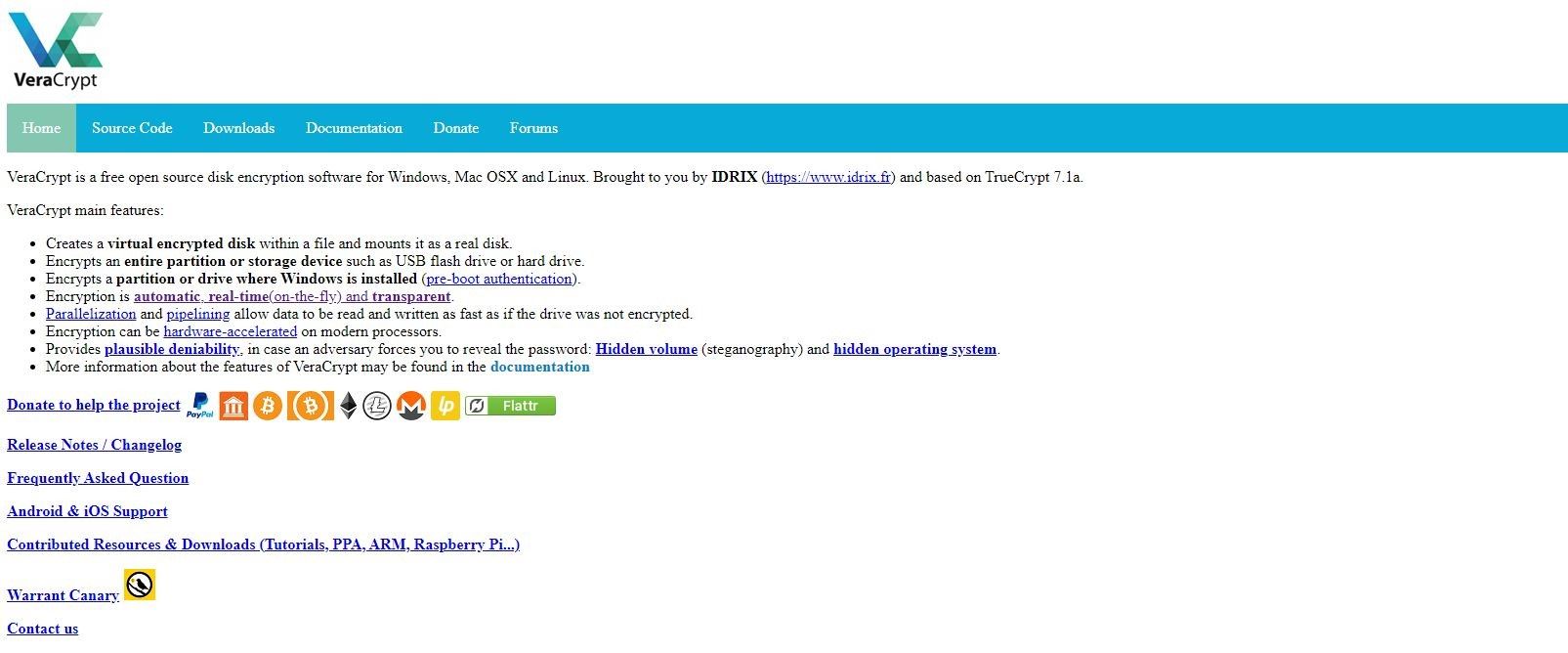
if you just want to encrypt the whole of C: drive then this maybe of use.

VeraCrypt open source encryption software

best of luck, Steve ..
 

My Computers My Computers

  • At a glance

    Windows 11 HomeRyzen 7 5825u64GB DDR4 3200Ryzen 7 5825u
    OS
    Windows 11 Home
    Computer type
    PC/Desktop
    Manufacturer/Model
    HP 24" AiO
    CPU
    Ryzen 7 5825u
    Motherboard
    HP
    Memory
    64GB DDR4 3200
    Graphics Card(s)
    Ryzen 7 5825u
    Sound Card
    Realtek External 5w speaker bar.
    Monitor(s) Displays
    24" HP AiO
    Screen Resolution
    1920 x 1080 @60 Hz
    Hard Drives
    1TB WD Blue SN580 M2 SSD Partitioned C:/D: drives.
    2x 1TB USB HDD External Backup/Storage.
    all VeraCrypt encrypted.
    PSU
    90W external power brick
    Case
    24" All in One
    Cooling
    Default Air Cooling
    Keyboard
    Dell WiFi UK extended
    Mouse
    Dell WiFi 3 Button
    Internet Speed
    1GB full fibre
    Browser
    Vivaldi Browser/Email/Calendar
    Antivirus
    AVG Internet Security/Windows Defender
    Other Info
    Mainly Open Source Software
  • At a glance

    Ubuntu 22.04.5 LTSi5 7200u16GB DDR4Intel
    Operating System
    Ubuntu 22.04.5 LTS
    Computer type
    Laptop
    Manufacturer/Model
    Dell 13" Latitude 2017
    CPU
    i5 7200u
    Motherboard
    Dell
    Memory
    16GB DDR4
    Graphics card(s)
    Intel
    Sound Card
    Intel
    Monitor(s) Displays
    13" Dell Laptop
    Hard Drives
    250GB Crucial 2.5" SSD
    Mouse
    Generic WiFi 3 button
    Internet Speed
    WiFi only
    Browser
    Firefox
    Antivirus
    ClamAV TK
    Other Info
    Mainly Open Source Software
An expert can access the data of a stolen laptop k with device encryption on, no?
 

My Computer My Computer

At a glance

Windows 11 home ver 25H2 Build 26200.7840Ultra 7 155H16 RAMArc 8 cores
OS
Windows 11 home ver 25H2 Build 26200.7840
Computer type
Laptop
Manufacturer/Model
Asus S5606MA MX095W
CPU
Ultra 7 155H
Motherboard
S5606MA
Memory
16 RAM
Graphics Card(s)
Arc 8 cores
Monitor(s) Displays
Oled
Screen Resolution
3200 x 2000
Hard Drives
1, 1 Tera
Keyboard
FR- BE
Internet Speed
6E
Browser
FF
Antivirus
Windows security
Other Info
HDMI 2.1, 2 USB A 3.2, 2 Thunderbol 4 (1 of them used for power supply)
An expert can access the data of a stolen laptop k with device encryption on, no?
From Copilot:

🔐 If your stolen laptop has device encryption enabled, then accessing its data is extremely difficult—even for experts. Here's why:

✅ What Device Encryption Does
  • It encrypts the entire disk, meaning all files are scrambled using a cryptographic key.
  • Without the correct decryption key or credentials, the data appears as meaningless gibberish.

🧠 Can Experts Still Break In?

In theory: Yes, with enough time, resources, and vulnerabilities, a nation-state-level actor might attempt it.
  • In practice: For most attackers, it's not feasible. They’d need:
  • Access to the decryption key (e.g., via password, recovery key, or TPM chip)
  • Exploitable flaws in the encryption algorithm (rare with modern standards like AES)
  • Physical access to the device while it’s unlocked or in sleep mode, which could expose memory-stored keys
⚠️ Exceptions & Risks
  • If the laptop was powered on or in sleep mode when stolen, some encryption keys might be accessible via memory (a “cold boot attack”).
  • If the user stored passwords or recovery keys insecurely (e.g., written down or synced to cloud without protection), that could be a weak point.
  • Firmware-level attacks or evil maid attacks (where someone tampers with the device physically) are rare but possible.
🛡️ Bottom Line

If your laptop was fully shut down and device encryption was active, your data is very well protected. Even seasoned hackers would struggle without the keys.
 

My Computers My Computers

  • At a glance

    Windows 11 ProIntel Series 3 Core Ultra X9 388H64GB LPDDR5x 9600 MT/sIntel Arc graphics B390 Panther Lake
    OS
    Windows 11 Pro
    Computer type
    Laptop
    Manufacturer/Model
    Dell XPS 16 DA16260
    CPU
    Intel Series 3 Core Ultra X9 388H
    Memory
    64GB LPDDR5x 9600 MT/s
    Graphics Card(s)
    Intel Arc graphics B390 Panther Lake
    Monitor(s) Displays
    16" 3.2K Tandem OLED Infinity Edge
    Screen Resolution
    3200 x 2000 16:10 236 PPI
    Hard Drives
    1 Terabyte M.2 PCIe NVMe SSD
    Case
    Black Anodized Aluminum
    Cooling
    Vapor Chamber Cooling
    Mouse
    None
    Internet Speed
    942 Mbps Netgear Mesh + 2 Satellites
    Browser
    Microsoft Edge (Chromium)
    Antivirus
    Windows Security (Defender)
    Other Info
    NPU delivering 67 TOPS
    Microsoft 365 subscription
    Microsoft Office 365
    Microsoft OneDrive 1TB Cloud
    Microsoft Visual Studio
    Microsoft Visual Studio Code
    Microsoft Sysinternals Suite
    Microsoft BitLocker
    Microsoft Copilot
    Dell Support Assist
    Dell Command | Update
    Macrium Reflect X subscription
    1Password Password Manager
    Amazon Kindle for PC
    Lightroom/Photoshop subscription
    Interactive Brokers Trader Workstation
  • At a glance

    Windows 11 ProSnapdragon® X Elite (12 Core) with Hexagon NP...32GB LPDDR5x 8448 MT/sIntegrated Adreno GPU
    Operating System
    Windows 11 Pro
    Computer type
    Laptop
    Manufacturer/Model
    Microsoft Surface Laptop 7
    CPU
    Snapdragon® X Elite (12 Core) with Hexagon NPU delivering 45 TOPS
    Memory
    32GB LPDDR5x 8448 MT/s
    Graphics card(s)
    Integrated Adreno GPU
    Sound Card
    Omnisonic speakers with Dolby Atmos spatial sound
    Monitor(s) Displays
    13.8″ PixelSense Flow touchscreen 120 Hz 600 NIT
    Screen Resolution
    2304 × 1536 (201 PPI), 3:2 aspect ratio
    Hard Drives
    1 TB PCIe NVMe Gen 4 SSD
    Case
    Black Anodized Aluminum
    Cooling
    Vapor Chamber Cooling
    Mouse
    None
    Internet Speed
    942 Mbps Netgear Mesh + 2 Satellites
    Browser
    Microsoft Edge (Chromium)
    Antivirus
    Windows Security (Defender)
    Other Info
    Microsoft 365 subscription (Office)
    Microsoft Office 365
    Microsoft OneDrive 1TB Cloud
    Microsoft Visual Studio 2026
    Microsoft Visual Studio Code
    Interactive Brokers Trader Workstation
    Lightroom/Photoshop subscription
    1Password Password Manager
    Microsoft Sysinternals
    Amazon Kindle for PC
    Microsoft BitLocker
    Microsoft Copilot
There is a lot of debate about how much device encryption helps (not referring to full bitlocker).

When you login to a laptop, it automatically decrypts the drives so drives can be accessed.

So in the end, the laptop is only as secure as tje users login password, hence one should ensure a strong password.

However, it is possible to bypass the login password by booting from a usb drive with appropriate hacking software.

So to harden the laptop access, one should also use a strong bios password so users cannot boot from a usb drive unless they have the password.

In the end, device encryption only really protects drives from being removed and data accessed by another pc ASSUMING hacker cannot bypass login.

So it is vital that you have at least a strong Windows password, and advisable to have a strong bios password which is basically true EVEN if device is not encrypted.

With full bitlocker, you can set up a bitlocker PIN such that a user has to enter pin before starting windows. I am not certain without testing if you can do this on the simpler device encryption but I think it can be done. I would only do this if data was mega critical.

In the end, the best approach is to not store critical data on laptop in the first place e.g. use external removable drives that ca be kept safe more safe from theft (e.g. do not keep such drives in laptop case).

So in simple terms device encryption only really helps if a strong windows password (plus other features like facial passwords) is used. Adding a strong bios password adds additional security.

Kind of obvious but also do not use netplwiz or similar to autologin.

It is virtually impossible to fully protect a stolen laptop with device encryption but one can take steps to prevent drive access by all but really knowledgable thieves after your data (fortunately most thefts are just opportunistic).
 

My Computer My Computer

At a glance

Windows 11 Pro + Win11 Canary VM.I9 13th gen i9-13900H 2.60 GHZ16 GB solderedIntegrated Intel Iris XE
OS
Windows 11 Pro + Win11 Canary VM.
Computer type
Laptop
Manufacturer/Model
ASUS Zenbook 14
CPU
I9 13th gen i9-13900H 2.60 GHZ
Motherboard
Yep, Laptop has one.
Memory
16 GB soldered
Graphics Card(s)
Integrated Intel Iris XE
Sound Card
Realtek built in
Monitor(s) Displays
laptop OLED screen
Screen Resolution
2880x1800 touchscreen
Hard Drives
1 TB NVME SSD (only weakness is only one slot)
PSU
Internal + 65W thunderbolt USB4 charger
Case
Yep, got one
Cooling
Stella Artois (UK pint cans - 568 ml) - extra cost.
Keyboard
Built in UK keybd
Mouse
Bluetooth , wireless dongled, wired
Internet Speed
900 mbs (ethernet), wifi 6 typical 350-450 mb/s both up and down
Browser
Edge
Antivirus
Defender
Other Info
TPM 2.0, 2xUSB4 thunderbolt, 1xUsb3 (usb a), 1xUsb-c, hdmi out, 3.5 mm audio out/in combo, ASUS backlit trackpad (inc. switchable number pad)

Macrium Reflect Home V8
Office 365 Family (6 users each 1TB onedrive space)
Hyper-V (a vm runs almost as fast as my older laptop)
It is virtually impossible to fully protect a stolen laptop with device encryption but one can take steps to prevent drive access by all but really knowledgable thieves after your data (fortunately most thefts are just opportunistic).
This is true. Laptop thieves usually don't care about the data. They want the hardware for its resale value, but a solid BIOS admin password and limited boot options can make it all but impossible for someone to pawn off a stolen laptop, because they won't be able reinstall an operating system after they wipe or replace the system drive.
 

My Computer My Computer

At a glance

Windows 11 22H2 Pro (X-lite Micro 11 version)i7 13850HX (20 cores, 28 threads)32GB DDR5Intel UHD/ RTX 1000 ADA
OS
Windows 11 22H2 Pro (X-lite Micro 11 version)
Computer type
Laptop
Manufacturer/Model
Dell/ Precision 7680
CPU
i7 13850HX (20 cores, 28 threads)
Motherboard
Dell
Memory
32GB DDR5
Graphics Card(s)
Intel UHD/ RTX 1000 ADA
Sound Card
Realtek
Monitor(s) Displays
4K UHD Touchscreen
Screen Resolution
3840 x 2400
Hard Drives
Samsung 512GB system drive
WD Blue 1TB game drive
PSU
240W AC adapter
Internet Speed
1 gigabit symmetrical
Browser
Firefox, Librewolf
Antivirus
None. Manully configured so nobody except me can change any critical system files. (Don't ask how, it's probably against some rule somewhere)
Does device encryption have other benefits?
It slows down overall performance. I see no reason to encrypt everything, just to encrypt a few MBs of data. 🤷‍♂️
The only problem might be pagefile, which can be removed or encrypted at shutdown, other than that, there is nothing.
 

My Computer My Computer

At a glance

Home2FH2CanAMD Ryzen 5 8600G (07/24)2x32GB Kingston FURY DDR5 5600 MHz CL36 @5200...ASROCK Radeon RX 6600 Challenger D 8G @48FPS ...
OS
Home2FH2Can
Computer type
PC/Desktop
CPU
AMD Ryzen 5 8600G (07/24)
Motherboard
ASROCK B650M-HDV/M.2 (07/24) BIOS 4.43 AGESA ComboAM5 1.3.0.1b Patch A (07/26)
Memory
2x32GB Kingston FURY DDR5 5600 MHz CL36 @5200 CL40 (07/24)
Graphics Card(s)
ASROCK Radeon RX 6600 Challenger D 8G @48FPS (08/24)
Sound Card
Creative Sound BlasterX AE-5 Plus (05/24)
Monitor(s) Displays
24" Philips 24M1N3200ZS/00 (05/24)
Screen Resolution
1920×1080@165Hz via DP1.4
Hard Drives
Kingston KC3000 NVMe 2TB (05/24)
ADATA XPG GAMMIX S11 Pro 512GB (07/19)
PSU
Seasonic Core GM 550 Gold (04/24)
Case
Fractal Design Define 7 Mini with 3x Noctua NF-P14s/12@555rpm (04/24)
Cooling
Noctua NH-U12S with Noctua NF-P12 (04/24)
Keyboard
HP Pavilion Wired Keyboard 300 (07/24) + Rabalux 76017 Parker (01/24)
Mouse
Logitech M330 Silent Plus (07/26)
Internet Speed
500/100 Mbps via RouterOS (05/21) & TCP Optimizer
Browser
Edge, Brave for YouTube, LibreWolf for FB
Antivirus
NextDNS blocking 1/3 Traffic
Other Info
Phone: Motorola Moto G86 (02/26)
Backup: Hasleo Backup Suite (PreOS)
Headphones: Sennheiser RS170 (09/10)
Chair: Huzaro Force 4.4 Grey Mesh (05/24)
Notifier: Xiaomi Mi Band 9 Milanese (10/24)
FlexCore USB-C 3.2 Gen 1 (M) to LAN (F) (08/25)
An expert can access the data of a stolen laptop k with device encryption on, no?

This is the main problem..... What is secure today might not be secure tomorrow.
IT security is a cat and mouse game..

This is the latest proof of concept why Windows Hello Biometrics and Bitlocker becomes useless


My Computers My Computers

  • At a glance

    Linux: Debian, Kali-linux, Alma, Win:7,10IoT,...i3, i5 and i7 From 2gen to 9th gen... Server ...
    OS
    Linux: Debian, Kali-linux, Alma, Win:7,10IoT,2012R
    Manufacturer/Model
    HP Elitebook 840, AsusX53, Aspire E1-572. AsusUX32A, HP Pro3130mt+3010mt, HP Proliant ML150, 3xCustom-PC, i3, i5, i7
    CPU
    i3, i5 and i7 From 2gen to 9th gen... Server dual Xenon
    Hard Drives
    Sata, M.2, SAS
  • At a glance

    Retro: 2003server.XPpro, Win2000, Win98SE, Wi...Oldest intel 8088 up to P4 dual core
    Operating System
    Retro: 2003server.XPpro, Win2000, Win98SE, Win95, Win3.11, MS-DOS, IBM-DOS
    Manufacturer/Model
    Commodore, AST, Fujitsu, Compaq, etc etc. etc Around 15 desktops and 20 laptops in the collection
    CPU
    Oldest intel 8088 up to P4 dual core
    Hard Drives
    MFM, IDE, SCSI
the problem with security is that it is made for honest people
dishonest people have a tendency to ignore it.

best of luck, Steve ..
 

My Computers My Computers

  • At a glance

    Windows 11 HomeRyzen 7 5825u64GB DDR4 3200Ryzen 7 5825u
    OS
    Windows 11 Home
    Computer type
    PC/Desktop
    Manufacturer/Model
    HP 24" AiO
    CPU
    Ryzen 7 5825u
    Motherboard
    HP
    Memory
    64GB DDR4 3200
    Graphics Card(s)
    Ryzen 7 5825u
    Sound Card
    Realtek External 5w speaker bar.
    Monitor(s) Displays
    24" HP AiO
    Screen Resolution
    1920 x 1080 @60 Hz
    Hard Drives
    1TB WD Blue SN580 M2 SSD Partitioned C:/D: drives.
    2x 1TB USB HDD External Backup/Storage.
    all VeraCrypt encrypted.
    PSU
    90W external power brick
    Case
    24" All in One
    Cooling
    Default Air Cooling
    Keyboard
    Dell WiFi UK extended
    Mouse
    Dell WiFi 3 Button
    Internet Speed
    1GB full fibre
    Browser
    Vivaldi Browser/Email/Calendar
    Antivirus
    AVG Internet Security/Windows Defender
    Other Info
    Mainly Open Source Software
  • At a glance

    Ubuntu 22.04.5 LTSi5 7200u16GB DDR4Intel
    Operating System
    Ubuntu 22.04.5 LTS
    Computer type
    Laptop
    Manufacturer/Model
    Dell 13" Latitude 2017
    CPU
    i5 7200u
    Motherboard
    Dell
    Memory
    16GB DDR4
    Graphics card(s)
    Intel
    Sound Card
    Intel
    Monitor(s) Displays
    13" Dell Laptop
    Hard Drives
    250GB Crucial 2.5" SSD
    Mouse
    Generic WiFi 3 button
    Internet Speed
    WiFi only
    Browser
    Firefox
    Antivirus
    ClamAV TK
    Other Info
    Mainly Open Source Software
I will try to make this as non-technical as i can and the sentence after this one might create a lynch-mob, but read the third and fourth one before you react. 😅

Windows is the most insecure operating system in the world...
Why? ... Microsoft has around 78% of the market-share on desktop and laptops, Mac-OS has around 12% and Linux has around 4%.
Therefore Windows is the most attacked system in the world as hackers want to make money, get hold of secrets and hack as many system they can... so 1+1=2 they go for the biggest target and that is Windows and therefor it becomes the most vulnerable system in the world, as its targeted and attacked 24/7, 365 days a year both from criminal hackers but also by state actor hackers.

If Windows had a 4% market share and Linux had a 78% market share on Desktops and laptops, Then Windows would be way-way-way more secure as less hackers would spend time to even try to find vulnerability's to exploit in windows... They all would target Linux!!

So to make Windows more secure you should use third party security solutions.
Bitlocker is 78% so its heavy targeted.. There is malware/ransomware that is written to actually use Bitlocker you encrypt the system for ransom.

When i use Windows, the first thing i kill (down to file level) is Bitlocker, RDP and then i have a few things more i dont remember by hart, but i have in my windows-cheat-sheet.
I never ever encrypt the system disk as it slows down the disk performance.. I have a separate partition or container encrypted with Veracrypt..
And You, should, not, have passwords saved in the browser.. you should use a password manager.
I use KeePassXC (as it is a cross over platform solution and open source so people can inspect the cod, so it isn't any backdoors in the software)..
That database file, I store that one in an encrypted container on a removable media. So even if my computer is stolen.. My passwords are safe even 100years from now even with super quantum computors as they never got the file that contains the passwords. Here many thinks.. Cloud solutions is good as then the file isn't local.... Yeah, but then you cant decrypt your stuff if internet is down..

For 2FA i use Yubikey or web-based e-mail on less important stuff... Never have 2FA on the same device as you have the passwords. If it gets compromised or stolen, then they have access to both for brute-force attacks.

Never store life critical sensitive information on a laptop. Have it on an encrypted external disk (keep duplicates as data recovery is near to impossible on an encrypted disk)
When you need to store sensitive data and you cant hide the disk.. Create an encrypted container and within that one create another one (with a different super strong passwords of course) If it takes them 50years to brute-force the first container.. it will probably take them another 15-20 years to break the other one as they get newer hardware.. That is 65-70 years from now

But the key thing to make Windows more secure is to not use the built in stuff as that is targeted 24/7 everyday and what is secure today might not be secure tomorrow.
And device isolation for real critical stuff. So even if the daily driver device get hacked.. The critical stuff is still safe
I have a separate laptop for Banking and that stuff... that one i never-ever-ever do anything else on... It even have a total locked down firewall so it can only connect to those services.. Then i have an air-gaped (offline computer) for storing sensitive information.. and also on encrypted disks.

Now you can lynch me if you think I'm wrong. 😀


Darn 6am.. i should have been in bed almost an hour ago.. I might have written some bad english as I'm tired.. But so be it.
Good night Folks :-)
 

My Computers My Computers

  • At a glance

    Linux: Debian, Kali-linux, Alma, Win:7,10IoT,...i3, i5 and i7 From 2gen to 9th gen... Server ...
    OS
    Linux: Debian, Kali-linux, Alma, Win:7,10IoT,2012R
    Manufacturer/Model
    HP Elitebook 840, AsusX53, Aspire E1-572. AsusUX32A, HP Pro3130mt+3010mt, HP Proliant ML150, 3xCustom-PC, i3, i5, i7
    CPU
    i3, i5 and i7 From 2gen to 9th gen... Server dual Xenon
    Hard Drives
    Sata, M.2, SAS
  • At a glance

    Retro: 2003server.XPpro, Win2000, Win98SE, Wi...Oldest intel 8088 up to P4 dual core
    Operating System
    Retro: 2003server.XPpro, Win2000, Win98SE, Win95, Win3.11, MS-DOS, IBM-DOS
    Manufacturer/Model
    Commodore, AST, Fujitsu, Compaq, etc etc. etc Around 15 desktops and 20 laptops in the collection
    CPU
    Oldest intel 8088 up to P4 dual core
    Hard Drives
    MFM, IDE, SCSI
Back
Top Bottom