Windows 11 Fast Startup suddenly stopped working


SOLUTION
I write here the solution to this problem : That hybrid shutdown not work and you cant see nothing in event viewer but the hibernation works ok)

I already repaired 2 different PC.


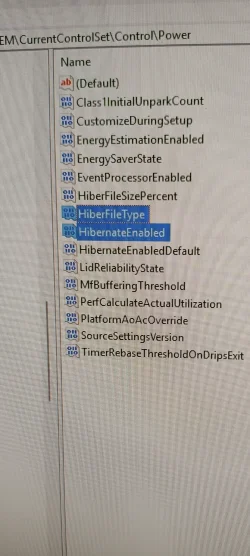
1)First of all go to the below registry key and leave only the two default reg keys for hibernation (delete all other reg entries that have hiber or hibernate in them):

HKEY_LOCAL_MACHINE\SYSTEM\CurrentControlSet\Control\Power
View attachment 179922
2)The problem arises because at some point the efi partition is marked as dirty.

So lets fix it:

Open a cmd with admin rights.

Type diskpart and press Enter.

Type list disk to see your drives.

Type select disk X (replace X with your main system disk number, usually 0).

Type list part to view all partitions and locate the EFI partition

Type select part Y (replace Y with the number of the EFI partition)

Type assign letter=B (assigns drive letter B to the EFI partition; pick any free letter if B is taken)

Type exit to leave diskpart


run chkdsk B: /f /r

When it finishes run again diskpart

select the same disk and partition like above and type

remove letter=B (to remove the letter from efi partition)


Now close the cmd.
3)Hold Shift on your keyboard and click Restart in the Windows power menu.

Select Troubleshoot from the recovery choices.

Click on Advanced options.Choose Startup Settings (if you do not see it, click See more recovery options at the bottom).

Select start the machine in safe mode (4 option)

And let the system to start in safe mode

After that simply restart the machine.


After the startup the hybrid shutdown will work.

* In step 3 if recovery partition don’t work and simply restart your machine repair it with:

reagentc /disable

and then type

reagentc /enable in cmd as admin.
Hello,

Thank you very much for your help. Unfortunately, and to my great surprise, this method did not work either. I followed the instructions carefully and entered the commands in the exact order.
To be honest, I am really frustrated at this point, as this issue has remained unresolved for more than a year.

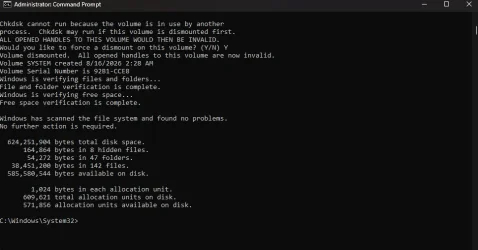
I ran the CHKDSK command, and it did not find any errors on the EFI drive. However, Fast Startup still does not work. Before this, I had also manually deleted the EFI and MSR partitions and recreated them from scratch.
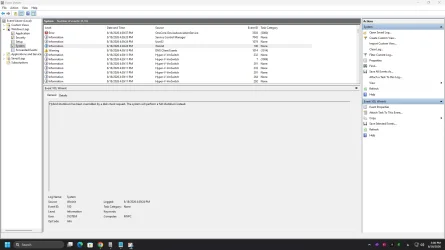
At this point, I am genuinely confused about what could be preventing Fast Startup from working, especially since Hibernate works normally.

I would really appreciate it if you could help me investigate this issue and hopefully resolve it. If necessary, I can also give you remote access to my computer via AnyDesk so that you can check the system directly.
Thank you again for your time and assistance.

Best regards
 

My Computer My Computer

At a glance

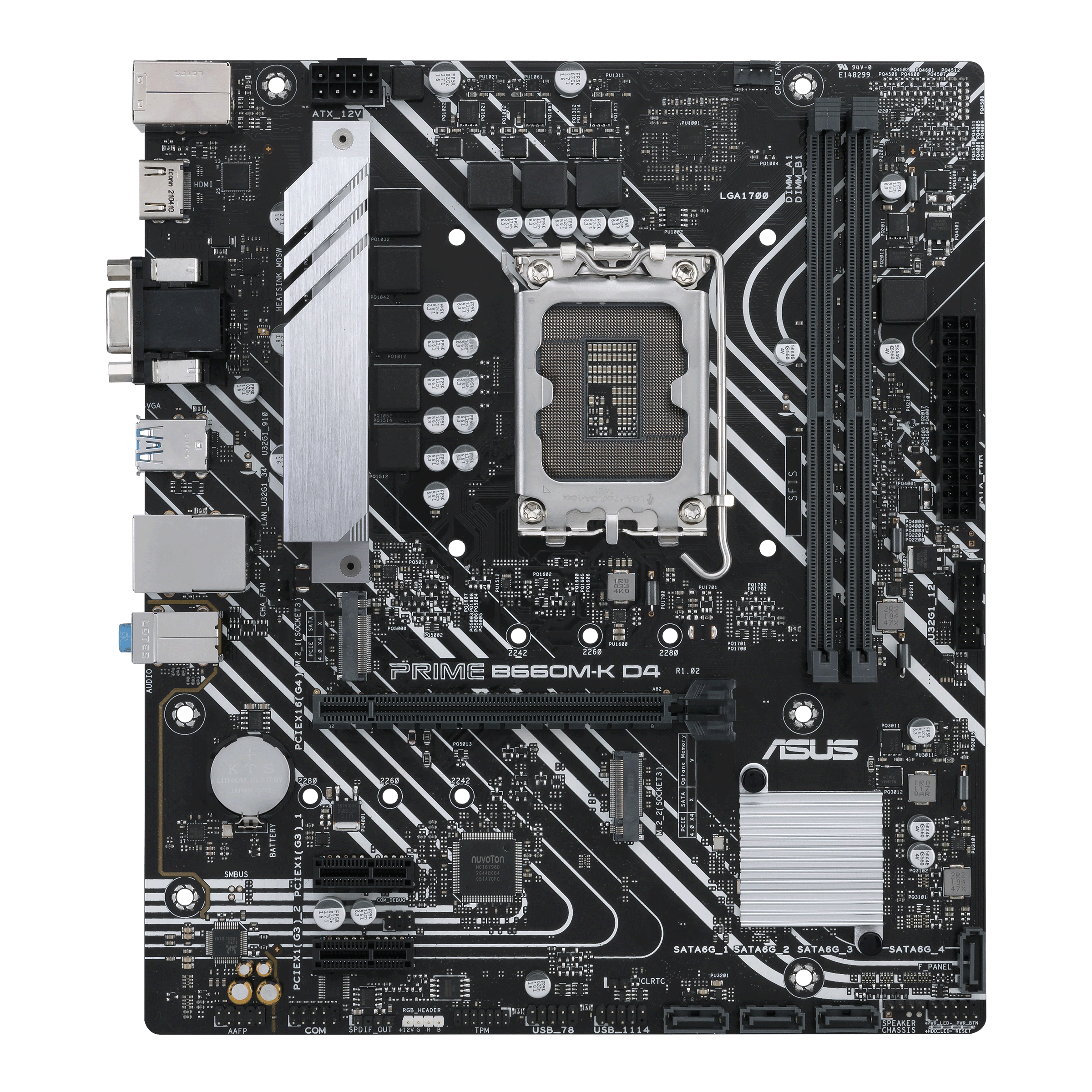
Windows 1112100F16GB 3200MHZ DUAL CHANNELXFX AMD 5700XT TRIPLE DISSIPATION
OS
Windows 11
Computer type
PC/Desktop
Manufacturer/Model
ASUS B660M-K
CPU
12100F
Motherboard
ASUS B660M-K
Memory
16GB 3200MHZ DUAL CHANNEL
Graphics Card(s)
XFX AMD 5700XT TRIPLE DISSIPATION
Hard Drives
WD SN580 1TB
1) Do you have the latest bios ?

2) Do you have the latest firmware for the nvme?
-https://www.techpowerup.com/forums/threads/wd-sn580-firmware-and-conflict-with-win11-24h2.328618/

3) Did you made cmos reset with pins so the motherboard to redetect the uefi gop from gpu and efi partition

4) the nvme is the only drive and use the windows default driver?

5) original from you " The only thing I did was change the graphics VBIOS switch once when the system was off, and the system wouldn't boot"
It seems to me some partition is dirty or at least windows think it.
Remove all disks and scan all partitions in nvme with checkdisk.

Even if you recreate the EFI and MSR partitions it dont fix it even in my case because it seems that in the windows partition somewhere writes something that stuck and it cant be fixed even with windows repair from windows update.

Are you sure in registry have only the two reg files i mention with hyberfilesizepercent=0.
 

My Computers My Computers

  • At a glance

    Windows 11 Pro latestAMD Ryzen 5 5700x32 gb 3200 mhz xmp (4x8)msi rtx3060 8gb
    OS
    Windows 11 Pro latest
    Computer type
    PC/Desktop
    CPU
    AMD Ryzen 5 5700x
    Motherboard
    Msi b550 gaming gen3
    Memory
    32 gb 3200 mhz xmp (4x8)
    Graphics Card(s)
    msi rtx3060 8gb
    Sound Card
    Audigy RX
    Monitor(s) Displays
    Philips 222V8LA/00
    Screen Resolution
    1980x1080
    Hard Drives
    MX500 Crucial
    PSU
    corsair cv 750
    Case
    q-tech
    Cooling
    amd wraith stealth
    Keyboard
    k81 gigabyte force
    Mouse
    zeroground daito
    Internet Speed
    100-10
    Browser
    Mozilla
    Antivirus
    Windows defender
  • At a glance

    windows 11 pro latesti5-2520M8Gb ddr3 1333 mhzhd3000
    Operating System
    windows 11 pro latest
    Computer type
    Laptop
    Manufacturer/Model
    Lenovo T420
    CPU
    i5-2520M
    Memory
    8Gb ddr3 1333 mhz
    Graphics card(s)
    hd3000
    Sound Card
    on board
    Screen Resolution
    1366x768
    Hard Drives
    Team group lite 3d 240gb
    Internet Speed
    100-10
    Antivirus
    defender
1) Do you have the latest bios ?

2) Do you have the latest firmware for the nvme?
-https://www.techpowerup.com/forums/threads/wd-sn580-firmware-and-conflict-with-win11-24h2.328618/

3) Did you made cmos reset with pins so the motherboard to redetect the uefi gop from gpu and efi partition

4) the nvme is the only drive and use the windows default driver?

5) original from you " The only thing I did was change the graphics VBIOS switch once when the system was off, and the system wouldn't boot"
It seems to me some partition is dirty or at least windows think it.
Remove all disks and scan all partitions in nvme with checkdisk.

Even if you recreate the EFI and MSR partitions it dont fix it even in my case because it seems that in the windows partition somewhere writes something that stuck and it cant be fixed even with windows repair from windows update.

Are you sure in registry have only the two reg files i mention with hyberfilesizepercent=0.
1. Yes, I installed the latest BIOS update just a few weeks ago.

2. I’m sorry I didn’t include this in the specifications. The NVMe drive where Windows is installed is a PLEXTOR PX-256M9PeGN, with firmware version 1.07. I added the SN580 NVMe to the system several months after the Fast Startup problem occurred, but I forgot to include the complete list of drives here.

3. At the moment, no. However, when the Fast Startup problem first occurred, one of the things I tried was resetting the BIOS directly from the motherboard.

4. At the moment, yes. However, before that, I also had a Windows 10 installation on a SATA drive, and its layout was MBR. During the Windows installation, I disabled all the other disks through the BIOS by disabling their SATA ports. Likewise, after the Fast Startup problem occurred, I disabled all the SATA drives again using the same method, but this had no effect on resolving the Fast Startup problem.

5. I checked all the drives related to the operating system, including the EFI, Windows, and Recovery partitions, using the same CHKDSK command. Naturally, the check of the Windows drive was performed after the system restarted.

I don’t know which drive Windows identified as Dirty, but it was not the NVMe drive containing Windows. It also seems unlikely that it would be related to the SATA drives, since they are only used for storing files and have no connection to the Windows system drive. In any case, I had already disabled those drives through the BIOS as well.

As I mentioned, I purchased the SN580 later. However, at the moment, there is no option in my BIOS to temporarily disable the NVMe drives.

Regarding the registry keys, yes, I kept only the two keys you mentioned and deleted the rest. However, please note that in this configuration, the Hibernate option becomes enabled again after restarting Windows, and it is not possible to use hiberfil.sys in reduced-size mode solely for Fast Startup. If we do that, two additional registry keys are added back to the registry.

Overall, at this point I have no idea how Fast Startup can be enabled again without completely wiping the disk and reinstalling Windows.

As a test, I once installed another copy of Windows on a SATA drive using the exact same hardware I am currently using, and Fast Startup worked normally on that installation.

The problem is that even if I completely reinstall my main Windows installation from scratch, there is no guarantee that Fast Startup will not become disabled again in the future. Of course, in that situation, perhaps having a System Restore point or a complete backup/image of the Windows disk would allow us to restore it to its previous working state.

Once again, thank you very much for your help. If you have any other ideas or possible solutions, please let me know so that we can investigate those as well.
 

My Computer My Computer

At a glance

Windows 1112100F16GB 3200MHZ DUAL CHANNELXFX AMD 5700XT TRIPLE DISSIPATION
OS
Windows 11
Computer type
PC/Desktop
Manufacturer/Model
ASUS B660M-K
CPU
12100F
Motherboard
ASUS B660M-K
Memory
16GB 3200MHZ DUAL CHANNEL
Graphics Card(s)
XFX AMD 5700XT TRIPLE DISSIPATION
Hard Drives
WD SN580 1TB
Update: I checked all the drives using the fsutil dirty command. I even assigned drive letters to the drives that didn’t have any using DiskPart, and none of them were marked as dirty.
 

My Computer My Computer

At a glance

Windows 1112100F16GB 3200MHZ DUAL CHANNELXFX AMD 5700XT TRIPLE DISSIPATION
OS
Windows 11
Computer type
PC/Desktop
Manufacturer/Model
ASUS B660M-K
CPU
12100F
Motherboard
ASUS B660M-K
Memory
16GB 3200MHZ DUAL CHANNEL
Graphics Card(s)
XFX AMD 5700XT TRIPLE DISSIPATION
Hard Drives
WD SN580 1TB
Bofore you try anything can you remove the sata cable from the sata that had the windows 10 install?

Install windirstat and check c drive.
Do you see hiberfil.sys? if yes, Disable hibernation.
powercfg.exe /hibernate off

Recheck windirstat do you see hiberfil.sys removed?

If yes , go to registry and remove the registry entries except these two above.

Restart your machine and check it with windirstat. The the hiberfill.sys will recreated (by default at 40% percent)

Now scan only the efi partiton like above(with checkdisk).

Then restart your machine in safe mode dont login and wait there 30 seconds.
Then restart again.

Also check the event viewer in case that it fixed it and now it writes something in event viewer.
 

My Computers My Computers

  • At a glance

    Windows 11 Pro latestAMD Ryzen 5 5700x32 gb 3200 mhz xmp (4x8)msi rtx3060 8gb
    OS
    Windows 11 Pro latest
    Computer type
    PC/Desktop
    CPU
    AMD Ryzen 5 5700x
    Motherboard
    Msi b550 gaming gen3
    Memory
    32 gb 3200 mhz xmp (4x8)
    Graphics Card(s)
    msi rtx3060 8gb
    Sound Card
    Audigy RX
    Monitor(s) Displays
    Philips 222V8LA/00
    Screen Resolution
    1980x1080
    Hard Drives
    MX500 Crucial
    PSU
    corsair cv 750
    Case
    q-tech
    Cooling
    amd wraith stealth
    Keyboard
    k81 gigabyte force
    Mouse
    zeroground daito
    Internet Speed
    100-10
    Browser
    Mozilla
    Antivirus
    Windows defender
  • At a glance

    windows 11 pro latesti5-2520M8Gb ddr3 1333 mhzhd3000
    Operating System
    windows 11 pro latest
    Computer type
    Laptop
    Manufacturer/Model
    Lenovo T420
    CPU
    i5-2520M
    Memory
    8Gb ddr3 1333 mhz
    Graphics card(s)
    hd3000
    Sound Card
    on board
    Screen Resolution
    1366x768
    Hard Drives
    Team group lite 3d 240gb
    Internet Speed
    100-10
    Antivirus
    defender
Bofore you try anything can you remove the sata cable from the sata that had the windows 10 install?

Install windirstat and check c drive.
Do you see hiberfil.sys? if yes, Disable hibernation.
powercfg.exe /hibernate off

Recheck windirstat do you see hiberfil.sys removed?

If yes , go to registry and remove the registry entries except these two above.

Restart your machine and check it with windirstat. The the hiberfill.sys will recreated (by default at 40% percent)

Now scan only the efi partiton like above(with checkdisk).

Then restart your machine in safe mode dont login and wait there 30 seconds.
Then restart again.

Also check the event viewer in case that it fixed it and now it writes something in event viewer.
Thank you. Initially, I disconnected that SATA drive's cable from the motherboard then I disabled hibernation using the powercfg /hibernate off command and checked that the hiberfil.sys file, which was 6 GB in size, had been deleted.

I also deleted the two unnecessary registry keys, HiberFileType and HibernateEnabled. I restarted the system, and I noticed that the hiberfil.sys file had been recreated with a size of 6 GB.

This time, I ran the powercfg /h type reduced command and checked again. I saw that the hiberfil.sys file size had been reduced to 3 GB.

I repeated the previous steps again, meaning I ran powercfg /h off and confirmed that the hiberfil.sys file was deleted. I then deleted those two unnecessary registry keys and restarted the system. However, this time as well, the hiberfil.sys file was recreated with a size of 6 GB.

What could be causing this problem?

I will attach a screenshot of the registry keys. The two keys I have selected are the ones I delete. The two keys above and below them, which you mentioned, are the ones I keep.
 

Attachments

  • Screenshot_2026-08-18-13-03-38-585_com.miui.gallery.webp
    Screenshot_2026-08-18-13-03-38-585_com.miui.gallery.webp
    868.8 KB · Views: 1

My Computer My Computer

At a glance

Windows 1112100F16GB 3200MHZ DUAL CHANNELXFX AMD 5700XT TRIPLE DISSIPATION
OS
Windows 11
Computer type
PC/Desktop
Manufacturer/Model
ASUS B660M-K
CPU
12100F
Motherboard
ASUS B660M-K
Memory
16GB 3200MHZ DUAL CHANNEL
Graphics Card(s)
XFX AMD 5700XT TRIPLE DISSIPATION
Hard Drives
WD SN580 1TB
Yes leave it 6 dont run the reduced command. Yes delete the two keys that you have selected.
so delete again the hibarnate file and the keys and restart.
But not run the reduced command. I want the default 40 percent like a new install.

Also in the meanwhile i found this:
The nvme PLEXTOR PX-256M9PeGN uses the Marvell 88SS1093 that uses 1.2 nvme protocol.
NVMe 1.3 protocol also adds much needed support for boot-partitions, without needing the motherboard UEFI firmware to store it.
Old motherboards with 1.2 NVMe booting support involves storing a tiny boot partition with the bootloader on the SPI flash chip of the motherboard which stores the UEFI firmware.

-https://nvmexpress.org/nvme-readiness-part-three/
<<<The NVMe 1.3 Spec. was released in June 2017 and added new features including – Boot, Emulated Controller Performance Enhancement, Sanitize, Streams, Telemetry, NVMe-MI Send, NVMe-Receive among others.

  • Boot provides a simplified interface to access Boot Partitions that may be used for platform initialization code.>>>
Also i found that this nvme has a 1.08 firmware but i cant find it.
-https://smarthdd.com/database/PLEXTOR-PX-256M9PeGN/1.08/


The nvme is small, it is possible with macrium reflect to make and image to another ssd and then run the fix.
 
Last edited:

My Computers My Computers

  • At a glance

    Windows 11 Pro latestAMD Ryzen 5 5700x32 gb 3200 mhz xmp (4x8)msi rtx3060 8gb
    OS
    Windows 11 Pro latest
    Computer type
    PC/Desktop
    CPU
    AMD Ryzen 5 5700x
    Motherboard
    Msi b550 gaming gen3
    Memory
    32 gb 3200 mhz xmp (4x8)
    Graphics Card(s)
    msi rtx3060 8gb
    Sound Card
    Audigy RX
    Monitor(s) Displays
    Philips 222V8LA/00
    Screen Resolution
    1980x1080
    Hard Drives
    MX500 Crucial
    PSU
    corsair cv 750
    Case
    q-tech
    Cooling
    amd wraith stealth
    Keyboard
    k81 gigabyte force
    Mouse
    zeroground daito
    Internet Speed
    100-10
    Browser
    Mozilla
    Antivirus
    Windows defender
  • At a glance

    windows 11 pro latesti5-2520M8Gb ddr3 1333 mhzhd3000
    Operating System
    windows 11 pro latest
    Computer type
    Laptop
    Manufacturer/Model
    Lenovo T420
    CPU
    i5-2520M
    Memory
    8Gb ddr3 1333 mhz
    Graphics card(s)
    hd3000
    Sound Card
    on board
    Screen Resolution
    1366x768
    Hard Drives
    Team group lite 3d 240gb
    Internet Speed
    100-10
    Antivirus
    defender
Yes leave it 6 dont run the reduced command. Yes delete the two keys that you have selected.
so delete again the hibarnate file and the keys and restart.
But not run the reduced command. I want the default 40 percent like a new install.

Also in the meanwhile i found this:
The nvme PLEXTOR PX-256M9PeGN uses the Marvell 88SS1093 that uses 1.2 nvme protocol.
NVMe 1.3 protocol also adds much needed support for boot-partitions, without needing the motherboard UEFI firmware to store it.
Old motherboards with 1.2 NVMe booting support involves storing a tiny boot partition with the bootloader on the SPI flash chip of the motherboard which stores the UEFI firmware.

-https://nvmexpress.org/nvme-readiness-part-three/
<<<The NVMe 1.3 Spec. was released in June 2017 and added new features including – Boot, Emulated Controller Performance Enhancement, Sanitize, Streams, Telemetry, NVMe-MI Send, NVMe-Receive among others.

  • Boot provides a simplified interface to access Boot Partitions that may be used for platform initialization code.>>>
Also i found that this nvme has a 1.08 firmware but i cant find it.
-https://smarthdd.com/database/PLEXTOR-PX-256M9PeGN/1.08/


The nvme is small, it is possible with macrium reflect to make and image to another ssd and then run the fix.

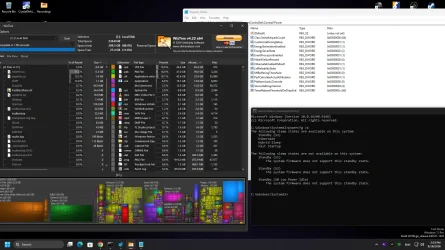
Yes, every time I use the powercfg /h /off command, the hiberfil.sys file is deleted. Then I delete those two unnecessary registry keys, and after restarting the system, the hiberfil.sys file is recreated with a size of 6 GB!


I don't know what is causing the problem, but this time I managed to restart the system without the two additional registry keys being recreated. After the restart, I noticed that they had not been recreated. I don't know how that happened, but the hiberfil.sys file is still 6 GB in size. I don't know whether this is a bug or what the problem might be. In general, yes, it is true that by default, after Windows is installed, it creates this file with a size of 3 GB.


Please see the attached image (It was taken after Restart).


Thank you. I cannot rule out the possibility that the problem is related to the firmware. However, if that is the case, why was Fast Startup enabled and working for two months. In general, Fast Startup is designed to provide the best performance on hard disk drives and even SATA drives, so it doesn't make sense for this feature to be disabled on an NVMe drive because of the type of firmware.


Another point is that if there is some kind of incompatibility, why does the system hibernate without any problems while Fast Startup is the exception.


Honestly, I am completely exhausted. I have tried every possible solution, but the problem still isn't resolved. And why doesn't Windows log an error or warning that could help us determine the cause?


If this isn't a bug in Windows itself, it seems to be a long-standing issue that has existed for years. During my research, I found that many other people have also experienced problems with Fast Startup. For some of them, Fast Startup mysteriously became enabled again, while for others, like me, it remained disabled.


Thank you.
 

Attachments

  • hibernate.webp
    hibernate.webp
    208.4 KB · Views: 1

My Computer My Computer

At a glance

Windows 1112100F16GB 3200MHZ DUAL CHANNELXFX AMD 5700XT TRIPLE DISSIPATION
OS
Windows 11
Computer type
PC/Desktop
Manufacturer/Model
ASUS B660M-K
CPU
12100F
Motherboard
ASUS B660M-K
Memory
16GB 3200MHZ DUAL CHANNEL
Graphics Card(s)
XFX AMD 5700XT TRIPLE DISSIPATION
Hard Drives
WD SN580 1TB
I believe you because i had two affeced pc with hibernation to work, hybrid shutdown failure and eventviewer not saying anything.
But i fix it with the above workflow.

In picture it seems ok. Now make again the steps 2 and 3.


I also in early days i had a kingston ssd that hybernation work and fast boot no and they released firmware update.
But in that case i had in event viewer a log error.

But we dont know if windows has a flag for the hybrid shutdown that bypases manual activation.
For example if it see and nvme version 1.2.


I also want to say that the default reg key to create hiberfil.sys is the HibernateEnabledDefault after 2021 update.
See here option 3

-https://www.tenforums.com/tutorials/2859-enable-disable-hibernate-windows-10-a.html

When we run a command powercfg -hibernate off for example, i don't know why it creates the key HibernateEnabled, as this key was to be used before the 2021 update.


Also with the two default reg entries you cant use hyberfiletype 1 like you it has a bug. That is the reason that you need only the two default keys.
read more here:
-https://www.tenforums.com/tutorials/2859-enable-disable-hibernate-windows-10-a-8.html
post 72
 
Last edited:

My Computers My Computers

  • At a glance

    Windows 11 Pro latestAMD Ryzen 5 5700x32 gb 3200 mhz xmp (4x8)msi rtx3060 8gb
    OS
    Windows 11 Pro latest
    Computer type
    PC/Desktop
    CPU
    AMD Ryzen 5 5700x
    Motherboard
    Msi b550 gaming gen3
    Memory
    32 gb 3200 mhz xmp (4x8)
    Graphics Card(s)
    msi rtx3060 8gb
    Sound Card
    Audigy RX
    Monitor(s) Displays
    Philips 222V8LA/00
    Screen Resolution
    1980x1080
    Hard Drives
    MX500 Crucial
    PSU
    corsair cv 750
    Case
    q-tech
    Cooling
    amd wraith stealth
    Keyboard
    k81 gigabyte force
    Mouse
    zeroground daito
    Internet Speed
    100-10
    Browser
    Mozilla
    Antivirus
    Windows defender
  • At a glance

    windows 11 pro latesti5-2520M8Gb ddr3 1333 mhzhd3000
    Operating System
    windows 11 pro latest
    Computer type
    Laptop
    Manufacturer/Model
    Lenovo T420
    CPU
    i5-2520M
    Memory
    8Gb ddr3 1333 mhz
    Graphics card(s)
    hd3000
    Sound Card
    on board
    Screen Resolution
    1366x768
    Hard Drives
    Team group lite 3d 240gb
    Internet Speed
    100-10
    Antivirus
    defender
I believe you because i had two affeced pc with hibernation to work, hybrid shutdown failure and eventviewer not saying anything.
But i fix it with the above workflow.

In picture it seems ok. Now make again the steps 2 and 3.


I also in early days i had a kingston ssd that hybernation work and fast boot no and they released firmware update.
But in that case i had in event viewer a log error.

But we dont know if windows has a flag for the hybrid shutdown that bypases manual activation.
For example if it see and nvme version 1.2.
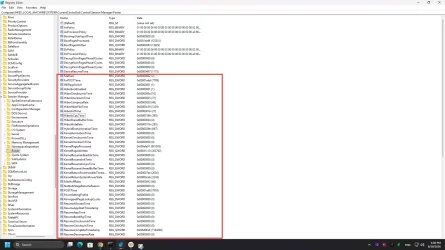
Thank you. Please check these values as well, and let me know if there are any differences compared to your registry.


There are a large number of registry keys related to Hibernate. Is it possible that one of them is preventing Fast Startup from working?

For example, I’m curious to know what HBFlagsSwitch refers to.
 

Attachments

  • Screenshot 2026-08-18 160100.webp
    Screenshot 2026-08-18 160100.webp
    186.6 KB · Views: 1

My Computer My Computer

At a glance

Windows 1112100F16GB 3200MHZ DUAL CHANNELXFX AMD 5700XT TRIPLE DISSIPATION
OS
Windows 11
Computer type
PC/Desktop
Manufacturer/Model
ASUS B660M-K
CPU
12100F
Motherboard
ASUS B660M-K
Memory
16GB 3200MHZ DUAL CHANNEL
Graphics Card(s)
XFX AMD 5700XT TRIPLE DISSIPATION
Hard Drives
WD SN580 1TB

Latest Support Threads

Back
Top Bottom