I have an old PC...
An old Intel i5-2500K build...
Its not compatible with Windows 11...
So during Black Friday, I bought some new parts to build a newer PC that will support Windows 11.
I've finally had a chance to put it all together, and ran the Windows Media Creation whatever tool to set up a USB drive to install Windows 11...
I got the new system all up and running with Windows 11 installed... and now I'm running into a problem.
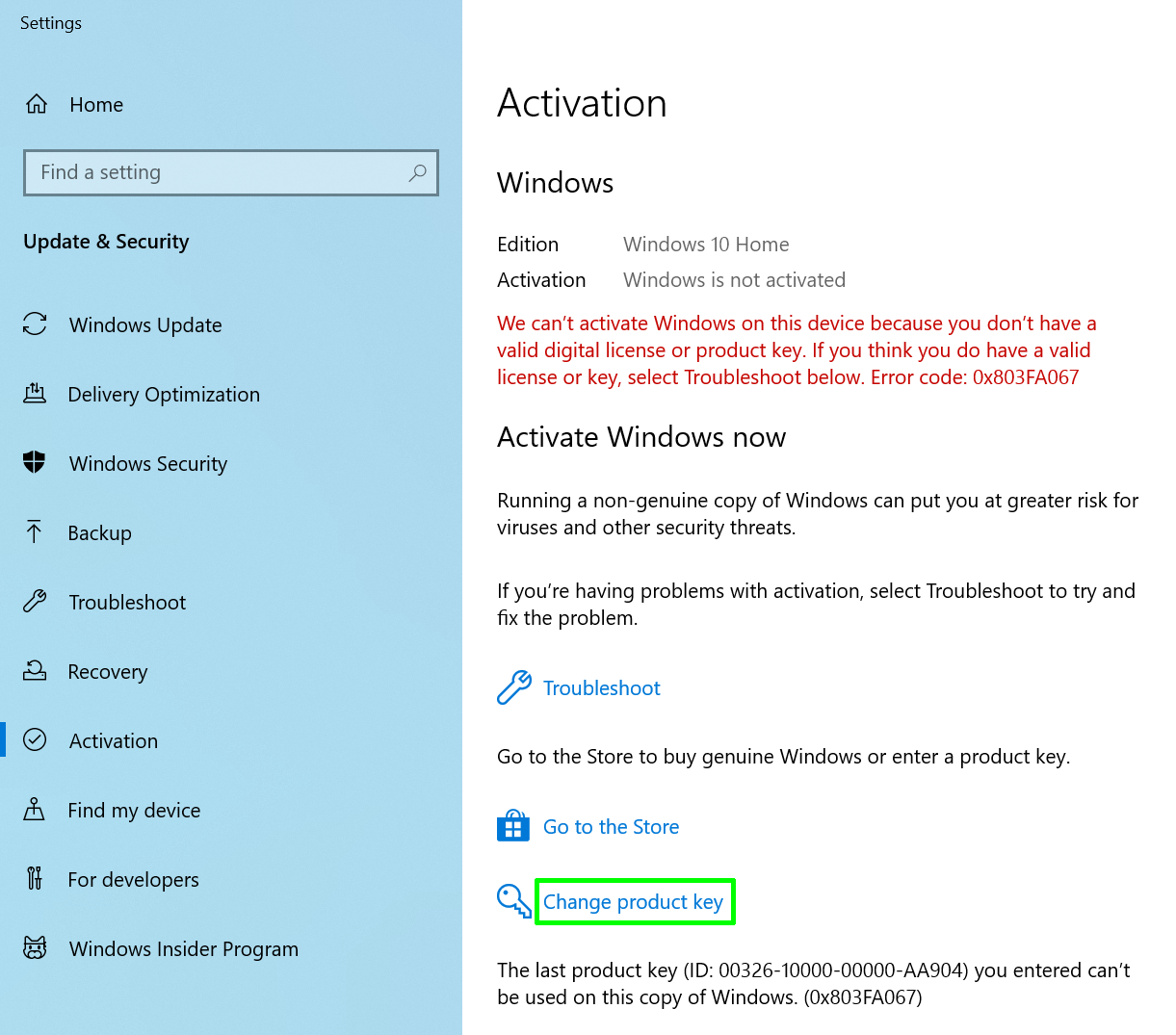
It won't accept the Key from my Windows 10 PC... which I'm currently using, typing on right now... while the newer Windows 11 one is setting next to me running on a second screen...
Is it not accepting the Key because the Windows 10 pc is currently up and running?
Its not telling me its "in use" or anything its just telling me the key is invalid... but its from an oem copy of windows 10 that I bought from Microcenter years ago... I have no idea where the original packaging is though.
Thing is... I did this same thing last year on another PC... completely built a new PC to replace an old one that wouldnt support windows 11, and used the oem windows 10 pro key on that old one, that was also bought from microcenter, to activate the newer installation of windows 11, and had no issues with it... then installed the old ones original windows drive to copy files over, etc... then wiped the drive and used it to install some games on for the new one.
Thats what I'm trying to do with this current build.
An old Intel i5-2500K build...
Its not compatible with Windows 11...
So during Black Friday, I bought some new parts to build a newer PC that will support Windows 11.
I've finally had a chance to put it all together, and ran the Windows Media Creation whatever tool to set up a USB drive to install Windows 11...
I got the new system all up and running with Windows 11 installed... and now I'm running into a problem.
It won't accept the Key from my Windows 10 PC... which I'm currently using, typing on right now... while the newer Windows 11 one is setting next to me running on a second screen...
Is it not accepting the Key because the Windows 10 pc is currently up and running?
Its not telling me its "in use" or anything its just telling me the key is invalid... but its from an oem copy of windows 10 that I bought from Microcenter years ago... I have no idea where the original packaging is though.
Thing is... I did this same thing last year on another PC... completely built a new PC to replace an old one that wouldnt support windows 11, and used the oem windows 10 pro key on that old one, that was also bought from microcenter, to activate the newer installation of windows 11, and had no issues with it... then installed the old ones original windows drive to copy files over, etc... then wiped the drive and used it to install some games on for the new one.
Thats what I'm trying to do with this current build.
My Computers
-
At a glance
Windows 11 ProRyzen 7 7800X3DGSkill Flare DDR5-6000 32GBRadeon RX 7800XT Nitro+- OS
- Windows 11 Pro
- Computer type
- PC/Desktop
- Manufacturer/Model
- Custom Build
- CPU
- Ryzen 7 7800X3D
- Motherboard
- ASRock B650E PH Riptide Wifi
- Memory
- GSkill Flare DDR5-6000 32GB
- Graphics Card(s)
- Radeon RX 7800XT Nitro+
- Sound Card
- Whatever the motherboard has
- Monitor(s) Displays
- LG 34" Curved
- Screen Resolution
- 3440x1440
- Hard Drives
- Samsung 990 Pro nvme m2 2TB
Crucial P2+ nvme m2 2TB
Samsung 970 Evo+ m2 2TB
Crucial MX m2 1TB
- PSU
- EVGA Leadex Superflower G2 750w
- Case
- Lian Li Lancool 216 aRGB
- Cooling
- Arctic Cooling Liquid Freezer III Pro 360 aRGB
- Keyboard
- Razer Ornata v2
- Mouse
- Razer Naga Hex V2
- Internet Speed
- ATT Fiber
-
At a glance
Windows 11 ProRyzen 5 7600XGSkill Flare DDR5-6000 32GBASRock Challanger Radeon RX-9060XT- Operating System
- Windows 11 Pro
- Computer type
- PC/Desktop
- Manufacturer/Model
- Custom Build
- CPU
- Ryzen 5 7600X
- Motherboard
- Asus TUF Gaming B650E-E Wifi
- Memory
- GSkill Flare DDR5-6000 32GB
- Graphics card(s)
- ASRock Challanger Radeon RX-9060XT
- Sound Card
- Whatever the motherboard has
- Monitor(s) Displays
- Acer 24" LCD
- Screen Resolution
- 1920x1080
- Hard Drives
- Samsung 990 Pro 1TB nvme M.2
Samsung 950 Pro 500GB nvme m.2
- PSU
- Superflower Leadex III 850W Gold
- Case
- Cooler Master HAF 500
- Cooling
- Arctic Cooling Liquid Freezer II 240 ARGB
- Internet Speed
- ATT Fiber