UPDATE 6/12:
 www.elevenforum.com
Hello Windows Insiders, today we are releasing Windows 11 Insider Preview Build 26231 to the Canary Channel.
Developers, please note that for a short period of time, we will not be releasing an SDK for builds we flight to the Canary Channel.
 www.elevenforum.com
To know the entire list of Narrator commands supported with voice access, click help icon (?) on the voice access bar, select “View all commands” and choose “Narrator commands.”
What will work:
FEEDBACK: Send us feedback in Feedback Hub (WIN + F) under Accessibility > Narrator.
 www.elevenforum.com
We are introducing a new command for searching directly with Windows search. Users can now say the command Search “Entity”; Search Windows for “Entity”; or Search for “Entity” to search for their desired application or file in Windows (“Entity” is replaced with whatever application or file you want to search.)
[We are beginning to roll this out to Windows Insiders in the Canary Channel, so the experience isn’t available to all Insiders just yet as we plan to monitor feedback before pushing it out to everyone.]
FEEDBACK: Send us feedback in Feedback Hub (WIN + F) under Accessibility > Voice access.
 www.elevenforum.com
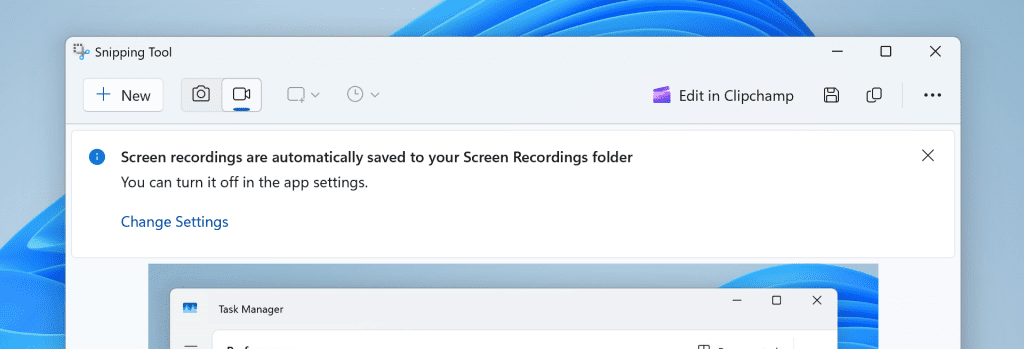
Snipping Tool showing new banner for screen recordings now automatically being saved to your Screen Recordings folder.
FEEDBACK: Please file feedback in Feedback Hub (WIN + F) under Apps > Snipping Tool.
Amanda & Brandon

 blogs.windows.com
Check Windows Updates
UUP Dump:
64-bit ISO download:

ARM64 ISO download:
 www.elevenforum.com
Windows 11 Insider Canary build 26236.5000 (24H2) - June 12
Windows Blogs: Release notes will be posted when this update is released at 12PM CDT. Source: Check Windows Updates UUP Dump: 64-bit ISO download: x ARM64 ISO download: x https://www.elevenforum.com/t/uup-dump-download-windows-insider-iso.344/
www.elevenforum.com
Windows Blogs:
Hello Windows Insiders, today we are releasing Windows 11 Insider Preview Build 26231 to the Canary Channel.
Developers, please note that for a short period of time, we will not be releasing an SDK for builds we flight to the Canary Channel.
What’s new with Build 26231
Narrator users can now use voice access to dictate text hands-free
Narrator users can start using voice access in Windows 11 to dictate text with voice and hear what is dictated. In addition, you can also use voice access to give Narrator commands. For example, “Turn on Narrator,” “speak faster,” “read selection,” “read next line,” etc.
Turn On or Off Narrator in Windows 11
This tutorial will show you how to turn on or off Narrator for your account in Windows 11. Narrator is a screen reader included with Windows 11 that describes what's on your screen. Narrator lets you use your PC without a mouse to complete common tasks if you’re blind or have low vision. It...
www.elevenforum.com
To know the entire list of Narrator commands supported with voice access, click help icon (?) on the voice access bar, select “View all commands” and choose “Narrator commands.”
What will work:
- Start and set up voice access which includes downloading a speech model.
- Read a list of voice access commands and Narrator commands from voice access help menu.
- Changing voice access microphone state.
- Dictating text with voice and hearing back what was dictated.
- If you don’t use headphones for listening to the screen reader, the audio output from the screen reader may get picked up by voice access microphone, leading to unwanted behavior.
FEEDBACK: Send us feedback in Feedback Hub (WIN + F) under Accessibility > Narrator.
Auto Restart for Voice Access & New Voice Access Command for Windows Search
We are introducing auto restart for voice access in Windows 11. This feature ensures that voice access will automatically restart if it encounters any issues so that individuals with limited mobility can get back to using voice access as quickly as possible. Customers will no longer need to rely on alternative assistive technologies or assistance from others to reactivate voice access. Should voice access automatically restart due to a crash, we are making it easier to report those crashes once voice access restarts so the team can investigate and work on fixes.
Turn On or Off Voice Access in Windows 11
This tutorial will show you how to turn on or off voice access for your account in Windows 11. Voice access is a new experience starting with Windows 11 build 22518 that enables everyone, including people with mobility disabilities, to control their PC and author text using only their voice and...
www.elevenforum.com
We are introducing a new command for searching directly with Windows search. Users can now say the command Search “Entity”; Search Windows for “Entity”; or Search for “Entity” to search for their desired application or file in Windows (“Entity” is replaced with whatever application or file you want to search.)
[We are beginning to roll this out to Windows Insiders in the Canary Channel, so the experience isn’t available to all Insiders just yet as we plan to monitor feedback before pushing it out to everyone.]
FEEDBACK: Send us feedback in Feedback Hub (WIN + F) under Accessibility > Voice access.
Changes and Improvements
[Windows Share]
- We are beginning to roll out the ability to copy files from the Windows share window. Just click the new copy button.

Share File with App in Windows 11
This tutorial will show you how to share a file with an app in Windows 11. Windows Share in Windows 11 allows you to share file(s) with an app to send from. Starting with Windows 11 build 22631.3810, Microsoft is rolling out the ability to copy files from the Windows share window. Just click...
www.elevenforum.com

Share Files with Nearby Devices in Windows 11
This tutorial will show you how to share files with nearby devices using Nearby Sharing in Windows 11. Windows Share in Windows 11 allows you to share file(s) using Nearby Sharing. Nearby sharing in Windows lets you share documents, photos, links to websites, and more with nearby devices by...
www.elevenforum.com
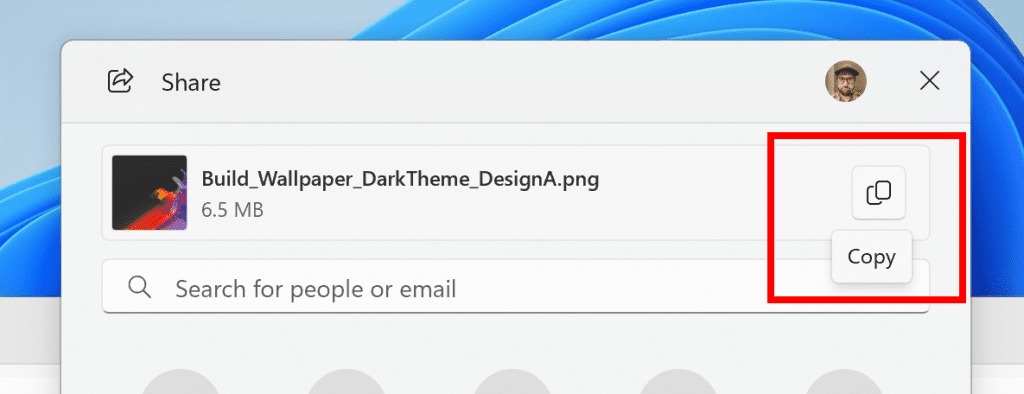
New copy button for copying files in the Windows share window highlighted in a red box.

[Settings]
- The change that updates the visuals for the “Rename your PC” and “Change date and time” dialogs to match the Windows 11 visuals that began rolling out with Build 26217 should now be available to everyone in the Canary Channel.

Rename PC in Windows 11
This tutorial will show you how to change the computer name of your Windows 11 PC. Rename your device to make it easier to identify if you use multiple computers with your Microsoft account devices. PCs on a network need unique names so they can identify and communicate with each other. If two...
www.elevenforum.com
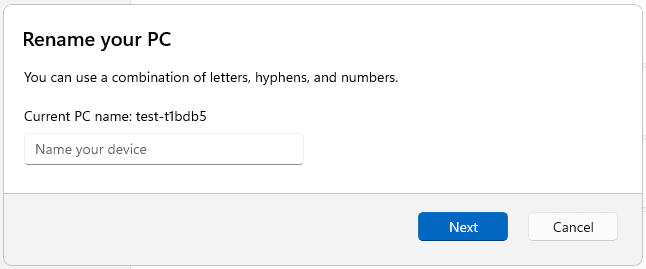
Rename your PC dialog with refreshed design to match the Windows 11 visuals.
Fixes
[File Explorer]
- As some Insiders have noticed, we’ve done some work to improve how the new icon labels in the context menu display for non-English languages.
[Task Manager]
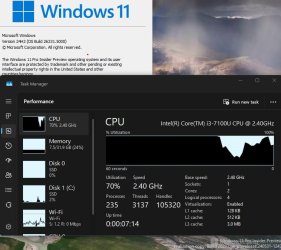
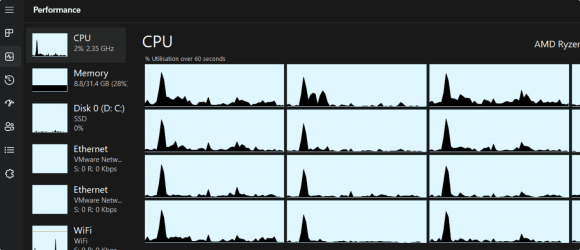
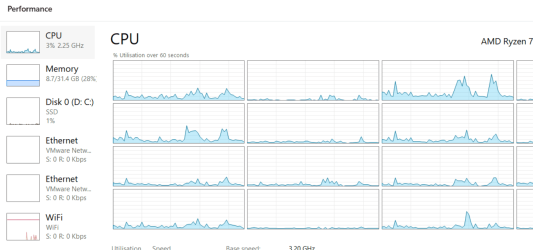
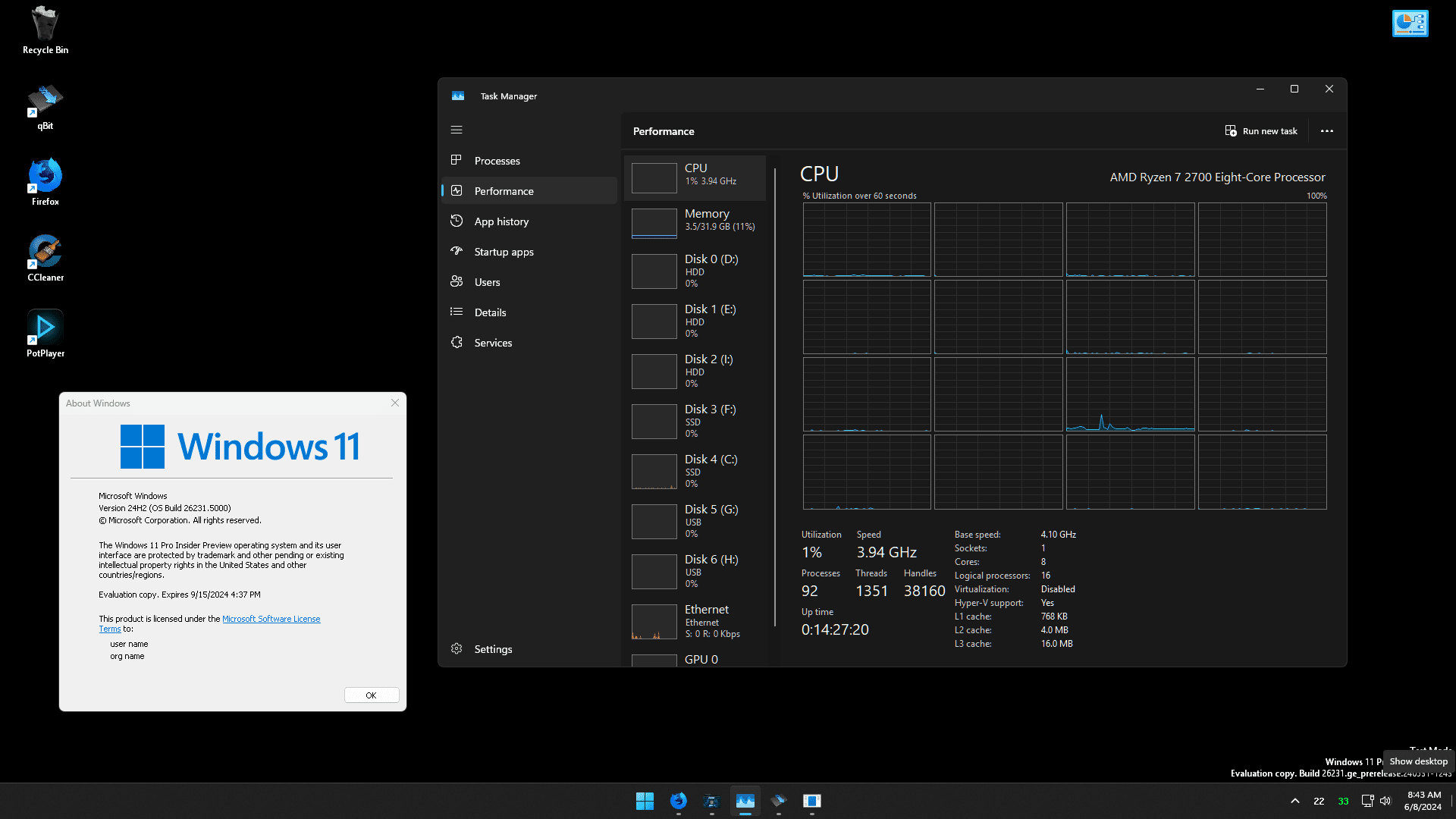
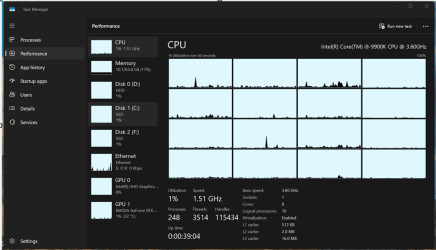
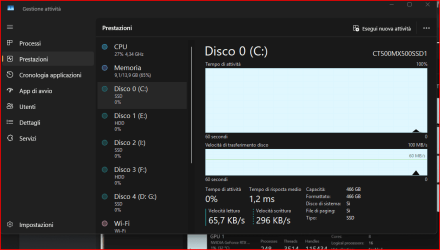
- Updated the units (from MHz to MT/s) for DDR speed.
- Fixed an issue where the Safely Remove Hardware option for ejecting USB devices wouldn’t work if Task Manager was open.
- Did some work to ensure Task Manager releases process handles quickly when terminating processes.
- Made some more improvements to help with Task Manager reliability.
- We have improved the performance when changing the sort order.
- Made multiple improvements to overall accessibility of Task Manager, including improving keyboard focus, tab navigation, text scaling, names of items read out by screen readers, and more.
- We made it a little easier to resize Task Manager when trying to resize by grabbing the top of the window.
Known issues
[General]
- [IMPORTANT NOTE] We are investigating reports that some Windows Insiders in the Canary and Dev Channels are stuck on Build 26040 or Build 23620. The investigation is ongoing, however if you are impacted by this and really want to get onto the latest build in the Canary or Dev Channel today – you can download the latest ISO here and do a clean install and opt your device back into flighting in the Canary or Dev Channels.
Snipping Tool Update
We are rolling out an update for Snipping Tool (version 11.2405.24.0 and newer) to Windows Insiders in the Canary and Dev Channels that introduces automatic save for screen recordings. This feature works the same as automatic save for screenshots. Your recordings will automatically be saved to Screen Recordings folder (inside your Videos folder). You can choose to turn this off in Snipping Tool settings.
Enable or Disable Snipping Tool Auto Save Screen Recordings in Windows 11
This tutorial will show you how to turn on or off automatically save screen recordings for the Snipping Tool app for your account in Windows 11. The Snipping Tool app includes a built-in screen recorder and allows you to quickly take and annotate screenshots, photos and other images with your...
www.elevenforum.com
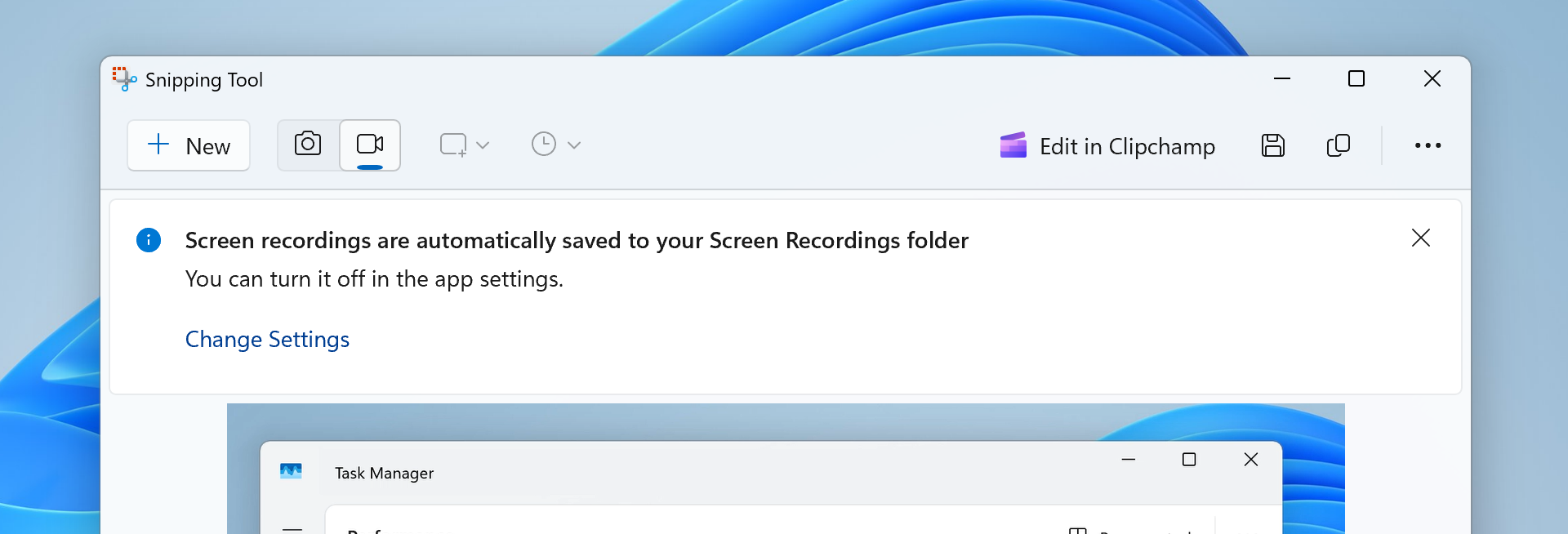
Snipping Tool showing new banner for screen recordings now automatically being saved to your Screen Recordings folder.
FEEDBACK: Please file feedback in Feedback Hub (WIN + F) under Apps > Snipping Tool.
Reminders for Windows Insiders in the Canary Channel
- The builds we release to the Canary Channel should not be seen as matched to any specific release of Windows and features and experiences included in these builds may never get released as we try out different concepts and get feedback. Features may change over time, be removed, or replaced and never get released beyond Windows Insiders. Some of these features and experiences could show up in future Windows releases when they’re ready.
- Many features in the Canary Channel are rolled out using Control Feature Rollout technology, starting with a subset of Insiders and ramping up over time as we monitor feedback to see how they land before pushing them out to everyone in this channel.
- Some features in active development we preview with Windows Insiders may not be fully localized and localization will happen over time as features are finalized. As you see issues with localization in your language, please report those issues to us via Feedback Hub.
- To get off the Canary Channel, a clean install of Windows 11 will be required. As a reminder – Insiders can’t switch to a channel that is receiving builds with lower build numbers without doing a clean installation of Windows 11 due to technical setup requirements.
- The desktop watermark shown at the lower right corner of the desktop is normal for these pre-release builds.
- Check out Flight Hub for a complete look at what build is in which Insider channel.
- Copilot in Windows* is being rolled out gradually to Windows Insiders across our global markets. Customers in the European Economic Area will be able to download the Copilot in Windows experience as an app from the Microsoft Store (coming soon).
Amanda & Brandon
Source:
Announcing Windows 11 Insider Preview Build 26231 (Canary Channel)
Hello Windows Insiders, today we are releasing Windows 11 Insider Preview Build 26231 to the Canary Channel. Developers, please note that for a short period of time, we will not be releasing an SDK for builds we flight to th
blogs.windows.com
Check Windows Updates
UUP Dump:
64-bit ISO download:
Select language for Windows 11 Insider Preview 26231.5000 (ge_prerelease) amd64
Select language for Windows 11 Insider Preview 26231.5000 (ge_prerelease) amd64 on UUP dump. UUP dump lets you download Unified Update Platform files, like Windows Insider updates, directly from Windows Update.
uupdump.net
ARM64 ISO download:
Select language for Windows 11 Insider Preview 26231.5000 (ge_prerelease) arm64
Select language for Windows 11 Insider Preview 26231.5000 (ge_prerelease) arm64 on UUP dump. UUP dump lets you download Unified Update Platform files, like Windows Insider updates, directly from Windows Update.
uupdump.net
UUP Dump - Download Windows Insider ISO
UUP Dump is the most practical and easy way to get ISO images of any Insider Windows 10 or Windows 11 version, as soon as Microsoft has released a new build. UUP Dump creates a download configuration file according to your choices, downloads necessary files directly from Microsoft servers, and...
www.elevenforum.com
Last edited: