Microsoft Support:
Changes and improvements gradually being rolled out
[Windows Search]
- We're expanding the new Windows Search experience that began rolling out earlier this month with more ways to find what you need and take action directly from Search.

Add or Remove Search Button on Taskbar in Windows 11
This tutorial will show you how to add or remove the Search button on the taskbar for your account or all users in Windows 11. The Search button on the taskbar allows you to quickly use Windows Search (Win+S) to search for apps, documents, email, files, folders, music, people, photos, settings... www.elevenforum.com
- Inline actions: Adjust your volume, screen brightness, or cursor size with inline sliders. Actions are more clearly labeled, and suggested actions help you discover more things you can do.
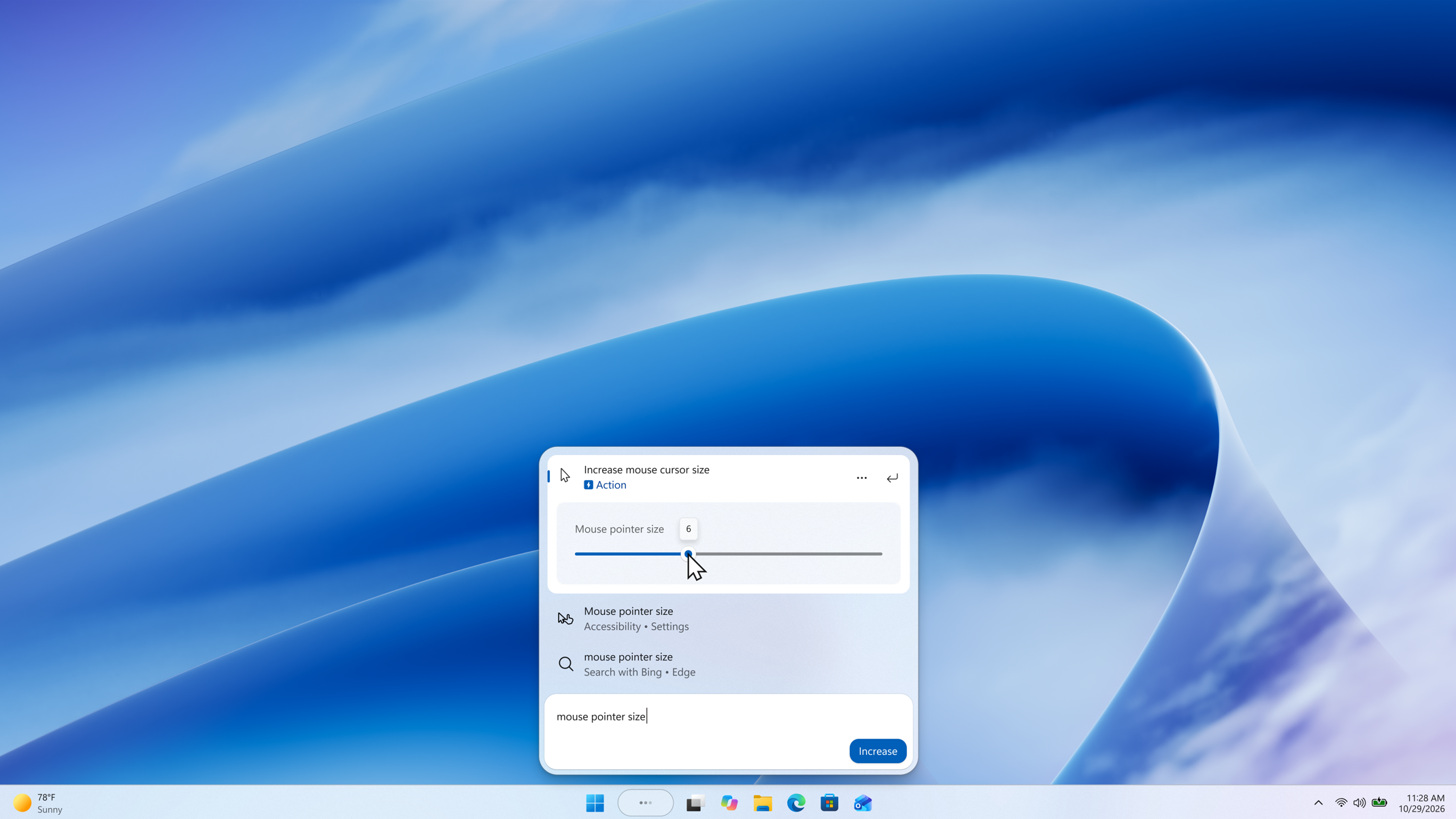
A slider control appears in inline action results, allowing the setting to be adjusted directly from Windows Search. - Phone actions: With a supported phone connected through Phone Link, you can now call or text a friend and access phone actions such as Do Not Disturb. Android support is available now with iPhone support coming early next year.
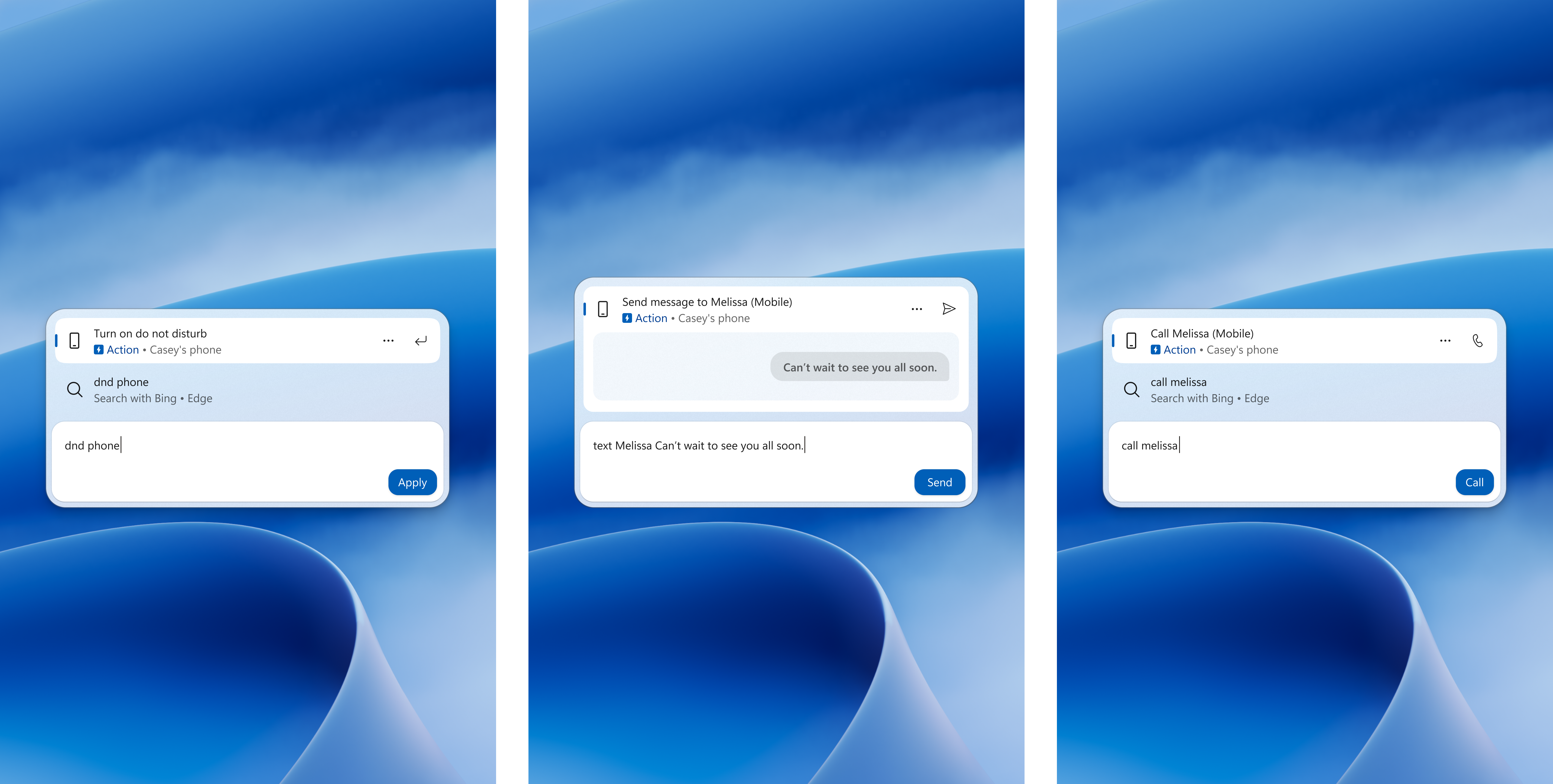
Three Windows Search views show phone actions for turning on Do Not Disturb, sending a text message, and making a call from a connected phone. - Richer results: Preview files and see details such as a file's last modified date, location, and author. Get web answers for weather, stocks, and facts, and discover apps and games from the Microsoft Store. Like web results, app results from the Store can be toggled on or off in Settings > Privacy & security > Search.

Enable or Disable Bing Web Suggested Search Results in Windows Search on Windows 11
This tutorial will show you how to turn on or off showing Bing "Web Searches" suggested search results in Windows Search for your account in Windows 11 Windows Search lets you search from your taskbar to find what you’re looking for, whether it’s on your device, in the cloud, or on the web...
www.elevenforum.com

Enable or Disable Microsoft Store Suggested Search Results in Windows Search on Windows 11
This tutorial will show you how to turn on or off showing Microsoft Store suggested search results in Windows Search for your account in Windows 11 Windows Search lets you search from your taskbar to find what you’re looking for, whether it’s on your device, in the cloud, or on the web. The...
www.elevenforum.com
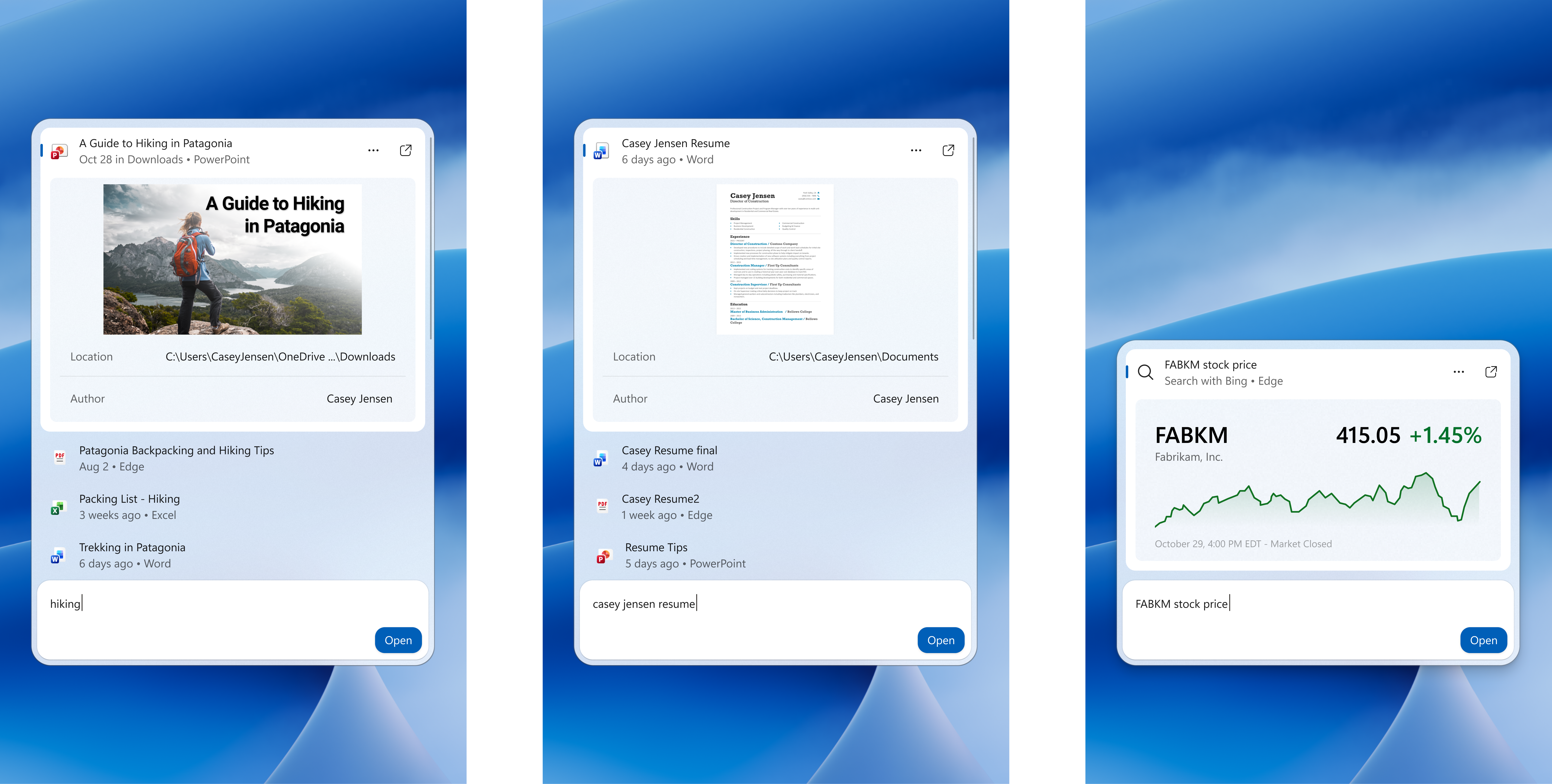
Three Windows Search views show inline previews of a PowerPoint presentation, a Word document, and a stock price. - Result filters: Scroll to see more results and filter by Files & Folders, Settings, Actions, and more.
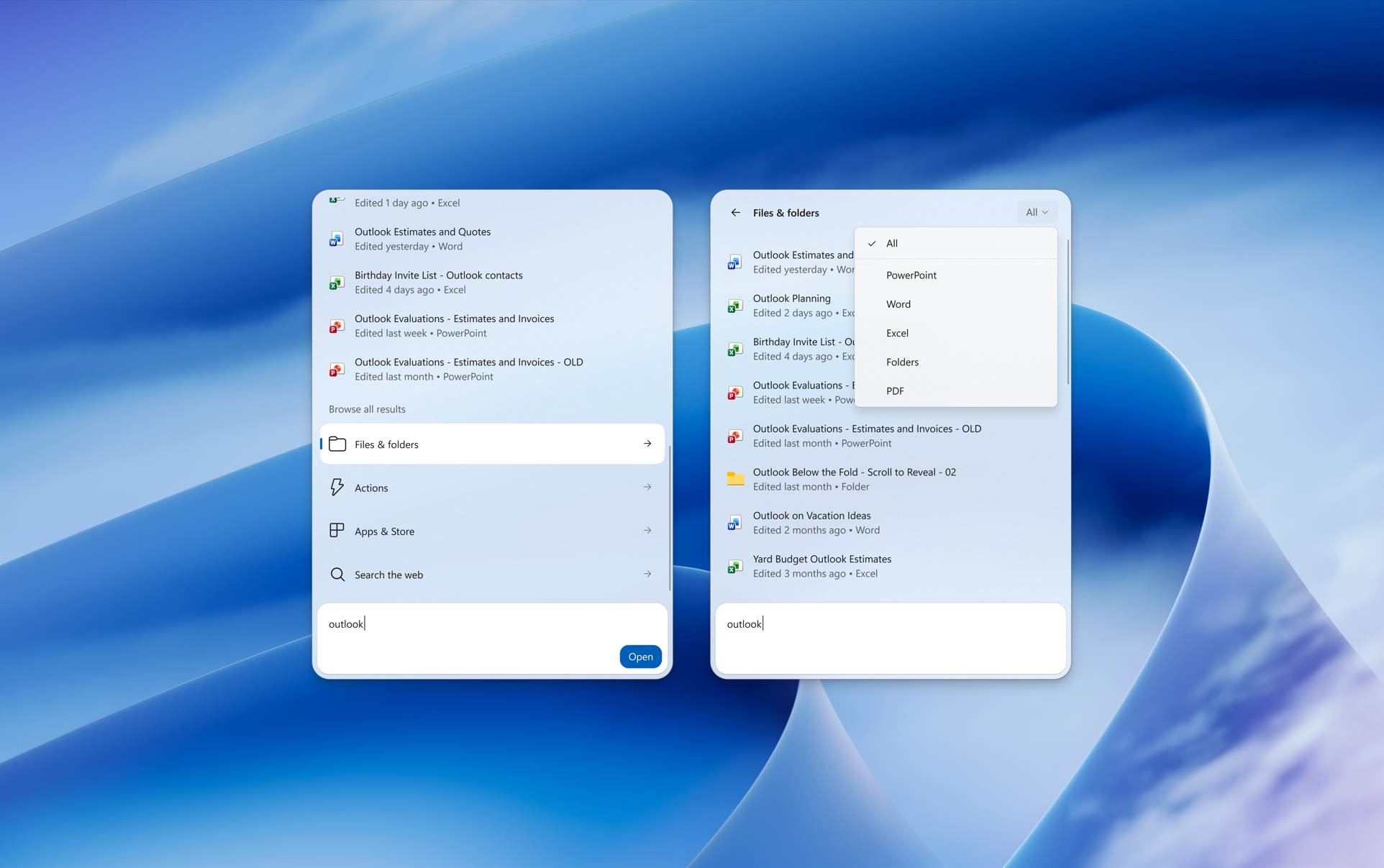
Two views of Windows Search show a search for "outlook" with additional options to filter and find results. - Feedback controls: Right-click a result or suggestion and choose thumbs up or thumbs down to tell us whether it was helpful. Thanks to your feedback, you can also remove items from the initial Search view before you type. We've also made small polish improvements to the look and feel of Windows Search based on what you've shared.
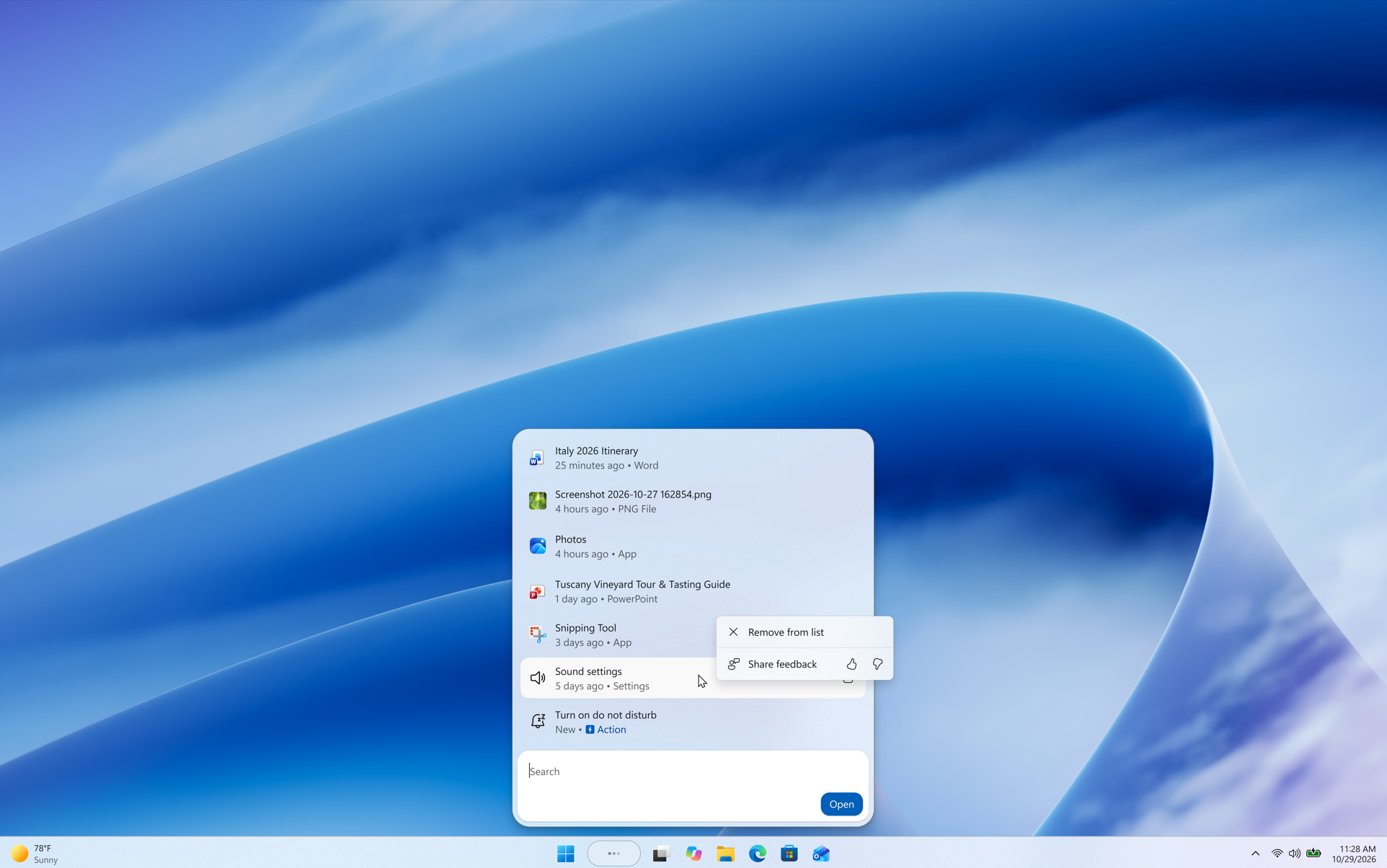
A context menu for a recent item in Windows Search shows "Remove from list" and thumbs up or thumbs down buttons for sharing feedback. - As noted in our blog post, the new Windows Search opens at the bottom center of the screen. Work is underway to have it adapt to different taskbar positions and when using search from the Start menu.
[Gaming]
- We're bringing Quick settings to the Gaming Task View navigation bar in XBOX mode, giving you access to the full set of Quick settings available on the Windows taskbar without having to leave XBOX mode.
Enter and Exit Xbox Mode in Windows 11
This tutorial will show you how to enter and exit Xbox mode for full screen gaming for your account on Windows 11. Starting with Windows 11 build 26100.8328 (24H2), build 26200.8328 (25H2), and build 28000.2179 (26H1), Xbox mode is now available on Windows 11 PCs, including laptops, desktops...
www.elevenforum.com
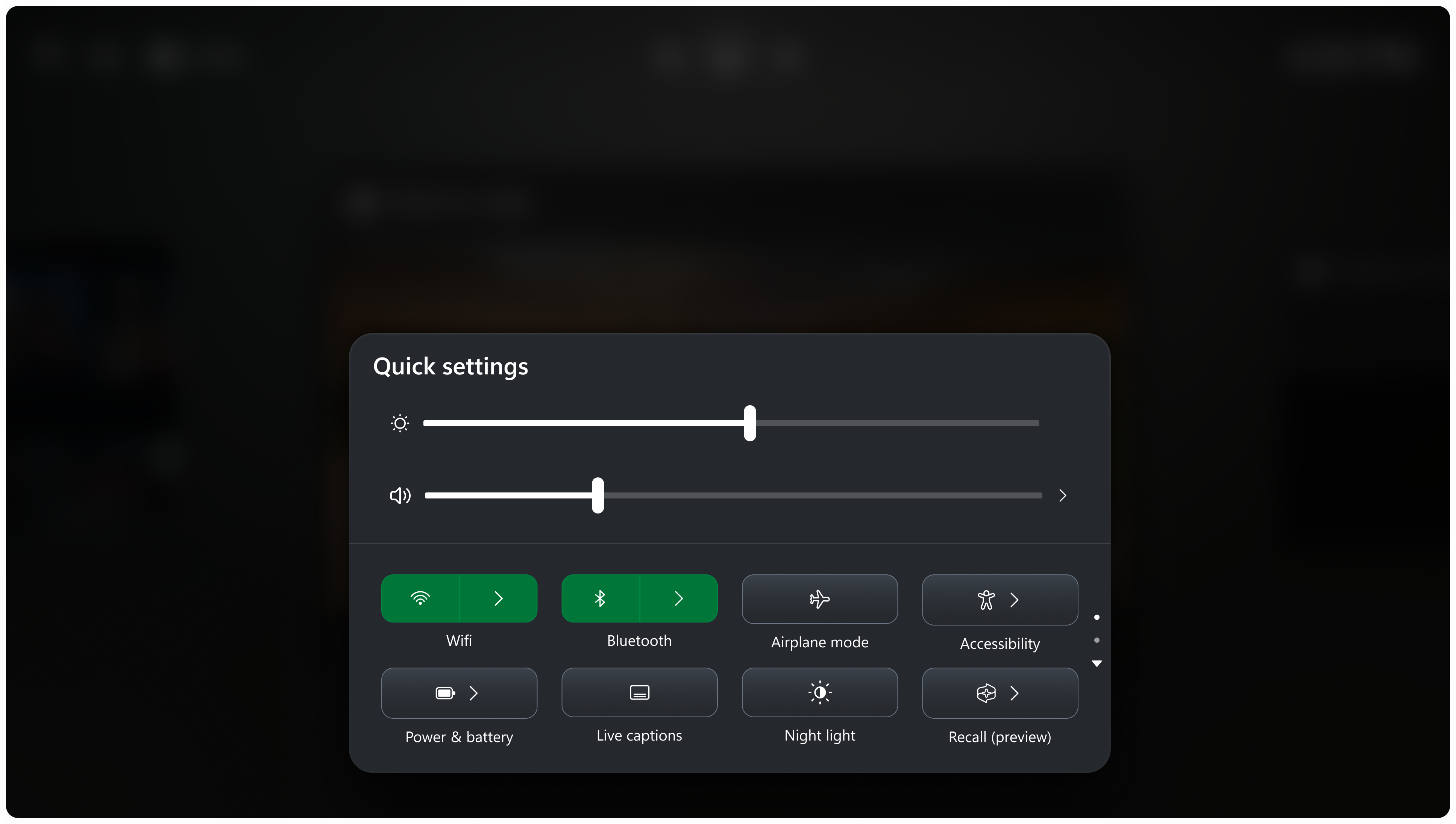
Quick settings in the Gaming Task View navigation bar in XBOX mode.
[Settings]
See your family's shared Microsoft 365 cloud storage in Windows Settings- Windows Settings now contains shared storage usage across Microsoft 365 Family subscriptions. A breakdown for each family member is coming soon. If your subscription was purchased after October 8, 2026, you can check the view by going to Settings > Accounts > Cloud storage. If your subscription was purchased before October 8, 2026, this view will be available for you after the first subscription renewal on or after May 2, 2027. Learn more about the changes to Microsoft 365 storage.
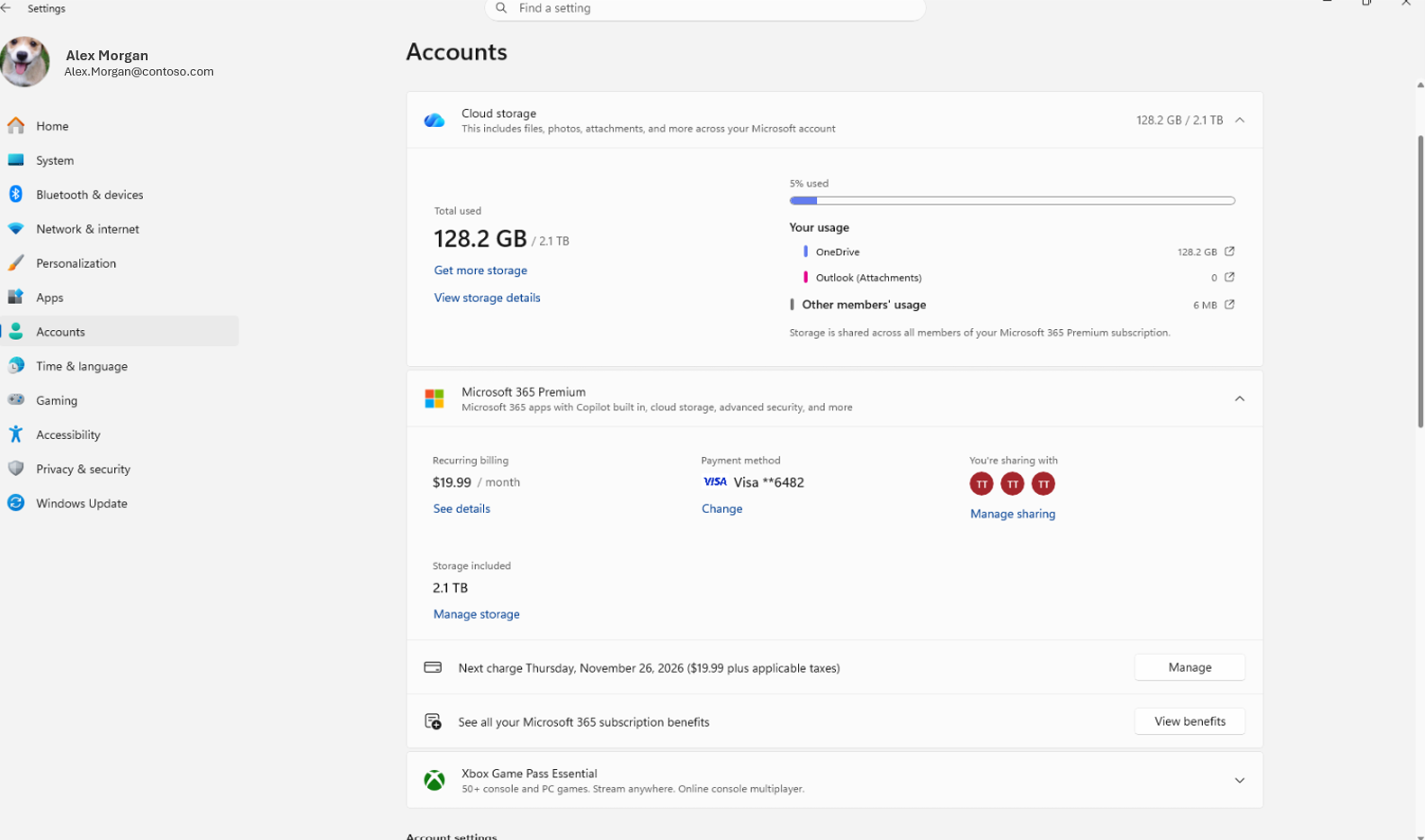
Shared cloud storage usage across Microsoft 365 Family members in Settings > Accounts > Cloud storage.
- Windows Insiders with eligible Microsoft 365 subscriptions can now explore upgrade options and upgrade their subscription through an integrated dialog in Settings > Accounts, rather than being redirected to a browser. Selecting Upgrade on the Microsoft 365 subscription card opens the new experience without leaving Settings.
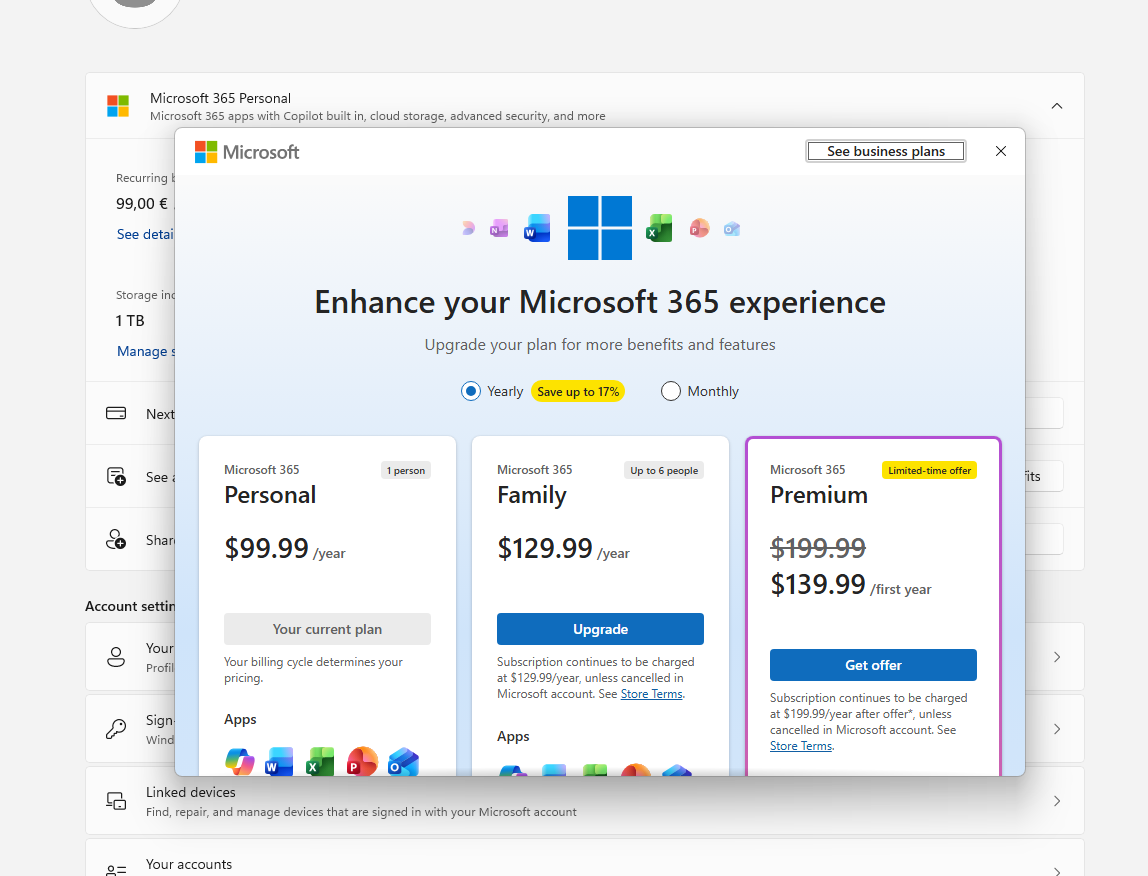
The integrated Microsoft 365 subscription upgrade experience in Settings > Accounts.
[Windows design]
- We are temporarily rolling back the solid (donut) spinners across some of the key Windows scenarios including Boot, Logon, Restart, Shutdown, and Update as we work on a bug. We expect to resume rolling it out soon.
[Known issues]
- We're investigating reports from Insiders that the CPU speed showing in Task Manager no longer updates after the latest flights.

Find CPU or Processor Specs in Windows 11
This tutorial will show you how to find what CPU or processor you have on a Windows 11 PC. A processor or central processing unit (CPU), is the electronic circuitry within a computer that carries out the instructions of a computer program by performing the basic arithmetic, logic, controlling...
www.elevenforum.com
Reminders for Windows Insiders in the Experimental channel
- Updates are based on Windows 11, version 26H2 via an enablement package (Build 26340.9843).
- Many features are rolled out using Controlled Feature Rollout technology, starting with a subset of Insiders and ramping up over time. We monitor feedback to see how they land before pushing them out to everyone in this channel.
- The desktop watermark shown at the lower right corner of the desktop is normal for Windows Insider pre-release builds.
- Features and experiences included in these builds might never get released as we try out different concepts and get feedback. Features might change over time, be removed, or replaced and never get released beyond Windows Insiders. Some of these features and experiences could show up in future Windows releases when they're ready.
- Some features in active development we preview with Windows Insiders might not be fully localized, and localization will happen over time as features are finalized. As you see issues with localization in your language, report those issues to us via Feedback Hub.
- Check out Flight Hub for a complete look at what build is in which Insider channel.
Source:

Windows 11 Insider Experimental Preview Build 26340.9843 - Windows Insider Program
Release notes for Windows 11 Insider Experimental Preview Build 26340.9843
learn.microsoft.com

Announcing new builds for 30 October 2026
Hello Windows Insiders, Today, we’re releasing new Windows 11 Insider Preview builds to the Beta and Experimental channels, as well as introducing a new commercial Feedback Hub policy for commercial customers. New builds this week
 blogs.windows.com
Check Windows Updates
UUP Dump:
64-bit ISO download:

Select language for Windows 11 Insider Preview Feature Update (26340.9843) amd64
Select language for Windows 11 Insider Preview Feature Update (26340.9843) amd64 on UUP dump. UUP dump lets you download Unified Update Platform files, like Windows Insider updates, directly from Windows Update.
uupdump.net
ARM64 ISO download:
Select language for Windows 11 Insider Preview Feature Update (26340.9843) arm64
Select language for Windows 11 Insider Preview Feature Update (26340.9843) arm64 on UUP dump. UUP dump lets you download Unified Update Platform files, like Windows Insider updates, directly from Windows Update.
uupdump.net

UUP Dump - Download Windows Insider ISO
UUP Dump is the most practical and easy way to get ISO images of any Insider Windows 10 or Windows 11 version, as soon as Microsoft has released a new build. UUP Dump creates a download configuration file according to your choices, downloads necessary files directly from Microsoft servers, and...
www.elevenforum.com
Last edited: