Microsoft Support:
Changes and improvements gradually being rolled out*
- This update includes a small set of general improvements and fixes that improve the overall experience for Insiders running this build on their PCs.
[Windows Share]
- Added the ability to pin your favorite apps in the Windows share window.

Pin or Unpin Apps on Windows Share in Windows 11
This tutorial will show you how to pin or unpin apps in Windows Share for your account in Windows 11. You can use Windows Share to share a file or link with an app. Starting with Windows 11 build 262100.6725 (24H2), build 28020.2991 (Beta 26H1), and build 28120.3002 (Experimental 26H1) you can... www.elevenforum.com
[Settings]
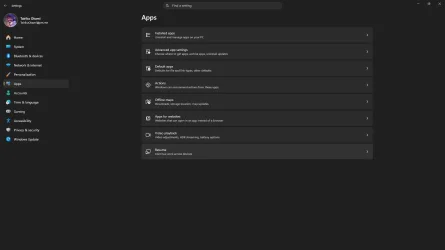
- Updated Settings > Apps > Installed apps to show the version number at the top level for packaged apps, as it already does for other apps.

Find Version of Installed Apps in Windows 11
This tutorial will show you how to find the current version of installed apps in Windows 11. Option One: Find Version of Installed Apps in Settings Option Two: Find Version of Installed Apps in Control Panel Option Three: Find Version of Installed Apps in Microsoft Store Option Four: Find...
www.elevenforum.com
[File Explorer]
- This update adjusts how the preview pane handles files downloaded from the web. For HTML files, a new Preview anyway button lets you acknowledge the warning and preview the file. Non-HTML files, such as PDFs, are now previewed automatically.
- Fixed an issue causing the previews in File Explorer to have an unexpected bar in the middle in recent flights.
[Family Safety]
- Improved family safety messaging when applications are blocked because of age-restricted parental controls.
[Taskbar]
- Fixed a few small visual polish issues when using the taskbar in alternate positions.
Audio
- Fixed an issue affecting certain USB Audio Class 1.0 devices, including some multichannel audio headsets, that could prevent the device from working correctly after installing the latest updates.
[Remote Desktop]
- Fixed an issue causing Remote Desktop to not use the correct window size after recent flights.
[Other]
- Fixed an issue causing some Insiders to experience extreme lag over time after updating to the last two flights.
Known issues
- We're working on a fix for an issue causing some Insiders to experience noticeably decreased performance when interacting with the system the longer they use the latest builds.
- [Fixed]
We're investigating an issue where VMware Workstation Pro 17.6.4 might display a blank window when reopening a virtual machine after it has been created and closed. We're working on a fix and will provide an update in a future build. - We're also aware of and investigating reports of VMware devices green screening.
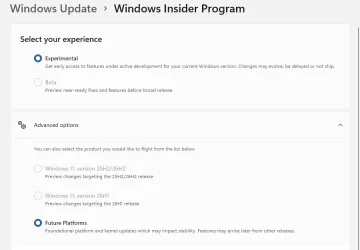
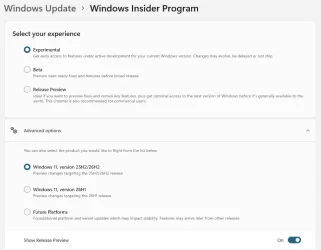
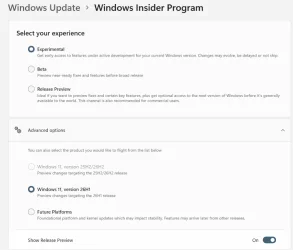
Reminder for Windows Insiders in the Experimental (Future Platforms) channel
- These builds can be unstable and might be released with limited documentation.
- The builds released to these channels represent the latest platform changes early in the development cycle and shouldn't be seen as matched to any specific release of Windows. Features and experiences included in these builds might never get released as we try out different concepts and get feedback. Features might change over time, be removed, or replaced, and never get released beyond Windows Insiders. Some of these features and experiences could show up in future Windows releases when they're ready.
- Many features are rolled out using Controlled Feature Rollout technology, starting with a subset of Insiders and ramping up over time. We monitor feedback to see how they land before pushing them out to everyone in this channel.
- The desktop watermark shown at the lower right corner of the desktop is normal for Windows Insider pre-release builds.
- Some features in active development we preview with Windows Insiders might not be fully localized, and localization will happen over time as features are finalized. As you see issues with localization in your language, report those issues to us via Feedback Hub.
Source:

Windows 11 Insider Experimental (Future Platforms) Preview Build 29680.1000 - Windows Insider Program
Release notes for Windows 11 Insider Experimental (Future Platforms) Preview Build 29680.1000
learn.microsoft.com

Announcing new builds for 2 October 2026
Hello Windows Insiders, Today, we’re releasing new Windows 11 Insider Preview builds to the Beta and Experimental channels. New builds this week Select your channel below to view its release notes: Beta:
 blogs.windows.com
Check Windows Updates
UUP Dump:
64-bit ISO download:

Select language for Windows 11 Insider Preview 29680.1000 (rs_prerelease) amd64
Select language for Windows 11 Insider Preview 29680.1000 (rs_prerelease) amd64 on UUP dump. UUP dump lets you download Unified Update Platform files, like Windows Insider updates, directly from Windows Update.
uupdump.net
ARM64 ISO download:
Select language for Windows 11 Insider Preview 29680.1000 (rs_prerelease) arm64
Select language for Windows 11 Insider Preview 29680.1000 (rs_prerelease) arm64 on UUP dump. UUP dump lets you download Unified Update Platform files, like Windows Insider updates, directly from Windows Update.
uupdump.net

UUP Dump - Download Windows Insider ISO
UUP Dump is the most practical and easy way to get ISO images of any Insider Windows 10 or Windows 11 version, as soon as Microsoft has released a new build. UUP Dump creates a download configuration file according to your choices, downloads necessary files directly from Microsoft servers, and...
www.elevenforum.com
Last edited: