Insider Windows 11 Insider Preview Dev Build 22454 (RS_PRERELEASE) - Sept. 9


UPDATE 9/15: Windows 11 Insider Preview Dev Build 22458 (RS_PRERELEASE) - Sept. 15

Hello Windows Insiders, today we are releasing Windows 11 Insider Preview Build 22454 to the Dev Channel.

REMINDER: Build numbers are higher in the Dev Channel than the Windows 11 preview builds in the Beta Channel because we’ve moved the Dev Channel back to receiving builds from our active development branch (RS_PRERELEASE). This means the builds released to the Dev Channel no longer match the Windows 11 experience that will be released to customers on October 5th. The desktop watermark you see at the lower right corner of your desktop is normal for these pre-release builds.

Changes and Improvements

  • Right-clicking on Recycle Bin on the desktop now uses the new modern context menu.
New modern context menu when you right-click on Recycle Bin on your desktop.
  • Added an option when right clicking a network share in File Explorer to pin it to Quick Access without having to click Show more options.
  • We have begun releasing an updated version of the Korean IME with adjustments made based on Windows Insider feedback. We believe this will provide a more reliable input experience for Korean on Windows 11. The updated version of the Korean IME follows the new visual design of Windows 11 with acrylic in the candidate window, a new selection visual, and dark mode support. It also improves improved performance and compatibility. The updated Korean IME is rolling out to a subset of Insiders in the Dev Channel first, to help us quickly identify issues that may impact performance and reliability. Over time, it will roll out to everyone in the Dev Channel. Please file feedback via Feedback Hub under Input and Language > Text Input.
The updated Korean IME candidate window in dark mode.

Fixes

[General]
  • We fixed the issue that was causing PCs with Windows Defender Application Guard (WDAG) enabled to bugcheck continuously. PCs with WDAG enabled should now receive Build 22454.

[Start]
  • Windows Terminal is listed again when right-clicking on the Start button (WIN + X).
  • Narrator should announce the Start launch more reliably now.
[Taskbar]
  • The Desktops flyout should now dismiss properly for Narrator users when scanning with item navigation across the Task View button.
  • Fixed an issue where the preview thumbnails for Desktops were not rendering correctly for certain aspect ratios.
  • Fixed a rounding issue that was making the volume icon tooltip show the wrong number in some cases.
  • The input indicator, Quick Settings, and notification center icon tooltips will no longer display behind the flyouts when they’re open.
  • Addressed an underlying issue that was resulting in the volume icon in the Taskbar displaying sound was muted when that was not the case.
  • Fixed an issue that could cause the Taskbar to unexpectedly get stuck on top of full screen applications, such as PowerPoint presentations, after interacting with the Taskbar previews.
  • Taskbar icons should no longer flicker when you mouse over them while using a contrast theme.
  • Fixed an issue where app icons would occasionally unexpectedly animate onto the Taskbar from somewhere other than from below.
  • Shift + Click on an app icon in the Taskbar to launch a new instance of that app (for apps that support multiple instances) is now working again.
  • Did some work to address an issue where app icons could get stuck in an alert state in the Taskbar even if the app in question was closed.
[Input]
  • Fixed an issue that was causing the text candidates to not appear after the first time the handwriting panel was invoked.
  • Mitigated a stutter in the animation when tapping a text field to invoke the touch keyboard.
  • Fixed a bug that was causing clipboard history to not render for some people.
  • Displaying 3rd party IME icons in the input indicator should be more reliable now.
  • Addressed an explorer.exe crash that could happen when changing window focus while using the touch keyboard.
  • Fixed an issue for people who’d opted into the previous version of the Japanese IME that was causing certain games to crash.
  • Fixed an issue where the tip for voice typing when using the touch keyboard wouldn’t be connected to the microphone button.
  • Addressed an issue where the touch keyboard could get into a state where the key labels would be invisible due to the wrong background color being used.
  • Mitigated an issue that was leading to the touch keyboard settings flyout having white on white text sometimes.
  • Did some work to address an issue where interacting with the expressive input button in the touch keyboard could result in the candidate area having a broken layout.
[File Explorer]
  • Improved the reliability of context menu invocation.
  • Mitigated a couple of issues that were causing leaks when using File Explorer.
  • The context menu will now not immediately dismiss when the option to open things with a single-click is enabled in File Explorer.
  • If you press F11 to full screen File Explorer, then use WIN + Shift + Left/Right to change what screen the window is displaying on, pressing F11 again will no longer jump the window back to the original screen.
[Settings]
  • Mitigated an issue when typing with certain 3rd party IMEs into the search box in Settings that could result in the candidate window being rendered elsewhere on-screen (not attached to the search box) and/or characters inserted into the search box not displaying.
  • We did some work to help address an issue that was making the Windows Insider Program page in Settings appear blank sometimes.
  • The mouse pointers under Accessibility > Mouse pointer and touch are no longer invisible for Arabic and Hebrew display languages.
  • System > Storage > Show more categories > Other should no longer always say it’s managed by group policy even when it isn’t.
  • Added some links to “Find my device” in Settings to help you learn more about the privacy resources.
  • Start time and end time pickers under Focus Assist > During these times are now visible when focus is set while using a contrast theme.
  • Addressed a crash that could happen when using Sound Settings.
  • Fixed an issue with the volume slider in Quick Settings that was causing the volume to sometimes to save at a slightly different level than what was actually set.
[Logging in and Authentication]
  • Fixed a crash that could happen when the network icon updated states on the login screen.
[Windowing]
  • Made a change to address an issue where title bar options including close, minimize and maximize where not appearing as expected in certain apps when moving the mouse to top of the screen while the app was maximized.
[Other]
  • Improved icon rendering for certain apps in the Search hover flyout.
  • Addressed an issue that was causing overlapping text in the Share window for certain languages.
  • Made some performance improvements when switching to the Details tab of Task Manager.
  • If the Windows Security app is open when switching to dark mode, the UI elements should respond better now and not have unreadable text.
  • If there are a large number of exclusions listed under Virus and Threat Protection in the Windows Security app, it will now display a progress indicator when loading them.
  • Fixed some text clipping in the Windows Security app when using the option in Accessibility Settings to increase the text size.
  • Mitigated an issue that was causing the WM_CTLCOLORSTATIC message used in certain apps to be ignored, so the colors in some places wouldn’t appear correctly.
  • Fixed a leak when the desktop background was set to a slideshow, impacting performance over time until explorer.exe was restarted.
  • Mitigated an issue that was causing some PCs to bugcheck while in modern standby.
  • Fixed an issue that was causing slower Wi-Fi speeds after enabling Hyper-V and creating an External V-Switch.
  • When animations are disabled in the system, there should no longer be a fade animation in UWP apps like Settings or the Feedback Hub when transitioning from the splash screen to the app content.
NOTE: Some fixes noted here in Insider Preview builds from the active development branch may make their way into the servicing updates for the released version of Windows 11 after general availability on October 5th.

Known issues

[General]
  • We’re working on a fix for an issue that is causing some Surface Pro X’s to bugcheck with a WHEA_UNCORRECTABLE_ERROR.
[Start]
  • In some cases, you might be unable to enter text when using Search from Start or the Taskbar. If you experience the issue, press WIN + R on the keyboard to launch the Run dialog box, then close it.
  • System is missing when right-clicking on the Start button (WIN + X).
[Taskbar]
  • The Taskbar will sometimes flicker when switching input methods.
  • We’re investigating an issue in this build where app icons in the Taskbar are getting cut off by the “show hidden icons” button and aren’t centered when using multiple monitors.
[Search]
  • After clicking the Search icon on the Taskbar, the Search panel may not open. If this occurs, restart the “Windows Explorer” process, and open the search panel again.
  • Search panel might appear as black and not display any content below the search box.
[File Explorer]
  • If you right click files in OneDrive locations in File Explorer, the context menu will unexpectedly dismiss when you hover over entries that open sub-menus, such as “Open with.”
[Widgets]
  • The widgets board may appear empty. To work around the issue, you can sign out and then sign back in again.
  • Widgets may be displayed in the wrong size on external monitors. If you encounter this, you can launch the widgets via touch or WIN + W shortcut on your actual PC display first and then launch on your secondary monitors.
[Windows Sandbox]
  • We’re investigating an issue in which Windows Sandbox may not launch for some Insiders after upgrading to this build.
[Microsoft Store]
  • We continue to work to improve search relevance in the Store.

Important Insider Links

To learn how we made Windows 11, click here. You can check out our Windows Insider Program documentation here, including a list of all the new features and updates released in builds so far. Are you not seeing any of the features listed for this build? Check your Windows Insider Settings to make sure you’re in the Dev Channel. Submit feedback here to let us know if things weren’t working the way you expected.

If you want a complete look at what build is in which Insider channel, head over to Flight Hub. Please note, there will be a slight delay between when a build is flighted and when Flight Hub is updated.

Thanks,
Amanda & Brandon


Source: Announcing Windows 11 Insider Preview Build 22454

ISO from Microsoft:


UUP Dump:

64-bit ISO download:
Select language for Windows 11 Insider Preview 22454.1000 (rs_prerelease) amd64

ARM64 ISO download: Select language for Windows 11 Insider Preview 22454.1000 (rs_prerelease) arm64

 
Last edited:

My Computer My Computer

At a glance

W11 Pro and Insider DevAMD Ryzen 9 7900x2x16GB Kingston 6000MHz, Cl 32 @ 6200MHz Cl30Gigabyte Rx 6600XT Gaming OC 8G Pro
OS
W11 Pro and Insider Dev
Computer type
PC/Desktop
Manufacturer/Model
Home brewed
CPU
AMD Ryzen 9 7900x
Motherboard
ASROCK b650 PRO RS
Memory
2x16GB Kingston 6000MHz, Cl 32 @ 6200MHz Cl30
Graphics Card(s)
Gigabyte Rx 6600XT Gaming OC 8G Pro
Sound Card
MB, Realtek Ac1220p
Monitor(s) Displays
3 x 27"
Screen Resolution
1080p
Hard Drives
Kingston KC3000. 1TBSamsung 970 evo Plus 500GB, Crucial P1 NVMe 1TB, Lexar NVMe 2 TB, Silicon Power M.2 SATA 500GB
PSU
Seasonic 750W
Case
Custom Raidmax
Cooling
Arctic Liquid Freezer III 360mm
Internet Speed
20/19 mbps
Novak just won but those girls are just babies at that age are just babies to me.
Yeah but Leylah Fernandez wasn't even seeded and she beat 2 ADULTS :D (y)


My Computer My Computer

At a glance

Windows 11 EducationIntel® Core™ i9-13900K Desktop Processor 16 (...G.Skill Ripjaws V Series 32gb (2x16gb) DDR4 3...Asus Dual Geforce Rtx™ 3060 TI Edition 8gb Gddr6
OS
Windows 11 Education
Computer type
PC/Desktop
CPU
Intel® Core™ i9-13900K Desktop Processor 16 (8P+8E)
Motherboard
Asus TUF Gaming Z790-PLUS WIFI D4
Memory
G.Skill Ripjaws V Series 32gb (2x16gb) DDR4 3600mhz
Graphics Card(s)
Asus Dual Geforce Rtx™ 3060 TI Edition 8gb Gddr6
Monitor(s) Displays
BenQ EW3270U 31.5” 3840x2160 UHD 16:9 HDR LED 4K LG 27UK850-W 27'' 4K UHD IPS LED Monitor with HDR10
Screen Resolution
3840x2160
Hard Drives
Samsung 990 with heatsink PRO PCIe 4.0 Gen 4 NVMe® SSD 1TB
WD_BLACK SN850X NVMe M.2 2280 1TB PCI-Express 4.0
Crucial T500 2TB Gen4
Samsung 970 Evo M.2 2280 2tb Pcie Gen3. X4
PSU
Corsair AXi Series AX860i Digital 860W 80 PLUS PSU
Case
Fractal Meshify C ATX Mid Tower Case
Keyboard
Logi MX Keys
Mouse
Logi M705
Internet Speed
400 mbs
Browser
Firefox
Antivirus
Eset NOD32
Other Info
Love fast boots
Disk cleanup from driver properties is gone ? This is instead
How about a PS code?
Code:
<#
.SYNOPSIS
Automates the Disk Clean tool to clean up all possible items for the given OS.
#>


# V2 admin check
If (-NOT ([Security.Principal.WindowsPrincipal] [Security.Principal.WindowsIdentity]::GetCurrent()).IsInRole([Security.Principal.WindowsBuiltInRole] "Administrator"))
{
    Write-Warning "Please run this script as an Administrator!"
    Exit 1
}

# Create reg keys
$volumeCaches = Get-ChildItem "HKLM:\Software\Microsoft\Windows\CurrentVersion\Explorer\VolumeCaches"
foreach($key in $volumeCaches)
{
    New-ItemProperty -Path "$($key.PSPath)" -Name StateFlags0099 -Value 2 -Type DWORD -Force | Out-Null
}

# Run Disk Cleanup
Start-Process -Wait "$env:SystemRoot\System32\cleanmgr.exe" -ArgumentList "/sagerun:99"

# Delete the keys
$volumeCaches = Get-ChildItem "HKLM:\Software\Microsoft\Windows\CurrentVersion\Explorer\VolumeCaches"
foreach($key in $volumeCaches)
{
    Remove-ItemProperty -Path "$($key.PSPath)" -Name StateFlags0099 -Force | Out-Null
}
 

My Computer My Computer

At a glance

Windows 11 EducationIntel® Core™ i9-13900K Desktop Processor 16 (...G.Skill Ripjaws V Series 32gb (2x16gb) DDR4 3...Asus Dual Geforce Rtx™ 3060 TI Edition 8gb Gddr6
OS
Windows 11 Education
Computer type
PC/Desktop
CPU
Intel® Core™ i9-13900K Desktop Processor 16 (8P+8E)
Motherboard
Asus TUF Gaming Z790-PLUS WIFI D4
Memory
G.Skill Ripjaws V Series 32gb (2x16gb) DDR4 3600mhz
Graphics Card(s)
Asus Dual Geforce Rtx™ 3060 TI Edition 8gb Gddr6
Monitor(s) Displays
BenQ EW3270U 31.5” 3840x2160 UHD 16:9 HDR LED 4K LG 27UK850-W 27'' 4K UHD IPS LED Monitor with HDR10
Screen Resolution
3840x2160
Hard Drives
Samsung 990 with heatsink PRO PCIe 4.0 Gen 4 NVMe® SSD 1TB
WD_BLACK SN850X NVMe M.2 2280 1TB PCI-Express 4.0
Crucial T500 2TB Gen4
Samsung 970 Evo M.2 2280 2tb Pcie Gen3. X4
PSU
Corsair AXi Series AX860i Digital 860W 80 PLUS PSU
Case
Fractal Meshify C ATX Mid Tower Case
Keyboard
Logi MX Keys
Mouse
Logi M705
Internet Speed
400 mbs
Browser
Firefox
Antivirus
Eset NOD32
Other Info
Love fast boots
How about a PS code?
Code:
<#
.SYNOPSIS
Automates the Disk Clean tool to clean up all possible items for the given OS.
#>


# V2 admin check
If (-NOT ([Security.Principal.WindowsPrincipal] [Security.Principal.WindowsIdentity]::GetCurrent()).IsInRole([Security.Principal.WindowsBuiltInRole] "Administrator"))
{
    Write-Warning "Please run this script as an Administrator!"
    Exit 1
}

# Create reg keys
$volumeCaches = Get-ChildItem "HKLM:\Software\Microsoft\Windows\CurrentVersion\Explorer\VolumeCaches"
foreach($key in $volumeCaches)
{
    New-ItemProperty -Path "$($key.PSPath)" -Name StateFlags0099 -Value 2 -Type DWORD -Force | Out-Null
}

# Run Disk Cleanup
Start-Process -Wait "$env:SystemRoot\System32\cleanmgr.exe" -ArgumentList "/sagerun:99"

# Delete the keys
$volumeCaches = Get-ChildItem "HKLM:\Software\Microsoft\Windows\CurrentVersion\Explorer\VolumeCaches"
foreach($key in $volumeCaches)
{
    Remove-ItemProperty -Path "$($key.PSPath)" -Name StateFlags0099 -Force | Out-Null
}
I normally leave it to Storage Sense and do Disk cleanup after larger updates. Sometimes I also use Junk file cleaner from Revo Uninstaller: Most often I use Uncleaner Download UnCleaner - MajorGeeks which can find and delete even more junk, even 100 or more MB in couple of days.
There's also this:
fsutil resource setautoreset true c:\&fsutil usn deletejournal /d /n c:&Dism.exe /online /Cleanup-Image /StartComponentCleanup&Dism.exe /Online /Cleanup-Image /RestoreHealth&Dism.exe /Online /Cleanup-Image /StartComponentCleanup /ResetBase&pause
 

My Computer My Computer

At a glance

W11 Pro and Insider DevAMD Ryzen 9 7900x2x16GB Kingston 6000MHz, Cl 32 @ 6200MHz Cl30Gigabyte Rx 6600XT Gaming OC 8G Pro
OS
W11 Pro and Insider Dev
Computer type
PC/Desktop
Manufacturer/Model
Home brewed
CPU
AMD Ryzen 9 7900x
Motherboard
ASROCK b650 PRO RS
Memory
2x16GB Kingston 6000MHz, Cl 32 @ 6200MHz Cl30
Graphics Card(s)
Gigabyte Rx 6600XT Gaming OC 8G Pro
Sound Card
MB, Realtek Ac1220p
Monitor(s) Displays
3 x 27"
Screen Resolution
1080p
Hard Drives
Kingston KC3000. 1TBSamsung 970 evo Plus 500GB, Crucial P1 NVMe 1TB, Lexar NVMe 2 TB, Silicon Power M.2 SATA 500GB
PSU
Seasonic 750W
Case
Custom Raidmax
Cooling
Arctic Liquid Freezer III 360mm
Internet Speed
20/19 mbps
There's also this:
fsutil resource setautoreset true c:\&fsutil usn deletejournal /d /n c:&Dism.exe /online /Cleanup-Image /StartComponentCleanup&Dism.exe /Online /Cleanup-Image /RestoreHealth&Dism.exe /Online /Cleanup-Image /StartComponentCleanup /ResetBase&pause
I use that after major updates: Almost the same as yours
fsutil resource setautoreset true c:\&fsutil usn deletejournal /d /n c:&Dism.exe /online /Cleanup-Image /StartComponentCleanup&sfc /scannow&Dism.exe /Online /Cleanup-Image /RestoreHealth&sfc /scannow&Dism.exe /Online /Cleanup-Image /StartComponentCleanup /ResetBase&winsat formal&pause
 

My Computer My Computer

At a glance

Windows 11 EducationIntel® Core™ i9-13900K Desktop Processor 16 (...G.Skill Ripjaws V Series 32gb (2x16gb) DDR4 3...Asus Dual Geforce Rtx™ 3060 TI Edition 8gb Gddr6
OS
Windows 11 Education
Computer type
PC/Desktop
CPU
Intel® Core™ i9-13900K Desktop Processor 16 (8P+8E)
Motherboard
Asus TUF Gaming Z790-PLUS WIFI D4
Memory
G.Skill Ripjaws V Series 32gb (2x16gb) DDR4 3600mhz
Graphics Card(s)
Asus Dual Geforce Rtx™ 3060 TI Edition 8gb Gddr6
Monitor(s) Displays
BenQ EW3270U 31.5” 3840x2160 UHD 16:9 HDR LED 4K LG 27UK850-W 27'' 4K UHD IPS LED Monitor with HDR10
Screen Resolution
3840x2160
Hard Drives
Samsung 990 with heatsink PRO PCIe 4.0 Gen 4 NVMe® SSD 1TB
WD_BLACK SN850X NVMe M.2 2280 1TB PCI-Express 4.0
Crucial T500 2TB Gen4
Samsung 970 Evo M.2 2280 2tb Pcie Gen3. X4
PSU
Corsair AXi Series AX860i Digital 860W 80 PLUS PSU
Case
Fractal Meshify C ATX Mid Tower Case
Keyboard
Logi MX Keys
Mouse
Logi M705
Internet Speed
400 mbs
Browser
Firefox
Antivirus
Eset NOD32
Other Info
Love fast boots
You miss the point. The CU update process is now being used to update versions as well, rather than reinstalling new OS over old OS.

This has a fundamental impact on native boot vhds with OS installed. You cannot use the older build update mechanism on native boot vhd.

You had to connect vhd to HyperV to update OS builds.

CU updates will install on a native boot vhd, so new way of updating builds is better.
I'm not missing the point. Before the separation of the Dev and Beta builds we were given cumulative updates that only took minutes to install and IMHO did nothing but waste my time. This Dev build took a little over 30 minutes to install on my laptop and if you look at the list of fixes it shows they are finally doing something. I didn't time the Dev update on my old desktop that was two builds behind. When I did the Beta update on my desktop it only took a few minutes but what did it really do?
 

My Computers My Computers

  • At a glance

    Windows 11 Pro 25H2Intel Core i7-10700K16GB (8GB PC4-19200 DDR4 SDRAM x2)NVIDIA GeForce GTX 1050 TI
    OS
    Windows 11 Pro 25H2
    Computer type
    PC/Desktop
    Manufacturer/Model
    PowerSpec B746
    CPU
    Intel Core i7-10700K
    Motherboard
    ASRock Z490 Phantom Gaming 4/ax
    Memory
    16GB (8GB PC4-19200 DDR4 SDRAM x2)
    Graphics Card(s)
    NVIDIA GeForce GTX 1050 TI
    Sound Card
    Realtek Audio
    Monitor(s) Displays
    #1. LG ULTRAWIDE 34" #2. AOC Q32G2WG3 32"
    Screen Resolution
    #1. 3440 X 1440 #2. 1920 x 1080
    Hard Drives
    NVMe WDC WDS100T2B0C-00PXH0 1TB
    Samsung SSD 860 EVO 1TB
    PSU
    750 Watts (62.5A)
    Case
    PowerSpec/Lian Li ATX 205
    Keyboard
    Logitech K270
    Mouse
    Logitech M185
    Browser
    Microsoft Edge and Firefox
    Antivirus
    Webroot SecureAnywhere CE 26.1
  • At a glance

    Windows 11 Canary ChannelIntel Core i5-8400 CPU @ 2.80GHz16 MB DDR 4-2666
    Operating System
    Windows 11 Canary Channel
    Computer type
    PC/Desktop
    Manufacturer/Model
    PowerSpec G156
    CPU
    Intel Core i5-8400 CPU @ 2.80GHz
    Motherboard
    AsusTeK Prime B360M-A
    Memory
    16 MB DDR 4-2666
    Monitor(s) Displays
    23" Speptre HDMI 75Hz
    Screen Resolution
    1920x1080
    Hard Drives
    Samsung 970 EVO 500GB NVMe
    Keyboard
    Logitek K270
    Mouse
    Logitek M185
    Browser
    Firefox, Edge and Edge Canary
    Antivirus
    Windows Defender

My Computer My Computer

At a glance

Windows 11Intel(R) Core(TM) i7-107032 GBytes DDR4-2667 (1333 MHz)NVIDIA GeForce GT 1030
OS
Windows 11
Computer type
PC/Desktop
Manufacturer/Model
PCSpecialist
CPU
Intel(R) Core(TM) i7-1070
Motherboard
TUF GAMING B460-PLUS
Memory
32 GBytes DDR4-2667 (1333 MHz)
Graphics Card(s)
NVIDIA GeForce GT 1030
Sound Card
ONBOARD 6 CHANNEL (5.1) HIGH DEF AUDIO (AS STANDARD)
Monitor(s) Displays
Samsung U32J590UQU
Screen Resolution
4k
Hard Drives
SYSTEM Win 10 237.22GB SSD Disk 0 238.47GB M2 (mobo)
DATA Data 931.41GB HD 2.5" Disk 1 931.51GB SATA3
BACKUPS Backups 2TB HD 3.5" Disk 2 2TB SATA3
PSU
CORSAIR 550W CV SERIES™ CV-550 POWER SUPPLY
Case
PCS 3601 CASE
Cooling
CoolerMaster Hyper 212 (120mm) Fan CPU Cooler Black Edition
Internet Speed
57/18 Mbps
Browser
Vivaldi
Antivirus
Kaspersky Total Security

My Computer My Computer

At a glance

W11 Pro and Insider DevAMD Ryzen 9 7900x2x16GB Kingston 6000MHz, Cl 32 @ 6200MHz Cl30Gigabyte Rx 6600XT Gaming OC 8G Pro
OS
W11 Pro and Insider Dev
Computer type
PC/Desktop
Manufacturer/Model
Home brewed
CPU
AMD Ryzen 9 7900x
Motherboard
ASROCK b650 PRO RS
Memory
2x16GB Kingston 6000MHz, Cl 32 @ 6200MHz Cl30
Graphics Card(s)
Gigabyte Rx 6600XT Gaming OC 8G Pro
Sound Card
MB, Realtek Ac1220p
Monitor(s) Displays
3 x 27"
Screen Resolution
1080p
Hard Drives
Kingston KC3000. 1TBSamsung 970 evo Plus 500GB, Crucial P1 NVMe 1TB, Lexar NVMe 2 TB, Silicon Power M.2 SATA 500GB
PSU
Seasonic 750W
Case
Custom Raidmax
Cooling
Arctic Liquid Freezer III 360mm
Internet Speed
20/19 mbps
I'm not missing the point. Before the separation of the Dev and Beta builds we were given cumulative updates that only took minutes to install and IMHO did nothing but waste my time. This Dev build took a little over 30 minutes to install on my laptop and if you look at the list of fixes it shows they are finally doing something. I didn't time the Dev update on my old desktop that was two builds behind. When I did the Beta update on my desktop it only took a few minutes but what did it really do?
This, the CU updates were a bag of nothing but another name for the 'testing the pipeline' things we had in between the final W10 insider builds
 

My Computer My Computer

At a glance

Windows 11 Pro Beta, 11 Dev, W11 CanaryAMD Ryzen™ 9 5900HX32GBNVIDIA® GeForce RTX™ 3070 8GB GDDR6
OS
Windows 11 Pro Beta, 11 Dev, W11 Canary
Computer type
Laptop
Manufacturer/Model
Dell Alienware M15 Ryzen Edition R6
CPU
AMD Ryzen™ 9 5900HX
Memory
32GB
Graphics Card(s)
NVIDIA® GeForce RTX™ 3070 8GB GDDR6
Hard Drives
1 x Samsung 980 Pro 1TB
1 x Samsung 970 Evo Plus 1TB

My Computers My Computers

  • At a glance

    Windows 11 PRO x64 DevIntel Core i7-8550U6 GBMicrosoft Hyper-V Video
    OS
    Windows 11 PRO x64 Dev
    Manufacturer/Model
    Hyper-V Virtual Machine (host in System 2 specs)
    CPU
    Intel Core i7-8550U
    Memory
    6 GB
    Graphics Card(s)
    Microsoft Hyper-V Video
    Monitor(s) Displays
    Laptop display (17.1") & Samsung U28E590 (27.7")
  • At a glance

    Windows 11 PRO x64 Dev ChannelIntel Core i7-8550U16 GBIntel(R) UHD Graphics 620 & NVIDIA GeForce 930MX
    Operating System
    Windows 11 PRO x64 Dev Channel
    Computer type
    Laptop
    Manufacturer/Model
    HP HP ProBook 470 G5
    CPU
    Intel Core i7-8550U
    Motherboard
    HP 837F KBC Version 02.3D.00
    Memory
    16 GB
    Graphics card(s)
    Intel(R) UHD Graphics 620 & NVIDIA GeForce 930MX
    Sound Card
    Conexant ISST Audio
    Monitor(s) Displays
    Laptop display (17.1") & Samsung U28E590 (27.7")
    Hard Drives
    128 GB SSD & 1 TB HDD
    Keyboard
    Wireless Logitech MK710 keyboard
    Mouse
    Wireless Logitech MSX mouse
    Internet Speed
    100 Mbps down, 20 Mbps up
    Browser
    Edge Chromium Dev Channel
    Antivirus
    Windows Defender
    Other Info
    2 * 3 TB USB HDD
    6 TB WD Mirror NAS
Hello, I have version 22449.1000 and when I press update, I only get Error encountered, and I cannot update to this build.I tried troubleshoot, but it don't work.
What is the easiest way to update? Does someone know how to skip this error?
Thank you. :)
 

My Computer My Computer

At a glance

Windows 11Intel Core i7 9750H2x8gb 2600mhzGTX1650
OS
Windows 11
Computer type
Laptop
Manufacturer/Model
Lenovo
CPU
Intel Core i7 9750H
Memory
2x8gb 2600mhz
Graphics Card(s)
GTX1650
Hello, I have version 22449.1000 and when I press update, I only get Error encountered, and I cannot update to this build.I tried troubleshoot, but it don't work.
What is the easiest way to update? Does someone know how to skip this error?
Thank you. :)
What error message are you getting??
 

My Computer My Computer

At a glance

Windows 11 Home() - 25H2 -26220.8894AMD Ryzen 5 5600GG.SKILL Ripjaws V Series 64GB 4x16Nvidia geforce gtx titan x
OS
Windows 11 Home() - 25H2 -26220.8894
Computer type
PC/Desktop
Manufacturer/Model
Banana Junior 5600-G Series
CPU
AMD Ryzen 5 5600G
Motherboard
Asus ROG Strix B550-F
Memory
G.SKILL Ripjaws V Series 64GB 4x16
Graphics Card(s)
Nvidia geforce gtx titan x
Monitor(s) Displays
28" ASUS VP28U 4k
Screen Resolution
4K
Hard Drives
Primary SAMSUNG 970 EVO Plus
PSU
EVGA BQ 700w 80+ Bronze
Case
Zalman i3 NEO
Cooling
ARCTIC Freezer 7 X
Keyboard
Corsair
Mouse
Amazon Generic with Cord
Internet Speed
Download: 295.11 mbps Upload: 65.35 mbps T-Mobile Internet
Browser
Firefox and Edge
Antivirus
MS - Defender
Other Info
Speakers: Klipsch ProMedia 2.1
It just says Error encountered...and I cannot troubleshoot or update... :(

1631476746397.png
 

My Computer My Computer

At a glance

Windows 11Intel Core i7 9750H2x8gb 2600mhzGTX1650
OS
Windows 11
Computer type
Laptop
Manufacturer/Model
Lenovo
CPU
Intel Core i7 9750H
Memory
2x8gb 2600mhz
Graphics Card(s)
GTX1650
Check your Update History
 

My Computer My Computer

At a glance

Windows 10 , Windows 11i7-970032gbRTX2060S
OS
Windows 10 , Windows 11
Computer type
PC/Desktop
CPU
i7-9700
Motherboard
Asus ROG Strix Z-390e
Memory
32gb
Graphics Card(s)
RTX2060S
look like this build much better after resetting fan vs temp in my GPU gtx 1060 6 GB
 

Attachments

  • Screenshot 2021-09-13 065845-min.png
    Screenshot 2021-09-13 065845-min.png
    741.5 KB · Views: 12

My Computer My Computer

At a glance

Window 11 Pro ver Dev ( OS build 26212.5000 )i7-9700 8C/8T Coffe Lake16 GB (2 x 8GB) Patriot Viper DDR-4 3000 MhzNvidea GTX 1030 2GB
OS
Window 11 Pro ver Dev ( OS build 26212.5000 )
Computer type
PC/Desktop
Manufacturer/Model
Assemblied by Aswin
CPU
i7-9700 8C/8T Coffe Lake
Motherboard
Gigabyte-M-ATX
Memory
16 GB (2 x 8GB) Patriot Viper DDR-4 3000 Mhz
Graphics Card(s)
Nvidea GTX 1030 2GB
Sound Card
LG TV(Nvidea high definition audio)
Monitor(s) Displays
LG TV 32 inch
Screen Resolution
3840 x 2160
Hard Drives
SSD 240 GB.... HDD 500 GB....DVD/RW
PSU
Armageddon 475 W +80 bronze RGB
Case
Armageddon M-ATX 2 RGB fans 120 mm one on top(intake) and one on front(intake)
Cooling
AIO(CPU Liquid Cooler with 3 signs : 1. Dark 2.Small Light.3 Full Light) Dark Flash Tracer DT 120 mm on rear side RGB
Internet Speed
LAN
Browser
Edge
Antivirus
MS defender A/V + DR web Space 12
Other Info
Indonesia
Wow! A complete OS reinstallation... it took 4 restarts and startup device configuration.
This deserves a new Macrium image backup...
 

My Computers My Computers

  • At a glance

    Windows 11 ProAMD Ryzen 7 9800X3D32GB DDR5 CL30 Kingston FuryASUS Prime Radeon RX 9060 XT OC Edition 16GB
    OS
    Windows 11 Pro
    Computer type
    PC/Desktop
    CPU
    AMD Ryzen 7 9800X3D
    Motherboard
    MSI PRO B850-P Wifi
    Memory
    32GB DDR5 CL30 Kingston Fury
    Graphics Card(s)
    ASUS Prime Radeon RX 9060 XT OC Edition 16GB
    Monitor(s) Displays
    LG Ultrawide 34" 1440p+ MSI 27" 4K UHD
    Screen Resolution
    3440x1440
    Hard Drives
    Main Boot Drive : 512GB Adata XPG RGB Gen3x4 NVMe M.2 SSD
    PSU
    EVGA 750 Watts 80+ Gold
    Case
    Deepcool Genome II
    Cooling
    Thermalright Burst Assassin 120
    Internet Speed
    FTTH 3Gbps
    Browser
    Chrome
    Antivirus
    "Moderna"
  • At a glance

    Windows 11 Proi7-4790K16GB Corsair Vengeance ProMSI R9 290
    Operating System
    Windows 11 Pro
    Computer type
    PC/Desktop
    CPU
    i7-4790K
    Motherboard
    ASRock Xtreme6 Z97
    Memory
    16GB Corsair Vengeance Pro
    Graphics card(s)
    MSI R9 290
    Monitor(s) Displays
    LG Ultrawide 34"
    Screen Resolution
    3440x1440
    Hard Drives
    500GB Adata SSD (OS Only)
    PSU
    Thermaltake 475 Watts 80 Bronze
    Case
    Thermaltake Commander I Snow Edition
    Cooling
    Deep Cool Archer Air Cooler
    Keyboard
    Armageddon MKA-5R RGB-Hornet
    Mouse
    Logitech G402
    Internet Speed
    1Gbps
    Browser
    Chrome
    Antivirus
    Moderna :)
LMFAO - uh, it's new, it's 11, and it's Microsoft - so pretty much every build / update deserves one, yeah?
 

My Computers My Computers

  • At a glance

    Windows 11 23H2 Current buildAMD Ryzen 9 3950X4 * 32 GB - Corsair Vengeance 3600 MHzEVGA GeForce RTX 3080 Ti XC3 ULTRA GAMING (12...
    OS
    Windows 11 23H2 Current build
    Computer type
    PC/Desktop
    Manufacturer/Model
    HomeBrew
    CPU
    AMD Ryzen 9 3950X
    Motherboard
    MSI MEG X570 GODLIKE
    Memory
    4 * 32 GB - Corsair Vengeance 3600 MHz
    Graphics Card(s)
    EVGA GeForce RTX 3080 Ti XC3 ULTRA GAMING (12G-P5-3955-KR)
    Sound Card
    Realtek® ALC1220 Codec
    Monitor(s) Displays
    2x Eve Spectrum ES07D03 4K Gaming Monitor (Matte) | Eve Spectrum ES07DC9 4K Gaming Monitor (Glossy)
    Screen Resolution
    3x 3840 x 2160
    Hard Drives
    3x Samsung 980 Pro NVMe PCIe 4 M.2 2 TB SSD (MZ-V8P2T0B/AM) } 3x Sabrent Rocket NVMe 4.0 1 TB SSD (USB)
    PSU
    PC Power & Cooling’s Silencer Series 1050 Watt, 80 Plus Platinum
    Case
    Fractal Design Define 7 XL Dark ATX Full Tower Case
    Cooling
    Arctic Liquid Freezer III 420 RGB + Air 3x 140mm case fans (pull front) + 1x 120 mm (push back) and 1 x 120 mm (pull bottom)
    Keyboard
    SteelSeries Apex Pro Wired Gaming Keyboard
    Mouse
    Logitech MX Master 3S | MX Master 3 for Business
    Internet Speed
    AT&T LightSpeed Gigabit Duplex Ftth
    Browser
    Nightly (default) + Firefox (stable), Chrome, Edge , Arc
    Antivirus
    Defender + MB 5 Beta
  • At a glance

    ChromeOS Flex Dev Channel (current)Intel(R) Core(TM) i5-6300U CPU @ 2.40GHz, 250...16 GBIntel(R) HD Graphics 520
    Operating System
    ChromeOS Flex Dev Channel (current)
    Computer type
    Laptop
    Manufacturer/Model
    Dell Latitude E5470
    CPU
    Intel(R) Core(TM) i5-6300U CPU @ 2.40GHz, 2501 Mhz, 2 Core(s), 4 Logical Processor(s)
    Motherboard
    Dell
    Memory
    16 GB
    Graphics card(s)
    Intel(R) HD Graphics 520
    Sound Card
    Intel(R) HD Graphics 520 + RealTek Audio
    Monitor(s) Displays
    Dell laptop display 15"
    Screen Resolution
    1920 * 1080
    Hard Drives
    Toshiba 128GB M.2 22300 drive
    INTEL Cherryville 520 Series SSDSC2CW180A 180 GB SATA III SSD
    PSU
    Dell
    Case
    Dell
    Cooling
    Dell
    Keyboard
    Dell
    Mouse
    Logitech MX Master 3S (shared w. Sys 1) | Dell TouchPad
    Internet Speed
    AT&T LightSpeed Gigabit Duplex Ftth
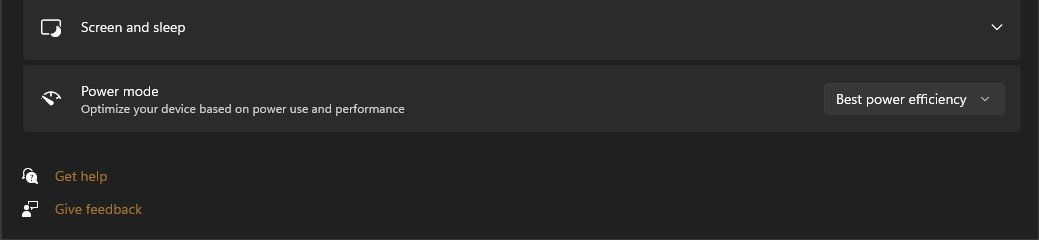
I'm still having a problem with power efficiency. It's not working on this PC with Windows 11. I loaded Windows 10 back on and power efficiency works. I have the setting under power options and power mode set to best power efficiency which should drop the cpu speed from 3.8 Ghz down to around 2 Ghz when its not busy. I check the speed under task manager performance setting. Anyone else seeing this happen?

Screenshot 2021-09-13 104441.jpg
Screenshot 2021-09-13 104016.jpg
 

My Computer My Computer

At a glance

Windows 10Ryzen 3700X16 GBytesGTX 1050 TI
OS
Windows 10
Computer type
PC/Desktop
Manufacturer/Model
Martian made
CPU
Ryzen 3700X
Motherboard
Asus Prime X570 Pro
Memory
16 GBytes
Graphics Card(s)
GTX 1050 TI
Monitor(s) Displays
HP 27e
Screen Resolution
1920X1080
Hard Drives
C: Intel M.2 1TB
D: Intel M.2 2TB
PSU
Corsair 650
Case
Corsair C700
Cooling
Corsair water
Keyboard
Corsair K70
Mouse
Logitech
Internet Speed
@% Mb
Browser
Firefox
Antivirus
Windows security
Try again in several minutes, your up time is only 18 minutes, so it might actually be doing something in the background - like maybe downloading an update / scanning files, etc.
 

My Computers My Computers

  • At a glance

    Windows 11 23H2 Current buildAMD Ryzen 9 3950X4 * 32 GB - Corsair Vengeance 3600 MHzEVGA GeForce RTX 3080 Ti XC3 ULTRA GAMING (12...
    OS
    Windows 11 23H2 Current build
    Computer type
    PC/Desktop
    Manufacturer/Model
    HomeBrew
    CPU
    AMD Ryzen 9 3950X
    Motherboard
    MSI MEG X570 GODLIKE
    Memory
    4 * 32 GB - Corsair Vengeance 3600 MHz
    Graphics Card(s)
    EVGA GeForce RTX 3080 Ti XC3 ULTRA GAMING (12G-P5-3955-KR)
    Sound Card
    Realtek® ALC1220 Codec
    Monitor(s) Displays
    2x Eve Spectrum ES07D03 4K Gaming Monitor (Matte) | Eve Spectrum ES07DC9 4K Gaming Monitor (Glossy)
    Screen Resolution
    3x 3840 x 2160
    Hard Drives
    3x Samsung 980 Pro NVMe PCIe 4 M.2 2 TB SSD (MZ-V8P2T0B/AM) } 3x Sabrent Rocket NVMe 4.0 1 TB SSD (USB)
    PSU
    PC Power & Cooling’s Silencer Series 1050 Watt, 80 Plus Platinum
    Case
    Fractal Design Define 7 XL Dark ATX Full Tower Case
    Cooling
    Arctic Liquid Freezer III 420 RGB + Air 3x 140mm case fans (pull front) + 1x 120 mm (push back) and 1 x 120 mm (pull bottom)
    Keyboard
    SteelSeries Apex Pro Wired Gaming Keyboard
    Mouse
    Logitech MX Master 3S | MX Master 3 for Business
    Internet Speed
    AT&T LightSpeed Gigabit Duplex Ftth
    Browser
    Nightly (default) + Firefox (stable), Chrome, Edge , Arc
    Antivirus
    Defender + MB 5 Beta
  • At a glance

    ChromeOS Flex Dev Channel (current)Intel(R) Core(TM) i5-6300U CPU @ 2.40GHz, 250...16 GBIntel(R) HD Graphics 520
    Operating System
    ChromeOS Flex Dev Channel (current)
    Computer type
    Laptop
    Manufacturer/Model
    Dell Latitude E5470
    CPU
    Intel(R) Core(TM) i5-6300U CPU @ 2.40GHz, 2501 Mhz, 2 Core(s), 4 Logical Processor(s)
    Motherboard
    Dell
    Memory
    16 GB
    Graphics card(s)
    Intel(R) HD Graphics 520
    Sound Card
    Intel(R) HD Graphics 520 + RealTek Audio
    Monitor(s) Displays
    Dell laptop display 15"
    Screen Resolution
    1920 * 1080
    Hard Drives
    Toshiba 128GB M.2 22300 drive
    INTEL Cherryville 520 Series SSDSC2CW180A 180 GB SATA III SSD
    PSU
    Dell
    Case
    Dell
    Cooling
    Dell
    Keyboard
    Dell
    Mouse
    Logitech MX Master 3S (shared w. Sys 1) | Dell TouchPad
    Internet Speed
    AT&T LightSpeed Gigabit Duplex Ftth
"Try again in several minutes, your up time is only 18 minutes, so it might actually be doing something in the background - like maybe downloading an update / scanning files, etc."

I've had the PC on for hours and it does the same thing. Did you check your PC to see if it's doing what it's supposed to regarding power efficiency?

EDIT> Besides, if you look at the CPU percentage it is zero.
 
Last edited:

My Computer My Computer

At a glance

Windows 10Ryzen 3700X16 GBytesGTX 1050 TI
OS
Windows 10
Computer type
PC/Desktop
Manufacturer/Model
Martian made
CPU
Ryzen 3700X
Motherboard
Asus Prime X570 Pro
Memory
16 GBytes
Graphics Card(s)
GTX 1050 TI
Monitor(s) Displays
HP 27e
Screen Resolution
1920X1080
Hard Drives
C: Intel M.2 1TB
D: Intel M.2 2TB
PSU
Corsair 650
Case
Corsair C700
Cooling
Corsair water
Keyboard
Corsair K70
Mouse
Logitech
Internet Speed
@% Mb
Browser
Firefox
Antivirus
Windows security

Latest Support Threads

Back
Top Bottom