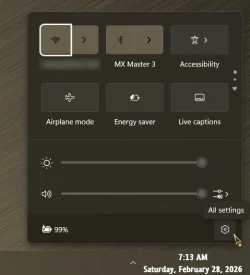
Hi,
Despite using an ASUS G635LX on a High Performance power plan while plugged in, the system freezes completely when clicking the "Hog" icon on the taskbar.
How can I get rid of that icon or mitigate the freeze issue, please?
Thank you.
Despite using an ASUS G635LX on a High Performance power plan while plugged in, the system freezes completely when clicking the "Hog" icon on the taskbar.
How can I get rid of that icon or mitigate the freeze issue, please?
Thank you.
- Windows Build/Version
- Windows 11 Pro 25H2
My Computer
At a glance
Windows 11Intel 275HX64GB5090
- OS
- Windows 11
- Computer type
- Laptop
- Manufacturer/Model
- ASUS
- CPU
- Intel 275HX
- Memory
- 64GB
- Graphics Card(s)
- 5090
- Other Info
- All Drivers have been updated. Windows 11 pro has been reinstalled to get rid of all the bloat-wares... Using Open shell + Explorer Patcher.