Windows 11 pro running slow?


Stringman

New member
Local time
8:43 AM
Posts
2
OS
Windows 11 pro
Hi all,

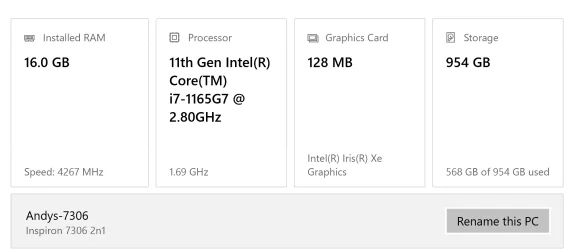
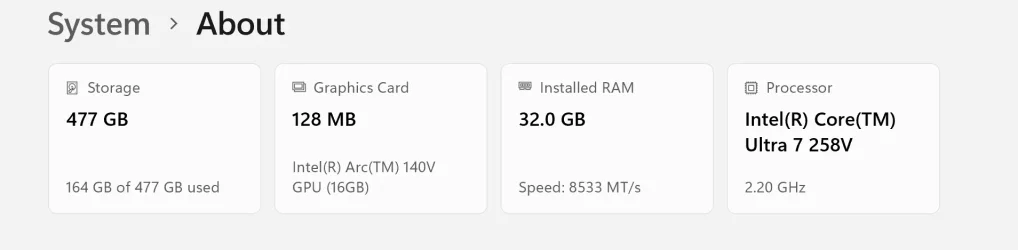
I have just got a new Samsung Galaxybook 5 pro (specs on photo1) This is replacing a 4 year old Dell 7306 2in1 (specs on photo 2)

I expected the Samsung to be much faster than the Dell but it seems to be the same if not slower.

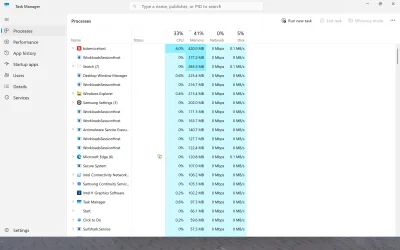
When I look at task manager it seems to be using 40+% just whilst idling. Is this normal?

The biggest culprits are Bitdefender (obviously) and workloadssession hosts.

I gather this is an AI Background process.

I dont use AI ( co pilot etc) so do I need these processes running? And if not can I get rid of them or anything else to improve the performance.

Or do I just need to manage my expectations lol

Thanks in advanceabout Dell 7306 2in1.webpabout GGalaxy book 5 pro.webpScreenshot (1).webp
 

My Computer

System One

  • OS
    Windows 11 pro
    Computer type
    Laptop
    Manufacturer/Model
    Samsung Galaxy book 5 pro
Uninstall Bitdefender and use Microsoft Defender.
 

My Computer

System One

  • OS
    Windows 11
    Computer type
    PC/Desktop
    Manufacturer/Model
    Generic
    CPU
    AMD Ryzen 8700G
    Motherboard
    Gigabyte B650 UD AC
    Memory
    64 GB
    Graphics Card(s)
    Onboard
    Sound Card
    Onboard
    Monitor(s) Displays
    Del U2723QE
    Screen Resolution
    3840 x 2160
    Hard Drives
    Corsiar MP600 1TB
    PSU
    Silverstone 750 GOLD
    Case
    Silverstone FARA 513
Uninstall Bitdefender and use Microsoft Defender.
or using win11 lite old version without defender, edge and mitigation cpu
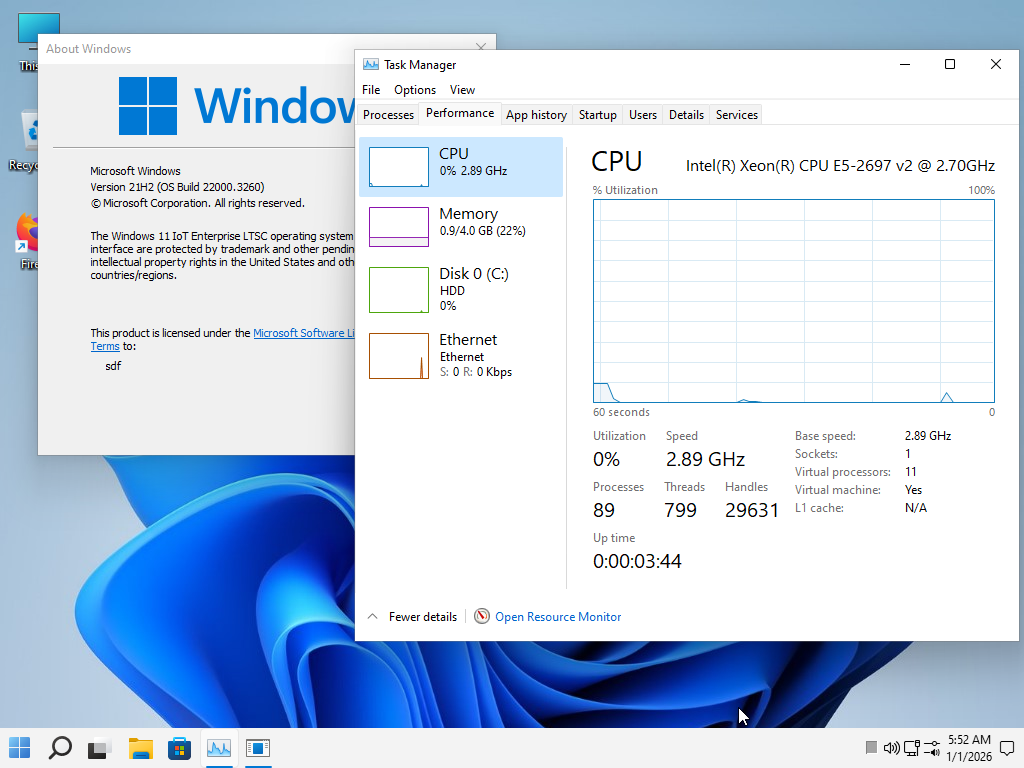
im using 21h2 lite very very speed, If you want to test this, the ISO of this version is ready in my signature.
fcajCX.png
 

My Computer

System One

  • OS
    Windows 11 Iot Enterprise 21h2 22000.3260
    Computer type
    PC/Desktop
    Manufacturer/Model
    Asus
    CPU
    xeon E5-2697v2
    Motherboard
    rampage iv extreme
    Memory
    32gb 8x4gb ddr3 1333 mhz
    Graphics Card(s)
    gtx 570 poit of view
    Sound Card
    realtek HD (ALC898)
    Monitor(s) Displays
    samsung b2030
    Screen Resolution
    1600x900
    Hard Drives
    2tb hd 5400 rpm
    3tb hd 5400 rpm
    1tb nvme pcie 3.0
    PSU
    hx850w
    Keyboard
    mtek
    Internet Speed
    500/250 gpon
    Browser
    r3dfox 146.0
    Antivirus
    none
I dont use AI ( co pilot etc) so do I need these processes running? And if not can I get rid of them or anything else to improve the performance.

Or do I just need to manage my expectations lol
There's nothing wrong with gaming on that hardware. In fact it's adequate for most AAA games at ~medium settings at 1080p. Of course CoPilot can be removed, along with other annoying "features".
 

My Computer

System One

  • OS
    Windows 11 22H2 Pro (X-lite Micro 11 version)
    Computer type
    Laptop
    Manufacturer/Model
    Dell/ Precision 7680
    CPU
    i7 13850HX (20 cores, 28 threads)
    Motherboard
    Dell
    Memory
    32GB DDR5
    Graphics Card(s)
    Intel UHD/ RTX 1000 ADA
    Sound Card
    Realtek
    Monitor(s) Displays
    4K UHD Touchscreen
    Screen Resolution
    3840 x 2400
    Hard Drives
    Samsung 512GB system drive
    WD Blue 1TB game drive
    PSU
    240W AC adapter, 1800W when docked
    Internet Speed
    1 gigabit symmetrical
    Browser
    Firefox, Librewolf
    Antivirus
    None. Manully configured so nobody except me can change any critical system files. (Don't ask how, it's probably against some rule somewhere)

Thanks all
I have dropped copilot and other "features"
I think my expectations were too high lol
 

My Computer

System One

  • OS
    Windows 11 pro
    Computer type
    Laptop
    Manufacturer/Model
    Samsung Galaxy book 5 pro
Back
Top Bottom