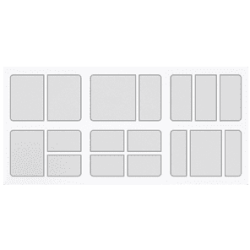
Hi! This may be a dumb ask since everyone else seemed to hate the feature in the old forums, but:
Is there any way to restore the Snap setting from Windows 10, "When I snap a window, automatically size it to fill available space" in the multi-tasking snap settings?
I got very used to dragging windows to the top of the screen to snap them into maximizing, and not being able to snap to anything larger than half-screen is slowly driving me insane. No matter where I look, I either find old forums asking to disable the feature in Win10, or asking to modify Snaps to smaller/different shapes, or how to make Snaps "remember" different shapes in Win 11. I just want my top snap --> auto maximize back. Any help is appreciated, thank you!
Is there any way to restore the Snap setting from Windows 10, "When I snap a window, automatically size it to fill available space" in the multi-tasking snap settings?
I got very used to dragging windows to the top of the screen to snap them into maximizing, and not being able to snap to anything larger than half-screen is slowly driving me insane. No matter where I look, I either find old forums asking to disable the feature in Win10, or asking to modify Snaps to smaller/different shapes, or how to make Snaps "remember" different shapes in Win 11. I just want my top snap --> auto maximize back. Any help is appreciated, thank you!
- Windows Build/Version
- Version 23H2 Win 11 Pro
My Computer
At a glance
Windows 11
- OS
- Windows 11
- Computer type
- PC/Desktop