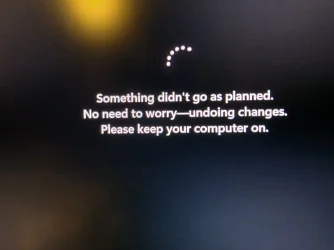
Windows 11 updates always fail at 100% :-(


Try disabling Secure boot
 

My Computer My Computer

At a glance

Windows 11 Pro 25H2 (RP channel)AMD Ryzen 7 9800X3D 8-core64GB Corsair Titanium 6000/CL30MSI Suprim 5080 SOC
OS
Windows 11 Pro 25H2 (RP channel)
Computer type
PC/Desktop
Manufacturer/Model
MSI
CPU
AMD Ryzen 7 9800X3D 8-core
Motherboard
MEG X870E Godlike
Memory
64GB Corsair Titanium 6000/CL30
Graphics Card(s)
MSI Suprim 5080 SOC
Sound Card
Soundblaster AE-9
Monitor(s) Displays
ASUS TUF Gaming VG289Q
Screen Resolution
3840x2160
Hard Drives
Samsung 9100 Pro 4TB (gen 5 x4, system drive/games)
Samsung 990 Pro 2TB
Samsung 980 Pro 2TB
Samsung 870 Evo 4TB
Samsung 870 Evo 2TB
Samsung T9 4TB
PSU
Seasonic PX-2200
Case
Bequiet! Dark Base Pro 901
Cooling
Noctua NH-D15S Chromax black
Keyboard
Logitech G915 X (wired)
Mouse
Logitech G903 with PowerPlay charger
Internet Speed
900Mb/sec
Browser
Microsoft Edge
Antivirus
Windows Defender

Tried to download the stand alone installer from the catalog. Same result. Logs attached.
Are you downloading both files and installing in this order?

s.webp
 

My Computer My Computer

At a glance

Windows 11 Pro
OS
Windows 11 Pro
It says the KB5043080 is not appliable for this system (or something like that)
 

My Computers My Computers

  • At a glance

    Windows 10Intel Core i5-6600 3.30Ghz16 GBAsus Nvidia GeForce GTX 960
    OS
    Windows 10
    Computer type
    PC/Desktop
    Manufacturer/Model
    Asus
    CPU
    Intel Core i5-6600 3.30Ghz
    Motherboard
    Asus B150M
    Memory
    16 GB
    Graphics Card(s)
    Asus Nvidia GeForce GTX 960
    Sound Card
    Onboard
    Monitor(s) Displays
    Samsung
    Hard Drives
    Samsung SSD 850 EBO 128 GB
    WDC WD1003FZEX-00MK2A0
  • At a glance

    Windows 1111the Gen Intel Core i5-1135G7 2.40 GHz8 GBIntel Xe
    Operating System
    Windows 11
    Computer type
    Laptop
    Manufacturer/Model
    Asus ExpertBook
    CPU
    11the Gen Intel Core i5-1135G7 2.40 GHz
    Memory
    8 GB
    Graphics card(s)
    Intel Xe
    Sound Card
    Onboard
    Hard Drives
    NVMe WDC PC SN530 SDBPNPZ 256 GB
Tried to download a stand-alone installer for the new KB5064081 to see if that worked better.
Same thing happends. Fail at 100% and rollback and reboot two times (rolleback takes forever).
Error codes: 800706BA, 004F012, 80240008, C190040F, 80070057, 80248014, 800706BA, 800709CA, 80070002, 80248014, 80248006, 80070002
Full update log attached...
 

Attachments

My Computers My Computers

  • At a glance

    Windows 10Intel Core i5-6600 3.30Ghz16 GBAsus Nvidia GeForce GTX 960
    OS
    Windows 10
    Computer type
    PC/Desktop
    Manufacturer/Model
    Asus
    CPU
    Intel Core i5-6600 3.30Ghz
    Motherboard
    Asus B150M
    Memory
    16 GB
    Graphics Card(s)
    Asus Nvidia GeForce GTX 960
    Sound Card
    Onboard
    Monitor(s) Displays
    Samsung
    Hard Drives
    Samsung SSD 850 EBO 128 GB
    WDC WD1003FZEX-00MK2A0
  • At a glance

    Windows 1111the Gen Intel Core i5-1135G7 2.40 GHz8 GBIntel Xe
    Operating System
    Windows 11
    Computer type
    Laptop
    Manufacturer/Model
    Asus ExpertBook
    CPU
    11the Gen Intel Core i5-1135G7 2.40 GHz
    Memory
    8 GB
    Graphics card(s)
    Intel Xe
    Sound Card
    Onboard
    Hard Drives
    NVMe WDC PC SN530 SDBPNPZ 256 GB
I had exactly the same problems like you with KB5064081 and the Aug Update
20250829_211103.webpWhen I read that both updates replace the master keys in the hidden EFI parition I tried the workaround from this forum: Delete all fonts and all non EN language files.
Then both updates installed successful.

But after reboot WIndows Settings App (which also contain WIndows Update) crashed and I did not find a trick to repair it

The EFI part from Win 10 was 100MB, which causes all time problems with a lack of free space

I did format my disk and now the EFI part is 200MB in size.

Best Regards
 

My Computer My Computer

At a glance

Windows Vistai7 6 Core64GBQuattro 2000
OS
Windows Vista
Computer type
Laptop
Manufacturer/Model
Dell
CPU
i7 6 Core
Motherboard
Dell specific
Memory
64GB
Graphics Card(s)
Quattro 2000
Monitor(s) Displays
2xDELL 2713xyz
Screen Resolution
Who can count?
Hard Drives
1TB
Case
DELL
Keyboard
Logitech
Mouse
Logitech
Internet Speed
10G
Browser
Brave
Antivirus
Defender
Hmmm... What do I do then that have norwegian Windows 11 :-)
Even with a clean install of Windows 11 it would not update.
Not until I did a in-place upgrade of the fresh installed Windows 11 :-)
Kind of hopeless to have to do a in-place upgrade each time there is an update :-)
 

My Computers My Computers

  • At a glance

    Windows 10Intel Core i5-6600 3.30Ghz16 GBAsus Nvidia GeForce GTX 960
    OS
    Windows 10
    Computer type
    PC/Desktop
    Manufacturer/Model
    Asus
    CPU
    Intel Core i5-6600 3.30Ghz
    Motherboard
    Asus B150M
    Memory
    16 GB
    Graphics Card(s)
    Asus Nvidia GeForce GTX 960
    Sound Card
    Onboard
    Monitor(s) Displays
    Samsung
    Hard Drives
    Samsung SSD 850 EBO 128 GB
    WDC WD1003FZEX-00MK2A0
  • At a glance

    Windows 1111the Gen Intel Core i5-1135G7 2.40 GHz8 GBIntel Xe
    Operating System
    Windows 11
    Computer type
    Laptop
    Manufacturer/Model
    Asus ExpertBook
    CPU
    11the Gen Intel Core i5-1135G7 2.40 GHz
    Memory
    8 GB
    Graphics card(s)
    Intel Xe
    Sound Card
    Onboard
    Hard Drives
    NVMe WDC PC SN530 SDBPNPZ 256 GB
I had exactly the same problems like you with KB5064081 and the Aug Update
View attachment 144123When I read that both updates replace the master keys in the hidden EFI parition I tried the workaround from this forum: Delete all fonts and all non EN language files.
Then both updates installed successful.

But after reboot WIndows Settings App (which also contain WIndows Update) crashed and I did not find a trick to repair it

The EFI part from Win 10 was 100MB, which causes all time problems with a lack of free space

I did format my disk and now the EFI part is 200MB in size.

Best Regards
I think that error text means the same thing as the dreaded "Failure configuring updates. Reverting changes. (or similar) Do not turn off your computer."
(Vista, 7 and 8.0)

(not 8.1 and later, as 8.1 has different wording in the message)

Does it appear to reboot 1 more time than expected? It may mean it's failing and rolling back due to a BSOD!

If it's failing with a BSOD, then it's likely that you have a problem with your RAM. (Especially "PAGE_FAULT_IN_NONPAGED_AREA" or "BAD_POOL_HEADER")

If it's not the RAM subsystem somehow being unstable, then it could very well be a faulty SSD. Same with a faulty HDD, if Windows is installed to a platter drive.
 
Last edited:

My Computers My Computers

  • At a glance

    Windows 11 Pro x64 24H2Ryzen 9 5900X64 GB G.Skill RipJaws V F4-3200C16D-64GVKASRock Steel Legend Arc B580 12 GB
    OS
    Windows 11 Pro x64 24H2
    Computer type
    PC/Desktop
    CPU
    Ryzen 9 5900X
    Motherboard
    ASRock B550 PG Velocita (UEFI-BIOS 3.90)
    Memory
    64 GB G.Skill RipJaws V F4-3200C16D-64GVK
    Graphics Card(s)
    ASRock Steel Legend Arc B580 12 GB
    Monitor(s) Displays
    Alienware AW3423DWF OLED ultrawide
    Hard Drives
    Samsung 990 Pro 1 TB NVMe SSD
    PSU
    eVGA Supernova 750 G3
    Case
    Corsair 275R
    Internet Speed
    VTel FTTH 1 Gb down and 1 Gb up
  • At a glance

    Windows 11 Home x64 25H2Ryzen 7 5800X3D32 GB (2x16 GB G.Skill TridentZ Neo)Sapphire Nitro+ Radeon RX 6750 XT
    Operating System
    Windows 11 Home x64 25H2
    Computer type
    PC/Desktop
    CPU
    Ryzen 7 5800X3D
    Motherboard
    Asus ROG Strix B550-F Gaming (UEFI-BIOS version 3636)
    Memory
    32 GB (2x16 GB G.Skill TridentZ Neo)
    Graphics card(s)
    Sapphire Nitro+ Radeon RX 6750 XT
    Hard Drives
    Samsung 970 Pro 512 GB NVMe SSD
    PSU
    Corsair RM850x
    Case
    Fractal Focus G
Error codes: 800706BA, 004F012, 80240008, C190040F, 80070057, 80248014, 800706BA, 800709CA, 80070002, 80248014, 80248006, 80070002
I suspect a failing drive, or the RAM is somehow unstable.

Is your version of 11 24H2? If it is, the odds of needing a repair install, if not a drive wipe and clean install frequently, are higher. Especially with the July and August updates. It's possible that the SSU is bugged in 24H2.
 

My Computers My Computers

  • At a glance

    Windows 11 Pro x64 24H2Ryzen 9 5900X64 GB G.Skill RipJaws V F4-3200C16D-64GVKASRock Steel Legend Arc B580 12 GB
    OS
    Windows 11 Pro x64 24H2
    Computer type
    PC/Desktop
    CPU
    Ryzen 9 5900X
    Motherboard
    ASRock B550 PG Velocita (UEFI-BIOS 3.90)
    Memory
    64 GB G.Skill RipJaws V F4-3200C16D-64GVK
    Graphics Card(s)
    ASRock Steel Legend Arc B580 12 GB
    Monitor(s) Displays
    Alienware AW3423DWF OLED ultrawide
    Hard Drives
    Samsung 990 Pro 1 TB NVMe SSD
    PSU
    eVGA Supernova 750 G3
    Case
    Corsair 275R
    Internet Speed
    VTel FTTH 1 Gb down and 1 Gb up
  • At a glance

    Windows 11 Home x64 25H2Ryzen 7 5800X3D32 GB (2x16 GB G.Skill TridentZ Neo)Sapphire Nitro+ Radeon RX 6750 XT
    Operating System
    Windows 11 Home x64 25H2
    Computer type
    PC/Desktop
    CPU
    Ryzen 7 5800X3D
    Motherboard
    Asus ROG Strix B550-F Gaming (UEFI-BIOS version 3636)
    Memory
    32 GB (2x16 GB G.Skill TridentZ Neo)
    Graphics card(s)
    Sapphire Nitro+ Radeon RX 6750 XT
    Hard Drives
    Samsung 970 Pro 512 GB NVMe SSD
    PSU
    Corsair RM850x
    Case
    Fractal Focus G
I am SO VERY fed up with the fact that the Windows 11 updates always fail at 100%. It never happens on Windows 10. But on Windows 11, it happens EVERY TIME. I'm so tired of fixing things with EVERY DISM, SFC and local updates. Could it be that difficult to run it like before? And why doesn't it say WHAT went wrong (and just that 'something' went wrong)? I am seriously considering switching my Windows 11 PC to 10 :-(update.
Since August and September, the updates have not been successful. According to Microsoft, my computer meets the requirements for Windows 11. The September update now states that my computer does not meet the requirements for Windows 11. According to the PC health check, my computer still meets the requirements for Windows 11: "This PC meets the requirements for Windows 11." How is it possible that Microsoft's test shows something different than the Windows 11 update?
 
Last edited by a moderator:

My Computer My Computer

At a glance

Microsoft Windows 11 Home13th Generation Intel Core i3-1305U16 GBIntel Iris Xe Graphics
OS
Microsoft Windows 11 Home
Computer type
Laptop
Manufacturer/Model
Dell Hungary / Vostro 15 3530 / bshbm74
CPU
13th Generation Intel Core i3-1305U
Memory
16 GB
Graphics Card(s)
Intel Iris Xe Graphics
Monitor(s) Displays
15.6" Wide LED
Screen Resolution
1920 x 1080
Hard Drives
236 GB
Keyboard
Beépített magyar qwertz billentyűzet háttérvilágítással
Mouse
Dell USB Vezetékes Optikai Egér Kétkezes Fekete (MS116)
Internet Speed
Download 62,26 Mbit/s ; Upload 51,90 Mbit/s
Browser
Google Chrome Browser
Antivirus
Norton 360
Since August and September, the updates have not been successful. According to Microsoft, my computer meets the requirements for Windows 11. The September update now states that my computer does not meet the requirements for Windows 11. According to the PC health check, my computer still meets the requirements for Windows 11: "This PC meets the requirements for Windows 11." How is it possible that Microsoft's test shows something different than the Windows 11 update?

Each screening test may scan for different parameters.

The Microsoft health check are specific parameters.

A computer may have other issues:
a) out of date drivers or drivers that cannot be migrated
b) user id's that are duplicates or that cannot be migrated
c) recognized or unrecognized BSOD's
d) antivirus drivers
e) drive encryption drivers
f) incompatible software
g) insufficient free space in any of the default partitions
etc.


Please open a separate thread and post a link for the new thread into this thread.


In the new thread post share links with results for these steps:


1) upgrade_failure_info:


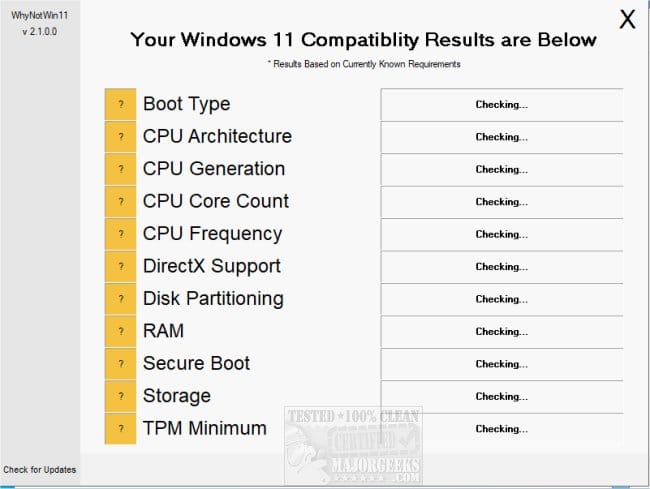
2) whynotwin11


3) V2 log collector:

 
Last edited:

My Computer My Computer

At a glance

Windows 10Intel(R) Core(TM) i7-4800MQ CPU @ 2.70GHz16 GB Total: Manufacturer : Samsung MemoryTyp...NVIDIA Quadro K3100M; Intel(R) HD Graphics 4600
OS
Windows 10
Computer type
Laptop
Manufacturer/Model
HP
CPU
Intel(R) Core(TM) i7-4800MQ CPU @ 2.70GHz
Motherboard
Product : 190A Version : KBC Version 94.56
Memory
16 GB Total: Manufacturer : Samsung MemoryType : DDR3 FormFactor : SODIMM Capacity : 8GB Speed : 1600
Graphics Card(s)
NVIDIA Quadro K3100M; Intel(R) HD Graphics 4600
Sound Card
IDT High Definition Audio CODEC; PNP Device ID HDAUDIO\FUNC_01&VEN_111D&DEV_76E0
Hard Drives
Model Hitachi HTS727575A9E364
Antivirus
Microsoft Defender
Other Info
Mobile Workstation
Back
Top Bottom