Windows 11 version 22H2 End of Servicing on October 08, 2024


On October 8, 2024, Windows 11, version 21H2 (Enterprise, Education, and IoT Enterprise editions) and Windows 11, version 22H2 (Home and Pro editions) will reach end of servicing. The upcoming October 2024 security update, to be released on October 8, 2024, will be the last update available for these editions. After this date, devices running these editions will no longer receive monthly security and preview updates containing protections from the latest security threats.

To help keep you protected and productive, Windows Update will automatically initiate a feature update for Windows 11 business devices not managed by IT departments when these are nearing end of servicing. Moving to Windows 11, version 23H2 keeps your device supported and receiving monthly updates that are critical to security and ecosystem health.

For detailed information, see the Windows 11 Enterprise and Education, Windows 11 IoT Enterprise and Windows 11 Home and Pro lifecycle pages. For information about servicing timelines and lifecycle, see Windows 11 release information, Lifecycle FAQ - Windows, and Microsoft Lifecycle Policy search tool.

VersionServicing optionAvailability dateLatest revision dateLatest buildEnd of servicing: Home, Pro, Pro Education and Pro for WorkstationsEnd of servicing: Enterprise, Education, IoT Enterprise, and Enterprise multi-session
22H2
General Availability Channel​
2022-09-202024-06-2522621.38102024-10-082025-10-14


 Read more:

 
Last edited:
Too bad. That was a good old build. Liked this one.:clap::clap:
 

My Computer My Computer

At a glance

Win 11 Insider Release Preview and Beta chann...i5 Core [email protected] (Unsupported for Win 11)12GBGeneric PnP Monitor (1920x1080@60Hz) Intel HD...
OS
Win 11 Insider Release Preview and Beta channels.
Computer type
Laptop
Manufacturer/Model
HP ENVY Bought: March 2017
CPU
i5 Core [email protected] (Unsupported for Win 11)
Motherboard
HP 81AD (U3E1)
Memory
12GB
Graphics Card(s)
Generic PnP Monitor (1920x1080@60Hz) Intel HD Graphics 620 (HP)
Sound Card
Conexant ISST audio
Monitor(s) Displays
Generic PnP Monitor
Screen Resolution
1536x864 pixels
Hard Drives
HGST HTS721010A9E630
PSU
Well...PSU you too!! What's this mean?
Case
HP ENVY SILVER
Cooling
A fan.
Keyboard
USA
Mouse
Logitec Anywhere 2
Internet Speed
Good enough for me! Fast!
Browser
Edge/Waterfox
Antivirus
Windows Defender
Other Info
No 'mo.
I've gotten my computers on 23H2 so no problem. 2 Desktops and 3 Notebooks plus 1 unsupported Notebook.
 

My Computers My Computers

  • At a glance

    Win11 Pro RTM Version 24H2 Build 26100.4202Intel Core i5 11th Gen. 2.40GHz12GB
    OS
    Win11 Pro RTM Version 24H2 Build 26100.4202
    Computer type
    Laptop
    Manufacturer/Model
    Dell Vostro 3400
    CPU
    Intel Core i5 11th Gen. 2.40GHz
    Memory
    12GB
    Hard Drives
    256GB SSD NVMe M.2
  • At a glance

    Win11 Pro RTM Version 24H2 Build 26100.4202Intel Core i5 10th Gen. 2.90GHz16GBOnboard, no VGA, using a DisplayPort-to-VGA a...
    Operating System
    Win11 Pro RTM Version 24H2 Build 26100.4202
    Computer type
    PC/Desktop
    Manufacturer/Model
    Dell Vostro 5890
    CPU
    Intel Core i5 10th Gen. 2.90GHz
    Memory
    16GB
    Graphics card(s)
    Onboard, no VGA, using a DisplayPort-to-VGA adapter
    Monitor(s) Displays
    24" Dell
    Hard Drives
    512GB SSD NVMe, 4TB Seagate HDD
    Browser
    Firefox, Edge
    Antivirus
    Windows Defender/Microsoft Security
I bet $100 that 24H2 version will drop the same day the support for 22H2 ends for Home and Pro SKUs.

I've gotten my computers on 23H2 so no problem. 2 Desktops and 3 Notebooks plus 1 unsupported Notebook.
Yeah, it's very stable because it's based on 22H2 version at the end. 24H2 is another story.
 

My Computer My Computer

At a glance

Windows 11i5-12500H16GB DDR5
OS
Windows 11
Computer type
Laptop
Manufacturer/Model
HP
CPU
i5-12500H
Memory
16GB DDR5
Browser
Microsoft Edge
Too bad. That was a good old build. Liked this one.:clap::clap:
53857019346_e96e07bcd3_o.png


If after 2025 someone downloads the cumulative update that comes out every month for the enterprise version and installs it on 22h2 home and pro, will the cumulative .msu be installed normally or will there be an error during the installation?

If it works like this, it can be updated by September 2026
 

My Computer My Computer

At a glance

Windows 11 Iot Enterprise 21h2 22000.3260xeon E5-2697v232gb 8x4gb ddr3 1333 mhzgtx 570 poit of view
OS
Windows 11 Iot Enterprise 21h2 22000.3260
Computer type
PC/Desktop
Manufacturer/Model
Asus
CPU
xeon E5-2697v2
Motherboard
rampage iv extreme
Memory
32gb 8x4gb ddr3 1333 mhz
Graphics Card(s)
gtx 570 poit of view
Sound Card
realtek HD (ALC898)
Monitor(s) Displays
samsung b2030
Screen Resolution
1600x900
Hard Drives
2tb hd 5400 rpm
3tb hd 5400 rpm
1tb nvme pcie 3.0
PSU
hx850w
Keyboard
mtek
Internet Speed
500/250 gpon
Browser
r3dfox 146.0
Antivirus
none
If after 2025 someone downloads the cumulative update that comes out every month for the enterprise version and installs it on 22h2 home and pro, will the cumulative .msu be installed normally or will there be an error during the installation?
When tried in W10 it usually said 'this update is not applicable to your version of Windows'.
 

My Computers My Computers

  • At a glance

    Windows 11 HomeAMD Athlon Silver 3050U8GBRadeon Graphics
    OS
    Windows 11 Home
    Computer type
    Laptop
    Manufacturer/Model
    Acer Aspire 3 A315-23-R9VY
    CPU
    AMD Athlon Silver 3050U
    Memory
    8GB
    Graphics Card(s)
    Radeon Graphics
    Monitor(s) Displays
    laptop screen
    Screen Resolution
    1366x768 native resolution, up to 2560x1440 with Radeon Virtual Super Resolution
    Hard Drives
    1TB Samsung EVO 870 SSD (from April 2026: 250GB EVO 850)
    Internet Speed
    150 Mbps
    Browser
    Edge, Firefox
    Antivirus
    Defender
    Other Info
    fully 'Windows 11 ready' laptop. Windows 10 C: partition migrated from my old unsupported 'main machine' then upgraded to 11. A test migration ran Insider builds for 2 months. When 11 was released on 5th October 2021 it was re-imaged back to 10 and was offered the upgrade in Windows Update on 20th October. Windows Update offered the 22H2 Feature Update on 20th September 2022. It got the 23H2 Feature Update on 4th November 2023 through Windows Update, 24H2 on 3rd October 2024 through Windows Update by setting the Target Release Version for 24H2, and 25H2 on 30th September 2025 through Windows Update by setting the Target Release Version for 25H2.

    UPDATE - 11 April 2026: due to mechanical deterioration this PC has been retired from active duty. The OS with all software and files has been migrated to my System Seven in 'Other systems' to carry on as my general purpose 'main machine'.
  • At a glance

    Windows 11 ProIntel® Core™ i5-520M8GB(integrated graphics) Intel HD Graphics
    Operating System
    Windows 11 Pro
    Computer type
    Laptop
    Manufacturer/Model
    Dell Latitude E4310
    CPU
    Intel® Core™ i5-520M
    Motherboard
    0T6M8G
    Memory
    8GB
    Graphics card(s)
    (integrated graphics) Intel HD Graphics
    Screen Resolution
    1366x768
    Hard Drives
    500GB Crucial MX500 SSD
    Browser
    Firefox, Edge
    Antivirus
    Defender
    Other Info
    unsupported machine: Legacy bios, MBR, TPM 1.2, upgraded from W10 to W11 using W10/W11 hybrid install media workaround.

    In-place upgrade to 22H2 using ISO and a workaround.
    Feature Update to 23H2 by manually installing the Enablement Package.
    In-place upgrade to 24H2 using hybrid 23H2/24H2 install media.
    Upgraded to 25H2 by Enablement Package.

    Also running Insider Dev, and Canary builds and Windows 10 as native boot .vhdx.
  • My SYSTEM THREE is a Dell Latitude 5410, i7-10610U, 32GB RAM, 512GB NVMe ssd, supported device running Windows 11 Pro.

    My SYSTEM FOUR is a 2-in-1 convertible Lenovo Yoga 11e 20DA, Celeron N2930, 8GB RAM, 256GB ssd. Unsupported device: currently running Win10 Pro, plus Win11 Pro RTM and Insider Dev, Beta, and RP 24H2 as native boot vhdx.

    My SYSTEM FIVE is a Dell Latitude 3190 2-in-1, Pentium Silver N5030, 8GB RAM, 1TB NVMe ssd, supported device running Windows 11 Pro, plus Insider Beta, Dev, and Canary builds (and a few others) as a native boot .vhdx.

    My SYSTEM SIX is a Dell Latitude 5550, Core Ultra 7 165H, 64GB RAM, 1TB NVMe SSD, supported device, Windows 11 Pro 24H2, Hyper-V host machine. Updated to 25H2 on 30th September 2025.

    My SYSTEM SEVEN is a Lenovo Thinkpad T580, Intel Core i7-8650U, 16GB RAM, 512GB NVMe SSD + 2nd 512GB NVMe SSD, a supported device for Windows 11. This is my current general purpose 'main machine'. The installed Windows 11 Home from my System One has been migrated to this machine.
60-Day Reminder: Upcoming end of servicing date for some editions of Windows 11, versions 21H2 and 22H2


On October 8, 2024, Windows 11, version 21H2 (Enterprise, Education, and IoT Enterprise editions) and Windows 11, version 22H2 (Home and Pro editions) will reach end of servicing. The upcoming October 2024 security update, to be released on October 8, 2024, will be the last update available for these editions. After this date, devices running these editions will no longer receive monthly security and preview updates containing protections from the latest security threats.

To help keep you protected and productive, Windows Update will automatically initiate a feature update for Windows 11 Home and Pro devices that are not managed by IT departments when these are nearing end of servicing. Moving to Windows 11, version 23H2 keeps your device supported and receiving monthly updates that are critical to security and ecosystem health.

For detailed information, see the Windows 11 Enterprise and Education, Windows 11 IoT Enterprise, and Windows 11 Home and Pro lifecycle pages. For information about servicing timelines and lifecycle, see Windows 11 release information, Lifecycle FAQ - Windows, and Microsoft Lifecycle Policy search tool.
 

My Computers My Computers

  • At a glance

    Windows 11 Pro for WorkstationsIntel i7-8700K 5 GHz64 GB (4x16GB) G.SKILL TridentZ RGB DDR4 3600...ASUS ROG-STRIX-GTX1080TI-O11G-GAMING (11GB GD...
    OS
    Windows 11 Pro for Workstations
    Computer type
    PC/Desktop
    Manufacturer/Model
    Custom self build
    CPU
    Intel i7-8700K 5 GHz
    Motherboard
    ASUS ROG Maximus XI Formula Z390
    Memory
    64 GB (4x16GB) G.SKILL TridentZ RGB DDR4 3600 MHz (F4-3600C18D-32GTZR)
    Graphics Card(s)
    ASUS ROG-STRIX-GTX1080TI-O11G-GAMING (11GB GDDR5X)
    Sound Card
    Integrated Digital Audio (S/PDIF)
    Monitor(s) Displays
    2 x Samsung Odyssey G75 27"
    Screen Resolution
    2560x1440
    Hard Drives
    1TB Samsung 990 PRO M.2,
    4TB Samsung 990 PRO M.2,
    TerraMaster F8 SSD Plus NAS
    PSU
    Seasonic Prime Titanium 850W
    Case
    Thermaltake Core P3 wall mounted
    Cooling
    Corsair Hydro H115i
    Keyboard
    Amazon Basics Wired Full Keyboard MD005
    Mouse
    Logitech MX Master 4
    Internet Speed
    2 Gbps Download and 100 Mbps Upload
    Browser
    Chrome and Edge
    Antivirus
    Microsoft Defender
    Other Info
    Logitech Z625 speaker system,
    Logitech BRIO 4K Pro webcam,
    HP Color LaserJet Pro MFP M477fdn,
    CyberPower CP1500PFCLCD
    Galaxy S23 Plus phone
  • At a glance

    Windows 11 ProSnapdragon X Elite (12 core) 3.42 GHz16 GB LPDDR5x-7467 MHz
    Operating System
    Windows 11 Pro
    Computer type
    Laptop
    Manufacturer/Model
    Surface Laptop 7 Copilot+ PC
    CPU
    Snapdragon X Elite (12 core) 3.42 GHz
    Memory
    16 GB LPDDR5x-7467 MHz
    Monitor(s) Displays
    15" HDR
    Screen Resolution
    2496 x 1664
    Hard Drives
    1 TB SSD
    Internet Speed
    Wi-Fi 7 and Bluetooth 5.4
    Browser
    Chrome and Edge
    Antivirus
    Microsoft Defender
Hmmm like my parents they don't tend to bother updating where I realized whenever she restarts it's somewhat a bit slower at startup and she brings me in "wth" I don't like how MS is handling these updates where it should be more noticeable to the user upon updating
 

My Computers My Computers

  • At a glance

    WiN11 ProXeon E5450 3.0GHZ (OC 3.6GHZ)8GB (2GBX4)NVIDIA Quadro K2200 4GB
    OS
    WiN11 Pro
    Computer type
    PC/Desktop
    Manufacturer/Model
    Custom 775 System
    CPU
    Xeon E5450 3.0GHZ (OC 3.6GHZ)
    Motherboard
    ASUS PQ5-EM
    Memory
    8GB (2GBX4)
    Graphics Card(s)
    NVIDIA Quadro K2200 4GB
    Sound Card
    Onboard
    Monitor(s) Displays
    ASUS 24"
    Screen Resolution
    1080p
    Hard Drives
    1TB|750GB USB, 3 SSDs 2 240GB 1 128GB, 750GB HDD
    PSU
    650WATT Rosewill
    Case
    Rosewill with side Window
    Cooling
    5 Fans and a big HSK for cpu
    Keyboard
    Rosewill RGB
    Mouse
    Rosewill RGB
    Internet Speed
    AT&T 150MB DL\UP
    Browser
    FireFox
    Antivirus
    None
    Other Info
    I'm lucky to even be here after 6yrs from my car accident
  • At a glance

    WiN10 LTSCi7 2670QM 2.20GHZ8GB (2X4GB) DUAL ChannelIntel HD Graphics 3000
    Operating System
    WiN10 LTSC
    Computer type
    Laptop
    Manufacturer/Model
    Hp 8460p
    CPU
    i7 2670QM 2.20GHZ
    Motherboard
    Hp 161C
    Memory
    8GB (2X4GB) DUAL Channel
    Graphics card(s)
    Intel HD Graphics 3000
    Sound Card
    Intel high Def (basically onboard)
    Screen Resolution
    1366x768
    Hard Drives
    OS 128GB l Storage (caddy) 320GB
    PSU
    AC (IDK the watts)
    Browser
    Firefox
    Antivirus
    Defender
    Other Info
    A USB 3.0 in the Express Card Slot
Good riddance. Looking forward to seeing them come out with an OS that makes TPM optional (like in the good old daze) and allows me to make my own security decisions. Until then I'll plod along with the gimpy old versions they've doled out so far. Linux keeps looking better every day.
 

My Computer My Computer

At a glance

WIN 11, WIN 10, WIN 8.1, WIN 7 U, WIN 7 PRO, ...Intel i7 6900K and i9-7960X / AMD 3800X (8 core)128 GB CORSAIR DOMINATOR PLATINUM (B DIE)NVIDIA 1070 and RTX 3070
OS
WIN 11, WIN 10, WIN 8.1, WIN 7 U, WIN 7 PRO, WIN 7 HOME (32 Bit), LINUX MINT
Computer type
PC/Desktop
Manufacturer/Model
DIY, ASUS, and DELL
CPU
Intel i7 6900K and i9-7960X / AMD 3800X (8 core)
Motherboard
ASUS X99E-WS USB 3.1 and ASUS X299 SAGE
Memory
128 GB CORSAIR DOMINATOR PLATINUM (B DIE)
Graphics Card(s)
NVIDIA 1070 and RTX 3070
Sound Card
Crystal Sound (onboard)
Monitor(s) Displays
single Samsung 30" 4K and 8" aux monitor
Screen Resolution
4K and something equally attrocious. I'll be working on this.
Hard Drives
A, B, C, D, E, F, G, H, I, J, K, L, M, N, O, P, Q, R, S, T, U, V, W

Ports X, Y, and Z are reserved for USB access and removable drives.

Drive types consist of the following: Various mechanical hard drives bearing the brand names, Seagate, Toshiba, and Western Digital. Various NVMe drives bearing the brand names Kingston, Intel, Silicon Power, Crucial, Western Digital, and Team Group. Various SATA SSDs bearing various different brand names.

RAID arrays included:

LSI RAID 10 (WD Velociraptors) 1115.72 GB
LSI RAID 10 (WD SSDS) 463.80 GB

INTEL RAID 0 (KINGSTON HYPER X) System 447.14 GB
INTEL RAID 1 TOSHIBA ENTERPRIZE class Data 2794.52 GB
INTEL RAID 1 SEAGATE HYBRID 931.51 GB
PSU
SEVERAL. I prefer my Corsair Platinum HX1000i but I also like EVGA power supplies
Case
ThermalTake Level 10 GT (among others)
Cooling
Noctua is my favorite and I use it in my main. I also own various other coolers.
Keyboard
all kinds.
Mouse
all kinds
Internet Speed
360 mbps - 1 gbps (depending)
Browser
FIREFOX
Antivirus
KASPERSKY (no apologies)
Other Info
Gave Dell touch screen with Windows 11 to daughter and got me an OTVOC. Being a PC builder I own many desktop PCs as well. I am a father of five providing PCs, laptops, and tablets for all my family, most of which I have modified, rebuilt, or simply built from scratch. I do not own a cell phone, never have, never will.
Hurry hurry then towards 24H2 then...... or maybe not! (Heyz look who's back!)
 

My Computer My Computer

At a glance

Windows 11I5Too much haha!NVidia 1060
OS
Windows 11
Computer type
PC/Desktop
Manufacturer/Model
Cooler master
CPU
I5
Motherboard
Gigabyte
Memory
Too much haha!
Graphics Card(s)
NVidia 1060
and whoo-hoo! 1724421017639.png
 

My Computer My Computer

At a glance

Windows 11I5Too much haha!NVidia 1060
OS
Windows 11
Computer type
PC/Desktop
Manufacturer/Model
Cooler master
CPU
I5
Motherboard
Gigabyte
Memory
Too much haha!
Graphics Card(s)
NVidia 1060
60-Day Reminder: Upcoming end of servicing date for some editions of Windows 11, versions 21H2 and 22H2


On October 8, 2024, Windows 11, version 21H2 (Enterprise, Education, and IoT Enterprise editions) and Windows 11, version 22H2 (Home and Pro editions) will reach end of servicing. The upcoming October 2024 security update, to be released on October 8, 2024, will be the last update available for these editions. After this date, devices running these editions will no longer receive monthly security and preview updates containing protections from the latest security threats.

To help keep you protected and productive, Windows Update will automatically initiate a feature update for Windows 11 Home and Pro devices that are not managed by IT departments when these are nearing end of servicing. Moving to Windows 11, version 23H2 keeps your device supported and receiving monthly updates that are critical to security and ecosystem health.

For detailed information, see the Windows 11 Enterprise and Education, Windows 11 IoT Enterprise, and Windows 11 Home and Pro lifecycle pages. For information about servicing timelines and lifecycle, see Windows 11 release information, Lifecycle FAQ - Windows, and Microsoft Lifecycle Policy search tool.
So then this will be automatic? I have 1724698241760.pngand the last update done by Windows Update (03AUG24) is "2024-07 Update for Windows 11 for x64-based Systems (KB5001716)."
 

My Computers My Computers

  • At a glance

    Windows 10 Home 10.0.22000.318 upgraded to 11...11th Gen Intel(R) Core(TM) i7-1165G7 @ 2.80GH...16.0 GB (15.6 GB usable)Intel(R) Iris(R) Xe Graphics (iRISx) - discre...
    OS
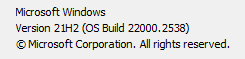
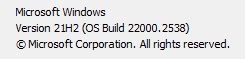
    Windows 10 Home 10.0.22000.318 upgraded to 11 V:21H2 (Currently) 22000.2538
    Computer type
    Laptop
    Manufacturer/Model
    HP Spectre x360 Convertible 15T-eb100
    CPU
    11th Gen Intel(R) Core(TM) i7-1165G7 @ 2.80GHz 2.70 G
    Motherboard
    HP 8812 Version 55.19
    Memory
    16.0 GB (15.6 GB usable)
    Graphics Card(s)
    Intel(R) Iris(R) Xe Graphics (iRISx) - discrete graphics
    Sound Card
    Realtek High Definition Audio
    Monitor(s) Displays
    Dell
    Screen Resolution
    HP Laptop: 3840x2160, Dell external 1680x1050
    Hard Drives
    NVMe KXG60ZNV512G KIOXIA (NTFS) SSD
    external Samsung 980 PRO PCle 4.0 NVMe M.2 SSD
    (want to make this the internal drive somehow)
    PSU
    135 W Smart AC power adapter
    Case
    emerald cut
    Keyboard
    external HP USB slim KB - PH0U
    Mouse
    Logitech M510
    Internet Speed
    10.3 mbps download, 0.91mbps upload
    Browser
    Chrome Version 97.0.4692.99 (Official Build) (64-bit)
    Antivirus
    Norton 360
    Other Info
    1. Power AC input
    2. HDMI 2.0b12
    3. Audio combo jack
    4. MicroSD reader
    5. Webcam Kill Switch
    6. USB 3.2 Gen 2 Type-A
    7. USB 3.2 Gen 2 Type-C™
    8. USB 3.2 Gen 2 Type-C™ with Thunderbolt™ 312
    Synaptics Precision Touchpad
    64-bit operating system, x64-based processor
    Pen and touch support with 10 touch points w/Windows Ink installed
  • At a glance

    Windows 10 Pro 64i716GBIntel Iris - Inteli76560U Processor Intel HD ...
    Operating System
    Windows 10 Pro 64
    Computer type
    Laptop
    Manufacturer/Model
    HP Spectre x360-15t Touch Convertible
    CPU
    i7
    Memory
    16GB
    Graphics card(s)
    Intel Iris - Inteli76560U Processor Intel HD Graphics 16GB
    Monitor(s) Displays
    15.6" UHD WLED Display -Touch S
    Screen Resolution
    3840x2160
    Hard Drives
    1TB PCIe(R) NVMe M.2 SSD
    Browser
    Chrome
    Antivirus
    Norton
    Other Info
    I am currently locked out of this system by Microsoft. I cannot prove ownership so I an stuck at this point

    Web Cam, Dual Mic's, Active Stylus Pen, Backlit KB
    Thunderbolt 3
    One USB-A 3.0 port, two SuperSpeed USB 10Gbps
So then this will be automatic? I have View attachment 106139and the last update done by Windows Update (03AUG24) is "2024-07 Update for Windows 11 for x64-based Systems (KB5001716)."
Hello, :alien:

Unless you update to the latest 23H2 version and build, you'll stop getting updates via Windows Update on October 8, 2024.


My Computers My Computers

  • At a glance

    Windows 11 Pro for WorkstationsIntel i7-8700K 5 GHz64 GB (4x16GB) G.SKILL TridentZ RGB DDR4 3600...ASUS ROG-STRIX-GTX1080TI-O11G-GAMING (11GB GD...
    OS
    Windows 11 Pro for Workstations
    Computer type
    PC/Desktop
    Manufacturer/Model
    Custom self build
    CPU
    Intel i7-8700K 5 GHz
    Motherboard
    ASUS ROG Maximus XI Formula Z390
    Memory
    64 GB (4x16GB) G.SKILL TridentZ RGB DDR4 3600 MHz (F4-3600C18D-32GTZR)
    Graphics Card(s)
    ASUS ROG-STRIX-GTX1080TI-O11G-GAMING (11GB GDDR5X)
    Sound Card
    Integrated Digital Audio (S/PDIF)
    Monitor(s) Displays
    2 x Samsung Odyssey G75 27"
    Screen Resolution
    2560x1440
    Hard Drives
    1TB Samsung 990 PRO M.2,
    4TB Samsung 990 PRO M.2,
    TerraMaster F8 SSD Plus NAS
    PSU
    Seasonic Prime Titanium 850W
    Case
    Thermaltake Core P3 wall mounted
    Cooling
    Corsair Hydro H115i
    Keyboard
    Amazon Basics Wired Full Keyboard MD005
    Mouse
    Logitech MX Master 4
    Internet Speed
    2 Gbps Download and 100 Mbps Upload
    Browser
    Chrome and Edge
    Antivirus
    Microsoft Defender
    Other Info
    Logitech Z625 speaker system,
    Logitech BRIO 4K Pro webcam,
    HP Color LaserJet Pro MFP M477fdn,
    CyberPower CP1500PFCLCD
    Galaxy S23 Plus phone
  • At a glance

    Windows 11 ProSnapdragon X Elite (12 core) 3.42 GHz16 GB LPDDR5x-7467 MHz
    Operating System
    Windows 11 Pro
    Computer type
    Laptop
    Manufacturer/Model
    Surface Laptop 7 Copilot+ PC
    CPU
    Snapdragon X Elite (12 core) 3.42 GHz
    Memory
    16 GB LPDDR5x-7467 MHz
    Monitor(s) Displays
    15" HDR
    Screen Resolution
    2496 x 1664
    Hard Drives
    1 TB SSD
    Internet Speed
    Wi-Fi 7 and Bluetooth 5.4
    Browser
    Chrome and Edge
    Antivirus
    Microsoft Defender
So it looks like I need to do more as it states that I need two other updates first.
I clicked on this and was given a myriad of choices. Any one click suggestions?


These are the only updates from OCT23 (one from Nov23)

2023-10 Update for Windows 11 for x64-based Systems (KB4023057)
2023-10 Cumulative Update for .NET Framework 3.5, 4.8 and 4.8.1 for Windows 11 for x64 (KB5031225)
2023-10 Cumulative Update for Windows 11 for x64-based Systems (KB5031358)
 

Attachments

  • 1724698647299.png
    1724698647299.png
    1.5 KB · Views: 2

My Computers My Computers

  • At a glance

    Windows 10 Home 10.0.22000.318 upgraded to 11...11th Gen Intel(R) Core(TM) i7-1165G7 @ 2.80GH...16.0 GB (15.6 GB usable)Intel(R) Iris(R) Xe Graphics (iRISx) - discre...
    OS
    Windows 10 Home 10.0.22000.318 upgraded to 11 V:21H2 (Currently) 22000.2538
    Computer type
    Laptop
    Manufacturer/Model
    HP Spectre x360 Convertible 15T-eb100
    CPU
    11th Gen Intel(R) Core(TM) i7-1165G7 @ 2.80GHz 2.70 G
    Motherboard
    HP 8812 Version 55.19
    Memory
    16.0 GB (15.6 GB usable)
    Graphics Card(s)
    Intel(R) Iris(R) Xe Graphics (iRISx) - discrete graphics
    Sound Card
    Realtek High Definition Audio
    Monitor(s) Displays
    Dell
    Screen Resolution
    HP Laptop: 3840x2160, Dell external 1680x1050
    Hard Drives
    NVMe KXG60ZNV512G KIOXIA (NTFS) SSD
    external Samsung 980 PRO PCle 4.0 NVMe M.2 SSD
    (want to make this the internal drive somehow)
    PSU
    135 W Smart AC power adapter
    Case
    emerald cut
    Keyboard
    external HP USB slim KB - PH0U
    Mouse
    Logitech M510
    Internet Speed
    10.3 mbps download, 0.91mbps upload
    Browser
    Chrome Version 97.0.4692.99 (Official Build) (64-bit)
    Antivirus
    Norton 360
    Other Info
    1. Power AC input
    2. HDMI 2.0b12
    3. Audio combo jack
    4. MicroSD reader
    5. Webcam Kill Switch
    6. USB 3.2 Gen 2 Type-A
    7. USB 3.2 Gen 2 Type-C™
    8. USB 3.2 Gen 2 Type-C™ with Thunderbolt™ 312
    Synaptics Precision Touchpad
    64-bit operating system, x64-based processor
    Pen and touch support with 10 touch points w/Windows Ink installed
  • At a glance

    Windows 10 Pro 64i716GBIntel Iris - Inteli76560U Processor Intel HD ...
    Operating System
    Windows 10 Pro 64
    Computer type
    Laptop
    Manufacturer/Model
    HP Spectre x360-15t Touch Convertible
    CPU
    i7
    Memory
    16GB
    Graphics card(s)
    Intel Iris - Inteli76560U Processor Intel HD Graphics 16GB
    Monitor(s) Displays
    15.6" UHD WLED Display -Touch S
    Screen Resolution
    3840x2160
    Hard Drives
    1TB PCIe(R) NVMe M.2 SSD
    Browser
    Chrome
    Antivirus
    Norton
    Other Info
    I am currently locked out of this system by Microsoft. I cannot prove ownership so I an stuck at this point

    Web Cam, Dual Mic's, Active Stylus Pen, Backlit KB
    Thunderbolt 3
    One USB-A 3.0 port, two SuperSpeed USB 10Gbps
So it looks like I need to do more as it states that I need two other updates first.
I clicked on this and was given a myriad of choices. Any one click suggestions?


These are the only updates from OCT23 (one from Nov23)

2023-10 Update for Windows 11 for x64-based Systems (KB4023057)
2023-10 Cumulative Update for .NET Framework 3.5, 4.8 and 4.8.1 for Windows 11 for x64 (KB5031225)
2023-10 Cumulative Update for Windows 11 for x64-based Systems (KB5031358)
You can keep checking for updates after they have all been installed to see if more may become available.
 

My Computers My Computers

  • At a glance

    Windows 11 Pro for WorkstationsIntel i7-8700K 5 GHz64 GB (4x16GB) G.SKILL TridentZ RGB DDR4 3600...ASUS ROG-STRIX-GTX1080TI-O11G-GAMING (11GB GD...
    OS
    Windows 11 Pro for Workstations
    Computer type
    PC/Desktop
    Manufacturer/Model
    Custom self build
    CPU
    Intel i7-8700K 5 GHz
    Motherboard
    ASUS ROG Maximus XI Formula Z390
    Memory
    64 GB (4x16GB) G.SKILL TridentZ RGB DDR4 3600 MHz (F4-3600C18D-32GTZR)
    Graphics Card(s)
    ASUS ROG-STRIX-GTX1080TI-O11G-GAMING (11GB GDDR5X)
    Sound Card
    Integrated Digital Audio (S/PDIF)
    Monitor(s) Displays
    2 x Samsung Odyssey G75 27"
    Screen Resolution
    2560x1440
    Hard Drives
    1TB Samsung 990 PRO M.2,
    4TB Samsung 990 PRO M.2,
    TerraMaster F8 SSD Plus NAS
    PSU
    Seasonic Prime Titanium 850W
    Case
    Thermaltake Core P3 wall mounted
    Cooling
    Corsair Hydro H115i
    Keyboard
    Amazon Basics Wired Full Keyboard MD005
    Mouse
    Logitech MX Master 4
    Internet Speed
    2 Gbps Download and 100 Mbps Upload
    Browser
    Chrome and Edge
    Antivirus
    Microsoft Defender
    Other Info
    Logitech Z625 speaker system,
    Logitech BRIO 4K Pro webcam,
    HP Color LaserJet Pro MFP M477fdn,
    CyberPower CP1500PFCLCD
    Galaxy S23 Plus phone
  • At a glance

    Windows 11 ProSnapdragon X Elite (12 core) 3.42 GHz16 GB LPDDR5x-7467 MHz
    Operating System
    Windows 11 Pro
    Computer type
    Laptop
    Manufacturer/Model
    Surface Laptop 7 Copilot+ PC
    CPU
    Snapdragon X Elite (12 core) 3.42 GHz
    Memory
    16 GB LPDDR5x-7467 MHz
    Monitor(s) Displays
    15" HDR
    Screen Resolution
    2496 x 1664
    Hard Drives
    1 TB SSD
    Internet Speed
    Wi-Fi 7 and Bluetooth 5.4
    Browser
    Chrome and Edge
    Antivirus
    Microsoft Defender
30-Day Reminder: Upcoming end of servicing date for some editions of Windows 11, versions 21H2 and 22H2.


My Computers My Computers

  • At a glance

    Windows 11 Pro for WorkstationsIntel i7-8700K 5 GHz64 GB (4x16GB) G.SKILL TridentZ RGB DDR4 3600...ASUS ROG-STRIX-GTX1080TI-O11G-GAMING (11GB GD...
    OS
    Windows 11 Pro for Workstations
    Computer type
    PC/Desktop
    Manufacturer/Model
    Custom self build
    CPU
    Intel i7-8700K 5 GHz
    Motherboard
    ASUS ROG Maximus XI Formula Z390
    Memory
    64 GB (4x16GB) G.SKILL TridentZ RGB DDR4 3600 MHz (F4-3600C18D-32GTZR)
    Graphics Card(s)
    ASUS ROG-STRIX-GTX1080TI-O11G-GAMING (11GB GDDR5X)
    Sound Card
    Integrated Digital Audio (S/PDIF)
    Monitor(s) Displays
    2 x Samsung Odyssey G75 27"
    Screen Resolution
    2560x1440
    Hard Drives
    1TB Samsung 990 PRO M.2,
    4TB Samsung 990 PRO M.2,
    TerraMaster F8 SSD Plus NAS
    PSU
    Seasonic Prime Titanium 850W
    Case
    Thermaltake Core P3 wall mounted
    Cooling
    Corsair Hydro H115i
    Keyboard
    Amazon Basics Wired Full Keyboard MD005
    Mouse
    Logitech MX Master 4
    Internet Speed
    2 Gbps Download and 100 Mbps Upload
    Browser
    Chrome and Edge
    Antivirus
    Microsoft Defender
    Other Info
    Logitech Z625 speaker system,
    Logitech BRIO 4K Pro webcam,
    HP Color LaserJet Pro MFP M477fdn,
    CyberPower CP1500PFCLCD
    Galaxy S23 Plus phone
  • At a glance

    Windows 11 ProSnapdragon X Elite (12 core) 3.42 GHz16 GB LPDDR5x-7467 MHz
    Operating System
    Windows 11 Pro
    Computer type
    Laptop
    Manufacturer/Model
    Surface Laptop 7 Copilot+ PC
    CPU
    Snapdragon X Elite (12 core) 3.42 GHz
    Memory
    16 GB LPDDR5x-7467 MHz
    Monitor(s) Displays
    15" HDR
    Screen Resolution
    2496 x 1664
    Hard Drives
    1 TB SSD
    Internet Speed
    Wi-Fi 7 and Bluetooth 5.4
    Browser
    Chrome and Edge
    Antivirus
    Microsoft Defender

My Computer My Computer

At a glance

26200.8037i5-11400F32GBGeforce GT-1030
OS
26200.8037
Computer type
PC/Desktop
CPU
i5-11400F
Motherboard
Gigabyte
Memory
32GB
Graphics Card(s)
Geforce GT-1030
Keyboard
Logitech K400
Mouse
Logitech M720
Internet Speed
600 Mb
Browser
Edge

Latest Support Threads

Back
Top Bottom