Solved Windows Defender states it took action against threats / No history of virus in the events log


aagha

Well-known member
Local time
8:50 PM
Posts
30
OS
Win 11
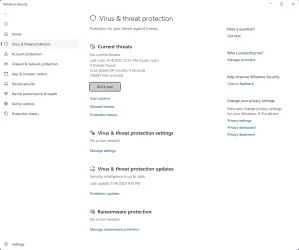
Hi - Windows Defender quick virus scan displays a message stating that it took an action, but there is no evidence of anything in either the Scan History or in the Event Viewer.

Edit: Worth noting that this has been happening for months, and no matter what, nothing ever shows here.


1762291632964.webp

Here's examples of issues coming up in Notifications, but not showing up in the Protection history:

1762294947434.webp
 
Windows Build/Version
Win 11 Pro 25H2 26200.7019
Last edited:

My Computer My Computer

At a glance

Win 11Ryzen 7 6900 HS32 GB RAMRTX 3050ti
OS
Win 11
Computer type
Laptop
Manufacturer/Model
Lenovo
CPU
Ryzen 7 6900 HS
Memory
32 GB RAM
Graphics Card(s)
RTX 3050ti
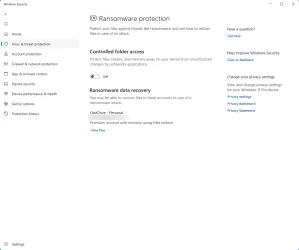
What happens when you click on the notifications? What are your Defender settings, e.g, for controlled folder access? Have you used any Windows tweaking software, group policy, etc.?

You can try resetting Windows Security by running this command as administrator:
Code:
Get-AppxPackage Microsoft.SecHealthUI -AllUsers | Reset-AppxPackage
 
Last edited:

My Computer My Computer

At a glance

Windows 11 Pro 25H2 26200.9168Intel Core i3-8145U16GB
OS
Windows 11 Pro 25H2 26200.9168
Computer type
Laptop
Manufacturer/Model
Lenovo IdeaPad L340
CPU
Intel Core i3-8145U
Memory
16GB
Hard Drives
500 GB M2 1 TB HDD
Internet Speed
400 MB
Browser
Chrome | Edge
Antivirus
Microsoft Defender | Block unknown executables | Various ASR rules enabled | Smart App Control
Clicking on a notification takes me here:

1762302263656.webp


Controlled Folder Access:
1762302310915.webp

For Windows tweaking, ages ago I installed O&O ShutUp10++, but always was able to see the Protection History.

Ran the command you suggested. Will reboot and see if the history comes next time I see an event. Thanks.
 

My Computer My Computer

At a glance

Win 11Ryzen 7 6900 HS32 GB RAMRTX 3050ti
OS
Win 11
Computer type
Laptop
Manufacturer/Model
Lenovo
CPU
Ryzen 7 6900 HS
Memory
32 GB RAM
Graphics Card(s)
RTX 3050ti
Your problem may be either corrupted Windows Security or Protection History. You may also need to clear protection history again, but I'm not sure.
 

My Computer My Computer

At a glance

Windows 11 Pro 25H2 26200.9168Intel Core i3-8145U16GB
OS
Windows 11 Pro 25H2 26200.9168
Computer type
Laptop
Manufacturer/Model
Lenovo IdeaPad L340
CPU
Intel Core i3-8145U
Memory
16GB
Hard Drives
500 GB M2 1 TB HDD
Internet Speed
400 MB
Browser
Chrome | Edge
Antivirus
Microsoft Defender | Block unknown executables | Various ASR rules enabled | Smart App Control
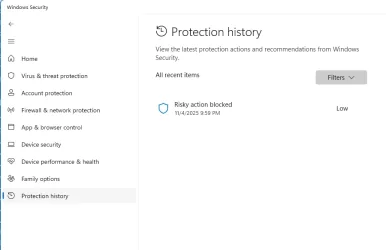
This seemed to work after a reboot! Thanks!

Code:
Get-AppxPackage Microsoft.SecHealthUI -AllUsers | Reset-AppxPackage

1762371503978.webp
 

My Computer My Computer

At a glance

Win 11Ryzen 7 6900 HS32 GB RAMRTX 3050ti
OS
Win 11
Computer type
Laptop
Manufacturer/Model
Lenovo
CPU
Ryzen 7 6900 HS
Memory
32 GB RAM
Graphics Card(s)
RTX 3050ti

My Computer My Computer

At a glance

Windows 11 Pro 25H2 26200.9168Intel Core i3-8145U16GB
OS
Windows 11 Pro 25H2 26200.9168
Computer type
Laptop
Manufacturer/Model
Lenovo IdeaPad L340
CPU
Intel Core i3-8145U
Memory
16GB
Hard Drives
500 GB M2 1 TB HDD
Internet Speed
400 MB
Browser
Chrome | Edge
Antivirus
Microsoft Defender | Block unknown executables | Various ASR rules enabled | Smart App Control
Back
Top Bottom