pluviosilla
Member
- Local time
- 11:20 AM
- Posts
- 7
- OS
- Windows 10 / 11
I have vision problems and for years I've made heavy use of Quick Reference folders on my Desktop that contain shortcuts with big icons. I don't want to force ALL folders to have this Large Icon view, just these Quick Reference folders. They allow me to jump to various locations on my machine quickly.
For example:
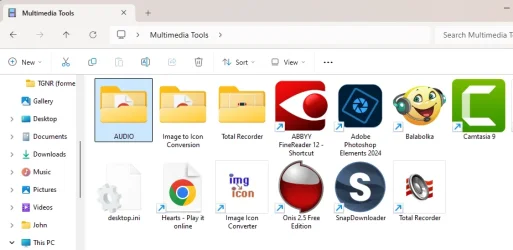
Note that this is NOT a folder containing multimedia, so I don't get the Large Icon view I want by configuring multimedia folders to be a certain way. This is a regular folder with regular shortcuts. In the past, Windows would just remember my preferred view of Large Icons.
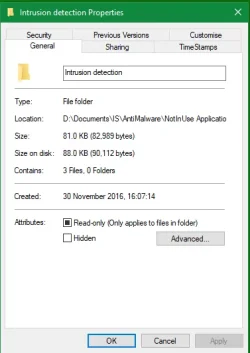
But after the last update, Windows 11 stopped remembering the views in these folders. ChatGPT asked me if the folder containing the shortcuts was ReadOnly. I checked and verified that it was, at which point ChatGPT told me that possibly OneDrive kept changing the permissions on the folder, so I uninstalled OneDrive, since it is not something I use and in fact I need my Microsoft cloud storage for other purposes (not automatically backups) and resent the pushy way Microsoft keeps trying to ram OneDrive down my throat.
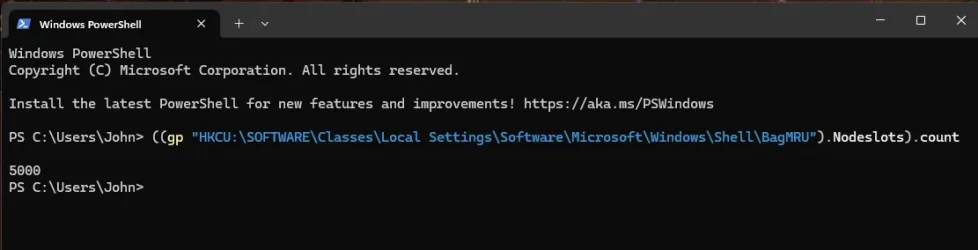
But that didn't fix the problem. So ChatGPT recommended a few registry tweaks. Nothing worked.
What might be causing this and how do I fix it?
For example:
Note that this is NOT a folder containing multimedia, so I don't get the Large Icon view I want by configuring multimedia folders to be a certain way. This is a regular folder with regular shortcuts. In the past, Windows would just remember my preferred view of Large Icons.
But after the last update, Windows 11 stopped remembering the views in these folders. ChatGPT asked me if the folder containing the shortcuts was ReadOnly. I checked and verified that it was, at which point ChatGPT told me that possibly OneDrive kept changing the permissions on the folder, so I uninstalled OneDrive, since it is not something I use and in fact I need my Microsoft cloud storage for other purposes (not automatically backups) and resent the pushy way Microsoft keeps trying to ram OneDrive down my throat.
But that didn't fix the problem. So ChatGPT recommended a few registry tweaks. Nothing worked.
What might be causing this and how do I fix it?
My Computer
At a glance
Windows 10 / 11
- OS
- Windows 10 / 11
- Computer type
- PC/Desktop