Windows Security, action required but not allowed


k0065126

Well-known member
Local time
1:00 PM
Posts
53
OS
Windows 11
When I open the Windows Security page to sort out whatever problems Windows has detected I see that Virus and threat protection, Account protection, Firewall and network protection, App & browser control, and Device security are all shown as unknown.

When I click on Virus and threat protection I am unable to perform a Quick or Full scan as the button is greyed out.

Firewall & network protection shows that Microsoft Defender Firewall is using settings that may make my device unsafe. The Restore Settings button is greyed out.

I have no idea how, or when, this changed to prevent me running virus scans, or doing a few other things relating to security.

Does anyone have any idea what I can do to restore security to the state it should be in. I tried switching the computer off and then on again after a short wait, but this has not had any effect.

I am running Windows 11 Home, version 22H2 with Windows Experience Pack 1000.22641.1000.0, whatever that is. I always install updates when they are available.

Viv
 

My Computer My Computer

At a glance

Windows 11Intel(R) Core(TM) i7-8700 CPU @ 3.20GHz 3.19 GHz32.0 GBNvidia Quadro P400 graphics card
OS
Windows 11
Computer type
PC/Desktop
Manufacturer/Model
Self build
CPU
Intel(R) Core(TM) i7-8700 CPU @ 3.20GHz 3.19 GHz
Motherboard
Gigabyte Technology Co., Ltd. Z390 AORUS PRO-CF
Memory
32.0 GB
Graphics Card(s)
Nvidia Quadro P400 graphics card
Monitor(s) Displays
iiyama
Screen Resolution
2560 x 1440
Are you using any other third-party antivirus program?
 

My Computer My Computer

At a glance

Windows 11AMD Ryzen 7 5700GMicron Technology DDR4-3200 16GBNVIDIA GeForce RTX 3060
OS
Windows 11
Computer type
PC/Desktop
Manufacturer/Model
HP Pavilion
CPU
AMD Ryzen 7 5700G
Motherboard
Erica6
Memory
Micron Technology DDR4-3200 16GB
Graphics Card(s)
NVIDIA GeForce RTX 3060
Sound Card
Realtek ALC671
Monitor(s) Displays
Samsung SyncMaster U28E590
Screen Resolution
3840 x 2160
Hard Drives
SAMSUNG MZVLQ1T0HALB-000H1
When I open the Windows Security page to sort out whatever problems Windows has detected I see that Virus and threat protection, Account protection, Firewall and network protection, App & browser control, and Device security are all shown as unknown.

When I click on Virus and threat protection I am unable to perform a Quick or Full scan as the button is greyed out.

Firewall & network protection shows that Microsoft Defender Firewall is using settings that may make my device unsafe. The Restore Settings button is greyed out.

I have no idea how, or when, this changed to prevent me running virus scans, or doing a few other things relating to security.

Does anyone have any idea what I can do to restore security to the state it should be in. I tried switching the computer off and then on again after a short wait, but this has not had any effect.

I am running Windows 11 Home, version 22H2 with Windows Experience Pack 1000.22641.1000.0, whatever that is. I always install updates when they are available.

Viv
Check if you have the folder C:\Windows\System32\SecurityHealth\1.0.2303.27001-0. If you have, it's been known to cause Security app crashes. Many users have reported this problem.
 

My Computer My Computer

At a glance

Windows 11 Pro 25H2 (RP channel)AMD Ryzen 7 9800X3D 8-core64GB Corsair Titanium 6000/CL30MSI Suprim 5080 SOC
OS
Windows 11 Pro 25H2 (RP channel)
Computer type
PC/Desktop
Manufacturer/Model
MSI
CPU
AMD Ryzen 7 9800X3D 8-core
Motherboard
MEG X870E Godlike
Memory
64GB Corsair Titanium 6000/CL30
Graphics Card(s)
MSI Suprim 5080 SOC
Sound Card
Soundblaster AE-9
Monitor(s) Displays
ASUS TUF Gaming VG289Q
Screen Resolution
3840x2160
Hard Drives
Samsung 9100 Pro 4TB (gen 5 x4, system drive/games)
Samsung 990 Pro 2TB
Samsung 980 Pro 2TB
Samsung 870 Evo 4TB
Samsung 870 Evo 2TB
Samsung T9 4TB
PSU
Seasonic PX-2200
Case
Bequiet! Dark Base Pro 901
Cooling
Noctua NH-D15S Chromax black
Keyboard
Logitech G915 X (wired)
Mouse
Logitech G903 with PowerPlay charger
Internet Speed
900Mb/sec
Browser
Microsoft Edge
Antivirus
Windows Defender
Thanks Brian, yes I do have the folder C:\Windows\System32\SecurityHealth\1.0.2303.27001-0. and also an exe file called SecurityHealthSetup.exe.

Both are dated 18/04/2023.
Is it worth deleting, or renaming, that folder, and will that cause any problems?
 

My Computer My Computer

At a glance

Windows 11Intel(R) Core(TM) i7-8700 CPU @ 3.20GHz 3.19 GHz32.0 GBNvidia Quadro P400 graphics card
OS
Windows 11
Computer type
PC/Desktop
Manufacturer/Model
Self build
CPU
Intel(R) Core(TM) i7-8700 CPU @ 3.20GHz 3.19 GHz
Motherboard
Gigabyte Technology Co., Ltd. Z390 AORUS PRO-CF
Memory
32.0 GB
Graphics Card(s)
Nvidia Quadro P400 graphics card
Monitor(s) Displays
iiyama
Screen Resolution
2560 x 1440
Are you using any other third-party antivirus program?
I don't use any third party anti-virus software Freebooter. Thanks for suggesting that.
 

My Computer My Computer

At a glance

Windows 11Intel(R) Core(TM) i7-8700 CPU @ 3.20GHz 3.19 GHz32.0 GBNvidia Quadro P400 graphics card
OS
Windows 11
Computer type
PC/Desktop
Manufacturer/Model
Self build
CPU
Intel(R) Core(TM) i7-8700 CPU @ 3.20GHz 3.19 GHz
Motherboard
Gigabyte Technology Co., Ltd. Z390 AORUS PRO-CF
Memory
32.0 GB
Graphics Card(s)
Nvidia Quadro P400 graphics card
Monitor(s) Displays
iiyama
Screen Resolution
2560 x 1440
Thanks Brian, yes I do have the folder C:\Windows\System32\SecurityHealth\1.0.2303.27001-0. and also an exe file called SecurityHealthSetup.exe.

Both are dated 18/04/2023.
Is it worth deleting, or renaming, that folder, and will that cause any problems?
It can't easily be deleted (you would have to boot into Recovery and use the command prompt), and the next time you check for updates it will install again anyway (Update to Windows Antimalware Platform 1.0.2303.27001-0). Join the ever-growing list of users who have problems with these udpates.

Mine was constantly crashing with the previous updates, but with this one it only crashes when I view the TPM status.
As a test, disable the TPM in BIOS and see if you get Security app crashes.

These updates seem to be incompatible with TPMs which is kind of ironic!
 

My Computer My Computer

At a glance

Windows 11 Pro 25H2 (RP channel)AMD Ryzen 7 9800X3D 8-core64GB Corsair Titanium 6000/CL30MSI Suprim 5080 SOC
OS
Windows 11 Pro 25H2 (RP channel)
Computer type
PC/Desktop
Manufacturer/Model
MSI
CPU
AMD Ryzen 7 9800X3D 8-core
Motherboard
MEG X870E Godlike
Memory
64GB Corsair Titanium 6000/CL30
Graphics Card(s)
MSI Suprim 5080 SOC
Sound Card
Soundblaster AE-9
Monitor(s) Displays
ASUS TUF Gaming VG289Q
Screen Resolution
3840x2160
Hard Drives
Samsung 9100 Pro 4TB (gen 5 x4, system drive/games)
Samsung 990 Pro 2TB
Samsung 980 Pro 2TB
Samsung 870 Evo 4TB
Samsung 870 Evo 2TB
Samsung T9 4TB
PSU
Seasonic PX-2200
Case
Bequiet! Dark Base Pro 901
Cooling
Noctua NH-D15S Chromax black
Keyboard
Logitech G915 X (wired)
Mouse
Logitech G903 with PowerPlay charger
Internet Speed
900Mb/sec
Browser
Microsoft Edge
Antivirus
Windows Defender
In this guide, i will show how to fix typical issues if you cannot open the Windows Security in Windows 10 and Windows 11.


My Computer My Computer

At a glance

Windows 11AMD Ryzen 7 5700GMicron Technology DDR4-3200 16GBNVIDIA GeForce RTX 3060
OS
Windows 11
Computer type
PC/Desktop
Manufacturer/Model
HP Pavilion
CPU
AMD Ryzen 7 5700G
Motherboard
Erica6
Memory
Micron Technology DDR4-3200 16GB
Graphics Card(s)
NVIDIA GeForce RTX 3060
Sound Card
Realtek ALC671
Monitor(s) Displays
Samsung SyncMaster U28E590
Screen Resolution
3840 x 2160
Hard Drives
SAMSUNG MZVLQ1T0HALB-000H1
Thanks to FreeBooter and Brian for your suggestions. I have just looked at Windows Security and all of the problems have gone away, although I have no idea how or why, so I was able to do a quick Scan. Problem solved.
 

My Computer My Computer

At a glance

Windows 11Intel(R) Core(TM) i7-8700 CPU @ 3.20GHz 3.19 GHz32.0 GBNvidia Quadro P400 graphics card
OS
Windows 11
Computer type
PC/Desktop
Manufacturer/Model
Self build
CPU
Intel(R) Core(TM) i7-8700 CPU @ 3.20GHz 3.19 GHz
Motherboard
Gigabyte Technology Co., Ltd. Z390 AORUS PRO-CF
Memory
32.0 GB
Graphics Card(s)
Nvidia Quadro P400 graphics card
Monitor(s) Displays
iiyama
Screen Resolution
2560 x 1440
We are glad to hear your issue has been resolved, thank you for letting us know that all is now well!
 

My Computer My Computer

At a glance

Windows 11AMD Ryzen 7 5700GMicron Technology DDR4-3200 16GBNVIDIA GeForce RTX 3060
OS
Windows 11
Computer type
PC/Desktop
Manufacturer/Model
HP Pavilion
CPU
AMD Ryzen 7 5700G
Motherboard
Erica6
Memory
Micron Technology DDR4-3200 16GB
Graphics Card(s)
NVIDIA GeForce RTX 3060
Sound Card
Realtek ALC671
Monitor(s) Displays
Samsung SyncMaster U28E590
Screen Resolution
3840 x 2160
Hard Drives
SAMSUNG MZVLQ1T0HALB-000H1
Thanks to FreeBooter and Brian for your suggestions. I have just looked at Windows Security and all of the problems have gone away, although I have no idea how or why, so I was able to do a quick Scan. Problem solved.
Is the TPM still enabled?
 

My Computer My Computer

At a glance

Windows 11 Pro 25H2 (RP channel)AMD Ryzen 7 9800X3D 8-core64GB Corsair Titanium 6000/CL30MSI Suprim 5080 SOC
OS
Windows 11 Pro 25H2 (RP channel)
Computer type
PC/Desktop
Manufacturer/Model
MSI
CPU
AMD Ryzen 7 9800X3D 8-core
Motherboard
MEG X870E Godlike
Memory
64GB Corsair Titanium 6000/CL30
Graphics Card(s)
MSI Suprim 5080 SOC
Sound Card
Soundblaster AE-9
Monitor(s) Displays
ASUS TUF Gaming VG289Q
Screen Resolution
3840x2160
Hard Drives
Samsung 9100 Pro 4TB (gen 5 x4, system drive/games)
Samsung 990 Pro 2TB
Samsung 980 Pro 2TB
Samsung 870 Evo 4TB
Samsung 870 Evo 2TB
Samsung T9 4TB
PSU
Seasonic PX-2200
Case
Bequiet! Dark Base Pro 901
Cooling
Noctua NH-D15S Chromax black
Keyboard
Logitech G915 X (wired)
Mouse
Logitech G903 with PowerPlay charger
Internet Speed
900Mb/sec
Browser
Microsoft Edge
Antivirus
Windows Defender
Hi, I asked a separate question elsewhere but seems to be related to this. We have a Dell All In One Desktop running Windows 11 Home 22H2 10.0.22621. The Windows Reliability Monitor in Control Panel is showing several Critical Incidents per day - "Windows Security Health Service Stopped Working". In Services, Security Health Service/Windows Security Service (WSCSVC) is shown as "Running, Auto Delayed Start".
In Settings/Privacy & Security/Windows Security/Security at a Glance shows no issues. Antivirus etc all normal. We run Norton 360 and all is showing OK.
If the Service for Windows Security Centre/Health Centre is running and Windows Security is showing OK, is this likely to be a reporting issue rather than an actual problem? Not sure how reliable Reliabilty Monitor is? I did a repair install and the same issue is still reported.
Would appreciate any advice. Thanks.
Mitch.
 

My Computer My Computer

At a glance

Windows 11 Home
OS
Windows 11 Home
I have just checked and we have both 1.0.2303.27001-0 (18.04.23) & 1.0.2302.21000-0 (17.03.23) installed in the C/Windows/System32/Security Health folder. If it's a MS problem with the update is it likely they will be aware of the issue and provide a fix?
Thanks.
 

My Computer My Computer

At a glance

Windows 11 Home
OS
Windows 11 Home
I have just checked and we have both 1.0.2303.27001-0 (18.04.23) & 1.0.2302.21000-0 (17.03.23) installed in the C/Windows/System32/Security Health folder. If it's a MS problem with the update is it likely they will be aware of the issue and provide a fix?
Thanks.
It's been an issue since around July so I doubt they're in a hurry to fix it
 

My Computer My Computer

At a glance

Windows 11 Pro 25H2 (RP channel)AMD Ryzen 7 9800X3D 8-core64GB Corsair Titanium 6000/CL30MSI Suprim 5080 SOC
OS
Windows 11 Pro 25H2 (RP channel)
Computer type
PC/Desktop
Manufacturer/Model
MSI
CPU
AMD Ryzen 7 9800X3D 8-core
Motherboard
MEG X870E Godlike
Memory
64GB Corsair Titanium 6000/CL30
Graphics Card(s)
MSI Suprim 5080 SOC
Sound Card
Soundblaster AE-9
Monitor(s) Displays
ASUS TUF Gaming VG289Q
Screen Resolution
3840x2160
Hard Drives
Samsung 9100 Pro 4TB (gen 5 x4, system drive/games)
Samsung 990 Pro 2TB
Samsung 980 Pro 2TB
Samsung 870 Evo 4TB
Samsung 870 Evo 2TB
Samsung T9 4TB
PSU
Seasonic PX-2200
Case
Bequiet! Dark Base Pro 901
Cooling
Noctua NH-D15S Chromax black
Keyboard
Logitech G915 X (wired)
Mouse
Logitech G903 with PowerPlay charger
Internet Speed
900Mb/sec
Browser
Microsoft Edge
Antivirus
Windows Defender
Salut, j'ai posé une question séparée ailleurs mais semble être liée à cela. Nous avons un ordinateur de bureau Dell All In One exécutant Windows 11 Home 22H2 10.0.22621. Le moniteur de fiabilité Windows dans le Panneau de configuration affiche plusieurs incidents critiques par jour - "Le service d'intégrité de la sécurité Windows a cessé de fonctionner". Dans Services, Security Health Service/Windows Security Service (WSCSVC) s'affiche comme "En cours d'exécution, démarrage différé automatique".
Dans Paramètres/Confidentialité et sécurité/Sécurité Windows/La sécurité en un coup d'œil ne montre aucun problème. Antivirus, etc., tout est normal. Nous exécutons Norton 360 et tout s'affiche correctement.
Si le Service for Windows Security Center/Health Center est en cours d'exécution et que Windows Security affiche OK, est-ce que cela est susceptible d'être un problème de rapport plutôt qu'un problème réel ? Vous ne savez pas à quel point Reliabilty Monitor est fiable ? J'ai fait une installation de réparation et le même problème est toujours signalé.
J'apprécierais tout conseil. Merci.
Mitch.
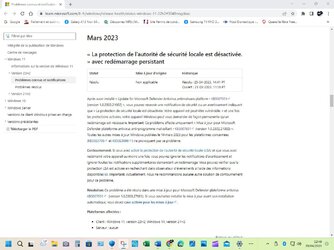
Bonjour, apparemment on a tous le même souci avec l'intégrité de la mémoire et l'isolation du noyau et Microsoft est au courant...
 

Attachments

  • Capture d’écran 2023-04-29 124937.jpg
    Capture d’écran 2023-04-29 124937.jpg
    120.5 KB · Views: 7
  • Capture d’écran 2023-04-27 153659.jpg
    Capture d’écran 2023-04-27 153659.jpg
    69.1 KB · Views: 7

My Computer My Computer

At a glance

Édition Windows 11 Famille Version 24H2 Insta...Intel(R) Core(TM) i5-9600K CPU @ 3.70GHz, 368 GbNVIDIA GeForce GTX 1050 Ti
OS
Édition Windows 11 Famille Version 24H2 Installé le ‎05/‎10/‎2024 Build du système d’exploitation26
Computer type
PC/Desktop
Manufacturer/Model
INTEL
CPU
Intel(R) Core(TM) i5-9600K CPU @ 3.70GHz, 36
Motherboard
Gigabyte B360M-HD3
Memory
8 Gb
Graphics Card(s)
NVIDIA GeForce GTX 1050 Ti
Sound Card
Realtek(R) audio
Monitor(s) Displays
Acer RG270
Screen Resolution
1280 x 960
Hard Drives
SanDisk SSD PLUS 480 GB
Internet Speed
1000/1000 (Mbps)
Browser
edge; chrome
Antivirus
Microsoft defender
Brian, In our case I'm not sure if it's a real issue or simply a reporting one as there's no visible problem - Security Health Service is running in Services and Windows Security in Settings is showing no issues. I wouldn't have noticed the warnings had I not looked at Reliability Monitor. This setting previously reported a TPM stop using Dell Supportassist, however it wasn't actually stopping which makes me suspicious of these results. Perhaps the next update to this setting will clear it as it seems difficult to remove the last one. Was wondering though if Health Centre had stopped momentarily if it would have restarted itself so it may have stopped only for a minute or two?
Thanks
Mitch.
 

My Computer My Computer

At a glance

Windows 11 Home
OS
Windows 11 Home
Brian, dans notre cas, je ne sais pas s'il s'agit d'un problème réel ou simplement d'un signalement car il n'y a pas de problème visible - Security Health Service s'exécute dans les services et la sécurité Windows dans les paramètres ne montre aucun problème. Je n'aurais pas remarqué les avertissements si je n'avais pas regardé Reliability Monitor. Ce paramètre signalait précédemment un arrêt du TPM à l'aide de Dell Supportassist, mais il ne s'arrêtait pas réellement, ce qui me rend suspect à l'égard de ces résultats. Peut-être que la prochaine mise à jour de ce paramètre l'effacera car il semble difficile de supprimer le dernier. Je me demandais cependant si le centre de santé s'était arrêté momentanément s'il se serait redémarré de manière à ce qu'il ne se soit arrêté que pendant une minute ou deux ?
Merci
Mitch.
qui sait ? Saint Microsoft va nous entendre peut-être 😉 bon dimanche
 

My Computer My Computer

At a glance

Édition Windows 11 Famille Version 24H2 Insta...Intel(R) Core(TM) i5-9600K CPU @ 3.70GHz, 368 GbNVIDIA GeForce GTX 1050 Ti
OS
Édition Windows 11 Famille Version 24H2 Installé le ‎05/‎10/‎2024 Build du système d’exploitation26
Computer type
PC/Desktop
Manufacturer/Model
INTEL
CPU
Intel(R) Core(TM) i5-9600K CPU @ 3.70GHz, 36
Motherboard
Gigabyte B360M-HD3
Memory
8 Gb
Graphics Card(s)
NVIDIA GeForce GTX 1050 Ti
Sound Card
Realtek(R) audio
Monitor(s) Displays
Acer RG270
Screen Resolution
1280 x 960
Hard Drives
SanDisk SSD PLUS 480 GB
Internet Speed
1000/1000 (Mbps)
Browser
edge; chrome
Antivirus
Microsoft defender
qui sait ? Saint Microsoft va nous entendre peut-être 😉 bon dimanche
Sorry, but I can't understand what you're saying.
 

My Computers My Computers

  • At a glance

    Windows 11 23H2 22631.2861Intel(R) Core(TM) i7-10700 CPU @ 2.90GHz 2.90...16384 MBytesIntel UHD Graphics 630
    OS
    Windows 11 23H2 22631.2861
    Computer type
    PC/Desktop
    Manufacturer/Model
    HP Envy TE01-1xxx
    CPU
    Intel(R) Core(TM) i7-10700 CPU @ 2.90GHz 2.90 GHz
    Motherboard
    16.0GB Dual-Channel Unknown @ 1463MHz (21-21-21-47)
    Memory
    16384 MBytes
    Graphics Card(s)
    Intel UHD Graphics 630
    Sound Card
    Realtek High Definition Audio
    Monitor(s) Displays
    Monitor 1 - Acer 27" Monitor 2 - Acer 27"
    Screen Resolution
    1920 x 1080
    Hard Drives
    WDC PC SN530 SDBPNPZ-512G-1006 (SSD)
    Seagate ST1000DM003-1SB102
    Seagate BUP Slim SCSI Disk Device (SSD)
    PSU
    HP
    Case
    HP
    Cooling
    Standard
    Keyboard
    Logitech Wave K350
    Mouse
    Logitech M705
    Internet Speed
    500 mbps
    Browser
    Firefox
    Antivirus
    Windows Defender
    Other Info
    That's all Folks!
  • At a glance

    Windows 11Intel Core i7 (10th gen) 1070016 GBIntel UHD Graphics 630
    Operating System
    Windows 11
    Computer type
    PC/Desktop
    Manufacturer/Model
    HP
    CPU
    Intel Core i7 (10th gen) 10700
    Motherboard
    Intel
    Memory
    16 GB
    Graphics card(s)
    Intel UHD Graphics 630
    Sound Card
    Built-in
    Monitor(s) Displays
    Acer 27" & Samsung 24"
    Screen Resolution
    1920 x
    Hard Drives
    SSD (512 GB)
    HDD (1 TB)
    Seagate
    PSU
    Intel i7 10th Generation
    Case
    HP
    Cooling
    HP/Intel?
    Keyboard
    Logitech Wave K350
    Mouse
    Logitech M705
    Internet Speed
    50 mbps
    Browser
    Firefox 90.2
    Antivirus
    Windows Defender
    Other Info
    Headphone/Microphone Combo
    SuperSpeed USB Type-A (4 on front)
    HP 3-in-One Card Readr
    SuperSpeed USB Type-C
    DVD Writer

My Computer My Computer

At a glance

Windows 11Intel(R) Core(TM) i7-8700 CPU @ 3.20GHz 3.19 GHz32.0 GBNvidia Quadro P400 graphics card
OS
Windows 11
Computer type
PC/Desktop
Manufacturer/Model
Self build
CPU
Intel(R) Core(TM) i7-8700 CPU @ 3.20GHz 3.19 GHz
Motherboard
Gigabyte Technology Co., Ltd. Z390 AORUS PRO-CF
Memory
32.0 GB
Graphics Card(s)
Nvidia Quadro P400 graphics card
Monitor(s) Displays
iiyama
Screen Resolution
2560 x 1440
I did some checking to see what is crashing the Windows Security App.Every time I open the App, the Windows Security Health Service (in Task Manager) stops working and the "Critical Fault" is registered in Event Viewer/Reliability Monitor. The error message says "Windows Security Service terminated unexpected. The following corrective action will be taken in 60000 milliseconds. Restart the service."
If I don't open the app, there is no issue. We use Norton 360 which administers security and turns off MS Defender so I'm not sure why we are still getting this error.
The issue,it seems, is with the connection between the app and Windows Security Service and perhaps not the update? I spent yesterday doing a clean install of Windows 11 but when I opened the Windows Security App the same thing happened.
Mitch.
 

My Computer My Computer

At a glance

Windows 11 Home
OS
Windows 11 Home

Latest Support Threads

Back
Top Bottom