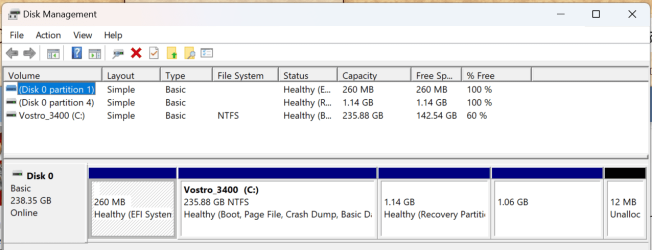
I have a gateway laptop from Walmart. Its the touch screen one. I have a dilemma though.
So I got rid of the windows 11 os. And installed PARROT OS/DEBIAN. well I decided I need windows now and debian is kind of useless because incamt find a job that requires me to use a debian platform...
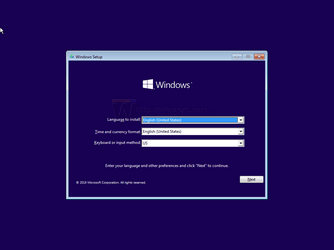
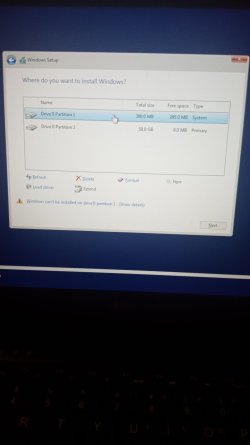
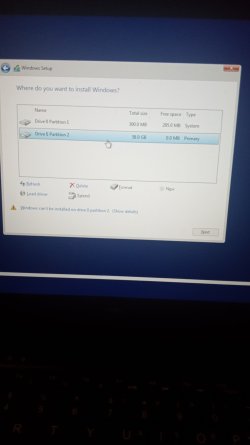
So I've downloaded the windows 11 iso from Microsoft. I'm currently installing it onto m flashdrive with an application on my Android called iso2usb. Here's my major issue. When I go to bios. And boot from the USB. It loads up. But when I confirm my language and time zone, and click INSTALL NOW. It brings me to a page that asks what partition it wants me to install the iso file on. It says at the bottom of the screen I cannot use either partition. Can't use the smaller 300 mb one. More will it allow me to use the partition it was originally installed on. Which was the 60gb partition. When I go to click next, the next button is just greyed out. Need help.
So I got rid of the windows 11 os. And installed PARROT OS/DEBIAN. well I decided I need windows now and debian is kind of useless because incamt find a job that requires me to use a debian platform...
So I've downloaded the windows 11 iso from Microsoft. I'm currently installing it onto m flashdrive with an application on my Android called iso2usb. Here's my major issue. When I go to bios. And boot from the USB. It loads up. But when I confirm my language and time zone, and click INSTALL NOW. It brings me to a page that asks what partition it wants me to install the iso file on. It says at the bottom of the screen I cannot use either partition. Can't use the smaller 300 mb one. More will it allow me to use the partition it was originally installed on. Which was the 60gb partition. When I go to click next, the next button is just greyed out. Need help.
- Windows Build/Version
- Windows 11
Attachments
My Computer
At a glance
Windows 11
- OS
- Windows 11
- Computer type
- Laptop
- Manufacturer/Model
- Gateway