

- Local time
- 1:02 AM
- Posts
- 5,949
- Location
- Hafnarfjörður IS
- OS
- Windows XP,11 Linux Fedora Rawhide pre-release 46
Hi folks
Problem seems fixed now after latest update on Fedora 42 (current).
Two solutions however work
1) copy the VM created say on Debian to Fedora (easiest solution if you have that !!) OR :
2) Update Fedora and re-install the VM from scratch and re-install the Virtio Windows drivers The relevant video driver is the qxl driver but use the one from the qxldod folder and select W10 !!!.
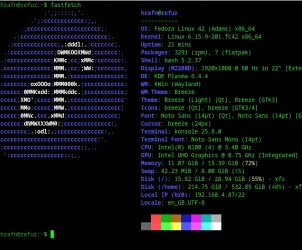
and the Windows VM
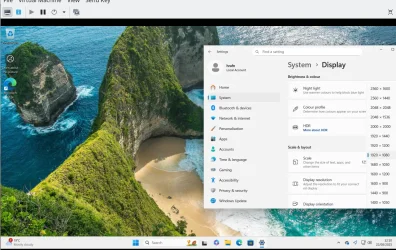
Moral is - just don't give up too easily if something doesn't work !!! - although if obviously beyond one's knowlege one just has to wait - there's always people willing to fix things - but don't assume they all work -- always have backup and a "Plan B" if things don't work properly.
Cheers
jimbo
Problem seems fixed now after latest update on Fedora 42 (current).
Two solutions however work
1) copy the VM created say on Debian to Fedora (easiest solution if you have that !!) OR :
2) Update Fedora and re-install the VM from scratch and re-install the Virtio Windows drivers The relevant video driver is the qxl driver but use the one from the qxldod folder and select W10 !!!.
and the Windows VM
Moral is - just don't give up too easily if something doesn't work !!! - although if obviously beyond one's knowlege one just has to wait - there's always people willing to fix things - but don't assume they all work -- always have backup and a "Plan B" if things don't work properly.
Cheers
jimbo
My Computer
At a glance
Windows XP,11 Linux Fedora Rawhide pre-releas...2 X Intel i7
- OS
- Windows XP,11 Linux Fedora Rawhide pre-release 46
- Computer type
- PC/Desktop
- CPU
- 2 X Intel i7
- Screen Resolution
- 4KUHD X 2






