Act now: Secure Boot certificates expire in June 2026


UPDATE:


 Windows IT Pro Blog:

Prepare for the first global large-scale certificate update to Secure Boot.

The Microsoft certificates used in Secure Boot are the basis of trust for operating system security, and all will be expiring beginning June 2026. The way to automatically get timely updates to new certificates for supported Windows systems is to let Microsoft manage your Windows updates, which include Secure Boot. A close collaboration with original equipment manufacturers (OEMs) who provide Secure Boot firmware updates is also essential.

If you haven't yet, begin evaluating options and start preparing for the rollout of updated certificates across your organization in the coming months. Learn about this effort, its impact, and what you as an IT admin should do to help ensure that your Windows devices can receive updates after June 2026 without compromising system security.

Important: While platforms beyond Windows are affected, this article focuses on the solution for Windows systems. Be sure to monitor the Secure Boot certificate rollout landing page for status and guidance updates.

Recap: Why Secure Boot requires updating​

Secure Boot helps to prevent malware from running early in the startup sequence of a Windows device. Coupled with the Unified Extensible Firmware Interface (UEFI) firmware signing process, Secure Boot uses cryptographic keys, known as certificate authorities (CAs), to validate that firmware modules come from a trusted source.

After 15 years, the Secure Boot certificates that are part of Windows systems will start expiring in June 2026. Windows devices will need new certificates to maintain continuity and protection.
  • Affected: Physical and virtual machines (VMs) on supported versions of Windows 10, Windows 11, Windows Server 2025, Windows Server 2022, Windows Server 2019, Windows Server 2016, Windows Server 2012, Windows Server 2012 R2—the systems released since 2012, including the long-term servicing channel (LTSC)
  • Not affected: Copilot+ PCs released in 2025
Note: Affected third-party OS includes MacOS. However, it's outside the scope of Microsoft support. For Linux systems dual booting with Windows, Windows will update the certificates that Linux relies on.

Secure Boot uses certificate-based trust hierarchy to ensure that only authorized software runs during system startup. At the top of this hierarchy is the Platform Key (PK), typically managed by the OEM or a delegate, which acts as the root of trust. The PK authorizes updates to the Key Enrollment Key (KEK) database, which in turn authorizes updates to two critical signature databases: the Allowed Signature Database (DB) and the Forbidden Signature Database (DBX). This layered structure ensures that only validated updates can modify the system's boot policy, maintaining a secure boot environment. See how it works in Updating Secure Boot keys.

The change: Expiring certificates​

Windows systems released since 2012 might have expiring versions of the certificates listed below. The UEFI Secure Boot DB and KEK need to be updated with the corresponding new certificate versions.

See what new certificates will be available in the coming months to maintain UEFI Secure Boot continuity.

Expiration dateExpiring certificateUpdated certificateWhat it doesStoring location
June 2026Microsoft Corporation KEK CA 2011Microsoft Corporation KEK 2K CA 2023Signs updates to DB and DBXKEK
June 2026Microsoft Corporation UEFI CA 2011 (or third-party UEFI CA)*a) Microsoft Corporation UEFI CA 2023
b) Microsoft Option ROM UEFI CA 2023
a) Signs third-party OS and hardware driver components
b) Signs third-party option ROMs
DB
Oct 2026Microsoft Windows Production PCA 2011Windows UEFI CA 2023Signs the Windows bootloader and boot componentsDB
*You need two new certificates for Microsoft Corporation UEFI CA 2011, which together allow for more granular control.

Microsoft and partner OEMs will be rolling out certificates to add trust for the new DB and KEK certificates in the coming months.

The impact and implications​

The CAs ensure the integrity of the device startup sequence. When these CAs expire, the systems will stop receiving security fixes for the Windows Boot Manager and the Secure Boot components. Compromised security at startup threatens the overall security of affected Windows devices, especially due to bootkit malware. Bootkit malware can be difficult or impossible to detect with standard antivirus software. For example, even today, the unsecured boot path can be used as a cyberattack vector by the BlackLotus UEFI bootkit (CVE-2023-24932).

Every Windows system with Secure Boot enabled includes the same three certificates in support of third-party hardware and Windows ecosystem. Unless prepared, physical devices and VMs will:
  • Lose the ability to install Secure Boot security updates after June 2026.
  • Not trust third-party software signed with new certificates after June 2026.
  • Not receive security fixes for Windows Boot Manager by October 2026.
To prevent this, you'll need to update your organization's entire Windows ecosystem with certificates dated 2023 or newer. This will also help you apply mitigations needed to help secure your systems against the BlackLotus and similar boot-level cyberattacks today.

Take action today​

To begin, bookmark the Secure Boot certificate rollout landing page and take our readiness survey!

Important: Check with your OEMs on the latest available OEM firmware. Apply any available firmware updates to your Windows systems before applying the new certificates. In the Secure Boot flow, firmware updates from OEMs are the foundation for Windows Secure Boot updates to apply correctly.

Microsoft support is only available for supported client versions of Windows 11 and Windows 10. Once Windows 10 reaches end of support in October 2025, consider getting Extended Security Updates (ESU) for Windows 10, version 22H2 if you're not ready to upgrade.

In the coming months, we expect to update the Secure Boot certificates as part of our latest cumulative update cycle.

The solution that requires the least effort is letting Microsoft manage your Windows device updates, including Secure Boot updates. However, you might need to adopt multiple solutions. Your specific next step depends on the Windows systems and how you manage them.

Enterprise IT-managed systems that send diagnostic data​

No action is required if Windows systems at your organization receive Windows updates from Microsoft and send diagnostic data back to Microsoft. This includes devices that receive updates through Windows Autopatch, Microsoft Configuration Manager, or third-party solutions.

Note: Check that your firewall doesn't block diagnostic data. If it does, please take action to help diagnostic data reach Microsoft.

Windows diagnostic data and OEM feedback will help us group devices with similar hardware and firmware profiles to gradually release Secure Boot updates to you. This allows us to intelligently monitor the rollout process, proactively pausing, addressing any issues, and continuing as needed. Just keep your devices updated with the latest Windows updates!

Enterprise IT-managed systems that don't send diagnostic data​

Enable Windows diagnostic data and let Microsoft manage your updates by taking the following steps:
  1. Configure your organizational policies to allow at least the “required” level of diagnostic data. You can use Group Policy or mobile device management (MDM) to do this. See how to do this in Group Policy Management Editor for Windows 11 and Windows 10.
  2. Allow Microsoft to manage Secure Boot-related updates for your devices by setting the following registry key:
  • o Registry path: HKEY_LOCAL_MACHINE\SYSTEM\CurrentControlSet\Control\Secureboot
  • o Key name: MicrosoftUpdateManagedOptIn
  • o Type: DWORD
  • o DWORD value: 0x5944 (opt in to Windows Secure Boot updates)
We recommend setting this key to 0x5944. It indicates that all certificates should be updated in a manner that preserves the security profile of the existing device. It also updates the boot manager to the one signed by the Windows UEFI CA 2023 certificate. Note: If the DWORD value is 0 or the key doesn't exist, Windows diagnostic data is disabled.

If you prefer not to enable diagnostic data, please take this anonymous readiness survey. Help us assess the needs of environments like yours to create future guidance on managing the update process independently. You'll remain fully in control and responsible to execute and monitor these updates.

Air-gapped devices, such as in government scenarios or manufacturing, are a special case. Because Microsoft cannot manage these updates, we can only offer the following limited support:
  • Recommend known steps or methods for deploying these updates
  • Share data gathered from our rollout stream
When available, look for these resources on the Secure Boot certificate rollout landing page.

Systems with Secure Boot disabled​

Windows cannot update the active variables of the Secure Boot certificates if Secure Boot is disabled.

Important: Toggling Secure Boot on or off might erase the updated certificates. If Secure Boot is on, leave it enabled. Turning it off can reset the settings with defaults, which is not desirable.

Share these recommendations with individual users:

  1. Press Windows key + R, type msinfo32, and then press Enter.
  2. In the System Information window, look for Secure Boot State.
  3. If it says On, you're good to go!
If Secure Boot is off or unsupported, the device may not receive the new CAs. For these devices, you may choose to enable Secure Boot with this guidance: Windows 11 and Secure Boot.


Change management considerations​

Don't wait until June 2026! Updating DB and KEK with new 2023 certificates will help prevent your systems from boot-level security vulnerabilities today.

Get the latest OEM firmware updates and let Microsoft manage your Windows updates to receive Secure Boot updates automatically. Otherwise, help us understand your special case by completing this anonymous readiness survey.

Watch the release notes for Windows 11, version 24H2, version 23H2, and Windows 10 in the coming months to know when these updates are available to you. Stay tuned for additional guidance for the LTSC as needed.

Bookmark these additional resources:


 Source:


See also:
 
Last edited:
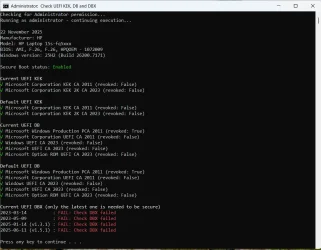
Anyone know why I am getting the "fails" in the check DBX when running the "Check UEFI KEK, DB and DBX.ps1" script
I have updated to the latest BIOS for my HP Laptop dated September 2025
I have revoked the 2011 ley in the DBX and, according to the script, my default UEFI DB keys are all 2023 signed
 

Attachments

  • Screenshot 2025-11-22 090015.webp
    Screenshot 2025-11-22 090015.webp
    86.4 KB · Views: 4

My Computer

System One

  • OS
    Windows 11 Pro 25H2
    Computer type
    Laptop
    Manufacturer/Model
    HP 15s-fq5xxx
    CPU
    12th Gen Intel(R) Core(TM) i7-1255U (1.70 GHz
    Memory
    16.0 GB
    Graphics Card(s)
    Intel iRIS Xe
    Screen Resolution
    1920 x 1080
    Hard Drives
    Samsung SSD 512 GB
    Mouse
    Logitech Pebble
    Internet Speed
    500/50 Mb/sec
    Browser
    Chrome
    Antivirus
    Defender
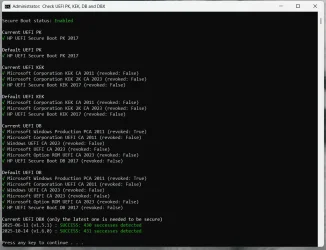
I answered my own question.
I ran a later version of the script. :-):-)
 

Attachments

  • Screenshot 2025-11-22 114602.webp
    Screenshot 2025-11-22 114602.webp
    75.1 KB · Views: 4

My Computer

System One

  • OS
    Windows 11 Pro 25H2
    Computer type
    Laptop
    Manufacturer/Model
    HP 15s-fq5xxx
    CPU
    12th Gen Intel(R) Core(TM) i7-1255U (1.70 GHz
    Memory
    16.0 GB
    Graphics Card(s)
    Intel iRIS Xe
    Screen Resolution
    1920 x 1080
    Hard Drives
    Samsung SSD 512 GB
    Mouse
    Logitech Pebble
    Internet Speed
    500/50 Mb/sec
    Browser
    Chrome
    Antivirus
    Defender
Possibly. The latest versiion of MR - v 10.0.8731 - uses the the latest 'Windows PE Component Files' from MS.

However, you could try the update as in message #323 and see if you get the updated option 'Boot Media Signing Certificate' as shown below -

View attachment 153795
I VERY STRONGLY SUGGEST YOU BACK-UP YOUR SYSTEM BEFORE ATTEMPTING THIS
The 'Boot Media Signing Certificate' option is not there in the free version.
 

My Computers

System One System Two

  • OS
    Windows 11 Pro 25H2
    Computer type
    Laptop
    Manufacturer/Model
    Lenovo T490 (2020 Hardware)
    CPU
    i7-8565U
    Motherboard
    20N20028US
    Memory
    16GB
    Graphics Card(s)
    Intel UHD Graphics 620
    Sound Card
    Realtec Audio
    Monitor(s) Displays
    ASUS VE248
    Screen Resolution
    1920 X 1080
    Hard Drives
    Samsung SSD 970 PRO 512GB NVMe
    Internet Speed
    Frontier fiber 1GB
    Browser
    Chrome, Firefox, Edge
    Antivirus
    Norton 360 Deluxe Plus
    Other Info
    Supported hardware, upgraded from Windows 10 Pro to Windows 11 Pro version 24H2 on 06/01/2025 using the Windows 11 ISO file. Used the enablement package to upgrade to version 25H2 on 10/07/2025. Secure boot enabled.
  • Operating System
    Windows 11 Pro 25H2
    Computer type
    PC/Desktop
    Manufacturer/Model
    Lenovo ThinkCentre M83 (2014 Hardware)
    CPU
    i7-4770 (with SSE4.2, and POPCNT)
    Motherboard
    10AL000GUS
    Memory
    16GB
    Graphics card(s)
    Intel HD Graphics 4600
    Sound Card
    Realtec High Definition Audio
    Monitor(s) Displays
    ASUS VE248
    Screen Resolution
    1920 X 1080
    Hard Drives
    Samsung SSD 860 PRO 1TB SATA
    Internet Speed
    Frontier fiber 1GB
    Browser
    Chrome, Firefox, Edge
    Antivirus
    Norton 360 Deluxe Plus
    Other Info
    Unsupported hardware, upgraded from Windows 10 Pro (TPM 1.2 & unsupported CPU, but does have SSE4.2, and POPCNT) to Windows 11 Pro version 24H2 on 06/15/2025. Added Registry Key HKEY_LOCAL_MACHINE\SYSTEM\Setup\MoSetup – AllowUpgradesWithUnsupportedTPMOrCPU=1 to allow installation using the Windows 11 ISO file. Used the enablement package to upgrade to version 25H2 on 10/08/2025. Secure boot enabled.
Important: Toggling Secure Boot on or off might erase the updated certificates. If Secure Boot is on, leave it enabled. Turning it off can reset the settings with defaults, which is not desirable.
Of course, this should never happen. In my experience, reset to default settings is always a separate option.
 

My Computer

System One

  • OS
    Windows 10
I use the last free version of Macrium Reflect - 8.0.7783. Am I going to have a problem trying to boot from the Rescue Media when these certificates expire? I don't really understand how this whole certificate thing works and what the impacts to me are going to be.

I use that version of Macrium Reflect Free too (the last free one). I used the batch file in this post by @gunrunnerjohn to update the bootable USB rescue media created by Macrium. It boots fine in secure mode on my machine that has the 2011 cert revoked. Prior to running that batch file, I got a security violation when trying to boot from it. If you create another Rescue Media USB stick later, you'll need to re-run the batch file on it.
 

My Computer

System One

  • OS
    Windows 11 pro 25h2
    Computer type
    PC/Desktop
    Manufacturer/Model
    DIY
    CPU
    AMD Ryzen 7 5700G
    Motherboard
    MSI B450M Bazooka, BIOS version 7A38vHJ5 (latest beta as of 2025-09-23)
    Memory
    64 GB G.Skill (F4-3200C16Q-64GVK)
    Graphics Card(s)
    Integrated into CPU
    Sound Card
    Realtek (built into motherboard)
    Monitor(s) Displays
    Generic HDMI
    Screen Resolution
    1080p
    Hard Drives
    System and apps: SK hynix Gold P31 1TB M.2
    Data: Toshiba HDWQ140 4TB internal SATA
    PSU
    Seasonic 400W SS-400FL2 fanless
    Case
    Fractal Design Define R5
    Cooling
    Cooler Master Hyper 212 Evo
    Keyboard
    Lenovo Preferred Pro II Wired External USB Keyboard (4X30M86879)
    Mouse
    Belkin cheapo corded USB mouse
    Internet Speed
    300 MBit/sec
    Browser
    Firefox
    Antivirus
    Windows Defender
Anyone know why I am getting the "fails" in the check DBX when running the "Check UEFI KEK, DB and DBX.ps1" script
I have updated to the latest BIOS for my HP Laptop dated September 2025
I have revoked the 2011 ley in the DBX and, according to the script, my default UEFI DB keys are all 2023 signed
Looks like you may be using the older version of the script file.

Download the latest Code > ZIP file from here and try again... GitHub - cjee21/Check-UEFISecureBootVariables: PowerShell scripts to check the UEFI KEK, DB and DBX Secure Boot variables.

PS can you share your revocation method please?
 

My Computer

System One

  • OS
    Win11 Pro 23H2 Final?...
    Computer type
    PC/Desktop
    Manufacturer/Model
    DIY
    CPU
    i3 gen 10
    Motherboard
    MSI
    Memory
    8G
    Graphics Card(s)
    NVidia GTX
    Sound Card
    Integrated
    Monitor(s) Displays
    TV
    Screen Resolution
    HD
    Hard Drives
    SSD
    Other Info
    System fully W11 compliant (per WhyNotWin11 2.7.0.0.)
    It is Local Account only and never knowingly been attached to a MS Account.

Attachments

  • 1764072159651.webp
    1764072159651.webp
    86.8 KB · Views: 5

My Computer

System One

  • OS
    Windows 11 Pro 25H2
    Computer type
    Laptop
    Manufacturer/Model
    HP 15s-fq5xxx
    CPU
    12th Gen Intel(R) Core(TM) i7-1255U (1.70 GHz
    Memory
    16.0 GB
    Graphics Card(s)
    Intel iRIS Xe
    Screen Resolution
    1920 x 1080
    Hard Drives
    Samsung SSD 512 GB
    Mouse
    Logitech Pebble
    Internet Speed
    500/50 Mb/sec
    Browser
    Chrome
    Antivirus
    Defender

My Computer

System One

  • OS
    Win11 Pro 23H2 Final?...
    Computer type
    PC/Desktop
    Manufacturer/Model
    DIY
    CPU
    i3 gen 10
    Motherboard
    MSI
    Memory
    8G
    Graphics Card(s)
    NVidia GTX
    Sound Card
    Integrated
    Monitor(s) Displays
    TV
    Screen Resolution
    HD
    Hard Drives
    SSD
    Other Info
    System fully W11 compliant (per WhyNotWin11 2.7.0.0.)
    It is Local Account only and never knowingly been attached to a MS Account.
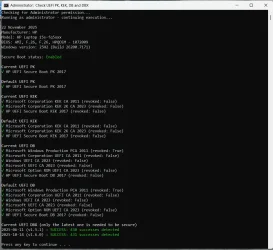
I think I'm OK for now. (old asus motherboard, last bios from 2021) Originally I followed Microsoft guide last year, then ran few weeks ago MoKiChU script to finnish. Default 2023 CAs and KEK has red X but don't show in the picture.
Screenshot 2025-11-26 143534.webp
 

My Computer

System One

  • OS
    Windows 11 Pro 64bit (release preview channel)
    Computer type
    PC/Desktop
    Manufacturer/Model
    Asus
    CPU
    i5 8400
    Motherboard
    ROG STRIX Z370-H GAMING
    Memory
    16 GB DDR4
    Graphics Card(s)
    RTX 3060 Ti
    Sound Card
    On Board
    Monitor(s) Displays
    Acer VG242Y P
    Screen Resolution
    1080p
    Hard Drives
    Intel 660p SSD
    PSU
    800w
    Internet Speed
    1000 Mbps
''Act NOW''... Yeah. Sure.

Not.
 

My Computer

System One

  • OS
    Windows 11
    Computer type
    PC/Desktop
    Manufacturer/Model
    Cooler master
    CPU
    I5
    Motherboard
    Gigabyte
    Memory
    Too much haha!
    Graphics Card(s)
    NVidia 1060
I am a aware of this method, but been a bit concerned about trying it yet 😰

Thanks for confirming that it can work - appreciate it.
It's the same method MS uses to push the updates, you're just manually kicking off a scheduled task MS has quite likely set up in your system to run at some point to do it. About the worst thing that happens is it simply doesn't work and you are left where you are now: either un-updated or incompletely updated keys and an 1801 error in Event Logs. The result would be the same whether you kick it off manually or wait for the task to kick it off on schedule.

The main advantage to doing it NOW is you have time to deal with issues while MS is still distributing updates using 2011 signed boot files.
 

My Computers

System One System Two

  • OS
    Windows 11 Pro
    Computer type
    PC/Desktop
    Manufacturer/Model
    DIY
    CPU
    Ryzen 7 5800X
    Motherboard
    Gigabyte B550M Aorus Pro
    Memory
    GSkill 3200, 2x8GB
    Graphics Card(s)
    MSI RX 6800 XT Gaming Z
    Sound Card
    on-board Realtek
    Monitor(s) Displays
    MSI 180hz
    Screen Resolution
    1440p
    Hard Drives
    Samsung 980 Pro, Samsung 870 Evo, generic PCIe NVME, WD 1TB 2.5" laptop spinner
    PSU
    Corsair RM 650
    Case
    mATX
    Cooling
    BeQuiet 240mm AIO and a bunch of case fans
    Keyboard
    one that clacks softly
    Mouse
    logitech
    Internet Speed
    bunches of bps
    Browser
    Firefox
    Antivirus
    Windows' own
  • Operating System
    Win11 Pro
    Computer type
    PC/Desktop
    Manufacturer/Model
    DIY
    CPU
    Ryzen 7 1700
    Motherboard
    GA-AB350M G-3
    Memory
    16GB DDR4
    Graphics card(s)
    RX-480
    Sound Card
    In-Built Realtek
    Monitor(s) Displays
    Samsung
    Screen Resolution
    1440p
    Hard Drives
    NVME/SSD's
    PSU
    Thermaltake BX1 550W
    Case
    Some junky thing
    Cooling
    ThermalTake Assassin(?)
    Browser
    FF/Edge
    Antivirus
    Whatever Windows does
    Other Info
    Secure Boot enabled updated to 2023 CA keys, TPM2.0 enabled with system drive Bitlocker'd.
It's the same method MS uses to push the updates, you're just manually kicking off a scheduled task MS has quite likely set up in your system to run at some point to do it. About the worst thing that happens is it simply doesn't work and you are left where you are now: either un-updated or incompletely updated keys and an 1801 error in Event Logs. The result would be the same whether you kick it off manually or wait for the task to kick it off on schedule.

The main advantage to doing it NOW is you have time to deal with issues while MS is still distributing updates using 2011 signed boot files.
Thanks for that.

To be clearer, my concerns aren't just about what might go wrong, but also the consequences of actually revoking CA/PCA2011 altogether. I've seen various mentions from individuals, many far more skilled and informed than I am, citing the need to "fix" installers, ISOs, bootable devices etc, and which I'm not quite clear about.

In short, I'm now more confident about how to do revocation, just unsure if I'm all ready to go ahead.
 

My Computer

System One

  • OS
    Win11 Pro 23H2 Final?...
    Computer type
    PC/Desktop
    Manufacturer/Model
    DIY
    CPU
    i3 gen 10
    Motherboard
    MSI
    Memory
    8G
    Graphics Card(s)
    NVidia GTX
    Sound Card
    Integrated
    Monitor(s) Displays
    TV
    Screen Resolution
    HD
    Hard Drives
    SSD
    Other Info
    System fully W11 compliant (per WhyNotWin11 2.7.0.0.)
    It is Local Account only and never knowingly been attached to a MS Account.
citing the need to "fix" installers, ISOs, bootable devices etc, and which I'm not quite clear about
To be sure, I'm not all that confident there's not going to be issues anyway when Microsoft goes into the "enforcement" phase. That's when they push a revocation of the Windows CA 2011 key to everybody. I'm pretty confident they won't do it unless the system was successfully updated to 2023 keys and it's running on 2023 boot files, but even that's based only on common sense.

By then Microsoft will be providing 2023-signed installer ISO's but I'd have to think you still have to fix your bootable recovery drives and backups to be compatible.

Even so, I'm more in line with you about it: I've not revoked the 2011 key and won't until Microsoft does.
 

My Computers

System One System Two

  • OS
    Windows 11 Pro
    Computer type
    PC/Desktop
    Manufacturer/Model
    DIY
    CPU
    Ryzen 7 5800X
    Motherboard
    Gigabyte B550M Aorus Pro
    Memory
    GSkill 3200, 2x8GB
    Graphics Card(s)
    MSI RX 6800 XT Gaming Z
    Sound Card
    on-board Realtek
    Monitor(s) Displays
    MSI 180hz
    Screen Resolution
    1440p
    Hard Drives
    Samsung 980 Pro, Samsung 870 Evo, generic PCIe NVME, WD 1TB 2.5" laptop spinner
    PSU
    Corsair RM 650
    Case
    mATX
    Cooling
    BeQuiet 240mm AIO and a bunch of case fans
    Keyboard
    one that clacks softly
    Mouse
    logitech
    Internet Speed
    bunches of bps
    Browser
    Firefox
    Antivirus
    Windows' own
  • Operating System
    Win11 Pro
    Computer type
    PC/Desktop
    Manufacturer/Model
    DIY
    CPU
    Ryzen 7 1700
    Motherboard
    GA-AB350M G-3
    Memory
    16GB DDR4
    Graphics card(s)
    RX-480
    Sound Card
    In-Built Realtek
    Monitor(s) Displays
    Samsung
    Screen Resolution
    1440p
    Hard Drives
    NVME/SSD's
    PSU
    Thermaltake BX1 550W
    Case
    Some junky thing
    Cooling
    ThermalTake Assassin(?)
    Browser
    FF/Edge
    Antivirus
    Whatever Windows does
    Other Info
    Secure Boot enabled updated to 2023 CA keys, TPM2.0 enabled with system drive Bitlocker'd.

My Computers

System One System Two

  • OS
    Win 11 Pro 25H2 26200.8524
    Computer type
    PC/Desktop
    Manufacturer/Model
    Self Built
    CPU
    Intel® Core™ i7-14700K
    Motherboard
    ASUS TUF Z690-PLUS WIFI BIOS 4505 11/29/25
    Memory
    G.SKILL Ripjaws S5 Series 64GB (2 x 32GB) DDR5
    Graphics Card(s)
    ASUS GeForce RTX 4070 Super 12GB
    Sound Card
    Sound Blaster AE-5 Plus
    Monitor(s) Displays
    ASUS TUF Gaming 27" 2K HDR Gaming
    Screen Resolution
    2560 x 1440
    Hard Drives
    Samsung 990 Pro 1TB NVMe (Win 11 25H2)
    SK hynix P41 500GB NVMe 25H2 DEV/Games
    SK hynix P41 2TB NVMe (x3)
    Crucial P3 Plus 4TB
    PSU
    Corsair RM850x Shift
    Case
    Antec Dark Phantom DP502 FLUX
    Cooling
    Corsair Nautilus 360 RS AIO
    Keyboard
    Logitech MK 320
    Mouse
    Razer Basilisk V3
    Internet Speed
    350Mbs
    Browser
    Firefox
    Antivirus
    Winows Security
    Other Info
    MR 8.1 Home

    System 3 Specs
    Win 11 Pro 25H2 26200.8524
    ASUS PRIME Z370-P II BIOS 3004 7/12/21
    Intel Core i7-8700 CPU @ 3.20GHz
    32GB DDR4 RAM (4x8)
    iGPU Intel UHD Graphics 630
  • Operating System
    Win 11 Pro 25H2 26200.8524
    Computer type
    PC/Desktop
    Manufacturer/Model
    Self Built
    CPU
    Intel Core i7-11700F
    Motherboard
    Asus TUF Gaming Z590 Plus WiFi (BIOS 2803)
    Memory
    64 GB DDR4
    Graphics card(s)
    MSI GeForce RTX 3060 Ventus 2X 12GB
    Sound Card
    SoundBlaster Audigy Fx V2
    Monitor(s) Displays
    Samsung F27T350
    Screen Resolution
    1920x1080
    Hard Drives
    Samsung 980 Pro 1TB
    Samsung 970 EVO Plus 2TB
    Samsung 870 EVO 500GB SSD
    PSU
    Corsair HX750
    Case
    Cougar MX330-G Window
    Cooling
    Thermalright Frozen Edge 240 Black AIO
    Internet Speed
    350Mbps
    Browser
    Firefox
    Antivirus
    Windows Security
Wise, I can't understand why anyone feels the urgency, or need to revoke any keys. Leave it to Microsoft.
Sure, leaving everything to Microsoft has worked out so well in the past... :LOL:
 

My Computers

System One System Two

  • OS
    Win 11 Pro 25H2, Build 26200.8524
    Computer type
    PC/Desktop
    Manufacturer/Model
    Home Brew
    CPU
    Intel Core i5 14500
    Motherboard
    Gigabyte B760M G P WIFI
    Memory
    64GB DDR4
    Graphics Card(s)
    GeForce RTX 4060
    Sound Card
    Chipset Realtek
    Monitor(s) Displays
    LG 45" Ultragear, Acer 24" 1080p
    Screen Resolution
    5120x1440, 1920x1080
    Hard Drives
    Crucial P310 2TB 2280 PCIe Gen4 3D NAND NVMe M.2 SSD (O/S)
    Silicon Power 2TB US75 NVMe PCIe Gen4 M.2 2280 SSD (backup)
    Crucial BX500 2TB 3D NAND (2nd backup)
    Seagate 4TB Ironwolf, rotating HDD archive files
    External off-line backup Drives: 2 NVMe 4TB drives in external enclosures
    PSU
    Thermaltake Toughpower GF3 750W
    Case
    LIAN LI LANCOOL 216 E-ATX PC Case
    Cooling
    Lots of fans!
    Keyboard
    Microsoft Comfort Curve 2000
    Mouse
    Logitech G305
    Internet Speed
    Verizon FiOS 1GB
    Browser
    Firefox
    Antivirus
    Malware Bytes & Windows Defender Security
  • Operating System
    Win 11 Pro 25H2, Build 26200.8524
    Computer type
    PC/Desktop
    Manufacturer/Model
    Home Brew
    CPU
    Intel Core i5 14400
    Motherboard
    Gigabyte B760M DS3H AX
    Memory
    32GB DDR5
    Graphics card(s)
    Intel 700 Embedded GPU
    Sound Card
    Realtek Embedded
    Monitor(s) Displays
    27" HP 1080p
    Screen Resolution
    1920x1080
    Hard Drives
    Crucial P310 2TB 2280 PCIe Gen4 eD NAND PCIe SSD
    Samsung EVO 990 2TB NVMe Gen4 SSD
    Samsung 2TB SATA SSD
    PSU
    Thermaltake Smart BM3 650W
    Case
    Okinos Micro ATX Case
    Cooling
    Fans
    Keyboard
    Microsoft Comfort Curve 2000
    Mouse
    Logitech G305
    Internet Speed
    Verizon FiOS 1GB
    Browser
    Firefox
    Antivirus
    Malware Bytes & Windows Defender Security

My Computers

System One System Two

  • OS
    Windows 11 Pro 25H2 26200.8457
    Computer type
    PC/Desktop
    Manufacturer/Model
    Dell Tower Plus EBT2250, DOB: 06/15/2025
    CPU
    Intel® Core™ Ultra 7 265 1.8GHz to 5.3GHz (Arrow Lake)
    Motherboard
    Dell Inc. 02D3NT A00 (U3E1)
    Memory
    SK Hynix 32GB DDR5 5600 Desktop RAM UDIMM Non-ECC PC5-5600B
    Graphics Card(s)
    Dell NVIDIA® GeForce RTX™ 4060 8GB GDDR6 & (iGPU) Integrated Intel® UHD Graphics
    Sound Card
    Chipset Realtek High-Definition Audio with Dolby Atmos
    Monitor(s) Displays
    Dell Ultra Sharp U2515H 25-Inch Screen LED-Lit
    Screen Resolution
    2560 X 1440
    Hard Drives
    Samsung (NVMe PM9C1a 1024GB) M.2 PCIe NVMe Solid State Drive (OS), with Samsung Piccolo (S4LY022) 6-Core 4 Channel Controller.

    Samsung T7 500GB SSD, USB-C External Drive
    PSU
    Dell 460W
    Case
    Dell Tower Plus EBT 2250
    Cooling
    Fan
    Keyboard
    Dell Wired Keyboard - KB216
    Mouse
    Logitech M510
    Internet Speed
    Intel Killer E3100G 2.5 Gigabit Ethernet Controller
    Browser
    Microsoft Edge
    Antivirus
    Microsoft Windows Security
    Other Info
    The Samsung NVMe PM9C1a 1024GB SSD does not use a Phison NAND controller. Instead, it uses Samsung's in-house developed Piccolo (S4LY022) 6-Core 4 Channel Controller. The PM9C1a utilizes a controller built using Samsung's 5-nanometer process and seventh-generation V-NAND technology. 🤔
  • Operating System
    Windows 11 Pro 25H2 26200.8457
    Computer type
    Laptop
    Manufacturer/Model
    Dell Inspiron 15 7000 (7591) 2-in-1, DOB: 11/30/2019
    CPU
    10th Generation Intel Core i7-10510U Processor (8MB Cache, up to 4.9 GHz) Comet Lake
    Motherboard
    Dell 0NNW5N
    Memory
    16GB DDR4 RAM
    Graphics card(s)
    NVIDIA® GeForce® MX250 with 2GB GDDR5 graphics memory
    Sound Card
    Chipset Realtek ALC3254 🤔🤣
    Monitor(s) Displays
    Dell 15.6-inch UHD Truelife Touch Narrow Border WVA Display with Active Pen support
    Screen Resolution
    3840 x 2160
    Hard Drives
    Intel NVME 512GB SSD with 32GB Intel Optane Memory, M.2 80mm PCIe 3.0 RAID

    SanDisk 256GB Extreme microSDXC UHS-I Memory Card
    PSU
    Dell 4-Cell Battery, 68 Whr (Integrated), 90 Watt AC Adapter
    Case
    Dell Inspiron 15 7000 2-in-1 (7591)
    Cooling
    Standard Dell Case Fan & Havit HV-F2056 USB Powered (3 Fans) Laptop Cooling Pad.
    Keyboard
    Dell
    Mouse
    Logitech Wireless Mouse M650L
    Internet Speed
    Wireless/Wired connectivity (WiFi 6 - 802.11 ax)
    Browser
    Microsoft Edge
    Antivirus
    Microsoft Windows Security
    Other Info
    From Dell: 512GB NVME Solid State Drive accelerated by 32GB Intel Optane Memory are the fastest as compared to NAND SSDs. Intel Optane H10 with SSD offers speedy storage and accelerates opening your programs.
Scusate, qualcuno può spiegarmi come si usa esattamente lo script Check UEFI secure boot?

Sorry, can someone explain to me how exactly to use the Check UEFI secure boot script??
 

My Computer

System One

  • OS
    windows 11
    Computer type
    PC/Desktop
    Manufacturer/Model
    Asus
    CPU
    Intel I7
    Motherboard
    Prime 8760-Plus
Scusate, qualcuno può spiegarmi come si usa esattamente lo script Check UEFI secure boot?

Sorry, can someone explain to me how exactly to use the Check UEFI secure boot script??
👇👇👇👇👇👇👇👇
Looks like you may be using the older version of the script file.

Download the latest Code > ZIP file from here and try again... GitHub - cjee21/Check-UEFISecureBootVariables: PowerShell scripts to check the UEFI KEK, DB and DBX Secure Boot variables.

PS can you share your revocation method please?
 

My Computer

System One

  • OS
    Win11 Insider[Always the latest Dev/Beta releases]
    Computer type
    Laptop
    Manufacturer/Model
    Asus TUF Gaming FA506IU Laptop
    CPU
    AMD Ryzen 7 4800H with Radeon Graphics
    Motherboard
    AMD K17.6 FCH, AMD K17.6 IMC
    Memory
    G.SKILL [Samsung Die] DRR4 - 3200Mhz CL18 (18-19-19-36) - 32GB(16GBx2)
    Graphics Card(s)
    nVidia GTX 1660ti GDDR6 6GB(90W) 2.02Ghz Core & +548Mhz Mem-OC'ed [VBIOS Unlocked]
    Sound Card
    Realtek ALC256 @ AMD K17.6
    Monitor(s) Displays
    LM156LF-2F03 144HZ with Adaptive SYNC
    Screen Resolution
    1920x1080 - 144Hz
    Hard Drives
    WDC PC SN530 SDBPNPZ-256G-1002 + SHGP31-500GM-2 + ST1000LM035-1RK172 + Samsung SSD 870 QVO 1TB 1000.2 GB
    PSU
    ASUS Power Brick 180W
    Case
    Laptop Case with Dual Fan
    Cooling
    Dual Fans Design with Self-Cleaning Cooling
    Keyboard
    Asus Aura RGB with Overstroke technology
    Mouse
    ROG SICA Gaming Mouse
    Internet Speed
    100Mbps FiberOptic [100 Mbps Down - 50 Mbps Up]
    Browser
    Chrome/Firefox/Tor
    Antivirus
    Symantec Endpoint Protection with Windows Defender (Active Mode) + Custom DNS Server
    Other Info
    CPU with -15 Curve Optimizer all cores and -50 Cure optimizer on iGPU
    BCLK OC to 101.6Mhz
    Benchmark Scores:-
    CineBench R23 Single core:- 1290 points
    CineBench R23 Multi core:- 11111 points
Captura de pantalla 2025-11-28 175957.webp

Hello, good morning.

I get this result with a cross as you can see marked in red.
What could it be due to?
Can I fix it?
Is it important?

Thank you
 

My Computer

System One

  • OS
    Windows 11
    Computer type
    Laptop
    Manufacturer/Model
    Lenovo LOQ 17IRX10 - Type 83JH
    CPU
    i7-13650HX (Raptor Lake-HX)
    Motherboard
    Lenovo LOQ 17IRX10 (Intel Raptor Lake-HX IMC / Raptor Point-S HM770)
    Memory
    32 Gb (16x2)
    Graphics Card(s)
    RTX 5060 Laptop
    Monitor(s) Displays
    17"
    Hard Drives
    1 Tb NVMe (WD PC SN7100S SDFPMSL-1T00-1101)
Back
Top Bottom