- Local time
- 5:37 AM
- Posts
- 271
- OS
- win10 64 bit 20h2 ver. now it is 22h2
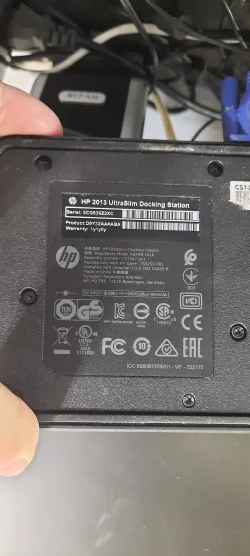
ok i have a hp laptop and i'm using a hub on this laptop. i have a monitor on it now above the laptop and have it set to turn off the laptop screen when i plug it into the hp hub.
what i want to do if possible is add another monitor to the side so i can put my camera tabs on that other monitor so i can have them showing all the time and still have the current monitor for buzzing around the internet.
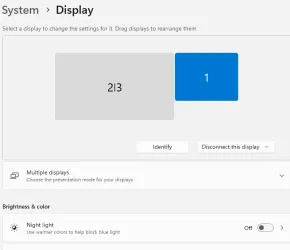
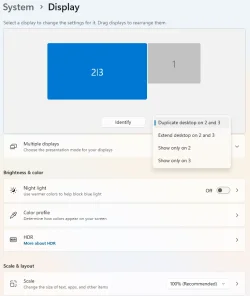
the current monitor is connected via the vga port on the hub and i tried connecting the new monitor via the hdmi port on the hub, but when i do right click on the desktop and go to display settings and then to identify i get the laptop and both added monitors in one id. so is there a way to get 3 monitor to show in the identify section? and to make it so i can have the monitor above the laptop as my main got to screen and the 3rd side monitor as one that i can run the curser over to and then take my camera tabs and slide them over to that side monitor?
so now what i have is the laptop is set to turn off when the laptop is plugged into the hub and the monitor above it turns on. also the side monitor is on and shows the same as the monitor above the laptop. i can take photos of the setup if needed. thanks
what i want to do if possible is add another monitor to the side so i can put my camera tabs on that other monitor so i can have them showing all the time and still have the current monitor for buzzing around the internet.
the current monitor is connected via the vga port on the hub and i tried connecting the new monitor via the hdmi port on the hub, but when i do right click on the desktop and go to display settings and then to identify i get the laptop and both added monitors in one id. so is there a way to get 3 monitor to show in the identify section? and to make it so i can have the monitor above the laptop as my main got to screen and the 3rd side monitor as one that i can run the curser over to and then take my camera tabs and slide them over to that side monitor?
so now what i have is the laptop is set to turn off when the laptop is plugged into the hub and the monitor above it turns on. also the side monitor is on and shows the same as the monitor above the laptop. i can take photos of the setup if needed. thanks
- Windows Build/Version
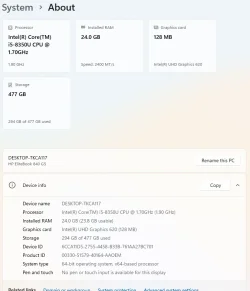
- win11 ver 25h2 build 26200.8457
My Computer
At a glance
win10 64 bit 20h2 ver. now it is 22h2AMD A4-3310MX APU with Ra16gb
- OS
- win10 64 bit 20h2 ver. now it is 22h2
- Computer type
- Laptop
- Manufacturer/Model
- hp elitebook
- CPU
- AMD A4-3310MX APU with Ra
- Memory
- 16gb