- Local time
- 4:33 AM
- Posts
- 176
- OS
- Windows 11 Pro Version 25H2 (OS Build 26200.9445)
When I bought my new Dell i9 8950 Desktop with Windows 11 Pro, I imagined that 32GB of DDR5 RAM would be enough for editing 4K 60fps H265 video in real time. I found that was not the case, so I decided to upgrade to 64GB of RAM, but found that much Dell memory was out of my budget. I decided to upgrade to 48GB of memory, hoping that would be enough. I "chatted" with a Dell tech, and asked if I should install one 16GB dimm or two 8GB dimms, and that person said they should be added in pairs, as I have 4 slots (with 2 empty). I ordered two 8GB dimms, and they arrived pretty quick. I have upgraded the memory on my computers before, so it is pretty straight-forward in this computer as the slots are easily accessible. The instructions came with the memory. I installed the two dimms, and the computer started, but the screen stayed black, and Windows wouldn't boot. I took the new memory out, and the computer started normally.
I shut the computer down, turned off the electricity to it, and tried it again. Still, no Windows boot, and can't open the bios, either, to see if there is anything there to update before the computer could boot. I removed the new dimms, and the computer started normally, again.
I called the Dell number that was on the instruction sheet that came with the dimms in case it didn't work. The person I talked to said that I should have ordered one 16GB dimm, that two 8GBs won't work. That person said that I should call sales to return the two 8GB dimms, and order the 16GB dimm, and provided me with the sales number. I called and spoke to a salesman who sounded pretty knowledgeable about it and said the two agents I spoke to before were both wrong. I wouldn't be able to upgrade to 48GB, but would have to upgrade to 64GB to make it work. Still, out of my budget for Dell memory, so I asked them to send an RMA and a refund. Which they did.
I had bought extra memory for my old computers in the past from Crucial and Kingston, and they had worked just fine. So, I checked them out, and decided to go with Crucial, and found that B&H Photo-Video was offering two 16GB Crucial dimms at less than half the price of two 8GB dimms from Dell!
So, I ordered two 16GB Crucial dimms from B&H. They came yesterday. I easily installed them, and, you guessed it, the screen was black and would not boot Windows. I took the dimms out, and Windows booted normally. I was at my wit's end.
Then, I thought I'd chat with Crucial, as it was their memory. While at their website, I looked and they had instructions for installing the memory. It said to shut off the computer, and disconnect all electrical connections, even peripherals from the computer. Then, press the physical start button on the case to release all stored electricity. When I did that, the video card lit up for an instant, and went out.
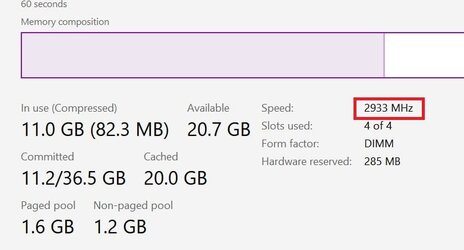
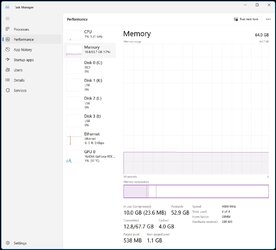
I put in the new dimms, reconnected my computer, and crossed my fingers. At first the screen went black right away, and the "no signal" light on the monitor came on. I let it sit for a short while, and all of a sudden, the blue signal light on the monitor came on, and a screen showed up asking if I had installed new memory. I clicked continue, and the computer finally booted into Windows. It now has 64GB of memory, well within my budget. And BTW, it runs those 4K videos in real time now!
I shut the computer down, turned off the electricity to it, and tried it again. Still, no Windows boot, and can't open the bios, either, to see if there is anything there to update before the computer could boot. I removed the new dimms, and the computer started normally, again.
I called the Dell number that was on the instruction sheet that came with the dimms in case it didn't work. The person I talked to said that I should have ordered one 16GB dimm, that two 8GBs won't work. That person said that I should call sales to return the two 8GB dimms, and order the 16GB dimm, and provided me with the sales number. I called and spoke to a salesman who sounded pretty knowledgeable about it and said the two agents I spoke to before were both wrong. I wouldn't be able to upgrade to 48GB, but would have to upgrade to 64GB to make it work. Still, out of my budget for Dell memory, so I asked them to send an RMA and a refund. Which they did.
I had bought extra memory for my old computers in the past from Crucial and Kingston, and they had worked just fine. So, I checked them out, and decided to go with Crucial, and found that B&H Photo-Video was offering two 16GB Crucial dimms at less than half the price of two 8GB dimms from Dell!
So, I ordered two 16GB Crucial dimms from B&H. They came yesterday. I easily installed them, and, you guessed it, the screen was black and would not boot Windows. I took the dimms out, and Windows booted normally. I was at my wit's end.
Then, I thought I'd chat with Crucial, as it was their memory. While at their website, I looked and they had instructions for installing the memory. It said to shut off the computer, and disconnect all electrical connections, even peripherals from the computer. Then, press the physical start button on the case to release all stored electricity. When I did that, the video card lit up for an instant, and went out.
I put in the new dimms, reconnected my computer, and crossed my fingers. At first the screen went black right away, and the "no signal" light on the monitor came on. I let it sit for a short while, and all of a sudden, the blue signal light on the monitor came on, and a screen showed up asking if I had installed new memory. I clicked continue, and the computer finally booted into Windows. It now has 64GB of memory, well within my budget. And BTW, it runs those 4K videos in real time now!
- Windows Build/Version
- OS Build 22621.1992 / Version 22H22
My Computers
-
At a glance
Windows 11 Pro Version 25H2 (OS Build 26200.9...i9 12th Generation64GBPNY 3060 12GB- OS
- Windows 11 Pro Version 25H2 (OS Build 26200.9445)
- Computer type
- PC/Desktop
- Manufacturer/Model
- Dell 8950
- CPU
- i9 12th Generation
- Memory
- 64GB
- Graphics Card(s)
- PNY 3060 12GB
- Monitor(s) Displays
- NEC EA27IU
- Screen Resolution
- 3840X2160
- Hard Drives
- SSD internal, external drives
- Cooling
- Advanced Air Cooling
- Keyboard
- Microsoft
- Mouse
- Logitech
- Internet Speed
- High-Speed
- Browser
- MS Edge
- Antivirus
- Norton 360
-
At a glance
Win 11 Pro 25H2 (OS Build 26200.9168)Intel Ultra 7 265 (20 cores) processor32GB DDR5 RamBuilt-in Intel UHD Graphics- Operating System
- Win 11 Pro 25H2 (OS Build 26200.9168)
- Computer type
- PC/Desktop
- Manufacturer/Model
- Dell Tower ECT1250
- CPU
- Intel Ultra 7 265 (20 cores) processor
- Memory
- 32GB DDR5 Ram
- Graphics card(s)
- Built-in Intel UHD Graphics
- Sound Card
- Built-in
- Screen Resolution
- 1920X1080
- Hard Drives
- 2TB internal SSD
- Case
- Tower