- Local time
- 4:08 PM
- Posts
- 22
- OS
- win11/pro
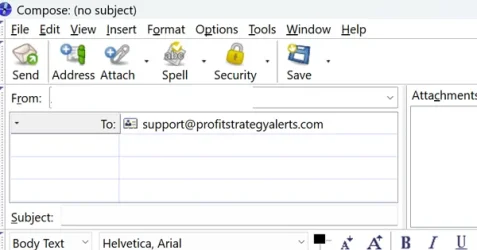
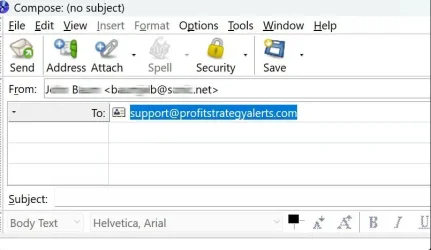
In July I've begun seeing the 'automatic' display of an outgoing email.
Out of caution I've not adding a Subject and Body Text.
Malwarebytes Free finds nothing. Windows Security finds nothing.
Is there a clever way to view the message source. I've found this helpful then the email in incoming but don't see how to invoke it for an outgoing emails.
Thanks
baumgrenze
Out of caution I've not adding a Subject and Body Text.
Malwarebytes Free finds nothing. Windows Security finds nothing.
Is there a clever way to view the message source. I've found this helpful then the email in incoming but don't see how to invoke it for an outgoing emails.
Thanks
baumgrenze
- Windows Build/Version
- 25H2 26200.8737
My Computer
At a glance
win11/proIntel Core i7-9700KKingston HyperX DDR4-3000 4 x 16 GBASUS TUF-GTX1660-06G
- OS
- win11/pro
- Computer type
- PC/Desktop
- Manufacturer/Model
- gamepc/custom
- CPU
- Intel Core i7-9700K
- Motherboard
- ASRock Z390 Taichi Ultimate//ASRK
- Memory
- Kingston HyperX DDR4-3000 4 x 16 GB
- Graphics Card(s)
- ASUS TUF-GTX1660-06G
- Sound Card
- Roland Edirol UA-1AX
- Monitor(s) Displays
- Acer V277 bmix
- Screen Resolution
- 1920 x 1080
- Hard Drives
- Samsung 970 Pro NVMe M.2 512 GB SSD (Sys/Prog)
Crucial CT2000MX500SSD1 MX500 2TB (Data)
- PSU
- Silverstone ST65F_PT 650W
- Case
- Fractal Design Define R5 Black
- Keyboard
- Dell SK
- Mouse
- HPX4000
- Internet Speed
- Community Wireless 268 Mbps down/ 230 up
- Browser
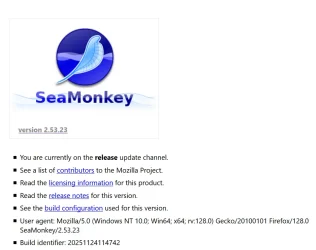
- SeaMonkey
- Antivirus
- Windows