- Windows Build/Version
- Windows 11 Home Version 25H2
My Computer
At a glance
Windows 11
- OS
- Windows 11
- Computer type
- Laptop
- Manufacturer/Model
- HP
Follow along with the video below to see how to install our site as a web app on your home screen.
Note: This feature may not be available in some browsers.
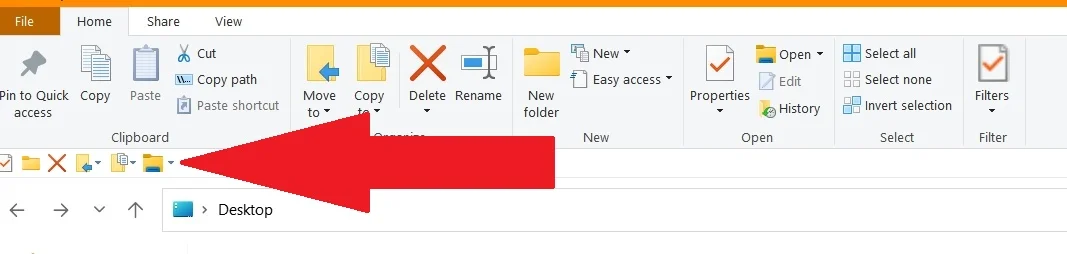
Remove all of them..., then add them, one at a time, in the order you wish them to appear.Does anyone know of any way that would allow the shortcuts in File Explorer's Quick Access toolbar to be re-arranged?
Thank you, I appreciate it.My answer is: you can (re)arrange them by removing all, then adding the desired ones, one at a time, doing so in the order you wish them to appear on the bar.
Thank you, I appreciate it.
But, I already knew that I could do this. I don't want to, though. I was wondering if there were any way, like we can re-arrange pinned items in Taskbar.
So, . . . Is your answer to my question: "no"?

No.I was wondering if there were any way, like we can re-arrange pinned items in Taskbar.
I guess so.So, . . . Is your answer to my question: "no"?