Solved Anyone noticed Windows 11 takes longer to boot compared to Windows 10?


Spartan

Well-known member
Member
VIP
Local time
11:48 AM
Posts
271
Location
Dubai
OS
Windows 11 Pro
Once I reach the part where it shows my username logging in, it takes way longer for it to show the desktop. Even on a fresh clean install. Has anyone else noticed this? It's almost instant with Windows 10
 

My Computers My Computers

  • At a glance

    Windows 11 ProIntel Core Ultra 9 275HXSK Hynix 64GB DDR5-5600MHz RAMGeForce RTX 5090 24 GB GDDR7 VRAM
    OS
    Windows 11 Pro
    Computer type
    Laptop
    Manufacturer/Model
    ASUS ROG Strix SCAR 16 G635LX
    CPU
    Intel Core Ultra 9 275HX
    Motherboard
    ASUS
    Memory
    SK Hynix 64GB DDR5-5600MHz RAM
    Graphics Card(s)
    GeForce RTX 5090 24 GB GDDR7 VRAM
    Sound Card
    Dolby Atmos-powered speakers - 2 tweeters and 3 downward firing woofers
    Monitor(s) Displays
    INNOCN GA27T1M 27' 1440p 320Hz Mini-LED Monitor
    Screen Resolution
    QHD (2560x1440)
    Hard Drives
    2x WD_BLACK SN850X 8TB SSDs (RAID 0)
    PSU
    380W AC Power Adapter
    Cooling
    Thermal Grizzly Conductonaut + IETS GT600 Cooling Pad
    Keyboard
    ROG Strix Scope II 96 RX Wireless
    Mouse
    ROG Chakram X Origin
    Internet Speed
    1 GBPS Down / 882 MBPS Up
    Browser
    Google Chrome
    Antivirus
    AVG Internet Security
  • At a glance

    Windows 11 EducationAMD Ryzen 9 27016GB LPDDR5X 7500 RAMnVIDIA GeForce RTX 5050 8GB GDDR7
    Operating System
    Windows 11 Education
    Computer type
    Laptop
    Manufacturer/Model
    ASUS ROG Zephyrus G14 GA403UH
    CPU
    AMD Ryzen 9 270
    Memory
    16GB LPDDR5X 7500 RAM
    Graphics card(s)
    nVIDIA GeForce RTX 5050 8GB GDDR7
    Sound Card
    Realtek
    Monitor(s) Displays
    14' ROG Nebula Display 3K OLED 120Hz
    Screen Resolution
    2880 x 1800
    Hard Drives
    Samsung 990 PRO 4TB SSD
    PSU
    Rectangle Conn, 200W AC Adapter
    Cooling
    Thermal Grizzly Conductonaut
    Mouse
    ASUS ROG Chakram X Origin Gaming Mouse
    Internet Speed
    1 GBPS Down / 875 MBPS Up
    Browser
    Google Chrome
    Antivirus
    AVG Internet Security
If you are running into what I did, it's a known issue that Microsoft is addressing.

Open File Explorer, goto %temp%, remove all files and folders. Note that a small number of files and folders may not allow themselves to be deleted.

Reboot. Is it faster now?

If so, this issue with large numbers of files in the temp folder is being addressed by Microsoft. May have already been addressed in a Beta or Dev build, not sure about that detail however.

EDIT: For the time being, I find myself clearing the contents of %temp% once every few weeks or if I notice login taking a while.
 

My Computers My Computers

  • At a glance

    Win11 Pro 25H2 (RTM+)Intel i7-14650HX32 GBNo GPU - Built-in Intel Graphics
    OS
    Win11 Pro 25H2 (RTM+)
    Computer type
    PC/Desktop
    Manufacturer/Model
    Acemagic
    CPU
    Intel i7-14650HX
    Memory
    32 GB
    Graphics Card(s)
    No GPU - Built-in Intel Graphics
    Sound Card
    Integrated
    Monitor(s) Displays
    Varies as machine will often be moved to locations with different monitors
    Screen Resolution
    Varies
    Hard Drives
    1 x 1TB Gen 4 NVMe SSD
    PSU
    120W Power Brick
    Keyboard
    Corsair K70 Max RGB Magnetic Keyboard
    Mouse
    Logitech MX Master 3
    Internet Speed
    1Gb Up / 1 Gb Down
    Browser
    Edge
    Antivirus
    Windows Defender
  • At a glance

    Win11 Pro 25H2 (RTM+)Intel i7-1255U16 GBIntel Iris Xe Graphics
    Operating System
    Win11 Pro 25H2 (RTM+)
    Computer type
    Laptop
    Manufacturer/Model
    Lenovo ThinkBook 13x Gen 2
    CPU
    Intel i7-1255U
    Memory
    16 GB
    Graphics card(s)
    Intel Iris Xe Graphics
    Sound Card
    Realtek® ALC3306-CG codec
    Monitor(s) Displays
    13.3-inch IPS Display
    Screen Resolution
    WQXGA (2560 x 1600)
    Hard Drives
    2 TB 4 x 4 NVMe SSD
    PSU
    USB-C / Thunderbolt 4 Power / Charging
    Keyboard
    Backlit, spill resistant keyboard
    Mouse
    Buttonless Glass Precision Touchpad
    Internet Speed
    1Gb Up / 1Gb Down
    Browser
    Edge
    Antivirus
    Windows Defender
    Other Info
    WiFi 6e / Bluetooth 5.1 / Facial Recognition / Fingerprint Sensor / ToF (Time of Flight) Human Presence Sensor

Anyone noticed Windows 11 takes longer to boot compared to Windows 10?​

Nope..., I'm usually making my coffee during boot! :cool:
 

My Computers My Computers

  • At a glance

    Windows 11 Pro
    OS
    Windows 11 Pro
    Computer type
    PC/Desktop
    Manufacturer/Model
    ASUS ROG Strix
  • At a glance

    Windows 11 Pro
    Operating System
    Windows 11 Pro
    Computer type
    Laptop
    Manufacturer/Model
    ASUS VivoBook
  • ASUS VivoBook 'Lite' ~ Windows 11 Home
Once I reach the part where it shows my username logging in, it takes way longer for it to show the desktop. Even on a fresh clean install. Has anyone else noticed this? It's almost instant with Windows 10
Nope.. for me 11 boots as fast as 10 did
 

My Computer My Computer

At a glance

Windows 11 Home() - 25H2 -26220.8894AMD Ryzen 5 5600GG.SKILL Ripjaws V Series 64GB 4x16Nvidia geforce gtx titan x
OS
Windows 11 Home() - 25H2 -26220.8894
Computer type
PC/Desktop
Manufacturer/Model
Banana Junior 5600-G Series
CPU
AMD Ryzen 5 5600G
Motherboard
Asus ROG Strix B550-F
Memory
G.SKILL Ripjaws V Series 64GB 4x16
Graphics Card(s)
Nvidia geforce gtx titan x
Monitor(s) Displays
28" ASUS VP28U 4k
Screen Resolution
4K
Hard Drives
Primary SAMSUNG 970 EVO Plus
PSU
EVGA BQ 700w 80+ Bronze
Case
Zalman i3 NEO
Cooling
ARCTIC Freezer 7 X
Keyboard
Corsair
Mouse
Amazon Generic with Cord
Internet Speed
Download: 295.11 mbps Upload: 65.35 mbps T-Mobile Internet
Browser
Firefox and Edge
Antivirus
MS - Defender
Other Info
Speakers: Klipsch ProMedia 2.1
Ok nevermind, I just tried and it booted to the desktop instantly the moment I saw my username with the loading icon. I guess I had that impression during the initial install when probably either the drivers missing were causing this or perhaps the latest Windows updates fixed it. Thanks everyone for chiming in.
 

My Computers My Computers

  • At a glance

    Windows 11 ProIntel Core Ultra 9 275HXSK Hynix 64GB DDR5-5600MHz RAMGeForce RTX 5090 24 GB GDDR7 VRAM
    OS
    Windows 11 Pro
    Computer type
    Laptop
    Manufacturer/Model
    ASUS ROG Strix SCAR 16 G635LX
    CPU
    Intel Core Ultra 9 275HX
    Motherboard
    ASUS
    Memory
    SK Hynix 64GB DDR5-5600MHz RAM
    Graphics Card(s)
    GeForce RTX 5090 24 GB GDDR7 VRAM
    Sound Card
    Dolby Atmos-powered speakers - 2 tweeters and 3 downward firing woofers
    Monitor(s) Displays
    INNOCN GA27T1M 27' 1440p 320Hz Mini-LED Monitor
    Screen Resolution
    QHD (2560x1440)
    Hard Drives
    2x WD_BLACK SN850X 8TB SSDs (RAID 0)
    PSU
    380W AC Power Adapter
    Cooling
    Thermal Grizzly Conductonaut + IETS GT600 Cooling Pad
    Keyboard
    ROG Strix Scope II 96 RX Wireless
    Mouse
    ROG Chakram X Origin
    Internet Speed
    1 GBPS Down / 882 MBPS Up
    Browser
    Google Chrome
    Antivirus
    AVG Internet Security
  • At a glance

    Windows 11 EducationAMD Ryzen 9 27016GB LPDDR5X 7500 RAMnVIDIA GeForce RTX 5050 8GB GDDR7
    Operating System
    Windows 11 Education
    Computer type
    Laptop
    Manufacturer/Model
    ASUS ROG Zephyrus G14 GA403UH
    CPU
    AMD Ryzen 9 270
    Memory
    16GB LPDDR5X 7500 RAM
    Graphics card(s)
    nVIDIA GeForce RTX 5050 8GB GDDR7
    Sound Card
    Realtek
    Monitor(s) Displays
    14' ROG Nebula Display 3K OLED 120Hz
    Screen Resolution
    2880 x 1800
    Hard Drives
    Samsung 990 PRO 4TB SSD
    PSU
    Rectangle Conn, 200W AC Adapter
    Cooling
    Thermal Grizzly Conductonaut
    Mouse
    ASUS ROG Chakram X Origin Gaming Mouse
    Internet Speed
    1 GBPS Down / 875 MBPS Up
    Browser
    Google Chrome
    Antivirus
    AVG Internet Security

Ok nevermind, I just tried and it booted to the desktop instantly the moment I saw my username with the loading icon. I guess I had that impression during the initial install when probably either the drivers missing were causing this or perhaps the latest Windows updates fixed it. Thanks everyone for chiming in.
When I first boot right after an update it's slow to login.. but after that it's fine
 

My Computer My Computer

At a glance

Windows 11 Home() - 25H2 -26220.8894AMD Ryzen 5 5600GG.SKILL Ripjaws V Series 64GB 4x16Nvidia geforce gtx titan x
OS
Windows 11 Home() - 25H2 -26220.8894
Computer type
PC/Desktop
Manufacturer/Model
Banana Junior 5600-G Series
CPU
AMD Ryzen 5 5600G
Motherboard
Asus ROG Strix B550-F
Memory
G.SKILL Ripjaws V Series 64GB 4x16
Graphics Card(s)
Nvidia geforce gtx titan x
Monitor(s) Displays
28" ASUS VP28U 4k
Screen Resolution
4K
Hard Drives
Primary SAMSUNG 970 EVO Plus
PSU
EVGA BQ 700w 80+ Bronze
Case
Zalman i3 NEO
Cooling
ARCTIC Freezer 7 X
Keyboard
Corsair
Mouse
Amazon Generic with Cord
Internet Speed
Download: 295.11 mbps Upload: 65.35 mbps T-Mobile Internet
Browser
Firefox and Edge
Antivirus
MS - Defender
Other Info
Speakers: Klipsch ProMedia 2.1
Nope not here in fact mine is even faster than W10 !
Chuck
 

My Computer My Computer

At a glance

Windows11 23H2 (OS Build 22631.2428)2.90 gigahertz Intel Core i7-1070016214 Megabytes Usable Installed Memor
OS
Windows11 23H2 (OS Build 22631.2428)
Computer type
PC/Desktop
Manufacturer/Model
HP HP ENVY TE01
CPU
2.90 gigahertz Intel Core i7-10700
Motherboard
Board: HP 8767 A (SMVB)
Memory
16214 Megabytes Usable Installed Memor
Hard Drives
1511.52 Gigabytes Usable Hard Drive Capacity
1418.15 Gigabytes Hard Drive Free Space
Keyboard
Logitech wireless
Mouse
M 185 wireless
Internet Speed
12 ms Jitter 8 ms Download 10.5 Mbps Upload 1.7
Browser
Edge & FF
Antivirus
Windows Defender
My system boots quite fast, I don't have any password set for the login.
Would the booting be faster if the system is set to sleep or hibernate ?
Is there any advantage to it ?
 

My Computer My Computer

At a glance

Windows 11 23H2Intel i7-7700k16 GBIntel 630 onboard
OS
Windows 11 23H2
Computer type
PC/Desktop
Manufacturer/Model
Assembled
CPU
Intel i7-7700k
Motherboard
Asrock Z270 Taichi
Memory
16 GB
Graphics Card(s)
Intel 630 onboard
Sound Card
Onboard
Monitor(s) Displays
Benq 1080p
Screen Resolution
1920*1080
Hard Drives
NVMe, SSD and HDD
Case
Cooler Master
Keyboard
Asus wireless
Mouse
Asus Wireless
Internet Speed
75 Mbps
Browser
Chrome, Edge, Arc
Antivirus
Windows Defender
28 seconds from pressing the power button to desktop. But this was not an in-place upgrade. It's a clean install.
 

My Computers My Computers

  • At a glance

    Windows 11 ProAMD Ryzen 7 9800X3D32GB DDR5 CL30 Kingston FuryASUS Prime Radeon RX 9060 XT OC Edition 16GB
    OS
    Windows 11 Pro
    Computer type
    PC/Desktop
    CPU
    AMD Ryzen 7 9800X3D
    Motherboard
    MSI PRO B850-P Wifi
    Memory
    32GB DDR5 CL30 Kingston Fury
    Graphics Card(s)
    ASUS Prime Radeon RX 9060 XT OC Edition 16GB
    Monitor(s) Displays
    LG Ultrawide 34" 1440p+ MSI 27" 4K UHD
    Screen Resolution
    3440x1440
    Hard Drives
    Main Boot Drive : 512GB Adata XPG RGB Gen3x4 NVMe M.2 SSD
    PSU
    EVGA 750 Watts 80+ Gold
    Case
    Deepcool Genome II
    Cooling
    Thermalright Burst Assassin 120
    Internet Speed
    FTTH 3Gbps
    Browser
    Chrome
    Antivirus
    "Moderna"
  • At a glance

    Windows 11 Proi7-4790K16GB Corsair Vengeance ProMSI R9 290
    Operating System
    Windows 11 Pro
    Computer type
    PC/Desktop
    CPU
    i7-4790K
    Motherboard
    ASRock Xtreme6 Z97
    Memory
    16GB Corsair Vengeance Pro
    Graphics card(s)
    MSI R9 290
    Monitor(s) Displays
    LG Ultrawide 34"
    Screen Resolution
    3440x1440
    Hard Drives
    500GB Adata SSD (OS Only)
    PSU
    Thermaltake 475 Watts 80 Bronze
    Case
    Thermaltake Commander I Snow Edition
    Cooling
    Deep Cool Archer Air Cooler
    Keyboard
    Armageddon MKA-5R RGB-Hornet
    Mouse
    Logitech G402
    Internet Speed
    1Gbps
    Browser
    Chrome
    Antivirus
    Moderna :)
My W11 Laptop boots from cold in under 6 seconds, local account, 22581.200
 

My Computers My Computers

  • At a glance

    Windows 11 Pro
    OS
    Windows 11 Pro
    Computer type
    PC/Desktop
    Manufacturer/Model
    ASUS ROG Strix
  • At a glance

    Windows 11 Pro
    Operating System
    Windows 11 Pro
    Computer type
    Laptop
    Manufacturer/Model
    ASUS VivoBook
  • ASUS VivoBook 'Lite' ~ Windows 11 Home
I just check the last BIOS time on my new desktop, and it took 17.2 seconds. Once at the sign-in screen it's instant. I think the long BIOS time is due to the fact that I have second drive installed and a USB drive connected.

Edit: I forgot that I also have the boot timeout set to 10 seconds.
 

My Computers My Computers

  • At a glance

    Windows 11 Pro 25H2Intel Core i7-10700K16GB (8GB PC4-19200 DDR4 SDRAM x2)NVIDIA GeForce GTX 1050 TI
    OS
    Windows 11 Pro 25H2
    Computer type
    PC/Desktop
    Manufacturer/Model
    PowerSpec B746
    CPU
    Intel Core i7-10700K
    Motherboard
    ASRock Z490 Phantom Gaming 4/ax
    Memory
    16GB (8GB PC4-19200 DDR4 SDRAM x2)
    Graphics Card(s)
    NVIDIA GeForce GTX 1050 TI
    Sound Card
    Realtek Audio
    Monitor(s) Displays
    #1. LG ULTRAWIDE 34" #2. AOC Q32G2WG3 32"
    Screen Resolution
    #1. 3440 X 1440 #2. 1920 x 1080
    Hard Drives
    NVMe WDC WDS100T2B0C-00PXH0 1TB
    Samsung SSD 860 EVO 1TB
    PSU
    750 Watts (62.5A)
    Case
    PowerSpec/Lian Li ATX 205
    Keyboard
    Logitech K270
    Mouse
    Logitech M185
    Browser
    Microsoft Edge and Firefox
    Antivirus
    Webroot SecureAnywhere CE 26.1
  • At a glance

    Windows 11 Canary ChannelIntel Core i5-8400 CPU @ 2.80GHz16 MB DDR 4-2666
    Operating System
    Windows 11 Canary Channel
    Computer type
    PC/Desktop
    Manufacturer/Model
    PowerSpec G156
    CPU
    Intel Core i5-8400 CPU @ 2.80GHz
    Motherboard
    AsusTeK Prime B360M-A
    Memory
    16 MB DDR 4-2666
    Monitor(s) Displays
    23" Speptre HDMI 75Hz
    Screen Resolution
    1920x1080
    Hard Drives
    Samsung 970 EVO 500GB NVMe
    Keyboard
    Logitek K270
    Mouse
    Logitek M185
    Browser
    Firefox, Edge and Edge Canary
    Antivirus
    Windows Defender
Once I reach the part where it shows my username logging in, it takes way longer for it to show the desktop. Even on a fresh clean install. Has anyone else noticed this? It's almost instant with Windows 10
Yes, same thing happens to me. Though when I used to work with Windows 10 it was booting in less than 15 seconds despite running with HDD
 
The only time I've notice this is right after/during an update when Windows first launches. It's slow.. but after that it's not.
 

My Computer My Computer

At a glance

Windows 11 Home() - 25H2 -26220.8894AMD Ryzen 5 5600GG.SKILL Ripjaws V Series 64GB 4x16Nvidia geforce gtx titan x
OS
Windows 11 Home() - 25H2 -26220.8894
Computer type
PC/Desktop
Manufacturer/Model
Banana Junior 5600-G Series
CPU
AMD Ryzen 5 5600G
Motherboard
Asus ROG Strix B550-F
Memory
G.SKILL Ripjaws V Series 64GB 4x16
Graphics Card(s)
Nvidia geforce gtx titan x
Monitor(s) Displays
28" ASUS VP28U 4k
Screen Resolution
4K
Hard Drives
Primary SAMSUNG 970 EVO Plus
PSU
EVGA BQ 700w 80+ Bronze
Case
Zalman i3 NEO
Cooling
ARCTIC Freezer 7 X
Keyboard
Corsair
Mouse
Amazon Generic with Cord
Internet Speed
Download: 295.11 mbps Upload: 65.35 mbps T-Mobile Internet
Browser
Firefox and Edge
Antivirus
MS - Defender
Other Info
Speakers: Klipsch ProMedia 2.1
Once I reach the part where it shows my username logging in, it takes way longer for it to show the desktop. Even on a fresh clean install. Has anyone else noticed this? It's almost instant with Windows 10
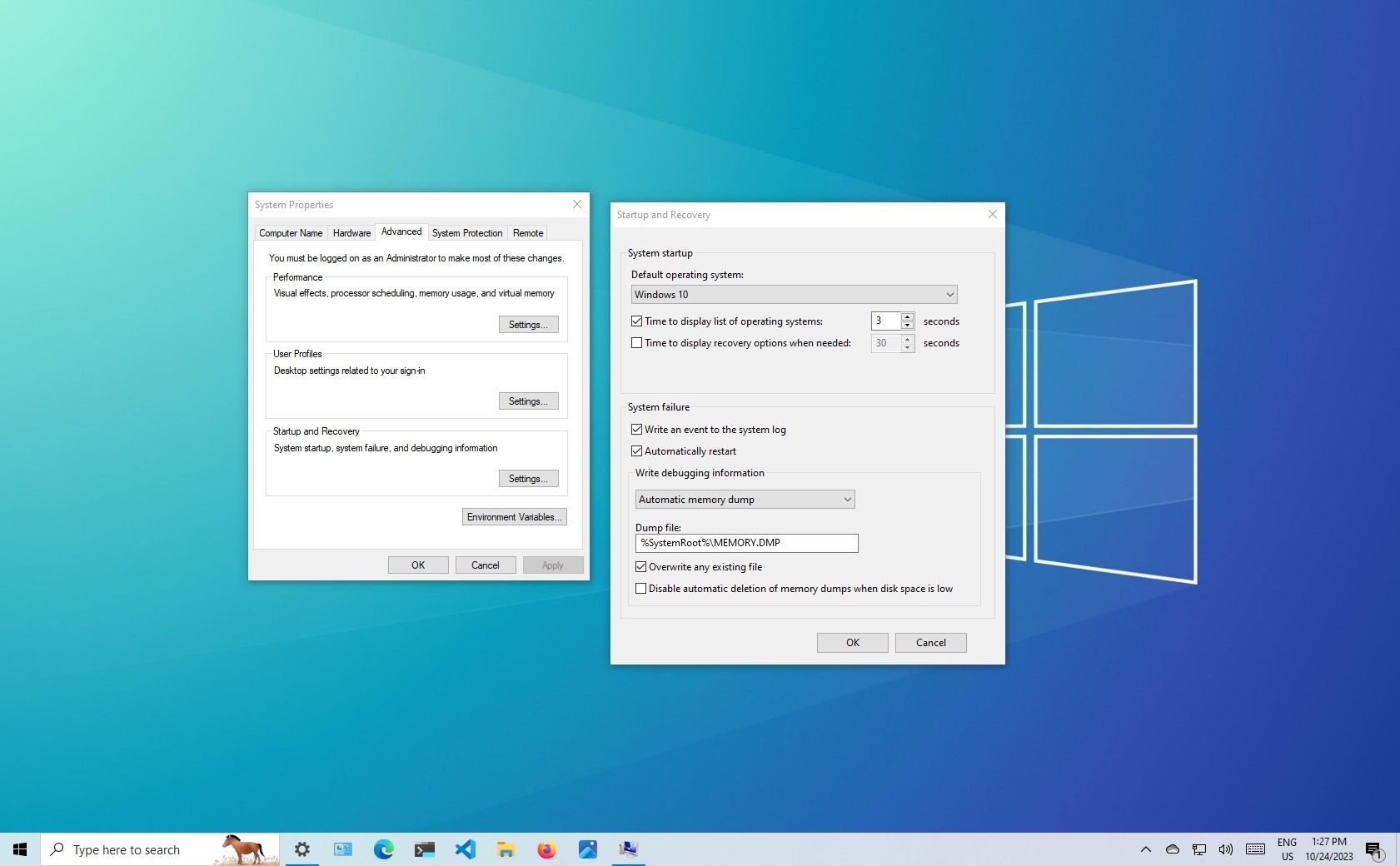
I dual boot Windows 10 and Windows 11. I have found that Windows 11 consistently loads faster than Windows 10. I figured it out, but here's a How To link.

Do you have a dual-boot system? If so, you can change the default list time for the boot menu to anything you want, and in this guide, we'll show you four ways to do it.


My Computers My Computers

  • At a glance

    Windows 11 23H2 22631.2861Intel(R) Core(TM) i7-10700 CPU @ 2.90GHz 2.90...16384 MBytesIntel UHD Graphics 630
    OS
    Windows 11 23H2 22631.2861
    Computer type
    PC/Desktop
    Manufacturer/Model
    HP Envy TE01-1xxx
    CPU
    Intel(R) Core(TM) i7-10700 CPU @ 2.90GHz 2.90 GHz
    Motherboard
    16.0GB Dual-Channel Unknown @ 1463MHz (21-21-21-47)
    Memory
    16384 MBytes
    Graphics Card(s)
    Intel UHD Graphics 630
    Sound Card
    Realtek High Definition Audio
    Monitor(s) Displays
    Monitor 1 - Acer 27" Monitor 2 - Acer 27"
    Screen Resolution
    1920 x 1080
    Hard Drives
    WDC PC SN530 SDBPNPZ-512G-1006 (SSD)
    Seagate ST1000DM003-1SB102
    Seagate BUP Slim SCSI Disk Device (SSD)
    PSU
    HP
    Case
    HP
    Cooling
    Standard
    Keyboard
    Logitech Wave K350
    Mouse
    Logitech M705
    Internet Speed
    500 mbps
    Browser
    Firefox
    Antivirus
    Windows Defender
    Other Info
    That's all Folks!
  • At a glance

    Windows 11Intel Core i7 (10th gen) 1070016 GBIntel UHD Graphics 630
    Operating System
    Windows 11
    Computer type
    PC/Desktop
    Manufacturer/Model
    HP
    CPU
    Intel Core i7 (10th gen) 10700
    Motherboard
    Intel
    Memory
    16 GB
    Graphics card(s)
    Intel UHD Graphics 630
    Sound Card
    Built-in
    Monitor(s) Displays
    Acer 27" & Samsung 24"
    Screen Resolution
    1920 x
    Hard Drives
    SSD (512 GB)
    HDD (1 TB)
    Seagate
    PSU
    Intel i7 10th Generation
    Case
    HP
    Cooling
    HP/Intel?
    Keyboard
    Logitech Wave K350
    Mouse
    Logitech M705
    Internet Speed
    50 mbps
    Browser
    Firefox 90.2
    Antivirus
    Windows Defender
    Other Info
    Headphone/Microphone Combo
    SuperSpeed USB Type-A (4 on front)
    HP 3-in-One Card Readr
    SuperSpeed USB Type-C
    DVD Writer
Back
Top Bottom