Ask where to save the file before downloading disable


linguaccia22

Well-known member
Member
Local time
4:53 PM
Posts
99
Location
Italy
OS
Windows 11 Pro 24H2
Hi everyone, I use Google Chrome and I can't disable the save window when I'm downloading for example an image from the internet.
It always asks me in which folder I want to save the file
And yet in the settings it is disabled.
I have disabled both the item
Ask where to save the file before downloading it
and
Show downloads at the end of the operation
But nothing every time it asks me where to save.
is there a way to disable this thing via chrome://flags ?

Google Chrome Version 128.0.6613.85

Windows 11 Pro 23H2 (build 22631.4037)
 

My Computer

System One

  • OS
    Windows 11 Pro 24H2
    Computer type
    PC/Desktop
    CPU
    Intel Core i7-7700K 4.2GHz
    Motherboard
    MSI Z270 Tomahawk
    Memory
    Corsair Vengeance (32 GB) DDR4, 3000 MHz
    Graphics Card(s)
    MSI GeForce GTX 1080 Ti
    Sound Card
    built-in Realtek HD audio
    Monitor(s) Displays
    LG 21:9
    Screen Resolution
    2560x1080 75Hz
    Hard Drives
    Samsung 980 PRO, 1 TB
    Samsung 960 EVO, 250 GB
    Western Digital Red 4TB
    PSU
    Evga Supernova 650 G3 Gold
    Case
    Kolink Unity Arena ARGB Case Mid-Tower
    Cooling
    Corsair Hydro H100i CW-9060025-WW
    Keyboard
    Logitech G512
    Mouse
    Logitech G G502 HERO
    Internet Speed
    1 Gigabit/s
    Browser
    Microsoft Edge
    Antivirus
    Windows Security
Hi everyone, I use Google Chrome and I can't disable the save window when I'm downloading for example an image from the internet.
It always asks me in which folder I want to save the file
And yet in the settings it is disabled.
I have disabled both the item
Ask where to save the file before downloading it
and
Show downloads at the end of the operation
But nothing every time it asks me where to save.
is there a way to disable this thing via chrome://flags ?

Google Chrome Version 128.0.6613.85

Windows 11 Pro 23H2 (build 22631.4037)


I've found that the easiest way to handle something like that, is to just go into the browser settings, and "tell" the browser where to save things. Me, I like saving things to the desktop.
Some, like saving things to the Downloads folder.

Whatever location you choose, will stop the browser from asking... where to save things. :-)


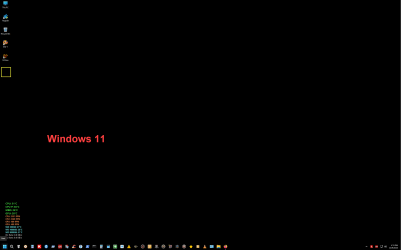
For me... I don't have many shortcuts on the desktop, which is why I chose the desktop as the location to save downloads to. That means they always save where the yellow box indicates...
Then... I can decide where I want to place the download, at my leisure.

000000 Win 10 vs Win 11.png
 
Last edited:

My Computers

System One System Two

  • OS
    Win 11 Home ♦♦♦26200.8457 ♦♦♦♦♦♦♦25H2
    Computer type
    PC/Desktop
    Manufacturer/Model
    Built by Ghot® [May 2020]
    CPU
    AMD Ryzen 7 3700X
    Motherboard
    Asus Pro WS X570-ACE (BIOS 5302)
    Memory
    G.Skill (F4-3200C14D-16GTZKW)
    Graphics Card(s)
    EVGA RTX 2070 (08G-P4-2171-KR)
    Sound Card
    Realtek ALC1220P / ALC S1220A
    Monitor(s) Displays
    Dell U3011 30"
    Screen Resolution
    2560 x 1600
    Hard Drives
    2x Samsung 860 EVO 500GB,
    WD 4TB Black FZBX - SATA III,
    WD 8TB Black FZBX - SATA III,
    DRW-24B1ST CD/DVD Burner
    PSU
    PC Power & Cooling 750W Quad EPS12V
    Case
    Cooler Master ATCS 840 Tower
    Cooling
    CM Hyper 212 EVO (push/pull)
    Keyboard
    Ducky DK9008 Shine II Blue LED
    Mouse
    Logitech Optical M-100
    Internet Speed
    300/300
    Browser
    Firefox (latest)
    Antivirus
    Bitdefender Total Security
    Other Info
    Speakers: Klipsch Pro Media 2.1
  • Operating System
    Windows XP Pro 32bit w/SP3
    Computer type
    PC/Desktop
    Manufacturer/Model
    Built by Ghot® (not in use)
    CPU
    AMD Athlon 64 X2 5000+ (OC'd @ 3.2Ghz)
    Motherboard
    ASUS M2N32-SLI Deluxe Wireless Edition
    Memory
    TWIN2X2048-6400C4DHX (2 x 1GB, DDR2 800)
    Graphics card(s)
    EVGA 256-P2-N758-TR GeForce 8600GT SSC
    Sound Card
    Onboard
    Monitor(s) Displays
    ViewSonic G90FB Black 19" Professional (CRT)
    Screen Resolution
    up to 2048 x 1536
    Hard Drives
    WD 36GB 10,000rpm Raptor SATA
    Seagate 80GB 7200rpm SATA
    Lite-On LTR-52246S CD/RW
    Lite-On LH-18A1P CD/DVD Burner
    PSU
    PC Power & Cooling Silencer 750 Quad EPS12V
    Case
    Generic Beige case, 80mm fans
    Cooling
    ZALMAN 9500A 92mm CPU Cooler
    Keyboard
    Logitech Classic Keybooard 200
    Mouse
    Logitech Optical M-BT96a
    Internet Speed
    300/300
    Browser
    Firefox 3.x ??
    Antivirus
    Symantec (Norton)
    Other Info
    Still assembled, still runs. Haven't turned it on for 15 years?
I had a look around. I found nothing but complaints.
 

My Computers

System One System Two

  • OS
    Windows 11 Pro 25H2 Build 26200.8524
    Computer type
    PC/Desktop
    Manufacturer/Model
    Sin-built 2013
    CPU
    Intel(R) Core(TM) i7-4770K CPU @ 3.50GHz
    Motherboard
    ASUS ROG Maximus VI Formula
    Memory
    32.0 GB of I forget and the box is in storage.
    Graphics Card(s)
    Gigabyte nVidia GeForce GTX 1660 Super OC 6GB
    Sound Card
    Onboard thingy
    Monitor(s) Displays
    5 x LG 25MS500-B - 1 x 24MK430H-B - 1 x Wacom Pro 22" Touch Screen Tablet
    Screen Resolution
    All over the place
    Hard Drives
    Too many to list.
    OS on Samsung 1TB 870 QVO SATA
    PSU
    Silverstone 1500
    Case
    NZXT Phantom 820 Full-Tower Case
    Cooling
    Noctua NH-D15 Elite Class Dual Tower CPU Cooler / 6 x EziDIY 120mm / 2 x Corsair 140mm somethings / 1 x 140mm Thermaltake something / 2 x 200mm Corsair.
    Keyboard
    Corsair K95 / Logitech diNovo Edge Wireless
    Mouse
    Logitech: G402 / G502 / Mx Masters / Mx Air Cordless
    Internet Speed
    2000/500Mbps
    Browser
    All sorts
    Antivirus
    Kaspersky Premium
    Other Info
    ㅤㅤㅤㅤㅤㅤㅤㅤㅤㅤㅤㅤㅤㅤㅤㅤㅤㅤㅤㅤㅤㅤㅤㅤㅤㅤㅤㅤㅤㅤㅤㅤㅤㅤㅤㅤㅤㅤㅤㅤ⠀⠀⠀⠀⠀⠀⠀⠀⠀⠀
    TP-Link BE9300 WiFi 7 Bluetooth 5.4 (Archer TBE550E)
    TP-Link TX201 V1 2.5GB Lan

    Grandstream HT812 - VoIP
    ASUS DSL-AX82U - Mesh
    ASUS RT-AC68U - Mesh
    ASUS RT-BE88U Router

    Brother MFC-L2880DW Printer

    I’m on a horse.
  • Operating System
    Windows 11 Pro 25H2 Build 26200.8524
    Computer type
    Laptop
    Manufacturer/Model
    LENOVO Yoga 7 14IRL8 - 7i EVO OLED 14" Touchscreen i5 12 Core 16GB/512GB
    CPU
    Intel Core 12th Gen i5-1240P Processor (1.7 - 4.4GHz)
    Memory
    16GB LPDDR5 RAM
    Graphics card(s)
    Intel Iris Xe Graphics Processor
    Sound Card
    Optimized with Dolby Atmos®
    Screen Resolution
    QHD 2880 x 1800 OLED
    Hard Drives
    M.2 512GB
    Antivirus
    Defender / Malwarebytes
    Other Info
    …still on a horse.
I don't use Google Chrome but Firefox has a setting for the folder location and to ask where I want to save.
[Z: is my NAS drive.]

1724559442643.png

When I use Edge for viewing items on the widgets I can right-click in a page and choose Save as then locate the desired folder.
 

My Computers

System One System Two

  • OS
    Win11 Pro RTM Version 24H2 Build 26100.4202
    Computer type
    Laptop
    Manufacturer/Model
    Dell Vostro 3400
    CPU
    Intel Core i5 11th Gen. 2.40GHz
    Memory
    12GB
    Hard Drives
    256GB SSD NVMe M.2
  • Operating System
    Win11 Pro RTM Version 24H2 Build 26100.4202
    Computer type
    PC/Desktop
    Manufacturer/Model
    Dell Vostro 5890
    CPU
    Intel Core i5 10th Gen. 2.90GHz
    Memory
    16GB
    Graphics card(s)
    Onboard, no VGA, using a DisplayPort-to-VGA adapter
    Monitor(s) Displays
    24" Dell
    Hard Drives
    512GB SSD NVMe, 4TB Seagate HDD
    Browser
    Firefox, Edge
    Antivirus
    Windows Defender/Microsoft Security

My Computers

System One System Two

  • OS
    Win 11 Home ♦♦♦26200.8457 ♦♦♦♦♦♦♦25H2
    Computer type
    PC/Desktop
    Manufacturer/Model
    Built by Ghot® [May 2020]
    CPU
    AMD Ryzen 7 3700X
    Motherboard
    Asus Pro WS X570-ACE (BIOS 5302)
    Memory
    G.Skill (F4-3200C14D-16GTZKW)
    Graphics Card(s)
    EVGA RTX 2070 (08G-P4-2171-KR)
    Sound Card
    Realtek ALC1220P / ALC S1220A
    Monitor(s) Displays
    Dell U3011 30"
    Screen Resolution
    2560 x 1600
    Hard Drives
    2x Samsung 860 EVO 500GB,
    WD 4TB Black FZBX - SATA III,
    WD 8TB Black FZBX - SATA III,
    DRW-24B1ST CD/DVD Burner
    PSU
    PC Power & Cooling 750W Quad EPS12V
    Case
    Cooler Master ATCS 840 Tower
    Cooling
    CM Hyper 212 EVO (push/pull)
    Keyboard
    Ducky DK9008 Shine II Blue LED
    Mouse
    Logitech Optical M-100
    Internet Speed
    300/300
    Browser
    Firefox (latest)
    Antivirus
    Bitdefender Total Security
    Other Info
    Speakers: Klipsch Pro Media 2.1
  • Operating System
    Windows XP Pro 32bit w/SP3
    Computer type
    PC/Desktop
    Manufacturer/Model
    Built by Ghot® (not in use)
    CPU
    AMD Athlon 64 X2 5000+ (OC'd @ 3.2Ghz)
    Motherboard
    ASUS M2N32-SLI Deluxe Wireless Edition
    Memory
    TWIN2X2048-6400C4DHX (2 x 1GB, DDR2 800)
    Graphics card(s)
    EVGA 256-P2-N758-TR GeForce 8600GT SSC
    Sound Card
    Onboard
    Monitor(s) Displays
    ViewSonic G90FB Black 19" Professional (CRT)
    Screen Resolution
    up to 2048 x 1536
    Hard Drives
    WD 36GB 10,000rpm Raptor SATA
    Seagate 80GB 7200rpm SATA
    Lite-On LTR-52246S CD/RW
    Lite-On LH-18A1P CD/DVD Burner
    PSU
    PC Power & Cooling Silencer 750 Quad EPS12V
    Case
    Generic Beige case, 80mm fans
    Cooling
    ZALMAN 9500A 92mm CPU Cooler
    Keyboard
    Logitech Classic Keybooard 200
    Mouse
    Logitech Optical M-BT96a
    Internet Speed
    300/300
    Browser
    Firefox 3.x ??
    Antivirus
    Symantec (Norton)
    Other Info
    Still assembled, still runs. Haven't turned it on for 15 years?
I have already set a folder of my choice on a second Hard Disk, but the problem has not been solved.

I think that something must be forced at this point, for this reason I was wondering if there was a possibility to disable this thing via chrome://flags

ps: I also tried with Firefox the same identical thing as with Google Chrome
"Ask where to save each file" is disabled
 

My Computer

System One

  • OS
    Windows 11 Pro 24H2
    Computer type
    PC/Desktop
    CPU
    Intel Core i7-7700K 4.2GHz
    Motherboard
    MSI Z270 Tomahawk
    Memory
    Corsair Vengeance (32 GB) DDR4, 3000 MHz
    Graphics Card(s)
    MSI GeForce GTX 1080 Ti
    Sound Card
    built-in Realtek HD audio
    Monitor(s) Displays
    LG 21:9
    Screen Resolution
    2560x1080 75Hz
    Hard Drives
    Samsung 980 PRO, 1 TB
    Samsung 960 EVO, 250 GB
    Western Digital Red 4TB
    PSU
    Evga Supernova 650 G3 Gold
    Case
    Kolink Unity Arena ARGB Case Mid-Tower
    Cooling
    Corsair Hydro H100i CW-9060025-WW
    Keyboard
    Logitech G512
    Mouse
    Logitech G G502 HERO
    Internet Speed
    1 Gigabit/s
    Browser
    Microsoft Edge
    Antivirus
    Windows Security
I wonder if your default save location is actually working? If not Chrome might default to another behavior although one would assume you'd get a warning if something was not set correctly.
Change your Chrome Save settings to say the Desktop and see how that works.
I rarely use Chrome myself but have it installed just in case. Firefox user.
 

My Computer

System One

  • OS
    Win 7/10/11
    Computer type
    PC/Desktop
    Other Info
    I'm a computer enthusiast so have quite a few systems that I run. More like an advanced hobby.
if I try to set the destination to desktop I get this message

"Desktop
No objects exist for moniker."

:unsure::unsure::unsure:
 

My Computer

System One

  • OS
    Windows 11 Pro 24H2
    Computer type
    PC/Desktop
    CPU
    Intel Core i7-7700K 4.2GHz
    Motherboard
    MSI Z270 Tomahawk
    Memory
    Corsair Vengeance (32 GB) DDR4, 3000 MHz
    Graphics Card(s)
    MSI GeForce GTX 1080 Ti
    Sound Card
    built-in Realtek HD audio
    Monitor(s) Displays
    LG 21:9
    Screen Resolution
    2560x1080 75Hz
    Hard Drives
    Samsung 980 PRO, 1 TB
    Samsung 960 EVO, 250 GB
    Western Digital Red 4TB
    PSU
    Evga Supernova 650 G3 Gold
    Case
    Kolink Unity Arena ARGB Case Mid-Tower
    Cooling
    Corsair Hydro H100i CW-9060025-WW
    Keyboard
    Logitech G512
    Mouse
    Logitech G G502 HERO
    Internet Speed
    1 Gigabit/s
    Browser
    Microsoft Edge
    Antivirus
    Windows Security
if I try to set the destination to desktop I get this message

"Desktop
No objects exist for moniker."

:unsure::unsure::unsure:
You have to pick the correct "Desktop" as confusing as that sounds.
 

My Computer

System One

  • OS
    Win 7/10/11
    Computer type
    PC/Desktop
    Other Info
    I'm a computer enthusiast so have quite a few systems that I run. More like an advanced hobby.
For anyone using a MS account and syncing to Onedrive, unless you've got a ton of available onedrive storage, you definitely would not want to save your downloads to the desktop even temporarily. This is the exact reason why downloads is one of the folders that does not default to onedrive in the first place.

To the OP, No objects exist for moniker indicates a problem with the registry. Do you use a MS account and have you messed with your default folder locations or Onedrive?
 

My Computers

System One System Two

  • OS
    Windows 11 Pro 25H2
    Computer type
    PC/Desktop
    Manufacturer/Model
    Dell Optiplex 7080
    CPU
    i9-10900 10 core 20 threads
    Motherboard
    DELL 0J37VM
    Memory
    32 gb
    Graphics Card(s)
    none-Intel UHD Graphics 630
    Sound Card
    Integrated Realtek
    Monitor(s) Displays
    Benq 27
    Screen Resolution
    2560x1440
    Hard Drives
    2x1tb Solidigm m.2 nvme /External drives 512gb Samsung m.2 sata+2tb Kingston m2.nvme
    PSU
    500w
    Case
    MT
    Cooling
    Dell Premium
    Keyboard
    Logitech wired
    Mouse
    Logitech wireless
    Internet Speed
    so slow I'm too embarrassed to tell
    Browser
    #1 Edge #2 Firefox
    Antivirus
    Defender+MWB Premium
  • Operating System
    Windows 11 Pro 24H2 26200.8457
    Computer type
    PC/Desktop
    Manufacturer/Model
    Beelink Mini PC SER5
    CPU
    AMD Ryzen 7 6800U
    Memory
    32 gb
    Graphics card(s)
    integrated
    Sound Card
    integrated
    Monitor(s) Displays
    Benq 27
    Screen Resolution
    2560x1440
    Hard Drives
    1TB Crucial nvme
    Keyboard
    Logitech wired
    Mouse
    Logitech wireless
    Internet Speed
    still too embarrassed to tell
    Browser
    Firefox
    Antivirus
    Defender
    Other Info
    System 3 is non compliant Dell 9020 i7-4770/24gb ram Win11 PRO 26200.8457
In Windows Terminal (as Admin):

# Download Prompt Off
New-Item -Path "HKLM:\SOFTWARE\Policies\Chrome"
Set-ItemProperty -Path "HKLM:\SOFTWARE\Policies\Chrome" -Name "PromptForDownloadLocation" -Type DWORD -Value 0

true = Ask the user before downloading files
false = Do not prompt the user (download starts immediately)
not set = Give the user a choice
 

My Computer

System One

  • OS
    Microsoft Windows 11 Home
    Computer type
    PC/Desktop
    Manufacturer/Model
    MSI MS-7D98
    CPU
    Intel Core i5-13490F
    Motherboard
    MSI B760 GAMING PLUS WIFI
    Memory
    2 x 16 Patriot Memory (PDP Systems) PSD516G560081 6400MT (32-37-37-74); 1.35V)
    Graphics Card(s)
    GIGABYTE GeForce RTX 4070 WINDFORCE OC 12G (GV-N4070WF3OC-12GD)
    Sound Card
    Bluetooth Аудио
    Monitor(s) Displays
    INNOCN 15K1F
    Screen Resolution
    1920 x 1080
    Hard Drives
    WD_BLACK SN770 250GB
    KINGSTON SNV2S1000G (ELFK0S.6)
    PSU
    Thermaltake Toughpower GF3 1000W
    Case
    CG560 - DeepCool
    Cooling
    ID-COOLING SE-224-XTS / 2 x 140Mm Fan - rear and top; 3 x 120Mm - front
    Keyboard
    Corsair K70 RGB TKL
    Mouse
    Corsair KATAR PRO XT
    Internet Speed
    100 Mbps
    Browser
    Firefox
    Antivirus
    Microsoft Defender Antivirus
    Other Info
    https://www.userbenchmark.com/UserRun/66553205
I don't use onedrive I uninstall it.
I use a local account

I tried to change the path and it still asks me where I want to save the file. I tried at least 3 different paths, but nothing.

Is there an extension that can manage downloads automatically? Without having to click on Save image as... and then click on save again?
I would need an extension that can program the key combinations to download images as I like, so as to speed up the operation more easily
 
Last edited:

My Computer

System One

  • OS
    Windows 11 Pro 24H2
    Computer type
    PC/Desktop
    CPU
    Intel Core i7-7700K 4.2GHz
    Motherboard
    MSI Z270 Tomahawk
    Memory
    Corsair Vengeance (32 GB) DDR4, 3000 MHz
    Graphics Card(s)
    MSI GeForce GTX 1080 Ti
    Sound Card
    built-in Realtek HD audio
    Monitor(s) Displays
    LG 21:9
    Screen Resolution
    2560x1080 75Hz
    Hard Drives
    Samsung 980 PRO, 1 TB
    Samsung 960 EVO, 250 GB
    Western Digital Red 4TB
    PSU
    Evga Supernova 650 G3 Gold
    Case
    Kolink Unity Arena ARGB Case Mid-Tower
    Cooling
    Corsair Hydro H100i CW-9060025-WW
    Keyboard
    Logitech G512
    Mouse
    Logitech G G502 HERO
    Internet Speed
    1 Gigabit/s
    Browser
    Microsoft Edge
    Antivirus
    Windows Security
Desktop is a default folder in C:\Users\USERNAMEHERE\, may be the first, second, third or fourth.

1724591968824.png

What shows in the Navigation pane above This PC is only a shortcut to the actual folder.

1724592093370.png
 

My Computers

System One System Two

  • OS
    Win11 Pro RTM Version 24H2 Build 26100.4202
    Computer type
    Laptop
    Manufacturer/Model
    Dell Vostro 3400
    CPU
    Intel Core i5 11th Gen. 2.40GHz
    Memory
    12GB
    Hard Drives
    256GB SSD NVMe M.2
  • Operating System
    Win11 Pro RTM Version 24H2 Build 26100.4202
    Computer type
    PC/Desktop
    Manufacturer/Model
    Dell Vostro 5890
    CPU
    Intel Core i5 10th Gen. 2.90GHz
    Memory
    16GB
    Graphics card(s)
    Onboard, no VGA, using a DisplayPort-to-VGA adapter
    Monitor(s) Displays
    24" Dell
    Hard Drives
    512GB SSD NVMe, 4TB Seagate HDD
    Browser
    Firefox, Edge
    Antivirus
    Windows Defender/Microsoft Security
Even setting the desktop path doesn't change anything.
Nothing changes even setting the desktop path.
at this point, I think that all that is needed is an extension that can do this job, but I don't know which one to download, it would be useful to have an extension that can let me set the mouse and keyboard key combo to my liking to download quickly.
 

My Computer

System One

  • OS
    Windows 11 Pro 24H2
    Computer type
    PC/Desktop
    CPU
    Intel Core i7-7700K 4.2GHz
    Motherboard
    MSI Z270 Tomahawk
    Memory
    Corsair Vengeance (32 GB) DDR4, 3000 MHz
    Graphics Card(s)
    MSI GeForce GTX 1080 Ti
    Sound Card
    built-in Realtek HD audio
    Monitor(s) Displays
    LG 21:9
    Screen Resolution
    2560x1080 75Hz
    Hard Drives
    Samsung 980 PRO, 1 TB
    Samsung 960 EVO, 250 GB
    Western Digital Red 4TB
    PSU
    Evga Supernova 650 G3 Gold
    Case
    Kolink Unity Arena ARGB Case Mid-Tower
    Cooling
    Corsair Hydro H100i CW-9060025-WW
    Keyboard
    Logitech G512
    Mouse
    Logitech G G502 HERO
    Internet Speed
    1 Gigabit/s
    Browser
    Microsoft Edge
    Antivirus
    Windows Security

Similar threads

Latest Support Threads

Back
Top Bottom