Back up clone second drive


Bikeit

Well-known member
Member
VIP
Local time
9:01 PM
Posts
259
OS
Windows 11 pro
My laptop has two hard drives, one holds the operating system the other one holds all my work things (photography) so im looking to back up this drive to an external drive and keep it up to date with weekly updates, so what is the best way to do this?
 

My Computer My Computer

At a glance

Windows 11 proIntel(R) Core(TM) i7-8850H CPU @ 2.60GHz 2.59...32GBNvidia Quadro P3200
OS
Windows 11 pro
Computer type
Laptop
Manufacturer/Model
HP Zbook
CPU
Intel(R) Core(TM) i7-8850H CPU @ 2.60GHz 2.59 GHz
Motherboard
HP 842D
Memory
32GB
Graphics Card(s)
Nvidia Quadro P3200
Hard Drives
Samsung 980 1TB M.2
Toshiba KXG50ZNV512G M.2
Crucial P5 Plus 2TB M.2
Mouse
MX Master 3
Internet Speed
500MBPS
Browser
Chrome, Edge
Antivirus
Windows defender

My Computers My Computers

  • At a glance

    Win7,Win11i7-97002x16gb 3600mhz
    OS
    Win7,Win11
    Computer type
    PC/Desktop
    CPU
    i7-9700
    Motherboard
    gigabyte b365m ds3h
    Memory
    2x16gb 3600mhz
    Monitor(s) Displays
    benq gw2480
    PSU
    bequiet pure power 11 400CM
    Cooling
    cryorig m9i
  • At a glance

    win7,win11i5-84002x8gb 3200
    Operating System
    win7,win11
    Computer type
    PC/Desktop
    CPU
    i5-8400
    Motherboard
    gigabyte b365m ds3h
    Memory
    2x8gb 3200
    PSU
    xfx pro 450
Any good backup software can make a disk backup image. I do suggest you image both disks so if your OS ever has a problem you can restore it quickly.
Poll on Backup software
I'm a Macrium user myself. Scroll down to "Backup at Home". Click on Reflect 8 Free.
Instructions here.
 

My Computers My Computers

  • At a glance

    Windows 11 Pro 25H2 26200.8655i9-10900 10 core 20 threads32 gbnone-Intel UHD Graphics 630
    OS
    Windows 11 Pro 25H2 26200.8655
    Computer type
    PC/Desktop
    Manufacturer/Model
    Dell Optiplex 7080
    CPU
    i9-10900 10 core 20 threads
    Motherboard
    DELL 0J37VM
    Memory
    32 gb
    Graphics Card(s)
    none-Intel UHD Graphics 630
    Sound Card
    Integrated Realtek
    Monitor(s) Displays
    Benq 27
    Screen Resolution
    2560x1440
    Hard Drives
    2x1tb Solidigm m.2 nvme /External drives 512gb Samsung m.2 sata+2tb Kingston m2.nvme
    PSU
    500w
    Case
    MT
    Cooling
    Dell Premium
    Keyboard
    Logitech wired
    Mouse
    Logitech wireless
    Internet Speed
    so slow I'm too embarrassed to tell
    Browser
    #1 Edge #2 Firefox
    Antivirus
    Defender+MWB Premium
  • At a glance

    Windows 11 Pro 24H2 26200.8457AMD Ryzen 7 6800U32 gbintegrated
    Operating System
    Windows 11 Pro 24H2 26200.8457
    Computer type
    PC/Desktop
    Manufacturer/Model
    Beelink Mini PC SER5
    CPU
    AMD Ryzen 7 6800U
    Memory
    32 gb
    Graphics card(s)
    integrated
    Sound Card
    integrated
    Monitor(s) Displays
    Benq 27
    Screen Resolution
    2560x1440
    Hard Drives
    1TB Crucial nvme
    Keyboard
    Logitech wired
    Mouse
    Logitech wireless
    Internet Speed
    still too embarrassed to tell
    Browser
    Firefox
    Antivirus
    Defender
    Other Info
    System 3 is non compliant Dell 9020 i7-4770/24gb ram Win11 PRO 26200.8457
Any good backup software can make a disk backup image. I do suggest you image both disks so if your OS ever has a problem you can restore it quickly.
Poll on Backup software
I'm a Macrium user myself. Scroll down to "Backup at Home". Click on Reflect 8 Free.
Instructions here.
I agree, but in order to back up two drives, you need a third drive and best recommendation is to use an external usb drive.

Another approach useful for critical data is to use a cloud service. I do not usually advocate using cloud services to back up non critical data e.g. videos that can be easily redownloaded.

In my opinion Onedrive is the best one to use because of its files on demand feature. I also get Office 365 and 1 TB of space (and as I have family pack, each user (max 6) gets 1 TB each.
 

My Computer My Computer

At a glance

Windows 11 Pro + Win11 Canary VM.I9 13th gen i9-13900H 2.60 GHZ16 GB solderedIntegrated Intel Iris XE
OS
Windows 11 Pro + Win11 Canary VM.
Computer type
Laptop
Manufacturer/Model
ASUS Zenbook 14
CPU
I9 13th gen i9-13900H 2.60 GHZ
Motherboard
Yep, Laptop has one.
Memory
16 GB soldered
Graphics Card(s)
Integrated Intel Iris XE
Sound Card
Realtek built in
Monitor(s) Displays
laptop OLED screen
Screen Resolution
2880x1800 touchscreen
Hard Drives
1 TB NVME SSD (only weakness is only one slot)
PSU
Internal + 65W thunderbolt USB4 charger
Case
Yep, got one
Cooling
Stella Artois (UK pint cans - 568 ml) - extra cost.
Keyboard
Built in UK keybd
Mouse
Bluetooth , wireless dongled, wired
Internet Speed
900 mbs (ethernet), wifi 6 typical 350-450 mb/s both up and down
Browser
Edge
Antivirus
Defender
Other Info
TPM 2.0, 2xUSB4 thunderbolt, 1xUsb3 (usb a), 1xUsb-c, hdmi out, 3.5 mm audio out/in combo, ASUS backlit trackpad (inc. switchable number pad)

Macrium Reflect Home V8
Office 365 Family (6 users each 1TB onedrive space)
Hyper-V (a vm runs almost as fast as my older laptop)
Any good backup software can make a disk backup image. I do suggest you image both disks so if your OS ever has a problem you can restore it quickly.
Poll on Backup software
I'm a Macrium user myself. Scroll down to "Backup at Home". Click on Reflect 8 Free.
Instructions here.
Thank for your reply, i back up the C drive to an external M.2 drive and also the other drive with all my photography things to another external M.2 drive
 

My Computer My Computer

At a glance

Windows 11 proIntel(R) Core(TM) i7-8850H CPU @ 2.60GHz 2.59...32GBNvidia Quadro P3200
OS
Windows 11 pro
Computer type
Laptop
Manufacturer/Model
HP Zbook
CPU
Intel(R) Core(TM) i7-8850H CPU @ 2.60GHz 2.59 GHz
Motherboard
HP 842D
Memory
32GB
Graphics Card(s)
Nvidia Quadro P3200
Hard Drives
Samsung 980 1TB M.2
Toshiba KXG50ZNV512G M.2
Crucial P5 Plus 2TB M.2
Mouse
MX Master 3
Internet Speed
500MBPS
Browser
Chrome, Edge
Antivirus
Windows defender
I just do a simple Copy of data to be saved to an External USB drive mainly so I can plug that drive into a different computer and work with the files, don't have to install any program on other computers to read into a backup. My experience with backups goes back to '92 and my 80386/40MHz computer with a Colorado Memory parallel port tape drive and DOS.
 

My Computers My Computers

  • At a glance

    Win11 Pro RTM Version 24H2 Build 26100.4202Intel Core i5 11th Gen. 2.40GHz12GB
    OS
    Win11 Pro RTM Version 24H2 Build 26100.4202
    Computer type
    Laptop
    Manufacturer/Model
    Dell Vostro 3400
    CPU
    Intel Core i5 11th Gen. 2.40GHz
    Memory
    12GB
    Hard Drives
    256GB SSD NVMe M.2
  • At a glance

    Win11 Pro RTM Version 24H2 Build 26100.4202Intel Core i5 10th Gen. 2.90GHz16GBOnboard, no VGA, using a DisplayPort-to-VGA a...
    Operating System
    Win11 Pro RTM Version 24H2 Build 26100.4202
    Computer type
    PC/Desktop
    Manufacturer/Model
    Dell Vostro 5890
    CPU
    Intel Core i5 10th Gen. 2.90GHz
    Memory
    16GB
    Graphics card(s)
    Onboard, no VGA, using a DisplayPort-to-VGA adapter
    Monitor(s) Displays
    24" Dell
    Hard Drives
    512GB SSD NVMe, 4TB Seagate HDD
    Browser
    Firefox, Edge
    Antivirus
    Windows Defender/Microsoft Security
I agree, but in order to back up two drives, you need a third drive and best recommendation is to use an external usb drive.
Why can't you backup disk 0 to a partition on disk 1, and backup disk 1 to a partition on disk 0?
 

My Computers My Computers

  • At a glance

    Windows 11AMD Ryzen 7 3800XT32GBEVGA GeForce GTX 1080 Ti
    OS
    Windows 11
    Computer type
    PC/Desktop
    Manufacturer/Model
    Homebuilt
    CPU
    AMD Ryzen 7 3800XT
    Motherboard
    ASUS ROG Crosshair VII Hero (WiFi)
    Memory
    32GB
    Graphics Card(s)
    EVGA GeForce GTX 1080 Ti
  • At a glance

    Windows 11 EducationIntel i7-8550U32GBNvidia Geforce MX150
    Operating System
    Windows 11 Education
    Computer type
    Laptop
    Manufacturer/Model
    Dell Inspiron 7773
    CPU
    Intel i7-8550U
    Memory
    32GB
    Graphics card(s)
    Nvidia Geforce MX150
    Sound Card
    Realtek
    Monitor(s) Displays
    17"
    Screen Resolution
    1920 x 1080
    Hard Drives
    Toshiba 512GB NVMe SSD
    SK Hynix 512GB SATA SSD
    Internet Speed
    Fast!
Why can't you backup disk 0 to a partition on disk 1, and backup disk 1 to a partition on disk 0?
Of course that is possible. Of course if device gets fried....
 

My Computer My Computer

At a glance

Windows 11 Pro + Win11 Canary VM.I9 13th gen i9-13900H 2.60 GHZ16 GB solderedIntegrated Intel Iris XE
OS
Windows 11 Pro + Win11 Canary VM.
Computer type
Laptop
Manufacturer/Model
ASUS Zenbook 14
CPU
I9 13th gen i9-13900H 2.60 GHZ
Motherboard
Yep, Laptop has one.
Memory
16 GB soldered
Graphics Card(s)
Integrated Intel Iris XE
Sound Card
Realtek built in
Monitor(s) Displays
laptop OLED screen
Screen Resolution
2880x1800 touchscreen
Hard Drives
1 TB NVME SSD (only weakness is only one slot)
PSU
Internal + 65W thunderbolt USB4 charger
Case
Yep, got one
Cooling
Stella Artois (UK pint cans - 568 ml) - extra cost.
Keyboard
Built in UK keybd
Mouse
Bluetooth , wireless dongled, wired
Internet Speed
900 mbs (ethernet), wifi 6 typical 350-450 mb/s both up and down
Browser
Edge
Antivirus
Defender
Other Info
TPM 2.0, 2xUSB4 thunderbolt, 1xUsb3 (usb a), 1xUsb-c, hdmi out, 3.5 mm audio out/in combo, ASUS backlit trackpad (inc. switchable number pad)

Macrium Reflect Home V8
Office 365 Family (6 users each 1TB onedrive space)
Hyper-V (a vm runs almost as fast as my older laptop)
Of course that is possible. Of course if device gets fried....
Both hard drives would have to fry as well. Of course the safest backup is one that is stored completely off the premises of where the computer is used/stored.
 

My Computers My Computers

  • At a glance

    Windows 11AMD Ryzen 7 3800XT32GBEVGA GeForce GTX 1080 Ti
    OS
    Windows 11
    Computer type
    PC/Desktop
    Manufacturer/Model
    Homebuilt
    CPU
    AMD Ryzen 7 3800XT
    Motherboard
    ASUS ROG Crosshair VII Hero (WiFi)
    Memory
    32GB
    Graphics Card(s)
    EVGA GeForce GTX 1080 Ti
  • At a glance

    Windows 11 EducationIntel i7-8550U32GBNvidia Geforce MX150
    Operating System
    Windows 11 Education
    Computer type
    Laptop
    Manufacturer/Model
    Dell Inspiron 7773
    CPU
    Intel i7-8550U
    Memory
    32GB
    Graphics card(s)
    Nvidia Geforce MX150
    Sound Card
    Realtek
    Monitor(s) Displays
    17"
    Screen Resolution
    1920 x 1080
    Hard Drives
    Toshiba 512GB NVMe SSD
    SK Hynix 512GB SATA SSD
    Internet Speed
    Fast!
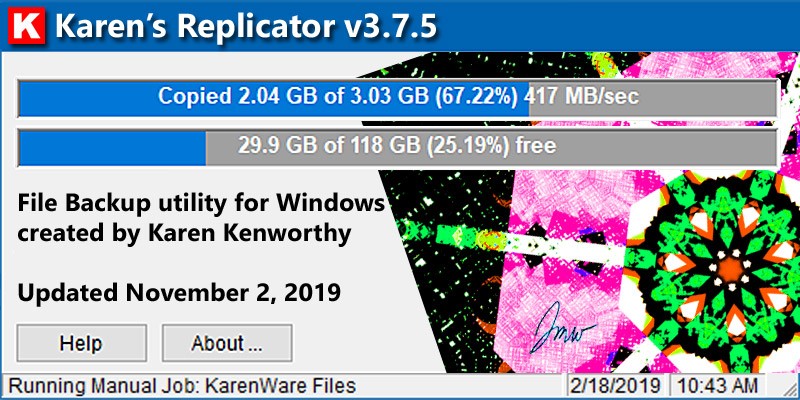
Karen's Replicator
SyncBackFree
Macrium Reflect (image, don't clone !!!)
AOMEI Backupper (image, don't clone !!!)

All above are freeware

Choice of backup depends on what format you want the backed up file(s) - as a single backup file (restoration will be backup program dependent) or native format (backup a .jpg as a .jpg, etc)

In respect of this latter option, command line programs such as Robocopy (again, free) are excellent ... and fast !!!!

All can be scheduled with their own built-in scheduler and/or Windows Task Scheduler.
 

My Computers My Computers

  • At a glance

    Windows 11 2xH2 (latest update ... forever anal)Intel i5-124008GBNVIDIA GeForce GT730
    OS
    Windows 11 2xH2 (latest update ... forever anal)
    Computer type
    PC/Desktop
    Manufacturer/Model
    HP Slim S01
    CPU
    Intel i5-12400
    Memory
    8GB
    Graphics Card(s)
    NVIDIA GeForce GT730
    Sound Card
    OOBE
    Monitor(s) Displays
    Acer 32"
    Screen Resolution
    1920x1080
    Hard Drives
    512GB KIOXIA NVMe
    1TB SATA SSD
    PSU
    OOBE
    Case
    OOBE
    Cooling
    OOBE
    Keyboard
    BT
    Mouse
    BT
    Browser
    Brave FFox Chrome Opera
    Antivirus
    KIS
  • At a glance

    Windows 11 Pro 2xH2 (latest update ... 4ever ...i7-1165G7 @ 2.80GHzIntel Iris Xe Graphics
    Operating System
    Windows 11 Pro 2xH2 (latest update ... 4ever anal)
    Computer type
    Laptop
    Manufacturer/Model
    HP Pavillion 15
    CPU
    i7-1165G7 @ 2.80GHz
    Graphics card(s)
    Intel Iris Xe Graphics
    Hard Drives
    Samsung NVMe 512GB
    + numerous/multiple SSD Type C USB enclosures
    Internet Speed
    NBN FTTN 50
    Browser
    Brave
    Antivirus
    KIS
Both hard drives would have to fry as well. Of course the safest backup is one that is stored completely off the premises of where the computer is used/stored.
I have seen a case where a power surge fried both drives but admittedly years ago. I would imagine designs are more resilient now.

Of course, the bigger risk of keeping backups as you described is online hackers ransoming drive, or corrupting them in someway.

Re. offsite storage, I take view I use cloud for critical files (includes installation codes).

Everything else is replaceable ultimately.

I rather take view, my main issue would be laptop theft (flood unlikely, but fire is a risk of course).

Overall, I consider a separate usb basckup drive is adequate as a hacker cannot touch it whilst offline.
 

My Computer My Computer

At a glance

Windows 11 Pro + Win11 Canary VM.I9 13th gen i9-13900H 2.60 GHZ16 GB solderedIntegrated Intel Iris XE
OS
Windows 11 Pro + Win11 Canary VM.
Computer type
Laptop
Manufacturer/Model
ASUS Zenbook 14
CPU
I9 13th gen i9-13900H 2.60 GHZ
Motherboard
Yep, Laptop has one.
Memory
16 GB soldered
Graphics Card(s)
Integrated Intel Iris XE
Sound Card
Realtek built in
Monitor(s) Displays
laptop OLED screen
Screen Resolution
2880x1800 touchscreen
Hard Drives
1 TB NVME SSD (only weakness is only one slot)
PSU
Internal + 65W thunderbolt USB4 charger
Case
Yep, got one
Cooling
Stella Artois (UK pint cans - 568 ml) - extra cost.
Keyboard
Built in UK keybd
Mouse
Bluetooth , wireless dongled, wired
Internet Speed
900 mbs (ethernet), wifi 6 typical 350-450 mb/s both up and down
Browser
Edge
Antivirus
Defender
Other Info
TPM 2.0, 2xUSB4 thunderbolt, 1xUsb3 (usb a), 1xUsb-c, hdmi out, 3.5 mm audio out/in combo, ASUS backlit trackpad (inc. switchable number pad)

Macrium Reflect Home V8
Office 365 Family (6 users each 1TB onedrive space)
Hyper-V (a vm runs almost as fast as my older laptop)
As I see you need to copy the updated files only every week, if you are using Robocopy ,all you should need to do is rerun the robocopy command with the same parameters. Robocopy will copy over any new, missing, or changed files.

The /mir switch will cause robocopy to delete any files existing in the destination that are not in the source.

If you need to copy the changes only automatically every week without having to copy the while folder again, just try tools like Goodsyn and Gs Richcopy 360.
 

My Computer My Computer

At a glance

windows 11
OS
windows 11
Computer type
Laptop
Manufacturer/Model
Hp Notebook
Karen's Replicator
SyncBackFree
Macrium Reflect (image, don't clone !!!)
AOMEI Backupper (image, don't clone !!!)

All above are freeware

Choice of backup depends on what format you want the backed up file(s) - as a single backup file (restoration will be backup program dependent) or native format (backup a .jpg as a .jpg, etc)

In respect of this latter option, command line programs such as Robocopy (again, free) are excellent ... and fast !!!!

All can be scheduled with their own built-in scheduler and/or Windows Task Scheduler.
Why is image better than clone?
 

My Computer My Computer

At a glance

Windows 11 proIntel(R) Core(TM) i7-8850H CPU @ 2.60GHz 2.59...32GBNvidia Quadro P3200
OS
Windows 11 pro
Computer type
Laptop
Manufacturer/Model
HP Zbook
CPU
Intel(R) Core(TM) i7-8850H CPU @ 2.60GHz 2.59 GHz
Motherboard
HP 842D
Memory
32GB
Graphics Card(s)
Nvidia Quadro P3200
Hard Drives
Samsung 980 1TB M.2
Toshiba KXG50ZNV512G M.2
Crucial P5 Plus 2TB M.2
Mouse
MX Master 3
Internet Speed
500MBPS
Browser
Chrome, Edge
Antivirus
Windows defender

Latest Support Threads

Back
Top Bottom