Backup Software suggestions


mrmatt

Member
Local time
7:57 AM
Posts
72
Location
UK
OS
Windows 11 Home 25H2 26200.8246
Although I have not done so yet, the time is going to come when I am going to need to do a disk image or backup.

I don't know anything really about them. However, I found a download of Macrium Reflect 8, which is apparently the last free one they released.


What do people think ? Is it any good ? What other alternatives are there, please ?


I think I would prefer an actual copy to an external hard drive, rather than 'in the cloud'.


Thanks, if anyone can provide any suggestions please.
 

My Computer

System One

  • OS
    Windows 11 Home 25H2 26200.8246
    Computer type
    PC/Desktop
    Manufacturer/Model
    HP
Although I have not done so yet, the time is going to come when I am going to need to do a disk image or backup.

I don't know anything really about them. However, I found a download of Macrium Reflect 8, which is apparently the last free one they released.


What do people think ? Is it any good ? What other alternatives are there, please ?


I think I would prefer an actual copy to an external hard drive, rather than 'in the cloud'.


Thanks, if anyone can provide any suggestions please.
This question has been asked and answered many times.
Please use the search at the top of the page for backup software.
Here is one of many:
 

My Computers

System One System Two

  • OS
    All Branches but Release
    Computer type
    Laptop
    Manufacturer/Model
    Acer Nitro ANV15-51
    CPU
    AMD Ryzen 7 7735HS 3200-4500 Mhz 8 cores x 2
    Motherboard
    Sportage_RBH
    Memory
    32 GB DDR5
    Graphics Card(s)
    Radeon Graphic / NVIDIA GeForce RTX 4060 8 GB GDDR6
    Sound Card
    AMD/Realtek(R) Audio
    Monitor(s) Displays
    Integrated Monitor (15.3"vis)
    Screen Resolution
    FHD 1920X1080 16:9 144Hz
    Hard Drives
    KINGSTON OM8SEP4512Q-AA 1TB
    Western Digital 256GB
    PSU
    19V DC 6.32 A 120 W
    Cooling
    Dual Fans
    Mouse
    MS Bluetooth
    Internet Speed
    Fiber 1GB Cox -us & 1GB Orange-fr
    Browser
    Edge Canary- Firefox Nightly-Chrome Dev-Chrome Dev
    Antivirus
    Windows Defender
  • Operating System
    Windows 11 Beta
    Computer type
    Laptop
    Manufacturer/Model
    Asus X751BP
    CPU
    AMD A9-9420
    Memory
    8 GB of DDR4
    Graphics card(s)
    AMD Radeon R5
    Screen Resolution
    1600x900
    Hard Drives
    Seagate 1 TB
What about Windows features - is there anything part of W11 for either cloning / imaging, or individual file backup, please ?

What about other software for individual file / folder backup, please ?

Thanks.
 

My Computer

System One

  • OS
    Windows 11 Home 25H2 26200.8246
    Computer type
    PC/Desktop
    Manufacturer/Model
    HP
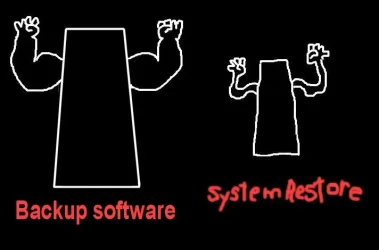
I've used Reflect for years with no issues except $'s - Haselo Backup is free Windows Backup & Restore (Windows 7) had so many issues and MS even says don't use it. Back Up Software.webp
 

My Computer

System One

  • OS
    Win 11 Pro 25H2 26200 8457
    Computer type
    PC/Desktop
    Manufacturer/Model
    HP Omen45L
    CPU
    Intel Core I9 12900K
    Motherboard
    HP 8917
    Memory
    32 GB
    Graphics Card(s)
    Nvidia GeForce RTX 3060 24GB
    Sound Card
    HP
    Monitor(s) Displays
    2 HP 27 & 23
    Screen Resolution
    3840x2160
    Hard Drives
    2 TB Samsung 990 EVO 2 TB Samsung 1 TB SATA ST1000
    PSU
    HP 800 Watt
    Case
    HP
    Cooling
    Water
    Keyboard
    Logo Tech G 213
    Mouse
    Logi Tech 502
    Browser
    FireFox
    Antivirus
    MS Defender / Malwarebytes Prem.
    Other Info
    Omen 45SL purchased from HP 12 2022 - Brother Printer MFC-L2700DW APC 500 Back UPS Macrium Reflect Home 8.1 25H2 Oct 2025 KEK CA 2023 cert April 2026
Been a Macrium user for years and have been very satisfied. We are getting a good deal on a four license Macrium X package. I don't mind paying a fair price for a superior product like this one, everyone has to make a living. Also, Macrium is based in the UK and not China or Russia.
 

My Computer

System One

  • OS
    Windows 11 25H2
    Computer type
    PC/Desktop
    Manufacturer/Model
    Dell
    CPU
    12th Gen i9 -12900K
    Memory
    64GB
    Graphics Card(s)
    Intel UHD Graphics
    Monitor(s) Displays
    Dual Dell U2717D
    Screen Resolution
    2560x1440
    Hard Drives
    2TB Lexar SSD, 2TB Crucial SSD, 2TB Kingston SSD
Windows has built in capabilities, but they can be finicky. Microsoft encourages you to look elsewhere.

"Backup" is a rather vague term.

As you've hinted at, I'd try to divide it into 2 categories: backup of individual personal files and backup of your "system" (Windows and installed applications).

Macrium can do both, but some think separate programs for each category is more flexible.

For individual file backup, you can consider SyncBackFree or Free File Sync, among others. They don't use "imaging", but simply make duplicates of your files in their standard format.

Nowadays, I'd guess Hasleo is the primary competitor to Macrium for system backup.

I have used SyncBackFree for nearly 10 years without issues. I run it once or twice a day. It makes duplicate copies of the 150,000 personal files I have. Each run takes a minute or less.

I used Macrium for 10 years, but recently switched to Hasleo because Macrium has gone to a subscription model.
 

My Computer

System One

  • OS
    Windows 11 Pro
    Computer type
    PC/Desktop
    Manufacturer/Model
    Fishmill Special
    CPU
    Intel 265K
    Motherboard
    MSI Pro Z890-A
    Memory
    G Skill DDR5 2 x 16 kit 6000/36
    Graphics Card(s)
    none
    Sound Card
    none
    Monitor(s) Displays
    Dell 2316H
    Screen Resolution
    1600 x 900
    Hard Drives
    WD SN770 NVME 500 GB boot; Intel 660p NVME 2 TB and WD Green 3 TB storage
    PSU
    Be Quiet 13M 750 ATX 3.1
    Case
    Lancool PC-K65
    Cooling
    Noctua U12S
    Keyboard
    Logitech K120 Wired
    Mouse
    Dell MS-116
    Browser
    Chrome
    Antivirus
    Microsoft Defender and Malwarebytes
The free version of Reflect is fine but no longer supported. I still use an old Reflect 8 licence on my laptop but decided to buy Reflect X for my main desktop PC. Bold decision to select Chines backup software despite good reports.
 

My Computer

System One

  • OS
    Windows 11 Pro
    Computer type
    PC/Desktop
    Manufacturer/Model
    Self build
    CPU
    Core i7-13700K
    Motherboard
    Asus TUF Gaming Plus WiFi Z790
    Memory
    64 GB Kingston Fury Beast DDR5
    Graphics Card(s)
    Gigabyte GeForce RTX 2060 Super Gaming OC 8G
    Sound Card
    Realtek S1200A
    Monitor(s) Displays
    Viewsonic VP2770 & Dell (secondary)
    Screen Resolution
    2560 x 1440
    Hard Drives
    Kingston KC3000 2TB NVME SSD & SATA HDDs & SSD
    PSU
    EVGA SuperNova G2 850W
    Case
    Nanoxia Deep Silence 1
    Cooling
    Noctua NH-D14
    Keyboard
    Microsoft Digital Media Pro
    Mouse
    Logitech Wireless
    Internet Speed
    80 Mb / s
    Browser
    Chrome
    Antivirus
    Defender, Malwarebytes Free & AdwCleaner
Windows has built in capabilities, but they can be finicky. Microsoft encourages you to look elsewhere.

"Backup" is a rather vague term.

As you've hinted at, I'd try to divide it into 2 categories: backup of individual personal files and backup of your "system" (Windows and installed applications).

Macrium can do both, but some think separate programs for each category is more flexible.

For individual file backup, you can consider SyncBackFree or Free File Sync, among others. They don't use "imaging", but simply make duplicates of your files in their standard format.

Nowadays, I'd guess Hasleo is the primary competitor to Macrium for system backup.

I have used SyncBackFree for nearly 10 years without issues. I run it once or twice a day. It makes duplicate copies of the 150,000 personal files I have. Each run takes a minute or less.

I used Macrium for 10 years, but recently switched to Hasleo because Macrium has gone to a subscription model.


I'd need both (one for 'imaging', one for file backup).


I'll try Macrium for imaging, and I'll have a look at SyncBackFree.
 

My Computer

System One

  • OS
    Windows 11 Home 25H2 26200.8246
    Computer type
    PC/Desktop
    Manufacturer/Model
    HP
Although I have not done so yet, the time is going to come when I am going to need to do a disk image or backup.

Ugggh, I have seen this question sooooo many times in sooooo many forums .

1.) If you own a pc and have not yet backed it up , any catastrophe that may happen would be your own fault , because the time should have come and went already , one of the first pieces of software anyone should install on their system is backup software , and after installed the first thing they should do is run a backup or image of a "clean state" so you have a last resort fallback.

2.) Backup software is a matter of personal choice , Macrium being the best but since they changed their licensing model a yearly subscription may be a little steep for some.

3.) There are also plenty of good free backup options ..... Google is your friend
 

My Computer

System One

  • OS
    Windows 11 Pro 25H2
    Computer type
    PC/Desktop
    Manufacturer/Model
    self built
    CPU
    Intel i9-12900K
    Motherboard
    Gigabyte Z790 Gaming Plus AX
    Memory
    Corsair Vengeance 64 GB
    Screen Resolution
    1920x1080
    Browser
    Firefox
    Antivirus
    Eset Smart Secuirty

My Computers

System One System Two

  • OS
    Win 11 Pro 25H2, Build 26200.8524
    Computer type
    PC/Desktop
    Manufacturer/Model
    Home Brew
    CPU
    Intel Core i5 14500
    Motherboard
    Gigabyte B760M G P WIFI
    Memory
    64GB DDR4
    Graphics Card(s)
    GeForce RTX 4060
    Sound Card
    Chipset Realtek
    Monitor(s) Displays
    LG 45" Ultragear, Acer 24" 1080p
    Screen Resolution
    5120x1440, 1920x1080
    Hard Drives
    Crucial P310 2TB 2280 PCIe Gen4 3D NAND NVMe M.2 SSD (O/S)
    Silicon Power 2TB US75 NVMe PCIe Gen4 M.2 2280 SSD (backup)
    Crucial BX500 2TB 3D NAND (2nd backup)
    Seagate 4TB Ironwolf, rotating HDD archive files
    External off-line backup Drives: 2 NVMe 4TB drives in external enclosures
    PSU
    Thermaltake Toughpower GF3 750W
    Case
    LIAN LI LANCOOL 216 E-ATX PC Case
    Cooling
    Lots of fans!
    Keyboard
    Microsoft Comfort Curve 2000
    Mouse
    Logitech G305
    Internet Speed
    Verizon FiOS 1GB
    Browser
    Firefox
    Antivirus
    Malware Bytes & Windows Defender Security
  • Operating System
    Win 11 Pro 25H2, Build 26200.8524
    Computer type
    PC/Desktop
    Manufacturer/Model
    Home Brew
    CPU
    Intel Core i5 14400
    Motherboard
    Gigabyte B760M DS3H AX
    Memory
    32GB DDR5
    Graphics card(s)
    Intel 700 Embedded GPU
    Sound Card
    Realtek Embedded
    Monitor(s) Displays
    27" HP 1080p
    Screen Resolution
    1920x1080
    Hard Drives
    Crucial P310 2TB 2280 PCIe Gen4 eD NAND PCIe SSD
    Samsung EVO 990 2TB NVMe Gen4 SSD
    Samsung 2TB SATA SSD
    PSU
    Thermaltake Smart BM3 650W
    Case
    Okinos Micro ATX Case
    Cooling
    Fans
    Keyboard
    Microsoft Comfort Curve 2000
    Mouse
    Logitech G305
    Internet Speed
    Verizon FiOS 1GB
    Browser
    Firefox
    Antivirus
    Malware Bytes & Windows Defender Security
Ugggh, I have seen this question sooooo many times in sooooo many forums .

1.) If you own a pc and have not yet backed it up , any catastrophe that may happen would be your own fault , because the time should have come and went already , one of the first pieces of software anyone should install on their system is backup software , and after installed the first thing they should do is run a backup or image of a "clean state" so you have a last resort fallback.

2.) Backup software is a matter of personal choice , Macrium being the best but since they changed their licensing model a yearly subscription may be a little steep for some.

3.) There are also plenty of good free backup options ..... Google is your friend


It's something I know very little about, although I am trying to learn. Obviously I recognise the necessity to do so, and sooner than later.


I need something that's easy to use, although paid-for software isn't really an option. Yes, I am aware of the phrase 'you get what you pay for', but..........


As long as I can 'clone' or 'image' (?) when needed to as a precaution, relatively quickly, before doing something important. Also, the facility to back up Pictures, Documents, and other necessary important files and folders. We have an external HD.


We have OneDrive as part of Windows, but only the free version (5gb), and there just isn't room. It's showing that the storage estimate for the stuff we should back up is 65.78gb currently.
 

My Computer

System One

  • OS
    Windows 11 Home 25H2 26200.8246
    Computer type
    PC/Desktop
    Manufacturer/Model
    HP
You might consider making a new full image file just BEFORE accepting Windows Updates.

If not more often.
 

My Computer

System One

  • OS
    Windows 11 Pro
    Computer type
    PC/Desktop
    Manufacturer/Model
    Fishmill Special
    CPU
    Intel 265K
    Motherboard
    MSI Pro Z890-A
    Memory
    G Skill DDR5 2 x 16 kit 6000/36
    Graphics Card(s)
    none
    Sound Card
    none
    Monitor(s) Displays
    Dell 2316H
    Screen Resolution
    1600 x 900
    Hard Drives
    WD SN770 NVME 500 GB boot; Intel 660p NVME 2 TB and WD Green 3 TB storage
    PSU
    Be Quiet 13M 750 ATX 3.1
    Case
    Lancool PC-K65
    Cooling
    Noctua U12S
    Keyboard
    Logitech K120 Wired
    Mouse
    Dell MS-116
    Browser
    Chrome
    Antivirus
    Microsoft Defender and Malwarebytes

My Computer

System One

  • OS
    Windows 11 Home 25H2 26200.8246
    Computer type
    PC/Desktop
    Manufacturer/Model
    HP
New here.

I use Macrium Reflect Home X 10.0.8843. Great backup software. It cost me CA$ 77.37 per year.
 

My Computer

System One

  • OS
    Windows 11 Pro
    Computer type
    Laptop
    Manufacturer/Model
    HP
I use Macrium Reflect X. It's considered the gold standard. My data and my photos are priceless to me, so I don't mind paying a fair price for a superior product.
 

My Computers

System One System Two

  • OS
    Windows 11 Pro
    Computer type
    Laptop
    Manufacturer/Model
    Dell XPS 16 DA16260
    CPU
    Intel Series 3 Core Ultra X9 388H
    Memory
    64GB LPDDR5x 9600 MT/s
    Graphics Card(s)
    Intel Arc graphics B390 Panther Lake
    Monitor(s) Displays
    16" 3.2K Tandem OLED Infinity Edge
    Screen Resolution
    3200 x 2000 16:10 236 PPI
    Hard Drives
    1 Terabyte M.2 PCIe NVMe SSD
    Case
    Black Anodized Aluminum
    Cooling
    Vapor Chamber Cooling
    Mouse
    None
    Internet Speed
    942 Mbps Netgear Mesh + 2 Satellites
    Browser
    Microsoft Edge (Chromium)
    Antivirus
    Windows Security (Defender)
    Other Info
    NPU delivering 67 TOPS
    Microsoft 365 subscription
    Microsoft OneDrive 1TB Cloud
    Microsoft Visual Studio
    Microsoft Visual Studio Code
    Microsoft Sysinternals Suite
    Microsoft BitLocker
    Microsoft Copilot
    Dell Support Assist
    Dell Command | Update
    Macrium Reflect X subscription
    1Password Password Manager
    Amazon Kindle for PC
    Lightroom/Photoshop subscription
    Interactive Brokers Trader Workstation
  • Operating System
    Windows 11 Pro
    Computer type
    Laptop
    Manufacturer/Model
    Microsoft Surface Laptop 7
    CPU
    Snapdragon® X Elite (12 Core) with Hexagon NPU delivering 45 TOPS
    Memory
    32GB LPDDR5x 8448 MT/s
    Graphics card(s)
    Integrated Adreno GPU
    Sound Card
    Omnisonic speakers with Dolby Atmos spatial sound
    Monitor(s) Displays
    13.8″ PixelSense Flow touchscreen 120 Hz 600 NIT
    Screen Resolution
    2304 × 1536 (201 PPI), 3:2 aspect ratio
    Hard Drives
    1 TB PCIe NVMe Gen 4 SSD
    Case
    Black Anodized Aluminum
    Cooling
    Vapor Chamber Cooling
    Mouse
    None
    Internet Speed
    942 Mbps Netgear Mesh + 2 Satellites
    Browser
    Microsoft Edge (Chromium)
    Antivirus
    Windows Security (Defender)
    Other Info
    Microsoft 365 subscription (Office)
    Microsoft OneDrive 1TB Cloud
    Microsoft Visual Studio 2026
    Microsoft Visual Studio Code
    Interactive Brokers Trader Workstation
    Lightroom/Photoshop subscription
    1Password Password Manager
    Microsoft Sysinternals
    Amazon Kindle for PC
    Microsoft BitLocker
    Microsoft Copilot
I use Macrium Reflect X. It's considered the gold standard. My data and my photos are priceless to me, so I don't mind paying a fair price for a superior product.

Fair price? I don't think so , do the math, amount of subscriptions x user base = an amount that would make your head spin. It's greed and nothing but. They could have kept their old licensing model and STILL made money. For the amount of work and updates they put into Macrium a year doesn't warrant what they charge yearly for it.

While it is GOOD backup software , better than most , I wouldn't go so far as to call it superior, Macrium has had it's fair share of headaches in the past.
 

My Computer

System One

  • OS
    Windows 11 Pro 25H2
    Computer type
    PC/Desktop
    Manufacturer/Model
    self built
    CPU
    Intel i9-12900K
    Motherboard
    Gigabyte Z790 Gaming Plus AX
    Memory
    Corsair Vengeance 64 GB
    Screen Resolution
    1920x1080
    Browser
    Firefox
    Antivirus
    Eset Smart Secuirty
However, I found a download of Macrium Reflect 8, which is apparently the last free one they released.

What do people think ? Is it any good ?
Reflect Free v8.0 is the last version before Reflect Free was retired. I first used Macrium Reflect as Reflect Free v7.0. I liked it so much I bought a 4-pack of v7 licences shortly after. Those got upgraded to v8, and I also now have a Reflect X subscription.

But I have more PCs than licences, so all the rest use Reflect Free v8.0, which still works with the latest Win11 builds. I have found it to be 100% reliable. The only risk is that one day MS may make changes to the OS that breaks Reflect v8. If so, neither the free or paid versions should expect to get a patch from Macrium. That has happened once before to my knowledge, but as Reflect v8 continues to work in the latest Insider Canary builds it seems unlikely to happen again any time soon.

Others who'd prefer a currently supported product speak well of Hasleo.
 

My Computers

System One System Two

  • OS
    Windows 11 Home
    Computer type
    Laptop
    Manufacturer/Model
    Acer Aspire 3 A315-23-R9VY
    CPU
    AMD Athlon Silver 3050U
    Memory
    8GB
    Graphics Card(s)
    Radeon Graphics
    Monitor(s) Displays
    laptop screen
    Screen Resolution
    1366x768 native resolution, up to 2560x1440 with Radeon Virtual Super Resolution
    Hard Drives
    1TB Samsung EVO 870 SSD (from April 2026: 250GB EVO 850)
    Internet Speed
    150 Mbps
    Browser
    Edge, Firefox
    Antivirus
    Defender
    Other Info
    fully 'Windows 11 ready' laptop. Windows 10 C: partition migrated from my old unsupported 'main machine' then upgraded to 11. A test migration ran Insider builds for 2 months. When 11 was released on 5th October 2021 it was re-imaged back to 10 and was offered the upgrade in Windows Update on 20th October. Windows Update offered the 22H2 Feature Update on 20th September 2022. It got the 23H2 Feature Update on 4th November 2023 through Windows Update, 24H2 on 3rd October 2024 through Windows Update by setting the Target Release Version for 24H2, and 25H2 on 30th September 2025 through Windows Update by setting the Target Release Version for 25H2.

    UPDATE - 11 April 2026: due to mechanical deterioration this PC has been retired from active duty. The OS with all software and files has been migrated to my System Seven below to carry on as my general purpose 'main machine'.

    My SYSTEM THREE is a Dell Latitude 5410, i7-10610U, 32GB RAM, 512GB NVMe ssd, supported device running Windows 11 Pro.

    My SYSTEM FOUR is a 2-in-1 convertible Lenovo Yoga 11e 20DA, Celeron N2930, 8GB RAM, 256GB ssd. Unsupported device: currently running Win10 Pro, plus Win11 Pro RTM and Insider Dev, Beta, and RP 24H2 as native boot vhdx.

    My SYSTEM FIVE is a Dell Latitude 3190 2-in-1, Pentium Silver N5030, 8GB RAM, 1TB NVMe ssd, supported device running Windows 11 Pro, plus Insider Beta, Dev, and Canary builds (and a few others) as a native boot .vhdx.

    My SYSTEM SIX is a Dell Latitude 5550, Core Ultra 7 165H, 64GB RAM, 1TB NVMe SSD, supported device, Windows 11 Pro 24H2, Hyper-V host machine. Updated to 25H2 on 30th September 2025.

    My SYSTEM SEVEN is a Lenovo Thinkpad T580, Intel Core i7-8650U, 16GB RAM, 512GB NVMe SSD + 2nd 512GB NVMe SSD, a supported device for Windows 11. This is my current general purpose 'main machine'. The installed Windows 11 Home from my System One has been migrated to this machine.
  • Operating System
    Windows 11 Pro
    Computer type
    Laptop
    Manufacturer/Model
    Dell Latitude E4310
    CPU
    Intel® Core™ i5-520M
    Motherboard
    0T6M8G
    Memory
    8GB
    Graphics card(s)
    (integrated graphics) Intel HD Graphics
    Screen Resolution
    1366x768
    Hard Drives
    500GB Crucial MX500 SSD
    Browser
    Firefox, Edge
    Antivirus
    Defender
    Other Info
    unsupported machine: Legacy bios, MBR, TPM 1.2, upgraded from W10 to W11 using W10/W11 hybrid install media workaround. In-place upgrade to 22H2 using ISO and a workaround. Feature Update to 23H2 by manually installing the Enablement Package. In-place upgrade to 24H2 using hybrid 23H2/24H2 install media. Upgraded to 25H2 by Enablement Package. Also running Insider Dev, and Canary builds and Windows 10 as native boot .vhdx.

    My SYSTEM THREE is a Dell Latitude 5410, i7-10610U, 32GB RAM, 512GB NVMe ssd, supported device running Windows 11 Pro.

    My SYSTEM FOUR is a 2-in-1 convertible Lenovo Yoga 11e 20DA, Celeron N2930, 8GB RAM, 256GB ssd. Unsupported device: currently running Win10 Pro, plus Win11 Pro RTM and Insider Dev, Beta, and RP 24H2 as native boot vhdx.

    My SYSTEM FIVE is a Dell Latitude 3190 2-in-1, Pentium Silver N5030, 8GB RAM, 1TB NVMe ssd, supported device running Windows 11 Pro, plus Insider Beta, Dev, and Canary builds (and a few others) as a native boot .vhdx.

    My SYSTEM SIX is a Dell Latitude 5550, Core Ultra 7 165H, 64GB RAM, 1TB NVMe SSD, supported device, Windows 11 Pro 24H2, Hyper-V host machine. Updated to 25H2 on 30th September 2025.

    My SYSTEM SEVEN is a Lenovo Thinkpad T580, Intel Core i7-8650U, 16GB RAM, 512GB NVMe SSD + 2nd 512GB NVMe SSD, a supported device for Windows 11. This is my current general purpose 'main machine'. The installed Windows 11 Home from my System One has been migrated to this machine.
Although I have not done so yet, the time is going to come when I am going to need to do a disk image or backup.

I don't know anything really about them. However, I found a download of Macrium Reflect 8, which is apparently the last free one they released.


What do people think ? Is it any good ? What other alternatives are there, please ?


I think I would prefer an actual copy to an external hard drive, rather than 'in the cloud'.


Thanks, if anyone can provide any suggestions please.
Been using it for the past decade, Macrium is the best. I just use it for OS backups.
 

My Computers

System One System Two

  • OS
    Windows 11 Pro
    Computer type
    PC/Desktop
    CPU
    AMD Ryzen 7 9800X3D
    Motherboard
    MSI PRO B850-P Wifi
    Memory
    32GB DDR5 CL30 Kingston Fury
    Graphics Card(s)
    ASUS Prime Radeon RX 9060 XT OC Edition 16GB
    Monitor(s) Displays
    LG Ultrawide 34" + LG 27" 1080p
    Screen Resolution
    3440x1440
    Hard Drives
    Main Boot Drive : 512GB Adata XPG RGB Gen3x4 NVMe M.2 SSD
    PSU
    EVGA 750 Watts 80+ Gold
    Case
    Deepcool Genome II
    Cooling
    Thermalright Burst Assassin 120
    Internet Speed
    1Gbps
    Browser
    Chrome
    Antivirus
    "Moderna"
  • Operating System
    Windows 11 Pro
    Computer type
    PC/Desktop
    CPU
    i7-4790K
    Motherboard
    ASRock Xtreme6 Z97
    Memory
    16GB Corsair Vengeance Pro
    Graphics card(s)
    MSI R9 290
    Monitor(s) Displays
    LG Ultrawide 34"
    Screen Resolution
    3440x1440
    Hard Drives
    500GB Adata SSD (OS Only)
    PSU
    Thermaltake 475 Watts 80 Bronze
    Case
    Thermaltake Commander I Snow Edition
    Cooling
    Deep Cool Archer Air Cooler
    Keyboard
    Armageddon MKA-5R RGB-Hornet
    Mouse
    Logitech G402
    Internet Speed
    1Gbps
    Browser
    Chrome
    Antivirus
    Moderna :)
Thank you all for your recommendations and advice.
 

My Computer

System One

  • OS
    Windows 11 Home 25H2 26200.8246
    Computer type
    PC/Desktop
    Manufacturer/Model
    HP
Fair price? I don't think so , do the math, amount of subscriptions x user base = an amount that would make your head spin. It's greed and nothing but. They could have kept their old licensing model and STILL made money. For the amount of work and updates they put into Macrium a year doesn't warrant what they charge yearly for it.

While it is GOOD backup software , better than most , I wouldn't go so far as to call it superior, Macrium has had it's fair share of headaches in the past.
I'm quite satisfied with the quality of Macrium Reflect X and the subscription price I pay. Your value system obviously differs from mine.
 

My Computers

System One System Two

  • OS
    Windows 11 Pro
    Computer type
    Laptop
    Manufacturer/Model
    Dell XPS 16 DA16260
    CPU
    Intel Series 3 Core Ultra X9 388H
    Memory
    64GB LPDDR5x 9600 MT/s
    Graphics Card(s)
    Intel Arc graphics B390 Panther Lake
    Monitor(s) Displays
    16" 3.2K Tandem OLED Infinity Edge
    Screen Resolution
    3200 x 2000 16:10 236 PPI
    Hard Drives
    1 Terabyte M.2 PCIe NVMe SSD
    Case
    Black Anodized Aluminum
    Cooling
    Vapor Chamber Cooling
    Mouse
    None
    Internet Speed
    942 Mbps Netgear Mesh + 2 Satellites
    Browser
    Microsoft Edge (Chromium)
    Antivirus
    Windows Security (Defender)
    Other Info
    NPU delivering 67 TOPS
    Microsoft 365 subscription
    Microsoft OneDrive 1TB Cloud
    Microsoft Visual Studio
    Microsoft Visual Studio Code
    Microsoft Sysinternals Suite
    Microsoft BitLocker
    Microsoft Copilot
    Dell Support Assist
    Dell Command | Update
    Macrium Reflect X subscription
    1Password Password Manager
    Amazon Kindle for PC
    Lightroom/Photoshop subscription
    Interactive Brokers Trader Workstation
  • Operating System
    Windows 11 Pro
    Computer type
    Laptop
    Manufacturer/Model
    Microsoft Surface Laptop 7
    CPU
    Snapdragon® X Elite (12 Core) with Hexagon NPU delivering 45 TOPS
    Memory
    32GB LPDDR5x 8448 MT/s
    Graphics card(s)
    Integrated Adreno GPU
    Sound Card
    Omnisonic speakers with Dolby Atmos spatial sound
    Monitor(s) Displays
    13.8″ PixelSense Flow touchscreen 120 Hz 600 NIT
    Screen Resolution
    2304 × 1536 (201 PPI), 3:2 aspect ratio
    Hard Drives
    1 TB PCIe NVMe Gen 4 SSD
    Case
    Black Anodized Aluminum
    Cooling
    Vapor Chamber Cooling
    Mouse
    None
    Internet Speed
    942 Mbps Netgear Mesh + 2 Satellites
    Browser
    Microsoft Edge (Chromium)
    Antivirus
    Windows Security (Defender)
    Other Info
    Microsoft 365 subscription (Office)
    Microsoft OneDrive 1TB Cloud
    Microsoft Visual Studio 2026
    Microsoft Visual Studio Code
    Interactive Brokers Trader Workstation
    Lightroom/Photoshop subscription
    1Password Password Manager
    Microsoft Sysinternals
    Amazon Kindle for PC
    Microsoft BitLocker
    Microsoft Copilot
Back
Top Bottom