Surface IT Pro Blog:
Everyday barriers in plain sight
Most people don’t spend much time thinking about their keyboard. That’s part of what makes it work. You open your device, start typing, and the keyboard fades into the background—until it doesn’t. Until the lighting changes, or your eyes are tired, or you can’t quite tell which key your finger is on. For millions of users, that slight friction isn’t just annoying—it’s a daily barrier.A more visible experience
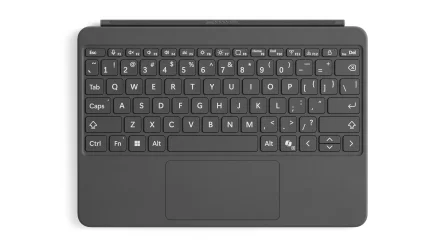
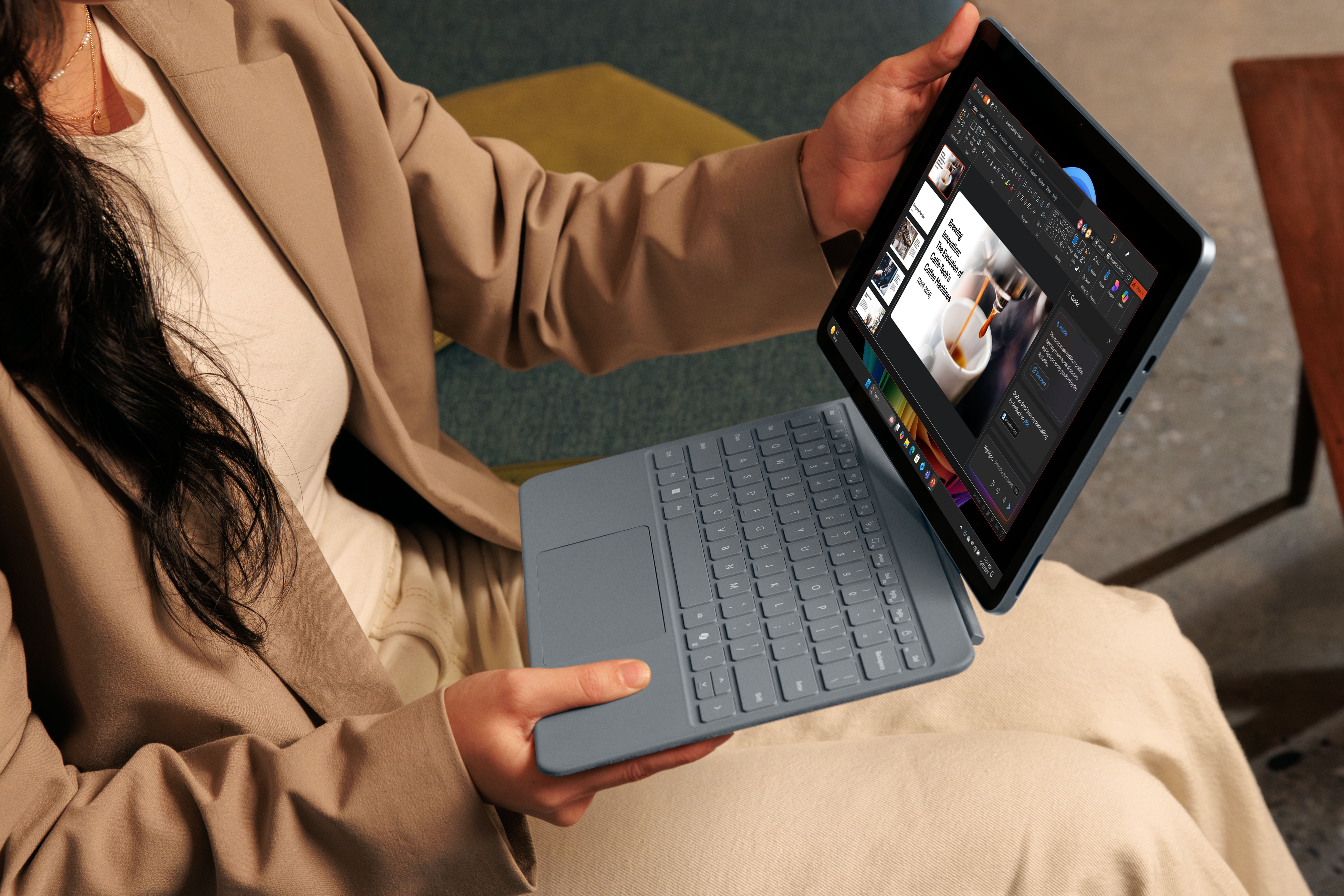
The new Surface Pro 12-inch keyboard features thoughtful changes designed to make typing easier for more people. It started with a simple observation: the key legends were hard to see. That insight led to exploration of overlays used in education, typefaces developed for low vision and dyslexia, and the effects of lighting, spacing, and iconography on legibility.Through rounds of prototypes and refinements, the design team shaped characters, adjusted stroke weights, and tuned backlighting to avoid visual washout—all while keeping the familiar Surface feel.
The result is the optional Bold keyset: a high-contrast, larger-font version of the standard keyboard. Letters are clearer, spacing more deliberate, and labels that once faded into the keycaps now stand out with clarity. These changes quietly reduce effort, one keystroke at a time.
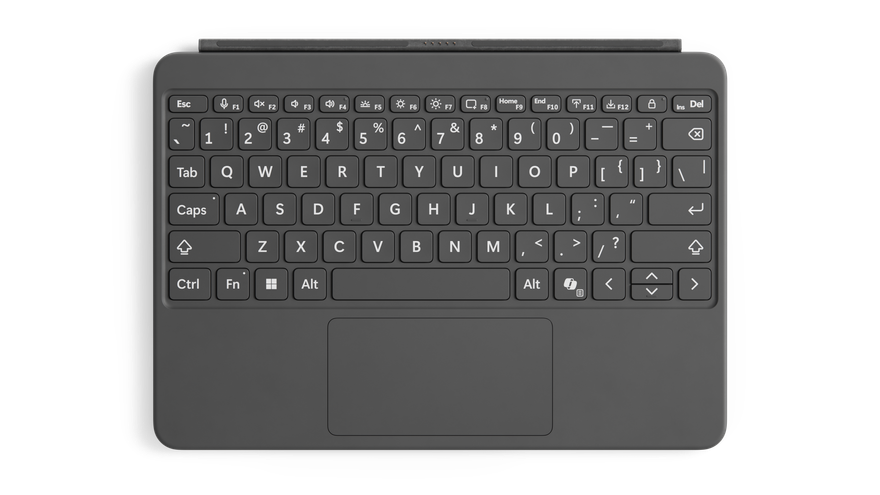
Top-down view of the Surface Pro 12-inch Bold keyset
Designed for wayfinding
We also looked at how people navigate the keyboard by touch. For users who are blind or who rely on tactile orientation, the standard F and J bumps are helpful—but limited. The raised indicators on the F4 and F8 keys that became standard with Surface Laptop 3 and Surface Pro 8 keyboards are also used on the Surface Pro 12-inch keyboard. These positions are intentionally chosen: many common keyboard accessories leave these keys uncovered, making them valuable landmarks.We also included a tactile bump on the down arrow key. For users who navigate interfaces using screen readers, distinguishing up from down by feel is critical. This subtle addition reduces error, speeds up interaction, and supports confidence in every movement.
Adapting to different inputs
Another shift is adaptive touch mode, built directly into the Surface touchpad and easily toggled on through the Surface app. For many people with limb differences, Cerebral Palsy, or mobility conditions such as arthritis, standard touchpads can be difficult or impossible to use. Adaptive touch mode changes that.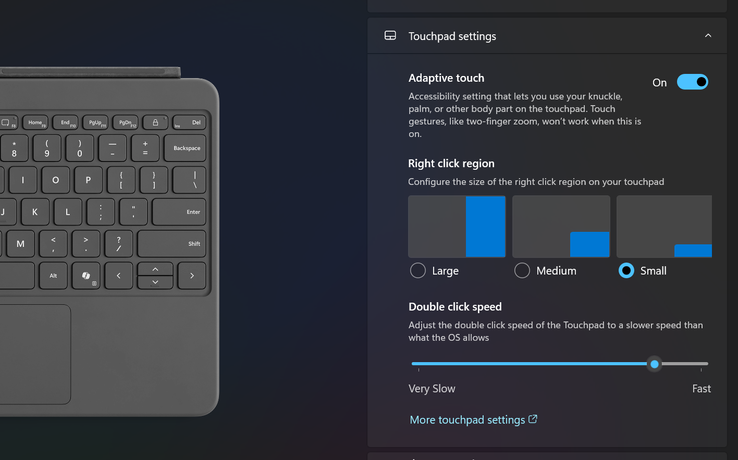
Adaptive touch mode customizable settings
When active, it allows users to adjust how the touchpad responds to their input—whether from a fingertip, palm, edge of the hand, foot, or residual limb. Users can also fine-tune settings such as touch sensitivity, the time between clicks for a double-click to register, and the size or location of the right-click region.
The result is a touch surface that adapts to the person, not the other way around. For people with limited mobility or a wide range of dexterity capabilities, that flexibility turns the touchpad into a customizable, comfortable, and precise tool for daily computing.
Faster access to AI assistance
The keyboard also includes a dedicated Copilot key. One press brings up Microsoft Copilot in Windows 11, giving users immediate access to AI-powered assistance. That could mean summarizing a document, rewriting an email, answering a question, or navigating the system itself. For users with cognitive load limitations, memory challenges, or motor delays, this shortcut eliminates several steps—replacing multi-step workflows with a single action.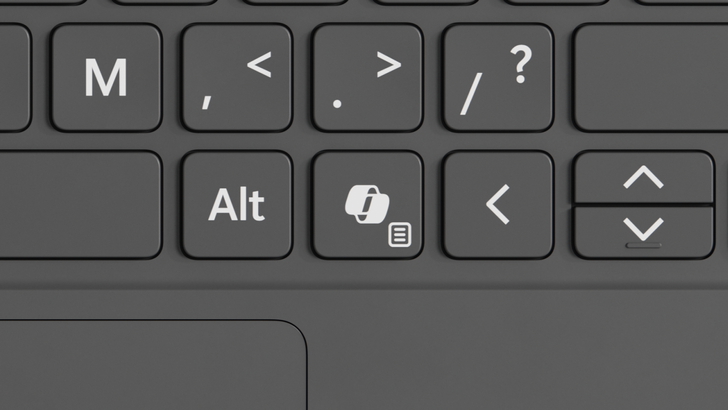
Close-up view of the Copilot Key on the Surface Pro 12-inch keyboard
No extra cost, no added steps
We made a deliberate decision not to make accessibility a premium option, so these updates don’t come with an added cost. The Bold keyset version is priced the same as the standard Surface Pro 12-inch Keyboard and is available in English only, in select markets, including the US, Canada, and China.The built-in features mean that technology decision makers don’t have to choose between cost and comfort. Users don’t have to identify as needing something different. And no one has to explain why they want a keyboard that’s easier to read or more comfortable to touch.
The value of quiet inclusion
This is the kind of work we value most. Not chasing a trend or shipping something flashy—but solving a real problem that someone flagged because their experience didn’t feel as seamless as it should. The Surface Pro 12-inch keyboard with Bold keyset isn’t a new category. It’s a better version of something you already know.It shows up quietly. It gets out of the way. It supports more people without asking anyone to justify their needs.
That’s what inclusive design can be. Thoughtful. Uncomplicated. Built into the core of the product from the start.
And when it works, most people won’t even notice. They’ll just keep typing.
Try our latest Surface Keyboards with the Bold keyset and discover how thoughtful design can make your everyday work easier. Visit the Microsoft Store to explore the difference in visibility, comfort, and accessibility for yourself. Enterprise customers can visit the Enterprise customers can get accessibility support here.
Source:
Making the everyday easier: Behind the scenes with the Surface Pro 12-Inch Keyboard | Microsoft Community Hub
Everyday barriers in plain sight Most people don’t spend much time thinking about their keyboard. That’s part of what makes it work. You open your...
 techcommunity.microsoft.com