Surface IT Pro Blog:
Today’s work happens across locations, roles, and environments. Employees need to shift among focus, collaboration, and communication, often on the move. AI adds new opportunities to support new workflows, while modern threats raise the bar for security. Microsoft builds Surface devices to meet these complex conditions, engineering and validating hardware, firmware, and Windows as one.
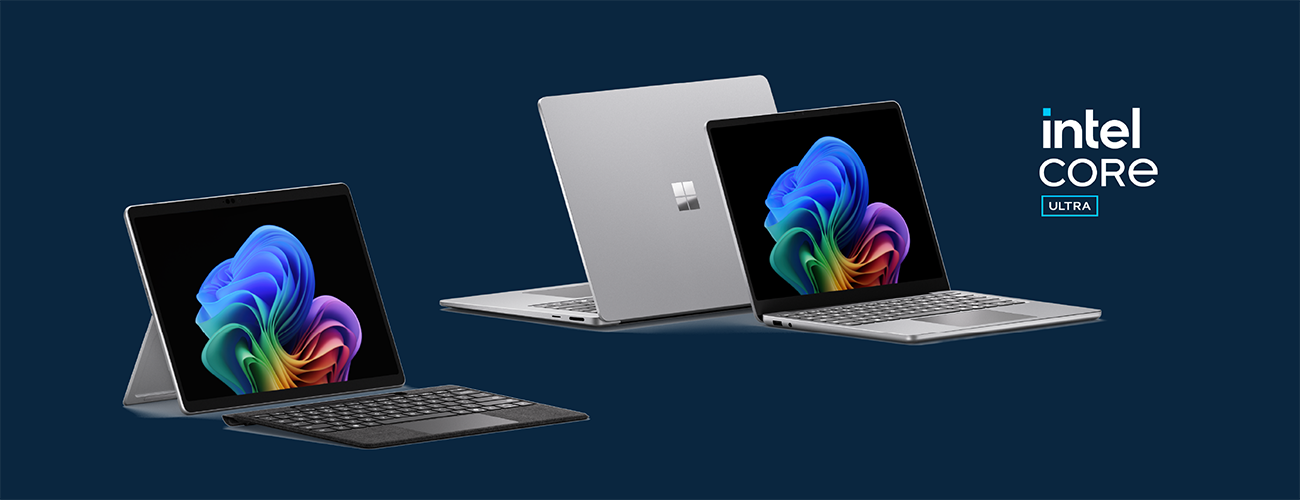
Building on these principles and our longstanding collaboration with Intel, we’re excited to announce the new Surface devices powered by Intel® Core™ Ultra Series 3: Surface Pro for Business, 13-inch, Surface Laptop for Business, 13.8 and 15-inch, and Surface Laptop for Business, 13-inch. With these devices, Surface expands its business portfolio with x86 devices serving distinct needs, built on the Surface commitment to user-centric experiences, sustained performance, and a layered Zero Trust approach to security. For a broader overview of what’s new across Surface for Business and how the latest devices help organizations navigate modern work with AI, see Nancie Gaskill’s announcement blog.
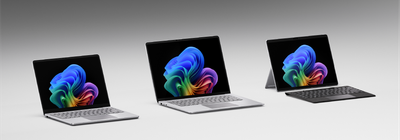
Intel® Core™ Ultra Series 3 brings a system-level approach to performance across CPU, GPU, and NPU—designed for responsive performance under sustained workloads. We dive into the performance characteristics of this new silicon below.
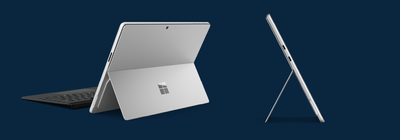
Surface Pro, 13-inch
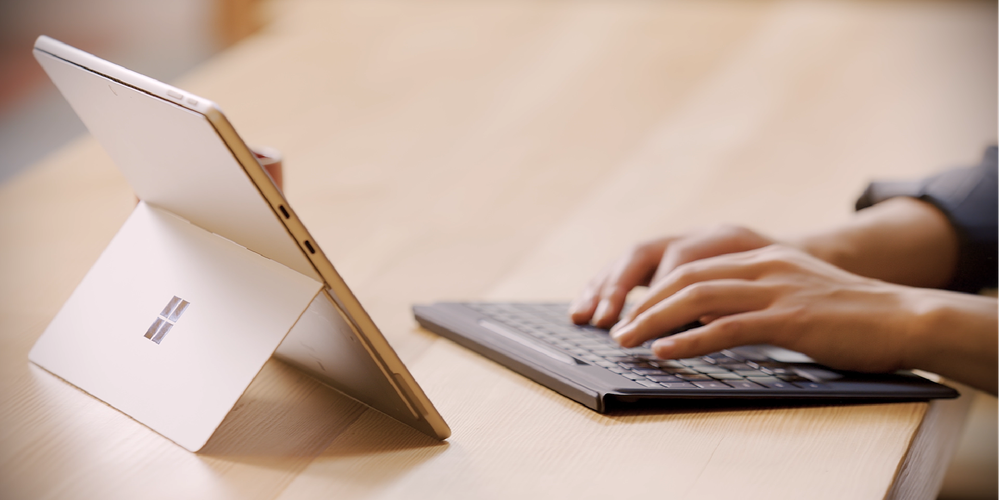
Surface Pro for Business brings the flexibility of a tablet together with the power of a full Windows PC. Its 2-in-1 design with an adjustable kickstand and detachable keyboard (sold separately) lets mobile professionals move fluidly between tablet, laptop, and presentation modes. Optional 5G connectivity enables work to continue even when out of Wi-Fi range.[1]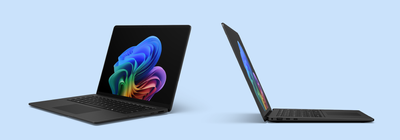
Surface Laptop, 13.8-inch and 15-inch
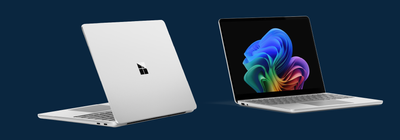
Surface Laptop for Business is a premium laptop for knowledge workers and power users who want impressive performance and refined design. Available in 13.8-inch and 15-inch sizes, it delivers Intel® Core™ Ultra Series 3 performance in a focused, polished Surface laptop design built for sustained focus.The PixelSense™ Flow touchscreen is designed for fluid interaction, with a dynamic refresh rate from 24 to 120 Hz, adaptive color, and adaptive contrast to improve readability in bright environments. Anti-reflective technology is designed to minimize unwanted reflections and has been certified by TÜV SÜD to meet the requirements of ISO 9241-307.
Across the Surface Laptop 13.8 and 15-inch line, the display system is engineered to balance visual quality, responsiveness, and efficiency. On 15-inch Surface Laptop, a higher-resolution panel increases pixel density to 262 PPI for sharper text and visuals, with up to 600 nits (typical) in SDR and up to 600 nits peak luminance in HDR.
The displays on Surface Laptop 13.8 and 15-inch also use an oxide backplane designed to improve flicker margins and stability across refresh rates. Paired with a dynamic refresh range, this supports steadier behavior as refresh changes, improved efficiency when the panel runs at lower refresh, and smoother interaction when it scales up to higher refresh rates. A high-efficiency backlight with prismatic film is designed to help maintain brightness and power efficiency alongside the higher-resolution panel. Support for a wide color gamut (DCI-P3 100%) offers accurate color reproduction.
On select commercial 13.8-inch models, Surface Laptop is also available with an optional integrated privacy screen with anti-glare coating, designed to reduce viewing angles with one click for work in shared, mobile, and privacy-sensitive environments. We’ll go into the technical details on the privacy screen later in the post.
Surface Laptop, 13-inch
Completing the portfolio of Intel-powered Surface devices, Surface Laptop for Business, 13-inch[2] features a balance of productivity features in a 13-inch form factor, among the most portable Surface laptop designs available and designed to support broad deployment across a range of use cases. Together, these options provide flexibility without fragmentation, making it easier to support different workstyles while maintaining a cohesive device strategy.The first Surface devices with Intel Core Ultra Series 3
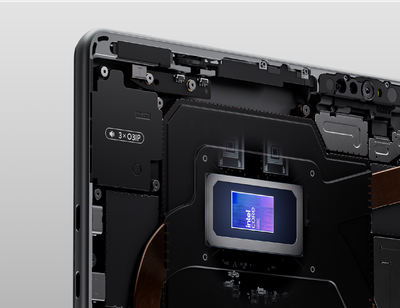
The Intel® Core™ Ultra Series 3 system-on-chip platform reflects a shift toward a system-level approach to performance—designed to help provide responsive performance under sustained workloads within consistent power and thermal conditions that IT can plan for and manage. More than 90% faster performance than Laptop 5[3] and up to 2x faster performance than Surface Pro 9[4] highlight the generational gains across the portfolio.
Rather than treating the CPU, GPU, and NPU as isolated components, workloads can be directed to the engine best suited to manage them efficiently, helping balance performance and power consumption. For sustained, real-world productivity—meetings, browser-heavy multitasking, local AI inference, and security features like virtualized based security—this design is intended to help maintain consistency over time instead of optimizing only for short bursts. For graphics-intensive workflows, Surface Laptop with Intel® Core™ Ultra X7 processor has up to 35% more graphics performance than MacBook Air with M5.[5]
Mobile productivity is also a key focus with up to 60% faster unplugged performance than Surface Laptop 7th Edition with Intel[6] and up to 2x faster unplugged performance than Surface Pro 11th Edition with Intel[7].
Built on a shared Intel® silicon architecture across Surface Pro and Laptop for Business, the platform is designed to support everyday work scenarios such as meetings, multitasking, content creation, and select AI-enabled workflows while helping reduce noticeable tradeoffs in performance or battery life.
| Device | Battery Life |
|---|---|
| Surface Pro for Business, 13-inch | Up to 17 hours or up to 2X more than Surface Pro 9[8] |
| Surface Laptop for Business, 13.8 and 15-inch | Up to 23 hours or up to 2x more than Surface Laptop 5[8] |
| Surface Laptop for Business, 13-inch | Up to 22 or up to 2x more than Surface Laptop 5[8] |
For IT, these additions to the Surface portfolio provide a consistent x86 foundation across devices, with predictable power and performance behavior to support standardized deployment.
Designed for brilliance
With this Intel-powered Surface generation, we focused on interaction and mobility fundamentals that help people stay productive wherever work happens.Precision you can feel
With this generation, haptic touchpads move beyond replicating clicks to deliver nuanced tactile cues across everyday interactions. Haptics on these new Surface devices are engineered and validated across hardware, firmware, and Windows to deliver a coordinated experience. Tactile feedback is designed to arrive with low perceived delay (targeting feedback under ~50 ms) so it feels connected to the action and becomes learnable and trustworthy over time. And now Windows is evolving Advanced Haptics as a system-level interaction language, shaped by insights from the Surface team, that can scale beyond Surface.Haptics are reserved for user actions, designed to reinforce clear cause and effect without adding visual or cognitive noise. Employees can adjust haptic feedback strength or turn it off through Windows settings.
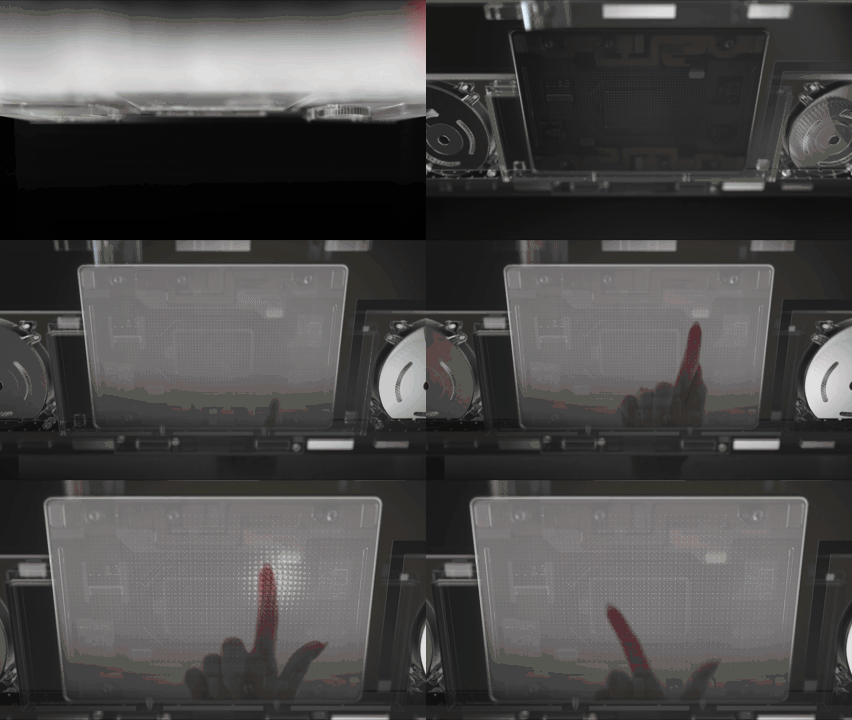
Examples of haptic patterns used to support precision and confidence include:
- A subtle cue when your pointer nears the Close button—so you don’t accidentally close an important window
- A crisp alignment cue when objects snap to guides or canvas edges in drag, scale, or rotate interactions
- Detents indicating discrete steps of the slider range.
Haptics also extend to pen input. Surface Slim Pen 2 includes a haptic motor in the pen to make inking feel more natural, with distinct tactile signals that can confirm supported actions (for example, crossing out to delete or lassoing objects in Windows and supported apps) and help people annotate, review, and brainstorm with more confidence.
Third-party apps are already taking advantage of advanced haptics
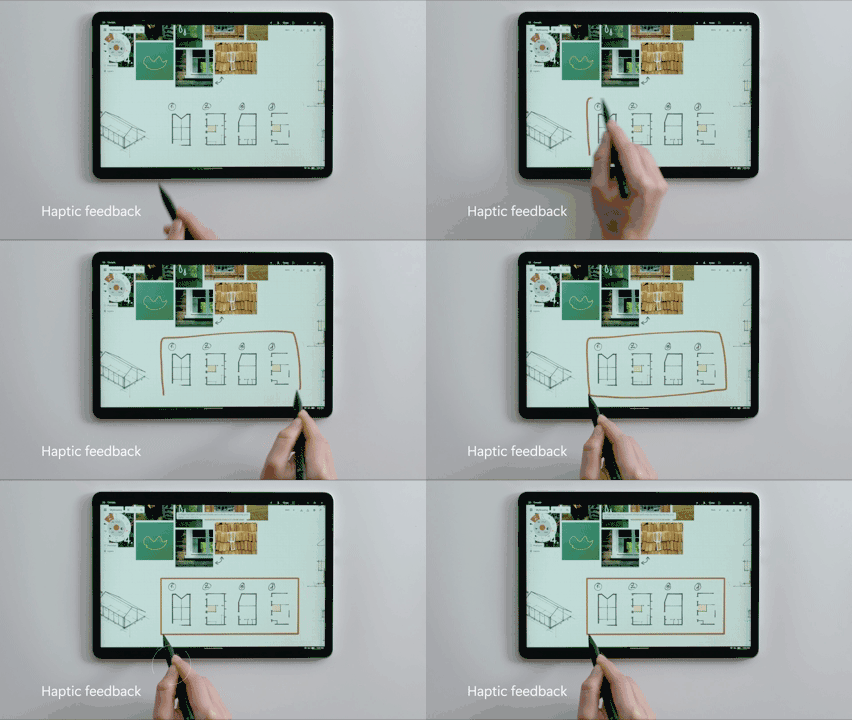
In third-party creative apps such as Concepts, Windows advanced haptics can reinforce precision tasks such as grid snapping, object rotation, shape recognition, and slider limits with consistent tactile cues—so alignment and boundaries can be felt quickly without extra on-screen prompts.
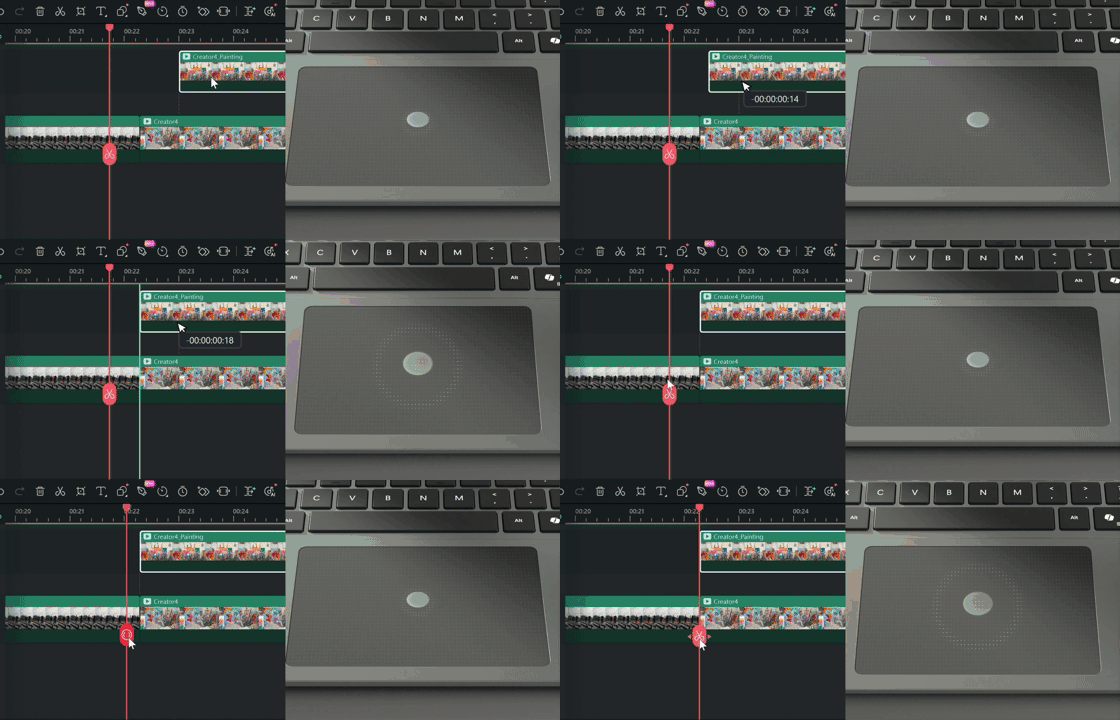
In third-party video editing apps like Wondershare Filmora, Windows advanced haptics can provide subtle confirmation for actions such as timeline snapping, image alignment, and property control adjustments helping reduce missed targets during repeatable edits.

Connectivity options for work on the move
Modern work assumes connectivity, and Surface designs accordingly. For Surface Pro, the optional 5G configuration supports productivity and responsiveness in real-world mobile settings while aligning with enterprise expectations for security, performance, and manageability.Across the portfolio, the new Surface devices include Wi-Fi® 7 and Bluetooth® Core 5.4 with Bluetooth® Low Energy, while select configurations also offer support for 5G for highly mobile roles and work across locations.
For 5G configurations, Surface treats connectivity as a system design area shaped by how people actually use their devices. Engineering work includes extensive electromagnetic simulations to optimize antenna performance, with careful studies to place them in optimal locations that ensure robust connectivity across usage scenarios. Validation extends beyond the lab to furnished homes, active office environments, and field testing with over 100 mobile operators across more than 50 countries. [9]

Engineered for security
Surface provides multilayered protection across hardware, firmware, and OS, built and validated by Microsoft. All Surface devices are Secured-core PCs, which helps organizations start from a consistent, security-forward baseline, with key Windows protections enabled by default.Protected from the first boot
The security foundation of Surface begins at the hardware level. Surface devices establish a hardware root of trust anchored by an Intel integrated TPM, supporting features such as Dynamic Root of Trust Measurement (DRTM) for System Guard Secure Launch, Secure Boot, runtime integrity, and hardware-based isolation. Together, these capabilities support defense in depth and help protect sensitive workloads.Windows System Guard extends that protection by helping validate system integrity during startup and after Windows is running. At startup, System Guard Secure Launch uses DRTM to transition the CPU into a hardware-controlled trusted state and measure critical components before higher-level protections such as virtualization-based security rely on them. After boot, those measurements can support local and remote attestation, helping organizations confirm that the device started in a known-good state as part of a broader Zero Trust model.
Hardening the layers beneath the OS
Through the Open Device Partnership, previously discussed in this blog and SFI report, Microsoft and ecosystem partners are contributing to modern, security-first approaches to system software, including work that emphasizes memory-safe implementations of critical components.
That work includes Secure Embedded Controller, or Secure EC. The embedded controller is a low-power microcontroller responsible for functions such as power sequencing, battery charging, thermal policy, and peripheral coordination. ODP work includes a modern approach to embedded controller firmware designed around clearer modular boundaries and secure boot concepts for the microcontroller itself.
Surface has been using its own custom Unified Extensible Firmware Interface (UEFI), built on Project Mu, Microsoft’s open source UEFI firmware framework. The new Intel devices also include Patina, a UEFI-compatible firmware approach written in Rust. Patina includes a Rust-based implementation of the UEFI DXE core, the core execution environment within UEFI, and is designed to support a measured boot flow rooted in hardware trust while improving the ability to reason about and validate core boot behavior. Surface has also invested in Rust-based Windows drivers and has contributed supporting tooling and infrastructure to the open development ecosystem to encourage transparency and collaboration.
For IT, these investments help reduce risk in areas that are difficult to monitor at runtime: firmware and drivers. Memory-safe implementations can reduce exposure to certain memory safety issues, and clearer component boundaries can reduce firmware and driver attack surface while making updates easier to validate and roll out.
Because Microsoft builds and services the Surface stack end to end, firmware and drivers can be delivered and maintained as part of coordinated device servicing alongside Windows—supporting clear lifecycle planning and consistent remediation through Windows Update over time.
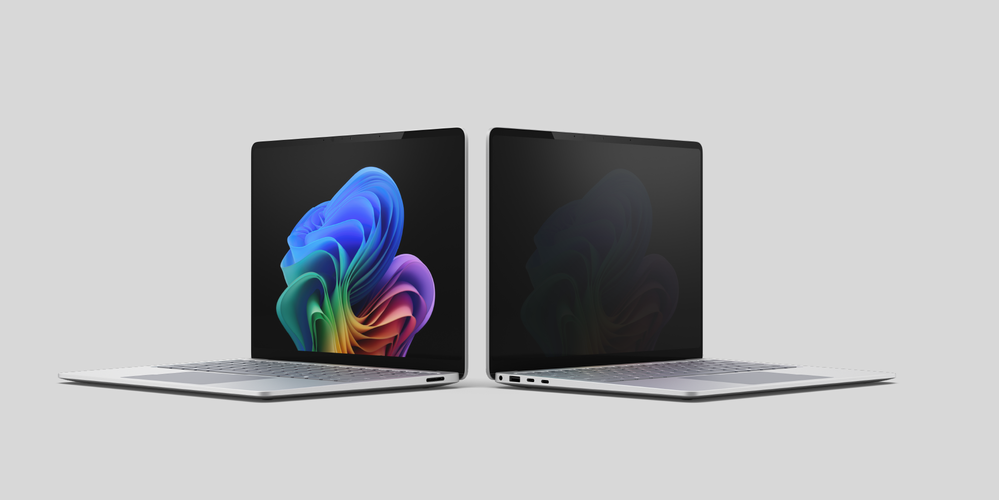
Visual privacy built into the display
Camera systems, sensors, and physical protections are also integrated as part of the overall device design, supporting privacy in ways that fit naturally into how people work. On select 13.8-inch Surface Laptop devices, an optional integrated privacy screen is engineered as part of the display system eliminating the need for users to carry and attach a separate privacy screen. With one click, it helps reduce viewing angles for work in shared, mobile, and privacy-sensitive environments.Our attention to detail extends to the design of the integrated privacy screen. Maintaining device dimensions and product visual identity were two key priorities for the Surface engineering team, achieved by integrating a glass-based privacy screen into the existing enclosure without increasing thickness. When enabled, the display is designed to reduce visibility from side angles while maintaining a clear, readable view for the person in front of the screen. Rather than simply reducing brightness, a luminance control algorithm makes the display appear significantly dimmer from off-axis viewing angles. The algorithm continuously balances readability and off-axis privacy by considering the on-axis luminance target (nits), ambient light level (lux), and the display’s contrast characteristics to determine an appropriate ambient contrast ratio. It is designed to operate alongside core Windows display technologies such as automatic brightness and HDR.
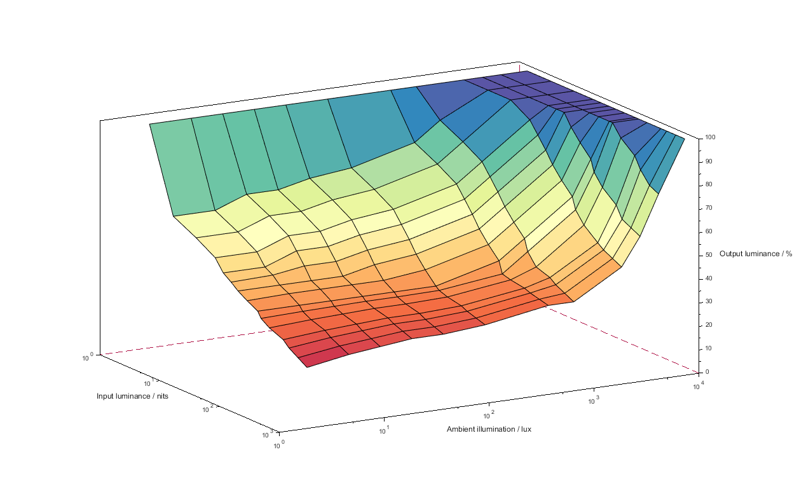
Integrated privacy screen relative output luminance as a function of ambient illuminance and input luminance
Brightness behavior is managed as part of the visual privacy experience. If automatic brightness is enabled, the system adjusts the on-axis luminance target to maintain readability for the person in front of the display while preserving reduced visibility from side angles. If automatic brightness is turned off, users can still set brightness manually using the Windows brightness control; the visual privacy logic then works within that user-selected setting to preserve the off-axis dimming effect.
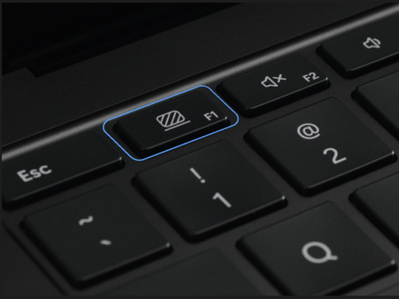
Users can toggle the integrated privacy screen using the dedicated keyboard key (F1) for quick control. The Surface app also provides a visual privacy toggle and can indicate when the feature is managed by IT policy. When enabled, the privacy screen effect applies only to the built-in display (not external monitors). The privacy screen state persists across reboots and sleep/wake cycles.
Together, these layers deliver security by design: Surface hardware and firmware protections combined with Windows 11 Pro defenses enabled by default, working as a continuous, system-level foundation. For more details regarding the technology and implementation of our integrated privacy screen option, refer to our technical documentation here.
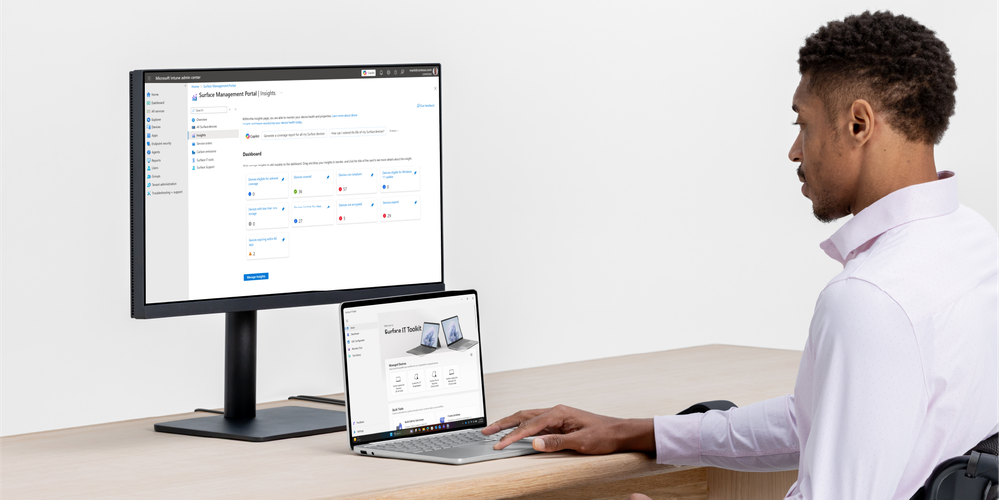
Trusted for transformation
From manageability and lifecycle consistency to on-device experiences that can run locally, Surface is built as a platform organizations can adopt with confidence and grow over time.Local AI, built for business
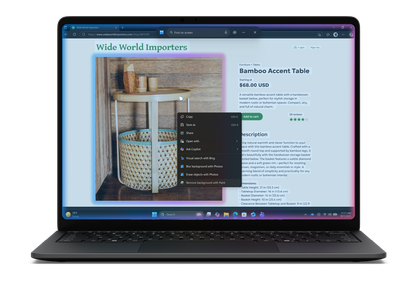
With Intel® Core™ Ultra Series 3, the system is architected for heterogeneous compute, coordinating the CPU, GPU, and integrated NPU so select AI workloads can run on dedicated silicon without competing with core productivity tasks. This can support more responsive on-device AI experiences in select scenarios and helps keep performance and power behavior more predictable for IT.
On Copilot+ PCs, the NPU enables Windows experiences designed to run locally, including features such as Fluid Dictation, Click to Do, improved Windows Search and more. These experiences are powered by on-device models that ship with Windows, relying on the NPU to analyze on-screen content, surface relevant actions, and help people find information and interact with Windows and supported apps using natural language.
Third-party apps also continue to explore the power of the NPU. Cephable is showcasing a new class of on-device AI assistant, optimized for Intel® Core™ Ultra Series 3, enabling intelligent workflows to run locally for improved responsiveness, control, and security. By integrating with Microsoft’s local AI stack, Cephable demonstrates how developers can bring AI-powered automation directly to the device, helping organizations unlock new efficiencies while keeping data closer to where work happens.
Move from AI pilots to real workflows
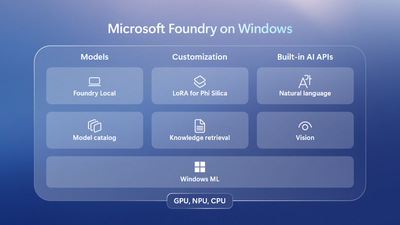
Beyond in-box experiences, users and developers are empowered to build lightweight, task-specific AI workflows that run locally on the NPU, using local models from Microsoft Foundry on Windows in scenarios where sending every step to the cloud is not practical. This pattern can support work in environments with variable connectivity, reduce reliance on cloud API token usage for routine tasks, and keep sensitive processing on the device when appropriate. For a deeper look at this use case, see the blog post “Vibe Coding for the NPU” by Frank Bucholz.
Progress through sustainability
Surface sustainability shows up in deliberate hardware decisions that matter for businesses. These devices increase the use of recycled materials by adding 100% recycled copper in the motherboard, reducing reliance on virgin materials.[10] Surface Laptop for Business, 13.8-inch and 15-inch, and Surface Pro for Business, 13-inch are also made with a durable recycled aluminum enclosure, consisting of 100% recycled aluminum.[11]The packaging for these devices uses wood-based fiber made from at least 77% recycled content[12] with 100% of virgin paper sourced from responsibly managed forests[13]. These innovations have substantially reduced single-use plastics, advancing Microsoft’s broader progress to significantly reduce to just 0.07% across primary device packaging[14].
Energy efficiency is designed in at multiple layers, from ENERGY STAR® certification[15] to features like automatic keyboard backlighting that intelligently reduces power draw during everyday use.[16]
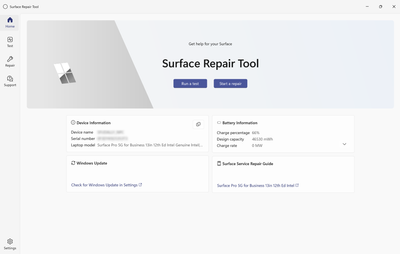
Surface continues to invest in repairability. The new Surface Repair Tool lets technically skilled individuals and independent repairers diagnose and repair key components for supported devices.[17]
Looking ahead
With this generation of Intel-powered Surface devices, Surface reinforces its commitment to devices designed with intention, engineered with security at the core, and built to earn trust over time. Together, this portfolio reflects the long-standing collaboration between Intel and Surface, grounded in reliability, compatibility, and trust.This is one part of a broader silicon strategy. Surface remains committed to optionality for business customers, with more to share soon about continued partnership with the Snapdragon® X2 platform and additional Surface innovations ahead.
To see how these products and features come to life with customers—and what they can unlock as organizations move from experimentation to real AI transformation—be sure to read Nancie’s blog: Introducing new Surface devices built for Business and AI acceleration.
Ready to get started? Check with your Surface commercial authorized reseller or head to the Microsoft Store to buy direct. When shopping at Microsoft.com, customers can take advantage of fast, free shipping, free 60-day returns, and flexible payment options.[18]
We’re excited to see how Surface can help you along your AI journey.
Additional Resources:
Read: Introducing new Surface devices built for Business and AI acceleration | Nancie Gaskill | Microsoft Devices BlogVisit the Microsoft Store
- Surface Pro for Business, 13-inch
- Surface Laptop for Business, 13.8 and 15-inch
- Surface Laptop for Business, 13-inch
Source:
Inside the new Intel‑powered Surface portfolio: A deep dive | Microsoft Community Hub
Today’s work happens across locations, roles, and environments. Employees need to shift among focus, collaboration, and communication, often on the move. AI...
 techcommunity.microsoft.com

Introducing new Surface devices built for business and AI acceleration
Every IT leader and partner we work with is navigating the same challenges: AI is changing the demands of how teams work, security threats are growing more sophisticated and agents are changing investment decisions for the future. All under greater s
 blogs.windows.com
Last edited: