- Local time
- 5:45 AM
- Posts
- 75
- OS
- windows 11 home 64bit 24H2 (OS Build 26100.7992)
current windows version: Windows 11 Home, 24H2 Build 26100.7922
Brother MFC-J1010DW connected via USB
There was a sequence of events that began with my printer printing two copies of every print job. The print window was set to one copy. I tried several suggested cures to no avail. So---I went to device manager, chose uninstall, and restarted my computer. (This an operation I have used countless times without issues.) Upon restart, I could not print anything. I Googled solutions which sent me to the Brother printer website.
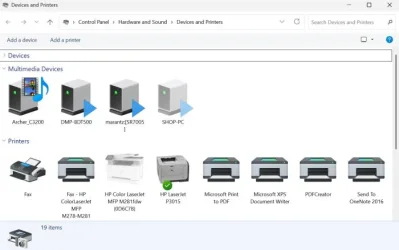
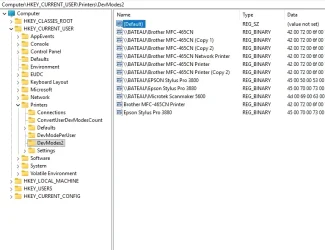
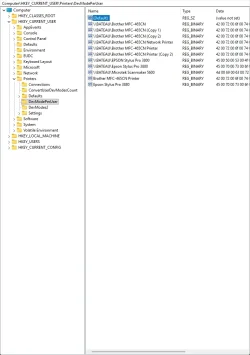
The recommendation was to uinstall/reinstall the drivers. I followed the instructions carefully to ensure that I did not do anything wrong. The result was a new printer named "Brother MFC-J1010DWcopy. The original name is no longer shown under default printers. Nothing will print via windows print dialog window. The only way I can print anything is by using printQueueCleaner. Printing a test page via printQueueCleaner works flawlessly.
I would greatly appreciate any helpful replies.
reagards,
caffeine
EDIT: As an afterthought I copied a document directly from the printer successfully.
Brother MFC-J1010DW connected via USB
There was a sequence of events that began with my printer printing two copies of every print job. The print window was set to one copy. I tried several suggested cures to no avail. So---I went to device manager, chose uninstall, and restarted my computer. (This an operation I have used countless times without issues.) Upon restart, I could not print anything. I Googled solutions which sent me to the Brother printer website.
The recommendation was to uinstall/reinstall the drivers. I followed the instructions carefully to ensure that I did not do anything wrong. The result was a new printer named "Brother MFC-J1010DWcopy. The original name is no longer shown under default printers. Nothing will print via windows print dialog window. The only way I can print anything is by using printQueueCleaner. Printing a test page via printQueueCleaner works flawlessly.
I would greatly appreciate any helpful replies.
reagards,
caffeine
EDIT: As an afterthought I copied a document directly from the printer successfully.
- Windows Build/Version
- Windows 11 Home, 24H2 Build 26100.7922
Last edited:
My Computer
At a glance
windows 11 home 64bit 24H2 (OS Build 26100.7992)AMD RYZEN 5 8645HS, base 4.3GHz- up tp 5 GHz16GB DDR5
- OS
- windows 11 home 64bit 24H2 (OS Build 26100.7992)
- Computer type
- Laptop
- Manufacturer/Model
- Lenovo ideapad 5
- CPU
- AMD RYZEN 5 8645HS, base 4.3GHz- up tp 5 GHz
- Memory
- 16GB DDR5
- Monitor(s) Displays
- 2
- Screen Resolution
- 1920x1200
- Hard Drives
- 512 GB SSD
- PSU
- 65W
- Case
- military grade (mil-std 810h), color-abyss blue
- Keyboard
- backlit, light blue
- Mouse
- Logitech M100
- Internet Speed
- SLOOOOOOOW
- Antivirus
- Windows Defender & MBAM
- Other Info
- novabench score 2443