

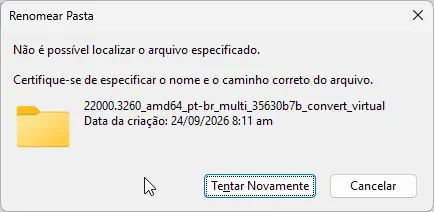
Cut and paste is glitching and not working; it says the specified file cannot be found. The same thing happens when renaming a folder.
However, copying and pasting the file works.
When I create a new folder and try to rename it, it also says the folder doesn't exist; it doesn't work when extracting from WinRAR and trying to rename it either, It says the specified file cannot be found.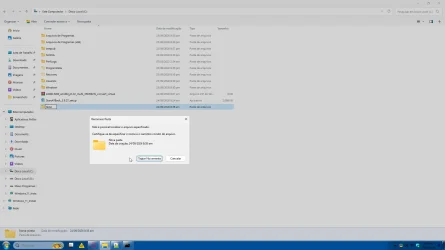
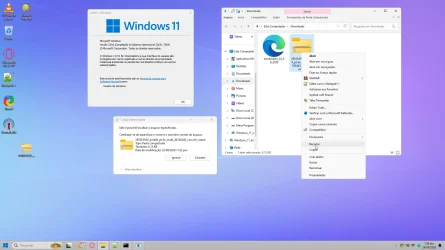
However, copying and pasting the file works.
When I create a new folder and try to rename it, it also says the folder doesn't exist; it doesn't work when extracting from WinRAR and trying to rename it either, It says the specified file cannot be found.
- Windows Build/Version
- 23H2 22631.7584
Last edited:
My Computer
At a glance
Windows 10, Pro for Workstationscore 2 duo E74004G DDR2NVIDIA Geforce 6200 TurboCache
- OS
- Windows 10, Pro for Workstations
- Computer type
- PC/Desktop
- Manufacturer/Model
- Custom
- CPU
- core 2 duo E7400
- Motherboard
- MSI G31M3-L V2 (MS-7529)
- Memory
- 4G DDR2
- Graphics Card(s)
- NVIDIA Geforce 6200 TurboCache
- Sound Card
- None
- Monitor(s) Displays
- Philips TV 43PFG5102/78
- Screen Resolution
- 1920x1080
- Hard Drives
- HDD: Old 930gb, Second HDD 698gb
- PSU
- 300W
- Case
- Goldship
- Cooling
- default
- Keyboard
- Exbom
- Mouse
- Exbom
- Internet Speed
- 600mb
- Browser
- Opera
- Antivirus
- Windows Segurity
- Other Info
- I no longer have my old computer—the one with the Ryzen 5500, GeForce 1650 Super, and 16GB of DDR4 3200 MHz RAM.






