Meh, I'd shuck the drive anyway. It couldn't hurt. If the USB bridge isn't soldered to the drive then there's a chance I'll still have a working hard drive. I got a 3TB Western Digital Green to last me another 6 years that way. Yes, that is right. It was a USB external hard drive. Sure, it was only 5400 Rpm. Sure, it didn't have the fancy firmware, and reliable RAID capability, but it sure made for a heckuva scratch drive and here's the irony: I kept it in a Sabrent external drive enclosure and I could read ALL of the original data on it. BUT WAIT, there's more! I gave it to my daughter who has now left the nest. She uses it to make Windows System Images and ye olde Windows 7 backups. She says it has never given her a problem. I told her to only use that as a last resort. So boys, as far as I know that olde 3TB Western Digital Green is still running to this day. (Likely because it is mostly off duty.)
And now for the caveat:
User experience may vary. User preference prevails. Myself, I would NEVER USE a Western Digital mechanical hard drive for keeping any critical data.*
TODAY, Western Digital makes GARBAGE hard drives ... I mean really lousy mechanical hard drives. Most of these are SMR drives.
and they will keep on making garbage hard drives because it is in the best interest of their shareholders to make garbage hard drives.
IF you're looking for reliable and affordable mechanical hard drives (aka "spinners") I don't recommend buying anything with Western Digital's name on it.
1) Buy CMR. Always avoid SMR (shingled) drives. Seagate has some good ones but so does Toshiba. CMR will cost a wee bit more.
2) If you know you're going to be doing a lot of work on the drive, constant writing and rewriting over the drive on a consistent basis, consider getting a drive that is made for enterprise class, or at least a NAS drive. Sure, it may be a little more expensive but what is your data worth to you?
3) Consider mirroring your data. IF your storage is valuable why are you not making duplicate copies of it? RAID1 will do this automatically. Sure, it's a bit slower but can pay off in the long run. In nowise do I recommend running your operating system in RAID1. I am referring to storage. You can run your OS at regular speed while your storage runs in RAID1. Yes, it will require a duplicate drive of the same capacity (I recommend same make and model) but in the long run you may be glad for this. Example:
Today, I have to swap out a 1TB Seagate Pipeline drive for my daughter. No, not that one, the other one, the blonde one. (I have four daughters.) She uses her "archives" a lot. I instructed her to keep a storage drive archiving all her personal files and set her up with a RAID1 archives. Well, after many, many years of use the Pipeline finally bit the biscuit. I mean it absolutely cratered. It's dead. She never noticed because her "archives" was still functional but the second drive in RAID1 was spent. Had she only been running a single drive for her archives and the drive died like this old Pipeline did she would have lost all of her archives. I got her to reboot her PC and to check the IRST GUI interface and sure enough there was the text in yellow > "Degraded. Bootable Yes". Indeed. Bootable because it is a RAID1 array and one drive is still functional. Fortunately, I have an identical drive for it on hand which I robbed from another PC.
4) I don't advise buying these pre-configured in the encasement external hard drives. You never know what you're getting. Companies reserve the right to swap out the guts whenever they wish and sell it under names like "My Book", "My Passport", "My Albatross", "My little PITA", or whatever. IF you must use an external hard drive just get an enclosure that you can open up and pop in a drive of your choice. These companies like to peddle such devices under the guise of security to rope your data and eventually hold it hostage for when your My Little PITA shuts down on you. Data encryption is only one of the methods they use. In fact, in a way, it works much like legalized ransomware. IMO of course. In fact every thing I've typed here is my opinion. I'm a very opinionated kind of guy.

Have fun!
*Exception: Western Digital Velociraptor Enterprise SATA/SAS drives. Which, to wit, they no longer manufacture.
15 years old and still humming without issue. But those are from another time, and I am from another time.

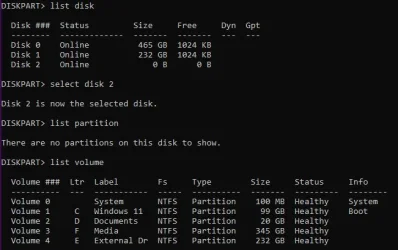




 I missed that little tidbit of information: MY PASSPORT USB drive.






