- Local time
- 7:57 AM
- Posts
- 19
- OS
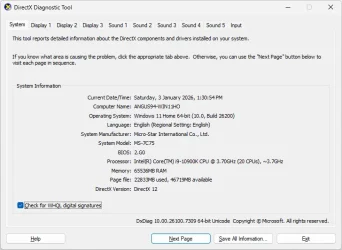
- Windows 11 Home v25H2 Build 26200.7171 64 bit
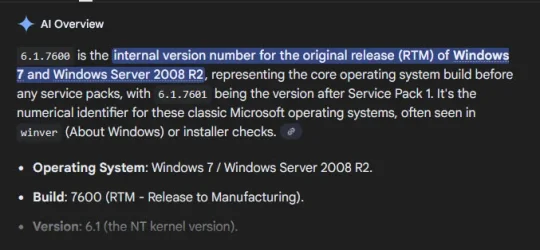
hi all, ive been trying to install some software on my pc, (win11 home 64 bit (10.0 Build 26200)), but i keep getting 'incorrect version of windows' or 'sp1 required to install application' error messaages, this happens will anything i try to install, i tried another program yesterday and got a 'failed installation' message, so i clicked the link and found that my pc had failed a 'sanity check'..............................how can i fix this
- Windows Build/Version
- (win11 home 64 bit (10.0 Build 26200))
My Computer
At a glance
Windows 11 Home v25H2 Build 26200.7171 64 bitIntel Core i9-10900K @ 3.70GHz64GBNVIDIA GeForce RTX 2060 SUPER 8GB
- OS
- Windows 11 Home v25H2 Build 26200.7171 64 bit
- Computer type
- PC/Desktop
- Manufacturer/Model
- Micro-Star Int model MS-7C75
- CPU
- Intel Core i9-10900K @ 3.70GHz
- Motherboard
- Gigabyte
- Memory
- 64GB
- Graphics Card(s)
- NVIDIA GeForce RTX 2060 SUPER 8GB
- Sound Card
- on board
- Monitor(s) Displays
- ASUS 27", ASUS 24", BENQ 22"
- Screen Resolution
- 1920X108
- Hard Drives
- System 1TB
- Cooling
- Liquid
- Keyboard
- Microsoft
- Mouse
- Rapoo
- Internet Speed
- NBN
- Browser
- Mozilla Firefox
- Antivirus
- Windows Defender



 Apple 13" Macbook Pro 2020 (m1)