change RAID to AHCI Asus z790-v


Maranna

Well-known member
Member
VIP
Local time
11:14 PM
Posts
305
OS
Windows 11 pro
If I change VMD to disable I will get a BSOD so after installation how can I change RAID to AHCI?
TY
 

My Computer

System One

  • OS
    Windows 11 pro
    Computer type
    PC/Desktop
    Manufacturer/Model
    ASUS built by Micro center
    CPU
    Intel Core i9- 12900K Alder Lake 3.2 GHz LGA1700
    Motherboard
    Asus prime Z790-v WI FI Intel LGA1700 ATX
    Memory
    G-Skill Ripjaws S5 32GB
    Graphics Card(s)
    NVIDIA GEForce GTX1616 Super dual fan
    Hard Drives
    Samsung 500GB 860 EVO
    PSU
    Thermalake 500 Watt
    Case
    V 100ATX
    Antivirus
    Defender primary with MBAM free secondary
change RAID to AHCI


Google AI to the rescue...

To change from RAID to AHCI in Windows 11 without reinstalling, boot Windows into Safe Mode,
change the SATA mode from RAID to AHCI in BIOS/UEFI, then restart. This allows Windows to load the necessary AHCI drivers during the next boot, preventing a boot loop or Blue Screen of Death (BSOD).


And here's Eleven Forum AI...


But if you really want to change from RAID to AHCI you do this... :D
 
Last edited:

My Computers

System One System Two

  • OS
    Win 11 Home ♦♦♦26200.8457 ♦♦♦♦♦♦♦25H2
    Computer type
    PC/Desktop
    Manufacturer/Model
    Built by Ghot® [May 2020]
    CPU
    AMD Ryzen 7 3700X
    Motherboard
    Asus Pro WS X570-ACE (BIOS 5302)
    Memory
    G.Skill (F4-3200C14D-16GTZKW)
    Graphics Card(s)
    EVGA RTX 2070 (08G-P4-2171-KR)
    Sound Card
    Realtek ALC1220P / ALC S1220A
    Monitor(s) Displays
    Dell U3011 30"
    Screen Resolution
    2560 x 1600
    Hard Drives
    2x Samsung 860 EVO 500GB,
    WD 4TB Black FZBX - SATA III,
    WD 8TB Black FZBX - SATA III,
    DRW-24B1ST CD/DVD Burner
    PSU
    PC Power & Cooling 750W Quad EPS12V
    Case
    Cooler Master ATCS 840 Tower
    Cooling
    CM Hyper 212 EVO (push/pull)
    Keyboard
    Ducky DK9008 Shine II Blue LED
    Mouse
    Logitech Optical M-100
    Internet Speed
    300/300
    Browser
    Firefox (latest)
    Antivirus
    Bitdefender Total Security
    Other Info
    Speakers: Klipsch Pro Media 2.1
  • Operating System
    Windows XP Pro 32bit w/SP3
    Computer type
    PC/Desktop
    Manufacturer/Model
    Built by Ghot® (not in use)
    CPU
    AMD Athlon 64 X2 5000+ (OC'd @ 3.2Ghz)
    Motherboard
    ASUS M2N32-SLI Deluxe Wireless Edition
    Memory
    TWIN2X2048-6400C4DHX (2 x 1GB, DDR2 800)
    Graphics card(s)
    EVGA 256-P2-N758-TR GeForce 8600GT SSC
    Sound Card
    Onboard
    Monitor(s) Displays
    ViewSonic G90FB Black 19" Professional (CRT)
    Screen Resolution
    up to 2048 x 1536
    Hard Drives
    WD 36GB 10,000rpm Raptor SATA
    Seagate 80GB 7200rpm SATA
    Lite-On LTR-52246S CD/RW
    Lite-On LH-18A1P CD/DVD Burner
    PSU
    PC Power & Cooling Silencer 750 Quad EPS12V
    Case
    Generic Beige case, 80mm fans
    Cooling
    ZALMAN 9500A 92mm CPU Cooler
    Keyboard
    Logitech Classic Keybooard 200
    Mouse
    Logitech Optical M-BT96a
    Internet Speed
    300/300
    Browser
    Firefox 3.x ??
    Antivirus
    Symantec (Norton)
    Other Info
    Still assembled, still runs. Haven't turned it on for 15 years?
But if you really want to change from RAID to AHCI you do this... :D

Is there any advantage to switch from RAID to AHCI, nowadays?

I used to do that with Windows 10 and earlier but not with Windows 11. In fact, Dell advises against it, even if you only have one SSD or HDD drive.
 

My Computers

System One System Two

  • OS
    Windows 11 Pro 25H2 build: (26200.7623)
    Computer type
    Laptop
    Manufacturer/Model
    Microsoft Surface Pro
    Memory
    32GB
  • Operating System
    Microsoft 25H2 Pro
    Computer type
    Laptop
    Manufacturer/Model
    Dell Pro 14 - PC14250
    CPU
    Intel Core Ultra 7
    Memory
    64GB
    Graphics card(s)
    Intel Integrated Graphics
    Hard Drives
    Micron 1TB SSD
Is there any advantage to switch from RAID to AHCI, nowadays?

I used to do that with Windows 10 and earlier but not with Windows 11. In fact, Dell advises against it, even if you only have one SSD or HDD drive.


I have no idea. I've never run RAID.
Once they switched from IDE to SATA, I never saw the need.
Honestly, I never saw the need even on IDE.


Google AI says this...

AHCI
and RAID are SATA controller modes with different purposes: AHCI optimizes individual drive performance (ideal for single SSDs/HDDs) with features like hot-plugging. RAID links multiple drives to improve speed (striping) or data redundancy (mirroring). Choose AHCI for standard, faster, plug-and-play storage.
 

My Computers

System One System Two

  • OS
    Win 11 Home ♦♦♦26200.8457 ♦♦♦♦♦♦♦25H2
    Computer type
    PC/Desktop
    Manufacturer/Model
    Built by Ghot® [May 2020]
    CPU
    AMD Ryzen 7 3700X
    Motherboard
    Asus Pro WS X570-ACE (BIOS 5302)
    Memory
    G.Skill (F4-3200C14D-16GTZKW)
    Graphics Card(s)
    EVGA RTX 2070 (08G-P4-2171-KR)
    Sound Card
    Realtek ALC1220P / ALC S1220A
    Monitor(s) Displays
    Dell U3011 30"
    Screen Resolution
    2560 x 1600
    Hard Drives
    2x Samsung 860 EVO 500GB,
    WD 4TB Black FZBX - SATA III,
    WD 8TB Black FZBX - SATA III,
    DRW-24B1ST CD/DVD Burner
    PSU
    PC Power & Cooling 750W Quad EPS12V
    Case
    Cooler Master ATCS 840 Tower
    Cooling
    CM Hyper 212 EVO (push/pull)
    Keyboard
    Ducky DK9008 Shine II Blue LED
    Mouse
    Logitech Optical M-100
    Internet Speed
    300/300
    Browser
    Firefox (latest)
    Antivirus
    Bitdefender Total Security
    Other Info
    Speakers: Klipsch Pro Media 2.1
  • Operating System
    Windows XP Pro 32bit w/SP3
    Computer type
    PC/Desktop
    Manufacturer/Model
    Built by Ghot® (not in use)
    CPU
    AMD Athlon 64 X2 5000+ (OC'd @ 3.2Ghz)
    Motherboard
    ASUS M2N32-SLI Deluxe Wireless Edition
    Memory
    TWIN2X2048-6400C4DHX (2 x 1GB, DDR2 800)
    Graphics card(s)
    EVGA 256-P2-N758-TR GeForce 8600GT SSC
    Sound Card
    Onboard
    Monitor(s) Displays
    ViewSonic G90FB Black 19" Professional (CRT)
    Screen Resolution
    up to 2048 x 1536
    Hard Drives
    WD 36GB 10,000rpm Raptor SATA
    Seagate 80GB 7200rpm SATA
    Lite-On LTR-52246S CD/RW
    Lite-On LH-18A1P CD/DVD Burner
    PSU
    PC Power & Cooling Silencer 750 Quad EPS12V
    Case
    Generic Beige case, 80mm fans
    Cooling
    ZALMAN 9500A 92mm CPU Cooler
    Keyboard
    Logitech Classic Keybooard 200
    Mouse
    Logitech Optical M-BT96a
    Internet Speed
    300/300
    Browser
    Firefox 3.x ??
    Antivirus
    Symantec (Norton)
    Other Info
    Still assembled, still runs. Haven't turned it on for 15 years?
I started the thread so I wanted to finish it by saying two things first I was successful converting raid to AHCI and then Clean install of windows which was my goal. Thank you for all who helped secondly, I did find like and I did click on it. t\
Thank you for reminding me.

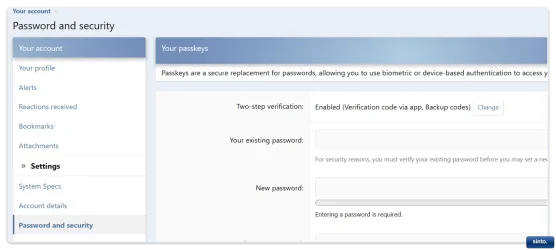
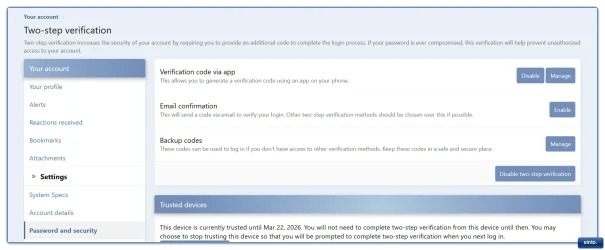
I am not getting the verification code - why?
 

My Computer

System One

  • OS
    Windows 11 pro
    Computer type
    PC/Desktop
    Manufacturer/Model
    ASUS built by Micro center
    CPU
    Intel Core i9- 12900K Alder Lake 3.2 GHz LGA1700
    Motherboard
    Asus prime Z790-v WI FI Intel LGA1700 ATX
    Memory
    G-Skill Ripjaws S5 32GB
    Graphics Card(s)
    NVIDIA GEForce GTX1616 Super dual fan
    Hard Drives
    Samsung 500GB 860 EVO
    PSU
    Thermalake 500 Watt
    Case
    V 100ATX
    Antivirus
    Defender primary with MBAM free secondary

My Computers

System One System Two

  • OS
    Win 11 Home ♦♦♦26200.8457 ♦♦♦♦♦♦♦25H2
    Computer type
    PC/Desktop
    Manufacturer/Model
    Built by Ghot® [May 2020]
    CPU
    AMD Ryzen 7 3700X
    Motherboard
    Asus Pro WS X570-ACE (BIOS 5302)
    Memory
    G.Skill (F4-3200C14D-16GTZKW)
    Graphics Card(s)
    EVGA RTX 2070 (08G-P4-2171-KR)
    Sound Card
    Realtek ALC1220P / ALC S1220A
    Monitor(s) Displays
    Dell U3011 30"
    Screen Resolution
    2560 x 1600
    Hard Drives
    2x Samsung 860 EVO 500GB,
    WD 4TB Black FZBX - SATA III,
    WD 8TB Black FZBX - SATA III,
    DRW-24B1ST CD/DVD Burner
    PSU
    PC Power & Cooling 750W Quad EPS12V
    Case
    Cooler Master ATCS 840 Tower
    Cooling
    CM Hyper 212 EVO (push/pull)
    Keyboard
    Ducky DK9008 Shine II Blue LED
    Mouse
    Logitech Optical M-100
    Internet Speed
    300/300
    Browser
    Firefox (latest)
    Antivirus
    Bitdefender Total Security
    Other Info
    Speakers: Klipsch Pro Media 2.1
  • Operating System
    Windows XP Pro 32bit w/SP3
    Computer type
    PC/Desktop
    Manufacturer/Model
    Built by Ghot® (not in use)
    CPU
    AMD Athlon 64 X2 5000+ (OC'd @ 3.2Ghz)
    Motherboard
    ASUS M2N32-SLI Deluxe Wireless Edition
    Memory
    TWIN2X2048-6400C4DHX (2 x 1GB, DDR2 800)
    Graphics card(s)
    EVGA 256-P2-N758-TR GeForce 8600GT SSC
    Sound Card
    Onboard
    Monitor(s) Displays
    ViewSonic G90FB Black 19" Professional (CRT)
    Screen Resolution
    up to 2048 x 1536
    Hard Drives
    WD 36GB 10,000rpm Raptor SATA
    Seagate 80GB 7200rpm SATA
    Lite-On LTR-52246S CD/RW
    Lite-On LH-18A1P CD/DVD Burner
    PSU
    PC Power & Cooling Silencer 750 Quad EPS12V
    Case
    Generic Beige case, 80mm fans
    Cooling
    ZALMAN 9500A 92mm CPU Cooler
    Keyboard
    Logitech Classic Keybooard 200
    Mouse
    Logitech Optical M-BT96a
    Internet Speed
    300/300
    Browser
    Firefox 3.x ??
    Antivirus
    Symantec (Norton)
    Other Info
    Still assembled, still runs. Haven't turned it on for 15 years?
I have no idea. I've never run RAID.
Once they switched from IDE to SATA, I never saw the need.
Honestly, I never saw the need even on IDE.

Yeah, that's the thing. Under RAID or AHCI, I didn't notice any difference or performance hit, so I wondered why I bothered going through the hassle of changing it in the first place. Beyond people on the internet saying "switch to AHCI, switch to AHCI, it will run better, it will run better". - - Maybe for gaming machines but for everybody else? 🧐

Dell uses RAID by default, warning you that you may not be able to boot into your machine if you try and make the change. I'm not sure the specific reasons they give for doing it this way (if somebody else knows, feel free to chime in) but they say not to do it.
 
Last edited:

My Computers

System One System Two

  • OS
    Windows 11 Pro 25H2 build: (26200.7623)
    Computer type
    Laptop
    Manufacturer/Model
    Microsoft Surface Pro
    Memory
    32GB
  • Operating System
    Microsoft 25H2 Pro
    Computer type
    Laptop
    Manufacturer/Model
    Dell Pro 14 - PC14250
    CPU
    Intel Core Ultra 7
    Memory
    64GB
    Graphics card(s)
    Intel Integrated Graphics
    Hard Drives
    Micron 1TB SSD

My Computer

System One

  • OS
    Windows 11 pro
    Computer type
    PC/Desktop
    Manufacturer/Model
    ASUS built by Micro center
    CPU
    Intel Core i9- 12900K Alder Lake 3.2 GHz LGA1700
    Motherboard
    Asus prime Z790-v WI FI Intel LGA1700 ATX
    Memory
    G-Skill Ripjaws S5 32GB
    Graphics Card(s)
    NVIDIA GEForce GTX1616 Super dual fan
    Hard Drives
    Samsung 500GB 860 EVO
    PSU
    Thermalake 500 Watt
    Case
    V 100ATX
    Antivirus
    Defender primary with MBAM free secondary
I'm not sure the specific reasons they give for doing it this way (if somebody else knows, feel free to chime in)
Dell does this so Windows will use the Intel rapid storage driver (IRST I think), as opposed to the Windows AHCI driver. The Intel storage driver is faster.
 

My Computer

System One

  • OS
    Windows 11 Pro 25H2
    Computer type
    PC/Desktop
    Manufacturer/Model
    Intel NUC12WSHi7
    CPU
    12th Gen Core i7-1260P
    Motherboard
    NUC12WSBi7
    Memory
    64 GB Micron PC4-25600
    Graphics Card(s)
    Intel Iris Xe Graphics
    Sound Card
    on-board Realtek HD Audio
    Monitor(s) Displays
    Dell U3219Q
    Screen Resolution
    3840 x 2160
    Hard Drives
    Samsung SSD 990 PRO 1TB
    Crucial MX500 2 TB
    Antivirus
    Microsoft Defender

My Computers

System One System Two

  • OS
    Win 11 Home ♦♦♦26200.8457 ♦♦♦♦♦♦♦25H2
    Computer type
    PC/Desktop
    Manufacturer/Model
    Built by Ghot® [May 2020]
    CPU
    AMD Ryzen 7 3700X
    Motherboard
    Asus Pro WS X570-ACE (BIOS 5302)
    Memory
    G.Skill (F4-3200C14D-16GTZKW)
    Graphics Card(s)
    EVGA RTX 2070 (08G-P4-2171-KR)
    Sound Card
    Realtek ALC1220P / ALC S1220A
    Monitor(s) Displays
    Dell U3011 30"
    Screen Resolution
    2560 x 1600
    Hard Drives
    2x Samsung 860 EVO 500GB,
    WD 4TB Black FZBX - SATA III,
    WD 8TB Black FZBX - SATA III,
    DRW-24B1ST CD/DVD Burner
    PSU
    PC Power & Cooling 750W Quad EPS12V
    Case
    Cooler Master ATCS 840 Tower
    Cooling
    CM Hyper 212 EVO (push/pull)
    Keyboard
    Ducky DK9008 Shine II Blue LED
    Mouse
    Logitech Optical M-100
    Internet Speed
    300/300
    Browser
    Firefox (latest)
    Antivirus
    Bitdefender Total Security
    Other Info
    Speakers: Klipsch Pro Media 2.1
  • Operating System
    Windows XP Pro 32bit w/SP3
    Computer type
    PC/Desktop
    Manufacturer/Model
    Built by Ghot® (not in use)
    CPU
    AMD Athlon 64 X2 5000+ (OC'd @ 3.2Ghz)
    Motherboard
    ASUS M2N32-SLI Deluxe Wireless Edition
    Memory
    TWIN2X2048-6400C4DHX (2 x 1GB, DDR2 800)
    Graphics card(s)
    EVGA 256-P2-N758-TR GeForce 8600GT SSC
    Sound Card
    Onboard
    Monitor(s) Displays
    ViewSonic G90FB Black 19" Professional (CRT)
    Screen Resolution
    up to 2048 x 1536
    Hard Drives
    WD 36GB 10,000rpm Raptor SATA
    Seagate 80GB 7200rpm SATA
    Lite-On LTR-52246S CD/RW
    Lite-On LH-18A1P CD/DVD Burner
    PSU
    PC Power & Cooling Silencer 750 Quad EPS12V
    Case
    Generic Beige case, 80mm fans
    Cooling
    ZALMAN 9500A 92mm CPU Cooler
    Keyboard
    Logitech Classic Keybooard 200
    Mouse
    Logitech Optical M-BT96a
    Internet Speed
    300/300
    Browser
    Firefox 3.x ??
    Antivirus
    Symantec (Norton)
    Other Info
    Still assembled, still runs. Haven't turned it on for 15 years?
Dell does this so Windows will use the Intel rapid storage driver (IRST I think), as opposed to the Windows AHCI driver. The Intel storage driver is faster.

Ah, so that's it. I thought there was a technical issue behind not doing it.

With Dells it's probably not a good idea changing it and better just leaving it the way it is.
 
Last edited:

My Computers

System One System Two

  • OS
    Windows 11 Pro 25H2 build: (26200.7623)
    Computer type
    Laptop
    Manufacturer/Model
    Microsoft Surface Pro
    Memory
    32GB
  • Operating System
    Microsoft 25H2 Pro
    Computer type
    Laptop
    Manufacturer/Model
    Dell Pro 14 - PC14250
    CPU
    Intel Core Ultra 7
    Memory
    64GB
    Graphics card(s)
    Intel Integrated Graphics
    Hard Drives
    Micron 1TB SSD

My Computers

System One System Two

  • OS
    Windows 11 Workstation
    Computer type
    PC/Desktop
    Manufacturer/Model
    doofenshmirtz evil incorporated
    CPU
    Ryzen 9 5950X
    Motherboard
    Asus ROG Crosshair VIII Formula
    Memory
    Corsair Vengeance RGB PRO Black 64GB (4x16GB) 3600MHz AMD Ryzen Tuned DDR4
    Graphics Card(s)
    ASUS AMD Radeon RX 6900 XT 16GB ROG Strix LC OC
    Sound Card
    Sound BlasterX Katana
    Monitor(s) Displays
    3 x27" Dell U2724D & 1 x 34" Dell U3415W
    Hard Drives
    Samsung 980 Pro 1TB M.2 2280 PCI-e 4.0 x4 NVMe Solid State
    Drive
    PSU
    ASUS ROG THOR 850W 80 Plus Platinum
    Case
    ASUS ROG Strix Helios Midi-Tower ARGB Gaming Case
    Cooling
    ASUS ROG Strix LC Performance RGB AIO CPU Liquid Cooler - 360mm
    Keyboard
    Logi Ergo
    Mouse
    Logitech MX Vertical
    Internet Speed
    900/100 Mbps
    Browser
    Chrome
    Antivirus
    Windows Defender, Malwarebytes Pro
    Other Info
    HP M281 Printer
    Logitech Brio Stream webcam
    Yeti X mic
  • Operating System
    Windows 10
    Computer type
    Laptop
    Manufacturer/Model
    Surface Laptop
    CPU
    i7

My Computers

System One System Two

  • OS
    Windows 11 Pro 25H2 Build 26200.8524
    Computer type
    PC/Desktop
    Manufacturer/Model
    Sin-built 2013
    CPU
    Intel(R) Core(TM) i7-4770K CPU @ 3.50GHz
    Motherboard
    ASUS ROG Maximus VI Formula
    Memory
    32.0 GB of I forget and the box is in storage.
    Graphics Card(s)
    Gigabyte nVidia GeForce GTX 1660 Super OC 6GB
    Sound Card
    Onboard thingy
    Monitor(s) Displays
    5 x LG 25MS500-B - 1 x 24MK430H-B - 1 x Wacom Pro 22" Touch Screen Tablet
    Screen Resolution
    All over the place
    Hard Drives
    Too many to list.
    OS on Samsung 1TB 870 QVO SATA
    PSU
    Silverstone 1500
    Case
    NZXT Phantom 820 Full-Tower Case
    Cooling
    Noctua NH-D15 Elite Class Dual Tower CPU Cooler / 6 x EziDIY 120mm / 2 x Corsair 140mm somethings / 1 x 140mm Thermaltake something / 2 x 200mm Corsair.
    Keyboard
    Corsair K95 / Logitech diNovo Edge Wireless
    Mouse
    Logitech: G402 / G502 / Mx Masters / Mx Air Cordless
    Internet Speed
    2000/500Mbps
    Browser
    All sorts
    Antivirus
    Kaspersky Premium
    Other Info
    ㅤㅤㅤㅤㅤㅤㅤㅤㅤㅤㅤㅤㅤㅤㅤㅤㅤㅤㅤㅤㅤㅤㅤㅤㅤㅤㅤㅤㅤㅤㅤㅤㅤㅤㅤㅤㅤㅤㅤㅤ⠀⠀⠀⠀⠀⠀⠀⠀⠀⠀
    TP-Link BE9300 WiFi 7 Bluetooth 5.4 (Archer TBE550E)
    TP-Link TX201 V1 2.5GB Lan

    Grandstream HT812 - VoIP
    ASUS DSL-AX82U - Mesh
    ASUS RT-AC68U - Mesh
    ASUS RT-BE88U Router

    Brother MFC-L2880DW Printer

    I’m on a horse.
  • Operating System
    Windows 11 Pro 25H2 Build 26200.8524
    Computer type
    Laptop
    Manufacturer/Model
    LENOVO Yoga 7 14IRL8 - 7i EVO OLED 14" Touchscreen i5 12 Core 16GB/512GB
    CPU
    Intel Core 12th Gen i5-1240P Processor (1.7 - 4.4GHz)
    Memory
    16GB LPDDR5 RAM
    Graphics card(s)
    Intel Iris Xe Graphics Processor
    Sound Card
    Optimized with Dolby Atmos®
    Screen Resolution
    QHD 2880 x 1800 OLED
    Hard Drives
    M.2 512GB
    Antivirus
    Defender / Malwarebytes
    Other Info
    …still on a horse.

My Computers

System One System Two

  • OS
    Windows 11 Workstation
    Computer type
    PC/Desktop
    Manufacturer/Model
    doofenshmirtz evil incorporated
    CPU
    Ryzen 9 5950X
    Motherboard
    Asus ROG Crosshair VIII Formula
    Memory
    Corsair Vengeance RGB PRO Black 64GB (4x16GB) 3600MHz AMD Ryzen Tuned DDR4
    Graphics Card(s)
    ASUS AMD Radeon RX 6900 XT 16GB ROG Strix LC OC
    Sound Card
    Sound BlasterX Katana
    Monitor(s) Displays
    3 x27" Dell U2724D & 1 x 34" Dell U3415W
    Hard Drives
    Samsung 980 Pro 1TB M.2 2280 PCI-e 4.0 x4 NVMe Solid State
    Drive
    PSU
    ASUS ROG THOR 850W 80 Plus Platinum
    Case
    ASUS ROG Strix Helios Midi-Tower ARGB Gaming Case
    Cooling
    ASUS ROG Strix LC Performance RGB AIO CPU Liquid Cooler - 360mm
    Keyboard
    Logi Ergo
    Mouse
    Logitech MX Vertical
    Internet Speed
    900/100 Mbps
    Browser
    Chrome
    Antivirus
    Windows Defender, Malwarebytes Pro
    Other Info
    HP M281 Printer
    Logitech Brio Stream webcam
    Yeti X mic
  • Operating System
    Windows 10
    Computer type
    Laptop
    Manufacturer/Model
    Surface Laptop
    CPU
    i7

My Computers

System One System Two

  • OS
    Windows 11 Pro 25H2 Build 26200.8524
    Computer type
    PC/Desktop
    Manufacturer/Model
    Sin-built 2013
    CPU
    Intel(R) Core(TM) i7-4770K CPU @ 3.50GHz
    Motherboard
    ASUS ROG Maximus VI Formula
    Memory
    32.0 GB of I forget and the box is in storage.
    Graphics Card(s)
    Gigabyte nVidia GeForce GTX 1660 Super OC 6GB
    Sound Card
    Onboard thingy
    Monitor(s) Displays
    5 x LG 25MS500-B - 1 x 24MK430H-B - 1 x Wacom Pro 22" Touch Screen Tablet
    Screen Resolution
    All over the place
    Hard Drives
    Too many to list.
    OS on Samsung 1TB 870 QVO SATA
    PSU
    Silverstone 1500
    Case
    NZXT Phantom 820 Full-Tower Case
    Cooling
    Noctua NH-D15 Elite Class Dual Tower CPU Cooler / 6 x EziDIY 120mm / 2 x Corsair 140mm somethings / 1 x 140mm Thermaltake something / 2 x 200mm Corsair.
    Keyboard
    Corsair K95 / Logitech diNovo Edge Wireless
    Mouse
    Logitech: G402 / G502 / Mx Masters / Mx Air Cordless
    Internet Speed
    2000/500Mbps
    Browser
    All sorts
    Antivirus
    Kaspersky Premium
    Other Info
    ㅤㅤㅤㅤㅤㅤㅤㅤㅤㅤㅤㅤㅤㅤㅤㅤㅤㅤㅤㅤㅤㅤㅤㅤㅤㅤㅤㅤㅤㅤㅤㅤㅤㅤㅤㅤㅤㅤㅤㅤ⠀⠀⠀⠀⠀⠀⠀⠀⠀⠀
    TP-Link BE9300 WiFi 7 Bluetooth 5.4 (Archer TBE550E)
    TP-Link TX201 V1 2.5GB Lan

    Grandstream HT812 - VoIP
    ASUS DSL-AX82U - Mesh
    ASUS RT-AC68U - Mesh
    ASUS RT-BE88U Router

    Brother MFC-L2880DW Printer

    I’m on a horse.
  • Operating System
    Windows 11 Pro 25H2 Build 26200.8524
    Computer type
    Laptop
    Manufacturer/Model
    LENOVO Yoga 7 14IRL8 - 7i EVO OLED 14" Touchscreen i5 12 Core 16GB/512GB
    CPU
    Intel Core 12th Gen i5-1240P Processor (1.7 - 4.4GHz)
    Memory
    16GB LPDDR5 RAM
    Graphics card(s)
    Intel Iris Xe Graphics Processor
    Sound Card
    Optimized with Dolby Atmos®
    Screen Resolution
    QHD 2880 x 1800 OLED
    Hard Drives
    M.2 512GB
    Antivirus
    Defender / Malwarebytes
    Other Info
    …still on a horse.
Dell uses RAID by default, warning you that you may not be able to boot into your machine if you try and make the change. I'm not sure the specific reasons they give for doing it this way (if somebody else knows, feel free to chime in) but they say not to do it.
Unless maybe you're doing a clean install of Windows, switching from VMD to AHCI is noticeably less tedious than switching from AHCI to VMD. On modern systems with NVMe, leaving VMD turned on is usually recommended. Not being able to use Samsung Magician to upgrade your SSD firmware is a sacrifice, but there are ways to work around that limitation. I.e., either you can temporarily switch to AHCI (even though switching it back is a bit tedious) or you can use the ISO method from Samsung to upgrade the firmware with it. I don't think that Samsung will be releasing any new firmwares for my Samsung 980 PRO anynore now anyway so, I am probably immune to it. :D

Using Intel® Volume Management Device (Intel® VMD) on systems without a RAID configuration—often referred to as running in "pass-through" or "single-drive" mode—provides enterprise-level management and reliability features for NVMe SSDs that are typically only available for SAS/SATA drives.
Even without RAID, VMD turns the CPU into the control point for storage, offering the following benefits:

1. Robust "Surprise" Hot-Plug/Hot-Unplug​

Safe Removal/Insertion: Allows for the removal or insertion of NVMe SSDs without shutting down or rebooting the server.​
Improved Availability: Enables rapid replacement of failed drives in production environments, reducing downtime.​

2. Enhanced Error Isolation and Management​

Error Handling: VMD separates NVMe SSD error handling from the Operating System.​
Reduced System Crashes: If a single NVMe drive experiences a fatal error, VMD helps prevent the entire operating system from crashing or forcing a reboot.​
Drive Reliability: Provides enterprise-level reliability, availability, and serviceability (RAS) for NVMe storage.​

3. LED Status-Light Management​

Visual Indicators: Standardizes LED management for NVMe drives, allowing administrators use management software to visually identify which drive has failed or is in a "safe to remove" state.​
Reduced Error Risk: Essential in data centers with high-density storage to ensure the correct drive is replaced, reducing the risk of accidental data loss.​

4. Direct Assignment for Virtualization (Direct-to-VM)​

Performance Bypass: In virtualized environments (like VMware), VMD allows individual NVMe drives (or a VMD domain) to be assigned directly to a virtual machine.​
Lower Latency: This bypasses the hypervisor, offering near-native NVMe speed for VMs.​

5. Standardized Management Interface​

Uniform Management: Provides a consistent method to manage NVMe drives from various manufacturers using tools like the Intel Virtual RAID on CPU (VROC) driver stack, even without RAID.​

6. Performance and power consumption optimizations​

Intel VMD optimizes performance and power consumption by acting as an "integrated endpoint" within the CPU's root complex, which fundamentally changes how the OS interacts with storage hardware.​

Performance & Interrupt Handling​

Compared to the aging AHCI (SATA) protocol, Intel VMD leverages the modern NVMe architecture to handle interrupts more efficiently:​
MSI-X Exclusive Support: Intel VMD child devices must use Message Signaled Interrupts eXtended (MSI-X). Unlike AHCI’s traditional shared interrupt lines (INTx) which require the CPU to "poll" every device on a shared line, MSI-X allows each NVMe drive to have its own dedicated, high-priority interrupt vectors.​
Parallelism & Scaling: MSI-X supports up to 2,048 independent interrupt vectors per device. VMD uses this to map storage interrupts directly to specific CPU cores, reducing "bottlenecks" during high I/O operations and improving responsiveness in multi-core systems.​
Interrupt Remapping: VMD provides hardware-level interrupt remapping, which isolates storage interrupts within its own PCI segment. This prevents a single malfunctioning drive from flooding the entire system with interrupts, preserving overall system stability.​

Power Consumption Reductions​

VMD enhances power efficiency primarily through more granular control over the PCIe lanes and power states:​
Granular Lane Management: Intel VMD allows the system to turn PCIe lanes on or off at x4 granularity. This means if a drive is idle or removed, the specific lanes assigned to it can be completely powered down without affecting other devices on the same physical x16 slot.​
L1 Sub-state Support (ASPM): VMD works with Active State Power Management (ASPM) to transition links into deep sleep states like L1.1 and L1.2.​
L1.1 (Snooze): Turns off the transceiver PLL while maintaining common-mode voltage.​
L1.2 (Off): Shuts down common-mode voltage keepers, reducing idle power consumption by up to 1000x compared to the standard L1 state.​
Hardware-Managed Hot-Plug: By managing "surprise" removals at the hardware level, VMD ensures that when a drive is pulled, the PCIe link is immediately and cleanly terminated, preventing wasted power or bus-level hangs from "ghost" devices.​
Note on Efficiency: While VMD enables these features, the actual power savings depend on your SSD's firmware supporting these PCI-SIG L1 sub-states.​

7. Unified Security & SED Management​

Intel VMD allows for Self-Encrypting Drive (SED) Key Management through the Intel VROC framework.​
Centralized Authentication: It provides a standardized way to manage encryption keys for SEDs, ensuring that even a single boot drive is secured before the OS loads.​
Secure Erasure: VMD-aware drivers simplify the execution of NVMe "Sanitize" commands, allowing you to crypto-erase or block-erase all data on a drive instantly for secure decommissioning.​

8. Expanded PCIe Address Space​

VMD effectively adds a new PCIe segment for each controller enabled, providing up to 128 additional buses per VMD domain.​
Overcoming Bus Limits: This is critical for high-density systems (like servers or workstations) where you might hit the standard 256-bus limit. VMD allows the system to scale to a significantly higher number of NVMe devices without running out of PCIe addresses.​

9. Out-of-Band (OOB) Monitoring​

VMD enables Out-of-Band Management, allowing administrators to interact with the drive through a Baseboard Management Controller (BMC) even if the OS is not running or has crashed.​
Health Checks: You can retrieve drive inventory, temperature, and wear-leveling data remotely.​
Predictive Failure: VMD can trigger alerts if a drive's health parameters fall below safe thresholds, allowing for proactive replacement before data loss occurs.​

10. Standardized Driver Stack​

By using VMD, you consolidate your storage management under a single Intel RST/VMD driver rather than relying on the generic Microsoft NVMe driver.​
Consistent Updates: This ensures that all connected drives (regardless of brand) benefit from the same stability patches and performance optimizations provided by Intel's specialized storage team.​
 

My Computers

System One System Two

  • OS
    11 Home
    Computer type
    Laptop
    Manufacturer/Model
    Asus TUF Gaming F16 (2024)
    CPU
    i7 13650HX
    Memory
    16GB DDR5
    Graphics Card(s)
    GeForce RTX 4060 Mobile
    Sound Card
    Eastern Electric MiniMax DAC Supreme; Emotiva UMC-200; Astell & Kern AK240
    Monitor(s) Displays
    Sony Bravia XR-55X90J
    Screen Resolution
    3840×2160
    Hard Drives
    512GB SSD internal
    37TB external
    PSU
    Li-ion
    Cooling
    2× Arc Flow Fans, 4× exhaust vents, 5× heatpipes
    Keyboard
    Logitech K800
    Mouse
    Logitech G402
    Internet Speed
    30Mbit/s up, 500Mbit/s down
    Browser
    FF
    Antivirus
    What's an antivirus?
  • Operating System
    11 Home
    Computer type
    Laptop
    Manufacturer/Model
    Medion S15450
    CPU
    i5 1135G7
    Memory
    16GB DDR4
    Graphics card(s)
    Intel Iris Xe
    Sound Card
    Eastern Electric MiniMax DAC Supreme; Emotiva UMC-200; Astell & Kern AK240
    Monitor(s) Displays
    Sony Bravia XR-55X90J
    Screen Resolution
    3840×2160
    Hard Drives
    2TB SSD internal
    37TB external
    PSU
    Li-ion
    Keyboard
    Logitech K800
    Mouse
    Logitech G402
    Internet Speed
    30Mbit/s up, 500Mbit/s down
    Browser
    FF
Unless maybe you're doing a clean install of Windows, switching from VMD to AHCI is noticeably less tedious than switching from AHCI to VMD. On modern systems with NVMe, leaving VMD turned on is usually recommended. Not being able to use Samsung Magician to upgrade your SSD firmware is a sacrifice, but there are ways to work around that limitation. I.e., either you can temporarily switch to AHCI (even though switching it back is a bit tedious) or you can use the ISO method from Samsung to upgrade the firmware with it. I don't think that Samsung will be releasing any new firmwares for my Samsung 980 PRO anynore now anyway so, I am probably immune to it.

That's good to keep in mind if and when I upgrade to a bigger 2GB Samsung NVMe drive from the 1GB Micron I currently have. The Samsung Migration Tool has never failed me in the past (knock on wood) and was so simple to use even my grandmother could do it. 😄

Yet is it worth the hassle switching from RAID to AHCI? I didn't notice any performance gain in Windows 10 as I mentioned in post #3 when I switched over. To be honest with you, I saw no benefit to doing it at all.

Using Intel® Volume Management Device (Intel® VMD) on systems without a RAID configuration—often referred to as running in "pass-through" or "single-drive" mode—provides enterprise-level management and reliability features for NVMe SSDs that are typically only available for SAS/SATA drives.

Even without RAID, VMD turns the CPU into the control point for storage, offering the following benefits:

That's all interesting but how would that apply to the end user? To people like me who don't run servers and don't have to hot swap drives that fail?
 
Last edited:

My Computers

System One System Two

  • OS
    Windows 11 Pro 25H2 build: (26200.7623)
    Computer type
    Laptop
    Manufacturer/Model
    Microsoft Surface Pro
    Memory
    32GB
  • Operating System
    Microsoft 25H2 Pro
    Computer type
    Laptop
    Manufacturer/Model
    Dell Pro 14 - PC14250
    CPU
    Intel Core Ultra 7
    Memory
    64GB
    Graphics card(s)
    Intel Integrated Graphics
    Hard Drives
    Micron 1TB SSD
That's good to keep in mind if and when I upgrade to a bigger 2GB Samsung NVMe drive from the 1GB Micron I currently have. The Samsung Migration Tool has never failed me in the past (knock on wood) and was so simple to use even my grandmother could do it. 😄

Yet is it worth the hassle? I didn't notice any performance gain in Windows 10 as I mentioned in post #3 when I switched over. To be honest with you, I saw no benefit to doing it at all.
Performance wise, in an average computer I think that differences usually are subtle, maybe even too subtle to consider. In theory at least, VMD is slightly faster. I see no real reason to recommend turning it off unless maybe you insist on Samsung Magician being able to fully recognize and interact with the drive or unless maybe you have some other good reason to turn off VMD.
That's all interesting but how would that apply to the end user? To people like me who don't run servers and don't have to hot swap drives that fail?
With M.2 drives, NVMe Hot-Swap isn't actually even safe to do. The fact that VMD separates NVMe SSD error handling from the OS sounds like it could be useful in the possible event that a separate data drive crashes, as it increases the chance of the main OS drive still continuing to function normally instead of causing BSOD. If it's already enabled by default, is more reliable and slightly faster, and it consumes less power so it generates less heat and saves the laptop battery, then if someone tries to convince me to disable it, I expect a better explanation than "it will run better". Otherwise, probably it will run worse. lol
 

My Computers

System One System Two

  • OS
    11 Home
    Computer type
    Laptop
    Manufacturer/Model
    Asus TUF Gaming F16 (2024)
    CPU
    i7 13650HX
    Memory
    16GB DDR5
    Graphics Card(s)
    GeForce RTX 4060 Mobile
    Sound Card
    Eastern Electric MiniMax DAC Supreme; Emotiva UMC-200; Astell & Kern AK240
    Monitor(s) Displays
    Sony Bravia XR-55X90J
    Screen Resolution
    3840×2160
    Hard Drives
    512GB SSD internal
    37TB external
    PSU
    Li-ion
    Cooling
    2× Arc Flow Fans, 4× exhaust vents, 5× heatpipes
    Keyboard
    Logitech K800
    Mouse
    Logitech G402
    Internet Speed
    30Mbit/s up, 500Mbit/s down
    Browser
    FF
    Antivirus
    What's an antivirus?
  • Operating System
    11 Home
    Computer type
    Laptop
    Manufacturer/Model
    Medion S15450
    CPU
    i5 1135G7
    Memory
    16GB DDR4
    Graphics card(s)
    Intel Iris Xe
    Sound Card
    Eastern Electric MiniMax DAC Supreme; Emotiva UMC-200; Astell & Kern AK240
    Monitor(s) Displays
    Sony Bravia XR-55X90J
    Screen Resolution
    3840×2160
    Hard Drives
    2TB SSD internal
    37TB external
    PSU
    Li-ion
    Keyboard
    Logitech K800
    Mouse
    Logitech G402
    Internet Speed
    30Mbit/s up, 500Mbit/s down
    Browser
    FF

Latest Support Threads

Back
Top Bottom