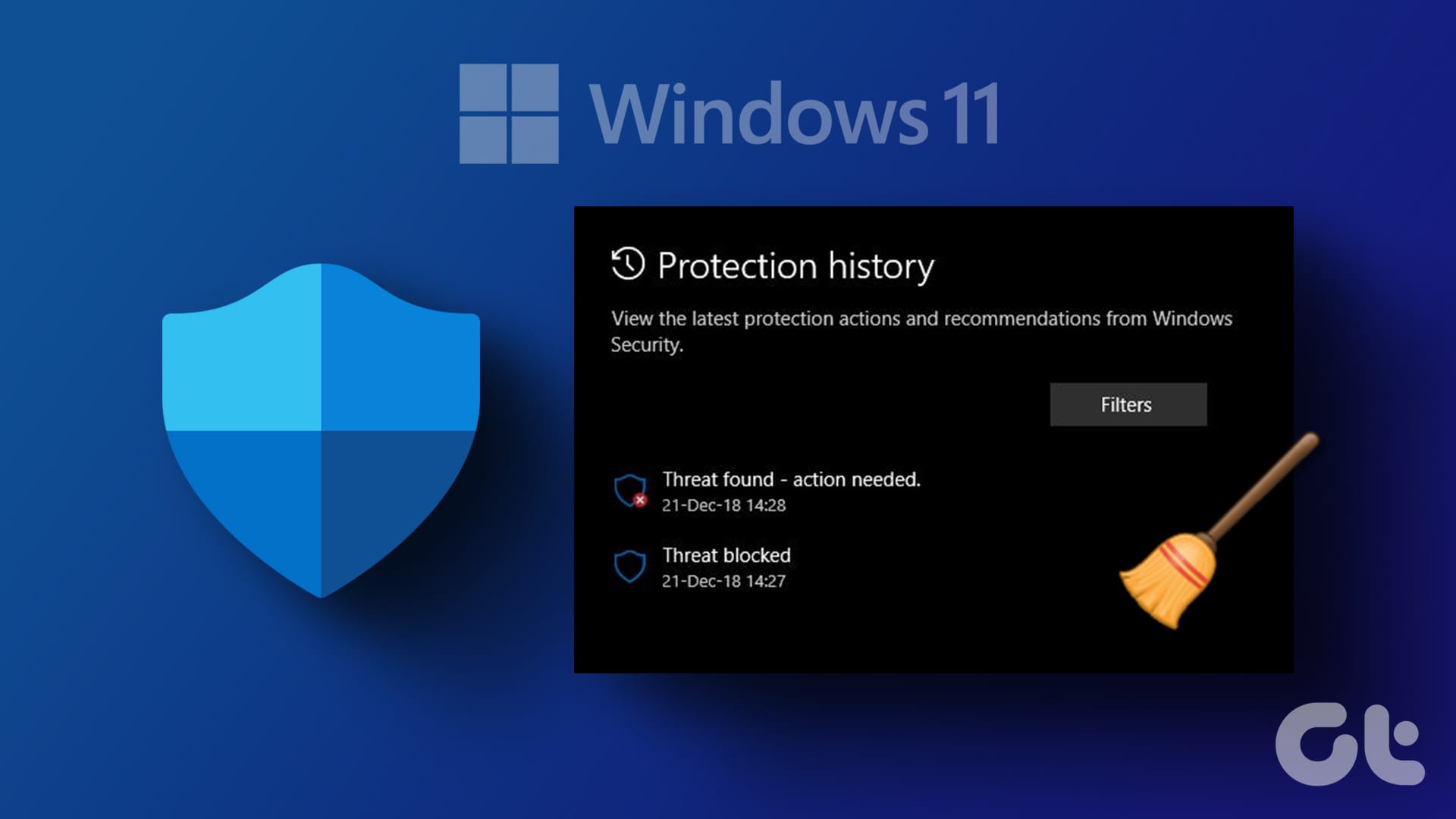
Privacy and Security Clear Windows Security Protection History in Windows 11


Windows_Security_New_header.webp

This tutorial will show you how to manually clear Windows Security protection history in Windows 10 and Windows 11.

The Protection History page in the Windows Security app is where you can go to view recommendations and actions that Microsoft Defender Antivirus has taken on your behalf, Potentially Unwanted Apps that have been removed, or key services (ex: SmartScreen) that are turned off.

Protection History only retains events for 15 days by default, after which they will automatically be cleared from history.

Reference:


You must be signed in as an administrator to clear protection history.

Protection history events that require action will not get cleared until you take action for them.


EXAMPLE: Windows Security Protection History

Windows_Security_protection_history.png


Here's How:

1 Boot into Safe Mode.


2 Open File Explorer (Win+E).

3 Copy and paste the folder path location below into the address bar of File Explorer, and press Enter. (see screenshot below)

C:\ProgramData\Microsoft\Windows Defender\Scans\History

4 Right click on the Service folder, and click/tap on Delete.

5 Close File Explorer.

6 Restart the computer to fully apply.

The Service folder will automatically get recreated, but will be empty with no history.


Clear_Windows_Security_protection_history.png


That's it,
Shawn Brink


Last edited:
@Brink It's never worked for me. :(

2022-08-23 22_22_47-Windows Security.png


Edit, it also retains history more days that the 15 it's set (no auto delete).

2022-08-23 22_34_55-Change Time to Clear Windows Security Protection History in Windows 11 Tut...png
 
Last edited:

My Computers My Computers

  • At a glance

    Win 11 ProAMD Ryzen™ 7 7730U24GB Dual-Channel DDR4 @ 1596MHz (22-22-22-52)512MB ATI AMD Radeon Graphics (ASUStek Comput...
    OS
    Win 11 Pro
    Computer type
    Laptop
    Manufacturer/Model
    ASUS Vivobook
    CPU
    AMD Ryzen™ 7 7730U
    Motherboard
    M1605YA
    Memory
    24GB Dual-Channel DDR4 @ 1596MHz (22-22-22-52)
    Graphics Card(s)
    512MB ATI AMD Radeon Graphics (ASUStek Computer Inc)
    Monitor(s) Displays
    Generic PnP Monitor (1920x1200@60Hz) - P1 PLUS (1920x1080@59Hz)
    Screen Resolution
    1920 X 1200
    Hard Drives
    953GB Western Digital WD
    PSU
    45 Watts
    Mouse
    Lenovo Bluetooth.
    Internet Speed
    500 Mbps
    Browser
    Edge
    Antivirus
    Defender
  • At a glance

    Windows 11AMD Ryzen 7 5800H / 3.2 GHz32 GB DDR4 SDRAM 3200 MHzNVIDIA GeForce RTX 3060 6 GB GDDR6 SDRAM
    Operating System
    Windows 11
    Computer type
    Laptop
    Manufacturer/Model
    ACER NITRO
    CPU
    AMD Ryzen 7 5800H / 3.2 GHz
    Motherboard
    CZ Scala_CAS (FP6)
    Memory
    32 GB DDR4 SDRAM 3200 MHz
    Graphics card(s)
    NVIDIA GeForce RTX 3060 6 GB GDDR6 SDRAM
    Sound Card
    Realtek Audio. NVIDIA High Definition Audio
    Monitor(s) Displays
    15.6" LED backlight 1920 x 1080 (Full HD) 144 Hz
    Screen Resolution
    1920 x 1080 (Full HD)
    Hard Drives
    Samsung 970 Evo Plus 2TB NVMe M.2
    PSU
    180 Watt, 19.5 V
    Mouse
    Lenovo Bluetooth
    Internet Speed
    500 Mbps
    Browser
    Edge
    Antivirus
    Defender

My Computers My Computers

  • At a glance

    Windows 11 Pro for WorkstationsIntel i7-8700K 5 GHz64 GB (4x16GB) G.SKILL TridentZ RGB DDR4 3600...ASUS ROG-STRIX-GTX1080TI-O11G-GAMING (11GB GD...
    OS
    Windows 11 Pro for Workstations
    Computer type
    PC/Desktop
    Manufacturer/Model
    Custom self build
    CPU
    Intel i7-8700K 5 GHz
    Motherboard
    ASUS ROG Maximus XI Formula Z390
    Memory
    64 GB (4x16GB) G.SKILL TridentZ RGB DDR4 3600 MHz (F4-3600C18D-32GTZR)
    Graphics Card(s)
    ASUS ROG-STRIX-GTX1080TI-O11G-GAMING (11GB GDDR5X)
    Sound Card
    Integrated Digital Audio (S/PDIF)
    Monitor(s) Displays
    2 x Samsung Odyssey G75 27"
    Screen Resolution
    2560x1440
    Hard Drives
    1TB Samsung 990 PRO M.2,
    4TB Samsung 990 PRO M.2,
    TerraMaster F8 SSD Plus NAS
    PSU
    Seasonic Prime Titanium 850W
    Case
    Thermaltake Core P3 wall mounted
    Cooling
    Corsair Hydro H115i
    Keyboard
    Amazon Basics Wired Full Keyboard MD005
    Mouse
    Logitech MX Master 4
    Internet Speed
    2 Gbps Download and 100 Mbps Upload
    Browser
    Chrome and Edge
    Antivirus
    Microsoft Defender
    Other Info
    Logitech Z625 speaker system,
    Logitech BRIO 4K Pro webcam,
    HP Color LaserJet Pro MFP M477fdn,
    CyberPower CP1500PFCLCD
    Galaxy S23 Plus phone
  • At a glance

    Windows 11 ProSnapdragon X Elite (12 core) 3.42 GHz16 GB LPDDR5x-7467 MHz
    Operating System
    Windows 11 Pro
    Computer type
    Laptop
    Manufacturer/Model
    Surface Laptop 7 Copilot+ PC
    CPU
    Snapdragon X Elite (12 core) 3.42 GHz
    Memory
    16 GB LPDDR5x-7467 MHz
    Monitor(s) Displays
    15" HDR
    Screen Resolution
    2496 x 1664
    Hard Drives
    1 TB SSD
    Internet Speed
    Wi-Fi 7 and Bluetooth 5.4
    Browser
    Chrome and Edge
    Antivirus
    Microsoft Defender
Very strange. This has always worked in the past in Windows 11 Pro to which I thank you @Brink . But today it would not delete due to Protection (maybe due to a large Windows update). Before trying, I disabled all the Virus and protection settings. I tried the Event Viewer delete log; Edit Group policy and the Windows Shell command - nothing worked upon rebooting each time, the Entries were still present.
The only way I was able to delete the Protection History was rebooting into Safe Mode using msconfig and deleting the Service Folder, and that worked.
 

My Computer My Computer

At a glance

Windows 11 ProIntel S1700 Core i7 12700 12 Core CPU 2.1GHz32GB Corsair (2x16) DDR4 3200Mhz VengeanceASUS RTX3060 12GB V2 TUF Gaming PCIe Video Card
OS
Windows 11 Pro
Computer type
PC/Desktop
CPU
Intel S1700 Core i7 12700 12 Core CPU 2.1GHz
Motherboard
ASUS TUF GAMING B660-PLUS WIFI D4
Memory
32GB Corsair (2x16) DDR4 3200Mhz Vengeance
Graphics Card(s)
ASUS RTX3060 12GB V2 TUF Gaming PCIe Video Card
Sound Card
Realtek 7.1 Surround Sound High Definition Audio
Monitor(s) Displays
32" Philips 3237E
Screen Resolution
1920 x 1080, 60Hz
Hard Drives
Crucial P3 Plus 1TB PCIe 4.0 NVMe M.2 2280 SSD
500GB Samsung 2.5" 860 EVO SATA 6Gb/s SSD
PSU
650 Watt Thermaltake Litepower RGB
Case
Thermaltake ATX Versa C21 RGB
Cooling
Noctua NH-D15 CPU Heatsink and Fan
Keyboard
Corsair STRAFE RGB MK.2
Mouse
Corsair Dark Core Pro SE
Internet Speed
286.1 Mbps
Browser
Google
Antivirus
Windows Security
Other Info
Corsair Lighting Node Pro
I agree.. this thread on tenforums shows the problem many report on the 'net:

The thread I cite in a post there shows how one person resolved it: install 3rd party AV!

Where I've found reports I've not yet seen a resolution.

This guide gives further ways to clear protection history:
 
Last edited:

My Computer My Computer

At a glance

Windows 11 Proi7-8650U16GBIntel UHD 620
OS
Windows 11 Pro
Computer type
Laptop
Manufacturer/Model
Lenovo t480s
CPU
i7-8650U
Memory
16GB
Graphics Card(s)
Intel UHD 620
Screen Resolution
1920x1080
Hard Drives
C SN810 SDCPNRY-512G-1006
Browser
Edge, Firefox
Antivirus
Defender
What is the point to remove the history?
 

My Computer My Computer

At a glance

Windows 11 Pro 25H2Ryzen 7 6800HKingston Fury Impact DDR5 32GBAMD Radeon 680M (AMD Rembrandt - Internal GPU)
OS
Windows 11 Pro 25H2
Computer type
PC/Desktop
Manufacturer/Model
ASUS ExpertCenter PN53
CPU
Ryzen 7 6800H
Motherboard
ASUS PN53
Memory
Kingston Fury Impact DDR5 32GB
Graphics Card(s)
AMD Radeon 680M (AMD Rembrandt - Internal GPU)
Sound Card
SoundBlaster Play! 3
Monitor(s) Displays
Dell U3223QE
Screen Resolution
4K (3840x2160)
Hard Drives
Samsung NVMe SSD 990 Pro 1 TB
Samsung NVMe SSD 980 Pro 1 TB
PSU
External power supply 150W
Case
Mini PC
Cooling
Build-in fan (speed 1600 RPM Quiet mode)
Keyboard
Logitech MX Keys Mini (graphite)
Mouse
Logitech M705
Internet Speed
1000/1000 Mbit
Browser
Microsoft Edge
Antivirus
Windows Defender
I'm using DefenderUI to delete the history and that does it automatically via safe mode. It was handy during the time Safe mode was not accessible in a couple of Canary channel flights.
 

My Computers My Computers

  • At a glance

    Win 11 ProAMD Ryzen™ 7 7730U24GB Dual-Channel DDR4 @ 1596MHz (22-22-22-52)512MB ATI AMD Radeon Graphics (ASUStek Comput...
    OS
    Win 11 Pro
    Computer type
    Laptop
    Manufacturer/Model
    ASUS Vivobook
    CPU
    AMD Ryzen™ 7 7730U
    Motherboard
    M1605YA
    Memory
    24GB Dual-Channel DDR4 @ 1596MHz (22-22-22-52)
    Graphics Card(s)
    512MB ATI AMD Radeon Graphics (ASUStek Computer Inc)
    Monitor(s) Displays
    Generic PnP Monitor (1920x1200@60Hz) - P1 PLUS (1920x1080@59Hz)
    Screen Resolution
    1920 X 1200
    Hard Drives
    953GB Western Digital WD
    PSU
    45 Watts
    Mouse
    Lenovo Bluetooth.
    Internet Speed
    500 Mbps
    Browser
    Edge
    Antivirus
    Defender
  • At a glance

    Windows 11AMD Ryzen 7 5800H / 3.2 GHz32 GB DDR4 SDRAM 3200 MHzNVIDIA GeForce RTX 3060 6 GB GDDR6 SDRAM
    Operating System
    Windows 11
    Computer type
    Laptop
    Manufacturer/Model
    ACER NITRO
    CPU
    AMD Ryzen 7 5800H / 3.2 GHz
    Motherboard
    CZ Scala_CAS (FP6)
    Memory
    32 GB DDR4 SDRAM 3200 MHz
    Graphics card(s)
    NVIDIA GeForce RTX 3060 6 GB GDDR6 SDRAM
    Sound Card
    Realtek Audio. NVIDIA High Definition Audio
    Monitor(s) Displays
    15.6" LED backlight 1920 x 1080 (Full HD) 144 Hz
    Screen Resolution
    1920 x 1080 (Full HD)
    Hard Drives
    Samsung 970 Evo Plus 2TB NVMe M.2
    PSU
    180 Watt, 19.5 V
    Mouse
    Lenovo Bluetooth
    Internet Speed
    500 Mbps
    Browser
    Edge
    Antivirus
    Defender
What is the point to remove the history?
The list can get ever longer as, for me, it doesn't auto delete after the default 15 days on all of my machines.

1697872905801.png
 

My Computers My Computers

  • At a glance

    Win 11 ProAMD Ryzen™ 7 7730U24GB Dual-Channel DDR4 @ 1596MHz (22-22-22-52)512MB ATI AMD Radeon Graphics (ASUStek Comput...
    OS
    Win 11 Pro
    Computer type
    Laptop
    Manufacturer/Model
    ASUS Vivobook
    CPU
    AMD Ryzen™ 7 7730U
    Motherboard
    M1605YA
    Memory
    24GB Dual-Channel DDR4 @ 1596MHz (22-22-22-52)
    Graphics Card(s)
    512MB ATI AMD Radeon Graphics (ASUStek Computer Inc)
    Monitor(s) Displays
    Generic PnP Monitor (1920x1200@60Hz) - P1 PLUS (1920x1080@59Hz)
    Screen Resolution
    1920 X 1200
    Hard Drives
    953GB Western Digital WD
    PSU
    45 Watts
    Mouse
    Lenovo Bluetooth.
    Internet Speed
    500 Mbps
    Browser
    Edge
    Antivirus
    Defender
  • At a glance

    Windows 11AMD Ryzen 7 5800H / 3.2 GHz32 GB DDR4 SDRAM 3200 MHzNVIDIA GeForce RTX 3060 6 GB GDDR6 SDRAM
    Operating System
    Windows 11
    Computer type
    Laptop
    Manufacturer/Model
    ACER NITRO
    CPU
    AMD Ryzen 7 5800H / 3.2 GHz
    Motherboard
    CZ Scala_CAS (FP6)
    Memory
    32 GB DDR4 SDRAM 3200 MHz
    Graphics card(s)
    NVIDIA GeForce RTX 3060 6 GB GDDR6 SDRAM
    Sound Card
    Realtek Audio. NVIDIA High Definition Audio
    Monitor(s) Displays
    15.6" LED backlight 1920 x 1080 (Full HD) 144 Hz
    Screen Resolution
    1920 x 1080 (Full HD)
    Hard Drives
    Samsung 970 Evo Plus 2TB NVMe M.2
    PSU
    180 Watt, 19.5 V
    Mouse
    Lenovo Bluetooth
    Internet Speed
    500 Mbps
    Browser
    Edge
    Antivirus
    Defender
C:\ProgramData\Microsoft\Windows Defender\Scans\History is not a valid path for me. Is there some other way to do this? It keeps reporting something from 11/20 that no longer exists.
 

My Computer My Computer

At a glance

Windows 11 Pro 23H2 22631.4541AMD Ryzen 9 5900X128GB G.Skill Trident ZGIGABYTE GeForce RTX 4090 Gaming OC
OS
Windows 11 Pro 23H2 22631.4541
Computer type
PC/Desktop
Manufacturer/Model
Custom Build
CPU
AMD Ryzen 9 5900X
Motherboard
ASUS ROG STRIX B550-F Gaming (Wi-Fi)
Memory
128GB G.Skill Trident Z
Graphics Card(s)
GIGABYTE GeForce RTX 4090 Gaming OC
Sound Card
Realtek Onboard
Monitor(s) Displays
Samsung 40" 4K LED TV
Screen Resolution
4K
Hard Drives
1x 1TB Samsung 870 EVO (OS)
1x 2TB Samsung 980 PRO (MSFS 2024)
1x 4TB WD Black SN850X (Gaming)
1x 6TB WD Black (Storage)
1x 20TB WD Red (Storage)
PSU
EVGA P2 1000W 80+ Platinum Certified
Case
Corsair 760T
Cooling
Noctua NH-D15, 6x Corsair iCUE QL140s
Keyboard
Corsair K70 RGB Pro
Mouse
Corsair Dark Core RGB Pro SE
Internet Speed
1000/40
Browser
Brave
Antivirus
Windows Defender
C:\ProgramData\Microsoft\Windows Defender\Scans\History is not a valid path for me. Is there some other way to do this? It keeps reporting something from 11/20 that no longer exists.
Hello, :alien:

Hmm, it seems Windows now protects the "Scans" folder not allowing access. It won't even let you change the owner or permissions of the "Scans" folder.

This would be why it can't find the "History" folder.
 

My Computers My Computers

  • At a glance

    Windows 11 Pro for WorkstationsIntel i7-8700K 5 GHz64 GB (4x16GB) G.SKILL TridentZ RGB DDR4 3600...ASUS ROG-STRIX-GTX1080TI-O11G-GAMING (11GB GD...
    OS
    Windows 11 Pro for Workstations
    Computer type
    PC/Desktop
    Manufacturer/Model
    Custom self build
    CPU
    Intel i7-8700K 5 GHz
    Motherboard
    ASUS ROG Maximus XI Formula Z390
    Memory
    64 GB (4x16GB) G.SKILL TridentZ RGB DDR4 3600 MHz (F4-3600C18D-32GTZR)
    Graphics Card(s)
    ASUS ROG-STRIX-GTX1080TI-O11G-GAMING (11GB GDDR5X)
    Sound Card
    Integrated Digital Audio (S/PDIF)
    Monitor(s) Displays
    2 x Samsung Odyssey G75 27"
    Screen Resolution
    2560x1440
    Hard Drives
    1TB Samsung 990 PRO M.2,
    4TB Samsung 990 PRO M.2,
    TerraMaster F8 SSD Plus NAS
    PSU
    Seasonic Prime Titanium 850W
    Case
    Thermaltake Core P3 wall mounted
    Cooling
    Corsair Hydro H115i
    Keyboard
    Amazon Basics Wired Full Keyboard MD005
    Mouse
    Logitech MX Master 4
    Internet Speed
    2 Gbps Download and 100 Mbps Upload
    Browser
    Chrome and Edge
    Antivirus
    Microsoft Defender
    Other Info
    Logitech Z625 speaker system,
    Logitech BRIO 4K Pro webcam,
    HP Color LaserJet Pro MFP M477fdn,
    CyberPower CP1500PFCLCD
    Galaxy S23 Plus phone
  • At a glance

    Windows 11 ProSnapdragon X Elite (12 core) 3.42 GHz16 GB LPDDR5x-7467 MHz
    Operating System
    Windows 11 Pro
    Computer type
    Laptop
    Manufacturer/Model
    Surface Laptop 7 Copilot+ PC
    CPU
    Snapdragon X Elite (12 core) 3.42 GHz
    Memory
    16 GB LPDDR5x-7467 MHz
    Monitor(s) Displays
    15" HDR
    Screen Resolution
    2496 x 1664
    Hard Drives
    1 TB SSD
    Internet Speed
    Wi-Fi 7 and Bluetooth 5.4
    Browser
    Chrome and Edge
    Antivirus
    Microsoft Defender
Hello, :alien:

Hmm, it seems Windows now protects the "Scans" folder not allowing access. It won't even let you change the owner or permissions of the "Scans" folder.

This would be why it can't find the "History" folder.
Got it. I did see that prompt when I went one level higher. Is there something we can do in the registry to clear this?
 

My Computer My Computer

At a glance

Windows 11 Pro 23H2 22631.4541AMD Ryzen 9 5900X128GB G.Skill Trident ZGIGABYTE GeForce RTX 4090 Gaming OC
OS
Windows 11 Pro 23H2 22631.4541
Computer type
PC/Desktop
Manufacturer/Model
Custom Build
CPU
AMD Ryzen 9 5900X
Motherboard
ASUS ROG STRIX B550-F Gaming (Wi-Fi)
Memory
128GB G.Skill Trident Z
Graphics Card(s)
GIGABYTE GeForce RTX 4090 Gaming OC
Sound Card
Realtek Onboard
Monitor(s) Displays
Samsung 40" 4K LED TV
Screen Resolution
4K
Hard Drives
1x 1TB Samsung 870 EVO (OS)
1x 2TB Samsung 980 PRO (MSFS 2024)
1x 4TB WD Black SN850X (Gaming)
1x 6TB WD Black (Storage)
1x 20TB WD Red (Storage)
PSU
EVGA P2 1000W 80+ Platinum Certified
Case
Corsair 760T
Cooling
Noctua NH-D15, 6x Corsair iCUE QL140s
Keyboard
Corsair K70 RGB Pro
Mouse
Corsair Dark Core RGB Pro SE
Internet Speed
1000/40
Browser
Brave
Antivirus
Windows Defender
Got it. I did see that prompt when I went one level higher. Is there something we can do in the registry to clear this?
Not that I'm aware of so far.
 

My Computers My Computers

  • At a glance

    Windows 11 Pro for WorkstationsIntel i7-8700K 5 GHz64 GB (4x16GB) G.SKILL TridentZ RGB DDR4 3600...ASUS ROG-STRIX-GTX1080TI-O11G-GAMING (11GB GD...
    OS
    Windows 11 Pro for Workstations
    Computer type
    PC/Desktop
    Manufacturer/Model
    Custom self build
    CPU
    Intel i7-8700K 5 GHz
    Motherboard
    ASUS ROG Maximus XI Formula Z390
    Memory
    64 GB (4x16GB) G.SKILL TridentZ RGB DDR4 3600 MHz (F4-3600C18D-32GTZR)
    Graphics Card(s)
    ASUS ROG-STRIX-GTX1080TI-O11G-GAMING (11GB GDDR5X)
    Sound Card
    Integrated Digital Audio (S/PDIF)
    Monitor(s) Displays
    2 x Samsung Odyssey G75 27"
    Screen Resolution
    2560x1440
    Hard Drives
    1TB Samsung 990 PRO M.2,
    4TB Samsung 990 PRO M.2,
    TerraMaster F8 SSD Plus NAS
    PSU
    Seasonic Prime Titanium 850W
    Case
    Thermaltake Core P3 wall mounted
    Cooling
    Corsair Hydro H115i
    Keyboard
    Amazon Basics Wired Full Keyboard MD005
    Mouse
    Logitech MX Master 4
    Internet Speed
    2 Gbps Download and 100 Mbps Upload
    Browser
    Chrome and Edge
    Antivirus
    Microsoft Defender
    Other Info
    Logitech Z625 speaker system,
    Logitech BRIO 4K Pro webcam,
    HP Color LaserJet Pro MFP M477fdn,
    CyberPower CP1500PFCLCD
    Galaxy S23 Plus phone
  • At a glance

    Windows 11 ProSnapdragon X Elite (12 core) 3.42 GHz16 GB LPDDR5x-7467 MHz
    Operating System
    Windows 11 Pro
    Computer type
    Laptop
    Manufacturer/Model
    Surface Laptop 7 Copilot+ PC
    CPU
    Snapdragon X Elite (12 core) 3.42 GHz
    Memory
    16 GB LPDDR5x-7467 MHz
    Monitor(s) Displays
    15" HDR
    Screen Resolution
    2496 x 1664
    Hard Drives
    1 TB SSD
    Internet Speed
    Wi-Fi 7 and Bluetooth 5.4
    Browser
    Chrome and Edge
    Antivirus
    Microsoft Defender
@fstlaneukraine, :alien:

It looks like we now have to boot into Safe Mode to then be able to delete the folder.


My Computers My Computers

  • At a glance

    Windows 11 Pro for WorkstationsIntel i7-8700K 5 GHz64 GB (4x16GB) G.SKILL TridentZ RGB DDR4 3600...ASUS ROG-STRIX-GTX1080TI-O11G-GAMING (11GB GD...
    OS
    Windows 11 Pro for Workstations
    Computer type
    PC/Desktop
    Manufacturer/Model
    Custom self build
    CPU
    Intel i7-8700K 5 GHz
    Motherboard
    ASUS ROG Maximus XI Formula Z390
    Memory
    64 GB (4x16GB) G.SKILL TridentZ RGB DDR4 3600 MHz (F4-3600C18D-32GTZR)
    Graphics Card(s)
    ASUS ROG-STRIX-GTX1080TI-O11G-GAMING (11GB GDDR5X)
    Sound Card
    Integrated Digital Audio (S/PDIF)
    Monitor(s) Displays
    2 x Samsung Odyssey G75 27"
    Screen Resolution
    2560x1440
    Hard Drives
    1TB Samsung 990 PRO M.2,
    4TB Samsung 990 PRO M.2,
    TerraMaster F8 SSD Plus NAS
    PSU
    Seasonic Prime Titanium 850W
    Case
    Thermaltake Core P3 wall mounted
    Cooling
    Corsair Hydro H115i
    Keyboard
    Amazon Basics Wired Full Keyboard MD005
    Mouse
    Logitech MX Master 4
    Internet Speed
    2 Gbps Download and 100 Mbps Upload
    Browser
    Chrome and Edge
    Antivirus
    Microsoft Defender
    Other Info
    Logitech Z625 speaker system,
    Logitech BRIO 4K Pro webcam,
    HP Color LaserJet Pro MFP M477fdn,
    CyberPower CP1500PFCLCD
    Galaxy S23 Plus phone
  • At a glance

    Windows 11 ProSnapdragon X Elite (12 core) 3.42 GHz16 GB LPDDR5x-7467 MHz
    Operating System
    Windows 11 Pro
    Computer type
    Laptop
    Manufacturer/Model
    Surface Laptop 7 Copilot+ PC
    CPU
    Snapdragon X Elite (12 core) 3.42 GHz
    Memory
    16 GB LPDDR5x-7467 MHz
    Monitor(s) Displays
    15" HDR
    Screen Resolution
    2496 x 1664
    Hard Drives
    1 TB SSD
    Internet Speed
    Wi-Fi 7 and Bluetooth 5.4
    Browser
    Chrome and Edge
    Antivirus
    Microsoft Defender
Good deal! I was going to try that myself this weekend so sounds promising!
 

My Computer My Computer

At a glance

Windows 11 Pro 23H2 22631.4541AMD Ryzen 9 5900X128GB G.Skill Trident ZGIGABYTE GeForce RTX 4090 Gaming OC
OS
Windows 11 Pro 23H2 22631.4541
Computer type
PC/Desktop
Manufacturer/Model
Custom Build
CPU
AMD Ryzen 9 5900X
Motherboard
ASUS ROG STRIX B550-F Gaming (Wi-Fi)
Memory
128GB G.Skill Trident Z
Graphics Card(s)
GIGABYTE GeForce RTX 4090 Gaming OC
Sound Card
Realtek Onboard
Monitor(s) Displays
Samsung 40" 4K LED TV
Screen Resolution
4K
Hard Drives
1x 1TB Samsung 870 EVO (OS)
1x 2TB Samsung 980 PRO (MSFS 2024)
1x 4TB WD Black SN850X (Gaming)
1x 6TB WD Black (Storage)
1x 20TB WD Red (Storage)
PSU
EVGA P2 1000W 80+ Platinum Certified
Case
Corsair 760T
Cooling
Noctua NH-D15, 6x Corsair iCUE QL140s
Keyboard
Corsair K70 RGB Pro
Mouse
Corsair Dark Core RGB Pro SE
Internet Speed
1000/40
Browser
Brave
Antivirus
Windows Defender
Thanks for the info, appreciated as a newbie here. And can confirm Safe Mode route works, it will give you access to the Scans folder++.
 

My Computer My Computer

At a glance

Windows 11i7 8700K16GB DDR4GTX 1060 3GB
OS
Windows 11
Computer type
PC/Desktop
Manufacturer/Model
N/A
CPU
i7 8700K
Motherboard
ASUS Maximus Hero X
Memory
16GB DDR4
Graphics Card(s)
GTX 1060 3GB
Sound Card
N/A
Monitor(s) Displays
Dell P2219H (x2) Koorui 27e6QC
Screen Resolution
1920x1080
Hard Drives
3xNVME SSD (Crucial, Magix, WD)
Case
Aerocool SI-5100
Cooling
Air (Arctic)
Keyboard
Razer Ornata V3
Mouse
Corsair
Internet Speed
1Gbps
Browser
Edge, Chrome, Vivaldo
The 15 day timeout appears wrong. I have a warning about a potentially unwanted app dated 12th March which hasn't been delteed after 32 days.
 

My Computer My Computer

At a glance

Windows 11 ProCore i7-13700K64 GB Kingston Fury Beast DDR5Gigabyte GeForce RTX 2060 Super Gaming OC 8G
OS
Windows 11 Pro
Computer type
PC/Desktop
Manufacturer/Model
Self build
CPU
Core i7-13700K
Motherboard
Asus TUF Gaming Plus WiFi Z790
Memory
64 GB Kingston Fury Beast DDR5
Graphics Card(s)
Gigabyte GeForce RTX 2060 Super Gaming OC 8G
Sound Card
Realtek S1200A
Monitor(s) Displays
Viewsonic VP2770 & Dell (secondary)
Screen Resolution
2560 x 1440
Hard Drives
Kingston KC3000 2TB NVME SSD & SATA HDDs & SSD
PSU
EVGA SuperNova G2 850W
Case
Nanoxia Deep Silence 1
Cooling
Noctua NH-D14
Keyboard
Microsoft Digital Media Pro
Mouse
Logitech Wireless
Internet Speed
80 Mb / s
Browser
Chrome
Antivirus
Defender, Malwarebytes Free & AdwCleaner
The 15 day timeout appears wrong. I have a warning about a potentially unwanted app dated 12th March which hasn't been delteed after 32 days.
Hello Steve, :alien:

I don't think it applies to events requiring an action.
 

My Computers My Computers

  • At a glance

    Windows 11 Pro for WorkstationsIntel i7-8700K 5 GHz64 GB (4x16GB) G.SKILL TridentZ RGB DDR4 3600...ASUS ROG-STRIX-GTX1080TI-O11G-GAMING (11GB GD...
    OS
    Windows 11 Pro for Workstations
    Computer type
    PC/Desktop
    Manufacturer/Model
    Custom self build
    CPU
    Intel i7-8700K 5 GHz
    Motherboard
    ASUS ROG Maximus XI Formula Z390
    Memory
    64 GB (4x16GB) G.SKILL TridentZ RGB DDR4 3600 MHz (F4-3600C18D-32GTZR)
    Graphics Card(s)
    ASUS ROG-STRIX-GTX1080TI-O11G-GAMING (11GB GDDR5X)
    Sound Card
    Integrated Digital Audio (S/PDIF)
    Monitor(s) Displays
    2 x Samsung Odyssey G75 27"
    Screen Resolution
    2560x1440
    Hard Drives
    1TB Samsung 990 PRO M.2,
    4TB Samsung 990 PRO M.2,
    TerraMaster F8 SSD Plus NAS
    PSU
    Seasonic Prime Titanium 850W
    Case
    Thermaltake Core P3 wall mounted
    Cooling
    Corsair Hydro H115i
    Keyboard
    Amazon Basics Wired Full Keyboard MD005
    Mouse
    Logitech MX Master 4
    Internet Speed
    2 Gbps Download and 100 Mbps Upload
    Browser
    Chrome and Edge
    Antivirus
    Microsoft Defender
    Other Info
    Logitech Z625 speaker system,
    Logitech BRIO 4K Pro webcam,
    HP Color LaserJet Pro MFP M477fdn,
    CyberPower CP1500PFCLCD
    Galaxy S23 Plus phone
  • At a glance

    Windows 11 ProSnapdragon X Elite (12 core) 3.42 GHz16 GB LPDDR5x-7467 MHz
    Operating System
    Windows 11 Pro
    Computer type
    Laptop
    Manufacturer/Model
    Surface Laptop 7 Copilot+ PC
    CPU
    Snapdragon X Elite (12 core) 3.42 GHz
    Memory
    16 GB LPDDR5x-7467 MHz
    Monitor(s) Displays
    15" HDR
    Screen Resolution
    2496 x 1664
    Hard Drives
    1 TB SSD
    Internet Speed
    Wi-Fi 7 and Bluetooth 5.4
    Browser
    Chrome and Edge
    Antivirus
    Microsoft Defender
Back
Top Bottom