Critical Crashes from Event 4502 WinREAgent & Event 41, Kernel-Power


Oblaci17d

Member
Local time
4:00 AM
Posts
8
OS
Windows 11
I've been getting them a few times daily, at random times.

From Event Viewer

Friendly View


PowerShell
+ System

- Provider

[ Name] Microsoft-Windows-Kernel-Power
[ Guid] {331c3b3a-2005-44c2-ac5e-77220c37d6b4}

EventID 41

Version 9

Level 1

Task 63

Opcode 0

Keywords 0x8000400000000002

- TimeCreated

[ SystemTime] 2023-08-22T15:45:40.6613897Z

EventRecordID 17866

Correlation

- Execution

[ ProcessID] 4
[ ThreadID] 8

Channel System

Computer Moj-AMD

- Security

[ UserID] S-1-5-18


- EventData

BugcheckCode 159
BugcheckParameter1 0x3
BugcheckParameter2 0xffffac02d18772c0
BugcheckParameter3 0xffff828709a5f178
BugcheckParameter4 0xffffac02d77ee9a0
SleepInProgress 0
PowerButtonTimestamp 0
BootAppStatus 0
Checkpoint 0
ConnectedStandbyInProgress false
SystemSleepTransitionsToOn 0
CsEntryScenarioInstanceId 0
BugcheckInfoFromEFI false
CheckpointStatus 0
CsEntryScenarioInstanceIdV2 0
LongPowerButtonPressDetected false
LidReliability false
InputSuppressionState 0
PowerButtonSuppressionState 0
LidState 3

XML View

XML
- <Event xmlns="http://schemas.microsoft.com/win/2004/08/events/event">
- <System>
<Provider Name="Microsoft-Windows-Kernel-Power" Guid="{331c3b3a-2005-44c2-ac5e-77220c37d6b4}" />
<EventID>41</EventID>
<Version>9</Version>
<Level>1</Level>
<Task>63</Task>
<Opcode>0</Opcode>
<Keywords>0x8000400000000002</Keywords>
<TimeCreated SystemTime="2023-08-22T15:45:40.6613897Z" />
<EventRecordID>17866</EventRecordID>
<Correlation />
<Execution ProcessID="4" ThreadID="8" />
<Channel>System</Channel>
<Computer>Moj-AMD</Computer>
<Security UserID="S-1-5-18" />
</System>
- <EventData>
<Data Name="BugcheckCode">159</Data>
<Data Name="BugcheckParameter1">0x3</Data>
<Data Name="BugcheckParameter2">0xffffac02d18772c0</Data>
<Data Name="BugcheckParameter3">0xffff828709a5f178</Data>
<Data Name="BugcheckParameter4">0xffffac02d77ee9a0</Data>
<Data Name="SleepInProgress">0</Data>
<Data Name="PowerButtonTimestamp">0</Data>
<Data Name="BootAppStatus">0</Data>
<Data Name="Checkpoint">0</Data>
<Data Name="ConnectedStandbyInProgress">false</Data>
<Data Name="SystemSleepTransitionsToOn">0</Data>
<Data Name="CsEntryScenarioInstanceId">0</Data>
<Data Name="BugcheckInfoFromEFI">false</Data>
<Data Name="CheckpointStatus">0</Data>
<Data Name="CsEntryScenarioInstanceIdV2">0</Data>
<Data Name="LongPowerButtonPressDetected">false</Data>
<Data Name="LidReliability">false</Data>
<Data Name="InputSuppressionState">0</Data>
<Data Name="PowerButtonSuppressionState">0</Data>
<Data Name="LidState">3</Data>
</EventData>
</Event>

I've also uploaded a V2 Log Collector file on the link bellow:


MOJ-AMD-(2023-08-22_11-48-37).zip


Thoughts on what's causing it?


Thanks in advanced.
 
Windows Build/Version
Windows 11 22H2 Build: 22621.2134

My Computer My Computer

At a glance

Windows 11AMD Ryzen 9 7900xCorsair 32GB 2x16 DDR5-6000MHzAMD Radeon RX 6800 XT Refrence Card
OS
Windows 11
Computer type
PC/Desktop
CPU
AMD Ryzen 9 7900x
Motherboard
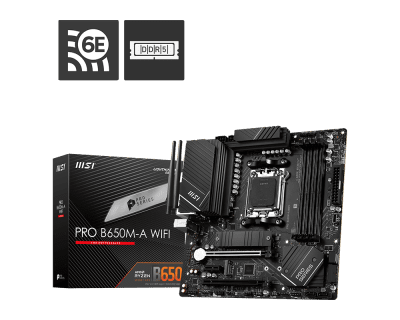
MSI PRO B650M-A WiFi
Memory
Corsair 32GB 2x16 DDR5-6000MHz
Graphics Card(s)
AMD Radeon RX 6800 XT Refrence Card
Hard Drives
WD_Black SN850X 1TB M.2 NVMe
PSU
FSP Hydro PTM X PRO 1000W

It looks like it possibly might be a NZXT keyboard or mouse?

Rich (BB code):
0: kd> !DevNode ffffdc8e3f72f9a0
DevNode 0xffffdc8e3f72f9a0 for PDO 0xffffdc8e3a61fc70
  Parent 0xffffdc8e3a788c40   Sibling 0xffffdc8e3fc15960   Child 0xffffdc8e3f7629a0   
  InstancePath is "USB\VID_1E71&PID_200F\384F34663538"
  ServiceName is "HidUsb"
  State = DeviceNodeStarted (0x30a)
 

My Computer My Computer

At a glance

Windows 11, Windows 10, Linux Fedora Cinnamon
OS
Windows 11, Windows 10, Linux Fedora Cinnamon
It looks like it possibly might be a NZXT keyboard or mouse?

Rich (BB code):
0: kd> !DevNode ffffdc8e3f72f9a0
DevNode 0xffffdc8e3f72f9a0 for PDO 0xffffdc8e3a61fc70
  Parent 0xffffdc8e3a788c40   Sibling 0xffffdc8e3fc15960   Child 0xffffdc8e3f7629a0  
  InstancePath is "USB\VID_1E71&PID_200F\384F34663538"
  ServiceName is "HidUsb"
  State = DeviceNodeStarted (0x30a)
I have a Keychron keyboard and Logitech MX Master 3 mouse.
 

My Computer My Computer

At a glance

Windows 11AMD Ryzen 9 7900xCorsair 32GB 2x16 DDR5-6000MHzAMD Radeon RX 6800 XT Refrence Card
OS
Windows 11
Computer type
PC/Desktop
CPU
AMD Ryzen 9 7900x
Motherboard
MSI PRO B650M-A WiFi
Memory
Corsair 32GB 2x16 DDR5-6000MHz
Graphics Card(s)
AMD Radeon RX 6800 XT Refrence Card
Hard Drives
WD_Black SN850X 1TB M.2 NVMe
PSU
FSP Hydro PTM X PRO 1000W

It will one of those devices which is causing the problem, I would suggest using a different keyboard or mouse if possible, even if you have to borrow one for troubleshooting purposes.
 

My Computer My Computer

At a glance

Windows 11, Windows 10, Linux Fedora Cinnamon
OS
Windows 11, Windows 10, Linux Fedora Cinnamon
It will one of those devices which is causing the problem, I would suggest using a different keyboard or mouse if possible, even if you have to borrow one for troubleshooting purposes.
I will, thanks.
 

My Computer My Computer

At a glance

Windows 11AMD Ryzen 9 7900xCorsair 32GB 2x16 DDR5-6000MHzAMD Radeon RX 6800 XT Refrence Card
OS
Windows 11
Computer type
PC/Desktop
CPU
AMD Ryzen 9 7900x
Motherboard
MSI PRO B650M-A WiFi
Memory
Corsair 32GB 2x16 DDR5-6000MHz
Graphics Card(s)
AMD Radeon RX 6800 XT Refrence Card
Hard Drives
WD_Black SN850X 1TB M.2 NVMe
PSU
FSP Hydro PTM X PRO 1000W
Please perform the following steps:


1) Run: Tuneup plus > post a share link into this thread using one drive, drop box, or google drive


2) Run: HD Tune (free or trial version) (all drives)
Post images or share links displaying results on these tabs:
a) Health
b) Benchmark
c) Full error scan


3) Run Sea Tools for Windows Long Generic test (all drives)


4) Open administrative command prompt and copy and paste:

chkdsk /b /v

Run these chkdsk switches on all drives using the syntax: chkdsk /b /v C: or chkdsk /b /v D: or chkdsk /b /v E: etc.

Make sure that the switches are run on the Windows drive overnight while sleeping.

C:\WINDOWS\system32>chkdsk /b /v
The type of the file system is NTFS.
Cannot lock current drive.

Chkdsk cannot run because the volume is in use by another
process. Would you like to schedule this volume to be
checked the next time the system restarts? (Y/N)


Type: Y

Reboot as necessary.


5) When installing drivers please use motherboard and component manufacturer websites instead of Driver Booster


6) Upgrade the BIOS:

7D77v191(Beta version) > 7D77v19


7) These steps / tests can run overnight while sleeping:
a) HD Tune Full error scan
b) Sea Tools or Windows Long Generic test
c) chkdsk /b /v


8) Indicate any installed hardware / software related to:


Code:
------------------------
Disk & DVD/CD-ROM Drives
------------------------
      Drive: C:
 Free Space: 337.5 GB
Total Space: 543.5 GB
File System: NTFS
      Model: WD_BLACK SN850X 1000GB

      Drive: D:
 Free Space: 200.3 GB
Total Space: 953.9 GB
File System: NTFS
      Model: KINGSTON SNV2S1000G

      Drive: E:
 Free Space: 2782.5 GB
Total Space: 3815.4 GB
File System: NTFS
      Model: WDC WD40EZRZ-75GXCB0

      Drive: F:
 Free Space: 377.6 GB
Total Space: 409.6 GB
File System: NTFS
      Model: WD_BLACK SN850X 1000GB
 
Last edited:

My Computer My Computer

At a glance

Windows 10Intel(R) Core(TM) i7-4800MQ CPU @ 2.70GHz16 GB Total: Manufacturer : Samsung MemoryTyp...NVIDIA Quadro K3100M; Intel(R) HD Graphics 4600
OS
Windows 10
Computer type
Laptop
Manufacturer/Model
HP
CPU
Intel(R) Core(TM) i7-4800MQ CPU @ 2.70GHz
Motherboard
Product : 190A Version : KBC Version 94.56
Memory
16 GB Total: Manufacturer : Samsung MemoryType : DDR3 FormFactor : SODIMM Capacity : 8GB Speed : 1600
Graphics Card(s)
NVIDIA Quadro K3100M; Intel(R) HD Graphics 4600
Sound Card
IDT High Definition Audio CODEC; PNP Device ID HDAUDIO\FUNC_01&VEN_111D&DEV_76E0
Hard Drives
Model Hitachi HTS727575A9E364
Antivirus
Microsoft Defender
Other Info
Mobile Workstation
1) Tuneup Plus Log:

2)HD Tune:
Error Scans:

3)SeaDisk
All tests passed

4) Performed the checks, and they hard disks were fine

5) I believe only my 2nd OS was using 3rd party driver packages, the main OS was used by original manufacturer drivers.

6) Updated the BIOS to I updated to 7D77v19

8) Other than the case, there is no NZXT products.

Thanks ahead of time.
 

My Computer My Computer

At a glance

Windows 11AMD Ryzen 9 7900xCorsair 32GB 2x16 DDR5-6000MHzAMD Radeon RX 6800 XT Refrence Card
OS
Windows 11
Computer type
PC/Desktop
CPU
AMD Ryzen 9 7900x
Motherboard
MSI PRO B650M-A WiFi
Memory
Corsair 32GB 2x16 DDR5-6000MHz
Graphics Card(s)
AMD Radeon RX 6800 XT Refrence Card
Hard Drives
WD_Black SN850X 1TB M.2 NVMe
PSU
FSP Hydro PTM X PRO 1000W
Scannow:
Code:
There is a system repair pending which requires reboot to complete.  Restart
Windows and run sfc again.

1) Please reboot then run Tuneup plus > post a new link

2) Run: Chkdsk from event viewer > post a share link

3) Run: HD Sentinel (free or trial version) (all drives)
(Results are instantaneous)
Post images or share links displaying results on these tabs:
a) Overview
b) Temperature
c) SMART
 

My Computer My Computer

At a glance

Windows 10Intel(R) Core(TM) i7-4800MQ CPU @ 2.70GHz16 GB Total: Manufacturer : Samsung MemoryTyp...NVIDIA Quadro K3100M; Intel(R) HD Graphics 4600
OS
Windows 10
Computer type
Laptop
Manufacturer/Model
HP
CPU
Intel(R) Core(TM) i7-4800MQ CPU @ 2.70GHz
Motherboard
Product : 190A Version : KBC Version 94.56
Memory
16 GB Total: Manufacturer : Samsung MemoryType : DDR3 FormFactor : SODIMM Capacity : 8GB Speed : 1600
Graphics Card(s)
NVIDIA Quadro K3100M; Intel(R) HD Graphics 4600
Sound Card
IDT High Definition Audio CODEC; PNP Device ID HDAUDIO\FUNC_01&VEN_111D&DEV_76E0
Hard Drives
Model Hitachi HTS727575A9E364
Antivirus
Microsoft Defender
Other Info
Mobile Workstation

My Computer My Computer

At a glance

Windows 11AMD Ryzen 9 7900xCorsair 32GB 2x16 DDR5-6000MHzAMD Radeon RX 6800 XT Refrence Card
OS
Windows 11
Computer type
PC/Desktop
CPU
AMD Ryzen 9 7900x
Motherboard
MSI PRO B650M-A WiFi
Memory
Corsair 32GB 2x16 DDR5-6000MHz
Graphics Card(s)
AMD Radeon RX 6800 XT Refrence Card
Hard Drives
WD_Black SN850X 1TB M.2 NVMe
PSU
FSP Hydro PTM X PRO 1000W
Please run chkdsk /b /v E: and chkdsk /b /v F:


Drive: E:
Free Space: 2782.5 GB
Total Space: 3815.4 GB
File System: NTFS
Model: WDC WD40EZRZ-75GXCB0

Drive: F:
Free Space: 377.6 GB
Total Space: 409.6 GB
File System: NTFS
Model: WD_BLACK SN850X 1000GB

Then post a new:
https://www.tenforums.com/attachmen...-files-use-bsod-debugging-chkdskfromevent.bat


2) Clean vents > reduce heat


3) Post 3 HD Sentinel images / share links for each drive


4) For any BSOD or unexpected shutdown and restart post a new V2 share link into the newest post


5) List any hardware attached to ports (human interactive devices)
 

My Computer My Computer

At a glance

Windows 10Intel(R) Core(TM) i7-4800MQ CPU @ 2.70GHz16 GB Total: Manufacturer : Samsung MemoryTyp...NVIDIA Quadro K3100M; Intel(R) HD Graphics 4600
OS
Windows 10
Computer type
Laptop
Manufacturer/Model
HP
CPU
Intel(R) Core(TM) i7-4800MQ CPU @ 2.70GHz
Motherboard
Product : 190A Version : KBC Version 94.56
Memory
16 GB Total: Manufacturer : Samsung MemoryType : DDR3 FormFactor : SODIMM Capacity : 8GB Speed : 1600
Graphics Card(s)
NVIDIA Quadro K3100M; Intel(R) HD Graphics 4600
Sound Card
IDT High Definition Audio CODEC; PNP Device ID HDAUDIO\FUNC_01&VEN_111D&DEV_76E0
Hard Drives
Model Hitachi HTS727575A9E364
Antivirus
Microsoft Defender
Other Info
Mobile Workstation

Latest Support Threads

Back
Top Bottom