Edit: This project has evolved into a collaborate effort known as Folder11. You can find these icons here.
Original post:
In my ongoing quest to keep Zune alive, I sought to create a custom matching Podcasts folder for Windows 11.
For those wondering where this folder comes from: when the Zune software is installed, a special Shell folder is also installed for podcasts (called "My Podcasts" by default) and is contained within the User folder. Since Windows 7 was the latest version of Windows when Zune was still being supported, its icon uses the Windows 7 style design. So since then, I've been updating it for each following version of Windows to match the folder icon style (see this TenForums post for example).
Old Windows 7-style icons from the Zune software:

Windows 11-styled podcast icon:

The aqua folder icon was nabbed from the imageres.dll via this method and I simply added a podcast icon from Syncfusion's MetroStudio in Photoshop and added a drop shadow to it. Then I used IcoFX to customize it at each size to get it to be perfect. Check out the .ICO file I made at each size:

In my pursuit I came across two unused folder icons: 3D Objects and OneDrive also, which inspired me to want to make more.
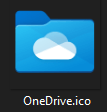
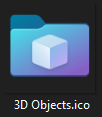
The attached .zip containing three .ico files: a custom Podcasts folder icon, and the OneDrive and 3D Objects icons included in Windows 11.
How to Install
1. Download the .zip attachment and extract its contents to a permanent location you can find later.
2. Locate your target folder by opening File Explorer and selecting This PC. Then navigate to C:\Users\[YOUR-USERNAME]\, or your other desired location.
3. Either find the folder that you'd like to customize or create a new folder.
4. Right click the target folder and select "Properties."
5. Under the "Customize" tab, select "Change Icon...".
6. Navigate to your custom .ico file and select it, and click Apply.
Note: it's recommended to find a permanent place to store your custom .ico files so they don't get moved.
I'm hoping this thread can become a hub for custom folder icons that match Windows 11's Fluent Design aesthetic. Looking forward to seeing what's made! I'll probably continue to add to this also.
Here's a Dropbox link to all of the custom icons I've made so far:
Dropbox
And here's a link to all of the default Windows 11 icons as of 7/7/2021.
Windows 11 Icons as of 7-7-2021
MediaFire is a simple to use free service that lets you put all your photos, documents, music, and video in a single place so you can access them anywhere and share them everywhere.
www.mediafire.com
7/30/2025 Update: I'm too lazy to update my download links, but @biyakuga made a version of the Podcasts icon with an actual fluent icon you should check out here:
It would be a good idea to use Fluent Design icons for your folders. For example, the Podcasts icon looks a bit off right now.
Here is an example I made
I also created a Proton Drive folder you can use:
Hello all, I've come back from the dead to bring you a Proton Drive folder icon.
I couldn't stand that it didn't match the other folders, so I changed it.
Before:
View attachment 140590
After:
View attachment 140591
Attached is the Proton Drive .ICO file as a zip.
And yes, there's a unique icon per pixel-width (254, 64, 40, 32, 24, 20, and 16).
Lastly, I created a template with the folder layers separated for easy customization:
While I'm at it, I might as well share the source files for the front and back folder parts on separate layers.
This allows creating custom folders to be very easy if you want one color for the back and a gradient or separate color for the front.
View attachment 140881
View attachment 140882
- Windows Build/Version
- Windows 11 Pro 22000.51
Attachments
Last edited:
My Computers
-
At a glance
Windows 11Intel Core i7-8700Kingston HyperX Fury DDR4 8GB (x4 for 32GB)NVIDIA - GeForce RTX 4080- OS
- Windows 11
- Computer type
- PC/Desktop
- CPU
- Intel Core i7-8700
- Motherboard
- LGA1151 Z370 ATX
- Memory
- Kingston HyperX Fury DDR4 8GB (x4 for 32GB)
- Graphics Card(s)
- NVIDIA - GeForce RTX 4080
- Sound Card
- NVIDIA High Definition Audio
- Monitor(s) Displays
- Monitor 1: ASUS VG248QE 24” (1920x1080 144Hz 1ms), Monitor 2: Dell P2715Q 27” (3840x2160 60Hz), Monitor 3: Dell U2412M (1920x1200 60Hz)
- Screen Resolution
- 1920 x 1080, 3840 x 2160, and 1920 x 1200 respesctively.
- Hard Drives
- NVME: HP EX920 M.2 1TB
SSD: Samsung 680 EVO 4TB
HDD 1: Hitachi HGST HUH728080ALE600 8TB
HDD 2: Hitachi HGST HUH728080ALE600 8TB
- PSU
- CORSAIR RM1000x (1000W)
- Case
- Cooler Master HAF 912
- Keyboard
- Ultimate Hacking Keybord 60 V2
- Mouse
- Logitech MX Vertical
- Internet Speed
- 1,200 Mbps download, 40 Mbps upload
- Browser
- Mozilla Firefox
- Antivirus
- MalwareBytes
- Other Info
- View full equipment here: http://davidvkimball.com/setup
-
At a glance
Windows 11 ProIntel Core i54GB- Operating System
- Windows 11 Pro
- Computer type
- Tablet
- Manufacturer/Model
- Microsoft Surface Pro 3
- CPU
- Intel Core i5
- Memory
- 4GB
- Monitor(s) Displays
- 10.8” ClearType Full HD Plus Display
- Screen Resolution
- 1920 x 1280
- Hard Drives
- 128GB SSD
- Browser
- Firefox
- Antivirus
- MalwareBytes
- Other Info
- Originally shipped with Windows 8.1 Pro in 2014, upgraded to 10, and now Windows 11.