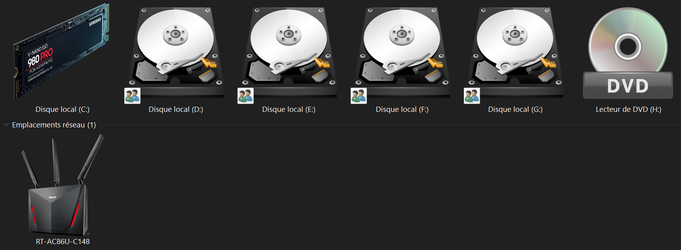
I suggest pulling from all of the Windows 11 icons. I've collected them for you here.Just shoot whatever you think. As you can see, I love High res Icons. Just look at what I'm using it will give you a good idea.
I'm sure you have some great ideas!
As you can see here, these are my most used ones.
View attachment 3085
Windows 11 Icons as of 7-7-2021
MediaFire is a simple to use free service that lets you put all your photos, documents, music, and video in a single place so you can access them anywhere and share them everywhere.
www.mediafire.com
My Computers
-
At a glance
Windows 11Intel Core i7-8700Kingston HyperX Fury DDR4 8GB (x4 for 32GB)NVIDIA - GeForce RTX 4080- OS
- Windows 11
- Computer type
- PC/Desktop
- CPU
- Intel Core i7-8700
- Motherboard
- LGA1151 Z370 ATX
- Memory
- Kingston HyperX Fury DDR4 8GB (x4 for 32GB)
- Graphics Card(s)
- NVIDIA - GeForce RTX 4080
- Sound Card
- NVIDIA High Definition Audio
- Monitor(s) Displays
- Monitor 1: ASUS VG248QE 24” (1920x1080 144Hz 1ms), Monitor 2: Dell P2715Q 27” (3840x2160 60Hz), Monitor 3: Dell U2412M (1920x1200 60Hz)
- Screen Resolution
- 1920 x 1080, 3840 x 2160, and 1920 x 1200 respesctively.
- Hard Drives
- NVME: HP EX920 M.2 1TB
SSD: Samsung 680 EVO 4TB
HDD 1: Hitachi HGST HUH728080ALE600 8TB
HDD 2: Hitachi HGST HUH728080ALE600 8TB
- PSU
- CORSAIR RM1000x (1000W)
- Case
- Cooler Master HAF 912
- Keyboard
- Ultimate Hacking Keybord 60 V2
- Mouse
- Logitech MX Vertical
- Internet Speed
- 1,200 Mbps download, 40 Mbps upload
- Browser
- Mozilla Firefox
- Antivirus
- MalwareBytes
- Other Info
- View full equipment here: http://davidvkimball.com/setup
-
At a glance
Windows 11 ProIntel Core i54GB- Operating System
- Windows 11 Pro
- Computer type
- Tablet
- Manufacturer/Model
- Microsoft Surface Pro 3
- CPU
- Intel Core i5
- Memory
- 4GB
- Monitor(s) Displays
- 10.8” ClearType Full HD Plus Display
- Screen Resolution
- 1920 x 1280
- Hard Drives
- 128GB SSD
- Browser
- Firefox
- Antivirus
- MalwareBytes
- Other Info
- Originally shipped with Windows 8.1 Pro in 2014, upgraded to 10, and now Windows 11.