Desktop PC running W11 Pro 25H2
I have a D-Link DSN-323 2 bay NAS storage device
Connected by Ethernet to my home hub, I use it for backups.
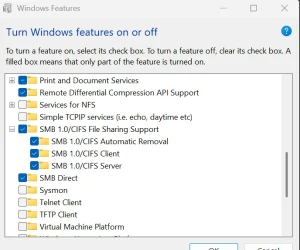
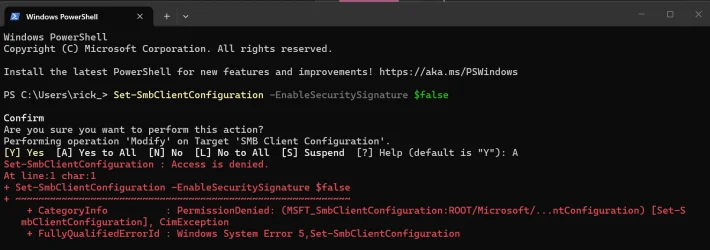
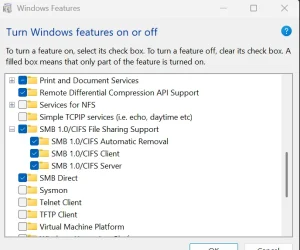
(I had to enable SMB in W11 Optional Features to be discoverable)
It maps the 2 drives as Vol 1 = Z and Vol2 = Y (Pic attached)
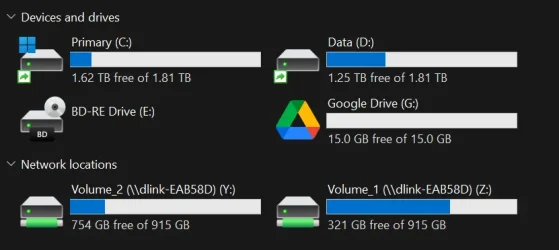
But if I click on drive to open it just opens a blank screen
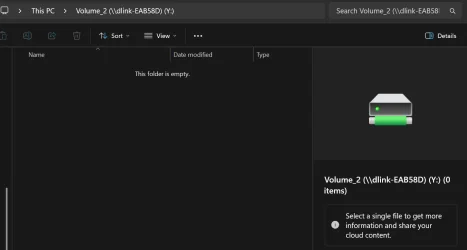
They show as 'green' and is I click on volume the properties show data is there ...
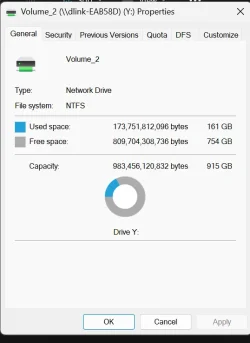
What do I need to add/enable to view the files
I have a D-Link DSN-323 2 bay NAS storage device
Connected by Ethernet to my home hub, I use it for backups.
(I had to enable SMB in W11 Optional Features to be discoverable)
It maps the 2 drives as Vol 1 = Z and Vol2 = Y (Pic attached)
But if I click on drive to open it just opens a blank screen
They show as 'green' and is I click on volume the properties show data is there ...
What do I need to add/enable to view the files
- Windows Build/Version
- 25H2
My Computer
At a glance
W11AMD Ryzen 9 7900X 4.7 GHz 12-CoreCORSAIR VENGEANCE DDR5 64GB (2x32GB) DDR5 600...Gigabyte Radeon RX 7800 XT GAMING OC 16GB
- OS
- W11
- Computer type
- PC/Desktop
- Manufacturer/Model
- Home Build
- CPU
- AMD Ryzen 9 7900X 4.7 GHz 12-Core
- Motherboard
- Gigabyte Aorus Master X670e
- Memory
- CORSAIR VENGEANCE DDR5 64GB (2x32GB) DDR5 6000MHz
- Graphics Card(s)
- Gigabyte Radeon RX 7800 XT GAMING OC 16GB
- Monitor(s) Displays
- 1 x Alienware AW2725QF 27" 1 x Dell P2422HD 23"
- Screen Resolution
- 4K
- Hard Drives
- 2 x 2TB Crucial T700 2TB SSD PCIe Gen5 NVMe M.2 I
- PSU
- Thermaltake TOUGHPOWER GF A3 1050W Modular
- Case
- Fractal Define 7 Mid Tower Gaming Case
- Cooling
- Thermalright Phantom Spirit 1230 EVO
- Internet Speed
- 8GB full fibre


 I have one of those under my steps, but it hasn't seen power in years!