Debloat Windows 11 or not?


Lj2025

Member
Local time
2:18 AM
Posts
49
OS
Windows 11 Pro

My Computer

System One

  • OS
    Windows 11 Pro
I’m not into it. The most I generally do is install Revo and uninstall certain Microsoft apps.
I’m too busy using my PC to make money and play the occasional game to care about any excess and being paranoid about telemetry and whatever else the kids these days have phobia’s or are paranoid about.
 

My Computers

System One System Two

  • OS
    Windows 11 Pro 25H2 Build 26200.8524
    Computer type
    PC/Desktop
    Manufacturer/Model
    Sin-built 2013
    CPU
    Intel(R) Core(TM) i7-4770K CPU @ 3.50GHz
    Motherboard
    ASUS ROG Maximus VI Formula
    Memory
    32.0 GB of I forget and the box is in storage.
    Graphics Card(s)
    Gigabyte nVidia GeForce GTX 1660 Super OC 6GB
    Sound Card
    Onboard thingy
    Monitor(s) Displays
    5 x LG 25MS500-B - 1 x 24MK430H-B - 1 x Wacom Pro 22" Touch Screen Tablet
    Screen Resolution
    All over the place
    Hard Drives
    Too many to list.
    OS on Samsung 1TB 870 QVO SATA
    PSU
    Silverstone 1500
    Case
    NZXT Phantom 820 Full-Tower Case
    Cooling
    Noctua NH-D15 Elite Class Dual Tower CPU Cooler / 6 x EziDIY 120mm / 2 x Corsair 140mm somethings / 1 x 140mm Thermaltake something / 2 x 200mm Corsair.
    Keyboard
    Corsair K95 / Logitech diNovo Edge Wireless
    Mouse
    Logitech: G402 / G502 / Mx Masters / Mx Air Cordless
    Internet Speed
    2000/500Mbps
    Browser
    All sorts
    Antivirus
    Kaspersky Premium
    Other Info
    ㅤㅤㅤㅤㅤㅤㅤㅤㅤㅤㅤㅤㅤㅤㅤㅤㅤㅤㅤㅤㅤㅤㅤㅤㅤㅤㅤㅤㅤㅤㅤㅤㅤㅤㅤㅤㅤㅤㅤㅤ⠀⠀⠀⠀⠀⠀⠀⠀⠀⠀
    TP-Link BE9300 WiFi 7 Bluetooth 5.4 (Archer TBE550E)
    TP-Link TX201 V1 2.5GB Lan

    Grandstream HT812 - VoIP
    ASUS DSL-AX82U - Mesh
    ASUS RT-AC68U - Mesh
    ASUS RT-BE88U Router

    Brother MFC-L2880DW Printer

    I’m on a horse.
  • Operating System
    Windows 11 Pro 25H2 Build 26200.8524
    Computer type
    Laptop
    Manufacturer/Model
    LENOVO Yoga 7 14IRL8 - 7i EVO OLED 14" Touchscreen i5 12 Core 16GB/512GB
    CPU
    Intel Core 12th Gen i5-1240P Processor (1.7 - 4.4GHz)
    Memory
    16GB LPDDR5 RAM
    Graphics card(s)
    Intel Iris Xe Graphics Processor
    Sound Card
    Optimized with Dolby Atmos®
    Screen Resolution
    QHD 2880 x 1800 OLED
    Hard Drives
    M.2 512GB
    Antivirus
    Defender / Malwarebytes
    Other Info
    …still on a horse.
Simplest debloat is go to Startup under Apps in Settings and toggle off all running apps you don't use. Windows will feel lighter and run faster without every app trying to hog memory. The only things that should run are what you allow.
 

My Computers

System One System Two

  • OS
    Windows 11 Education For 25H2
    Computer type
    Laptop
    Manufacturer/Model
    HP ZBook G2
    CPU
    Intel® Core i7 5500u
    Motherboard
    HP
    Memory
    8 GB
    Graphics Card(s)
    Intel HD Family Graphics 5500 AMD Firepro 4150M
    Sound Card
    Realtek High Audio
    Hard Drives
    1 TB SSD
    Mouse
    HP USB Mouse
    Antivirus
    Windows Defender
  • Operating System
    Windows 11 Pro For Workstations 25H2
    Computer type
    Laptop
    Manufacturer/Model
    HP Zbook G4
    CPU
    Xeon 1535m v6
    Motherboard
    HP
    Memory
    32 GB
    Graphics card(s)
    AMD Quadro Pro 4100
    Sound Card
    Bang and Olufson Audio
    Hard Drives
    1TB SSD
    Mouse
    HP USB Mouse
    Antivirus
    Windows Defender
Should i Debloat Windows 11?

The problem with this sort of script is if things go wrong, you are sometimes fubared and end up installing from scratch.

Frankly the minute positive benefit is far outweighed by potential negative impacts.

Somebody will always tell you to take a risk but would never accept any blame if things go pearshaped - their silence would oxymoronically deafen you.

So: No.
 

My Computer

System One

  • OS
    Windows 11 Pro + Win11 Canary VM.
    Computer type
    Laptop
    Manufacturer/Model
    ASUS Zenbook 14
    CPU
    I9 13th gen i9-13900H 2.60 GHZ
    Motherboard
    Yep, Laptop has one.
    Memory
    16 GB soldered
    Graphics Card(s)
    Integrated Intel Iris XE
    Sound Card
    Realtek built in
    Monitor(s) Displays
    laptop OLED screen
    Screen Resolution
    2880x1800 touchscreen
    Hard Drives
    1 TB NVME SSD (only weakness is only one slot)
    PSU
    Internal + 65W thunderbolt USB4 charger
    Case
    Yep, got one
    Cooling
    Stella Artois (UK pint cans - 568 ml) - extra cost.
    Keyboard
    Built in UK keybd
    Mouse
    Bluetooth , wireless dongled, wired
    Internet Speed
    900 mbs (ethernet), wifi 6 typical 350-450 mb/s both up and down
    Browser
    Edge
    Antivirus
    Defender
    Other Info
    TPM 2.0, 2xUSB4 thunderbolt, 1xUsb3 (usb a), 1xUsb-c, hdmi out, 3.5 mm audio out/in combo, ASUS backlit trackpad (inc. switchable number pad)

    Macrium Reflect Home V8
    Office 365 Family (6 users each 1TB onedrive space)
    Hyper-V (a vm runs almost as fast as my older laptop)
Should i Debloat Windows 11?


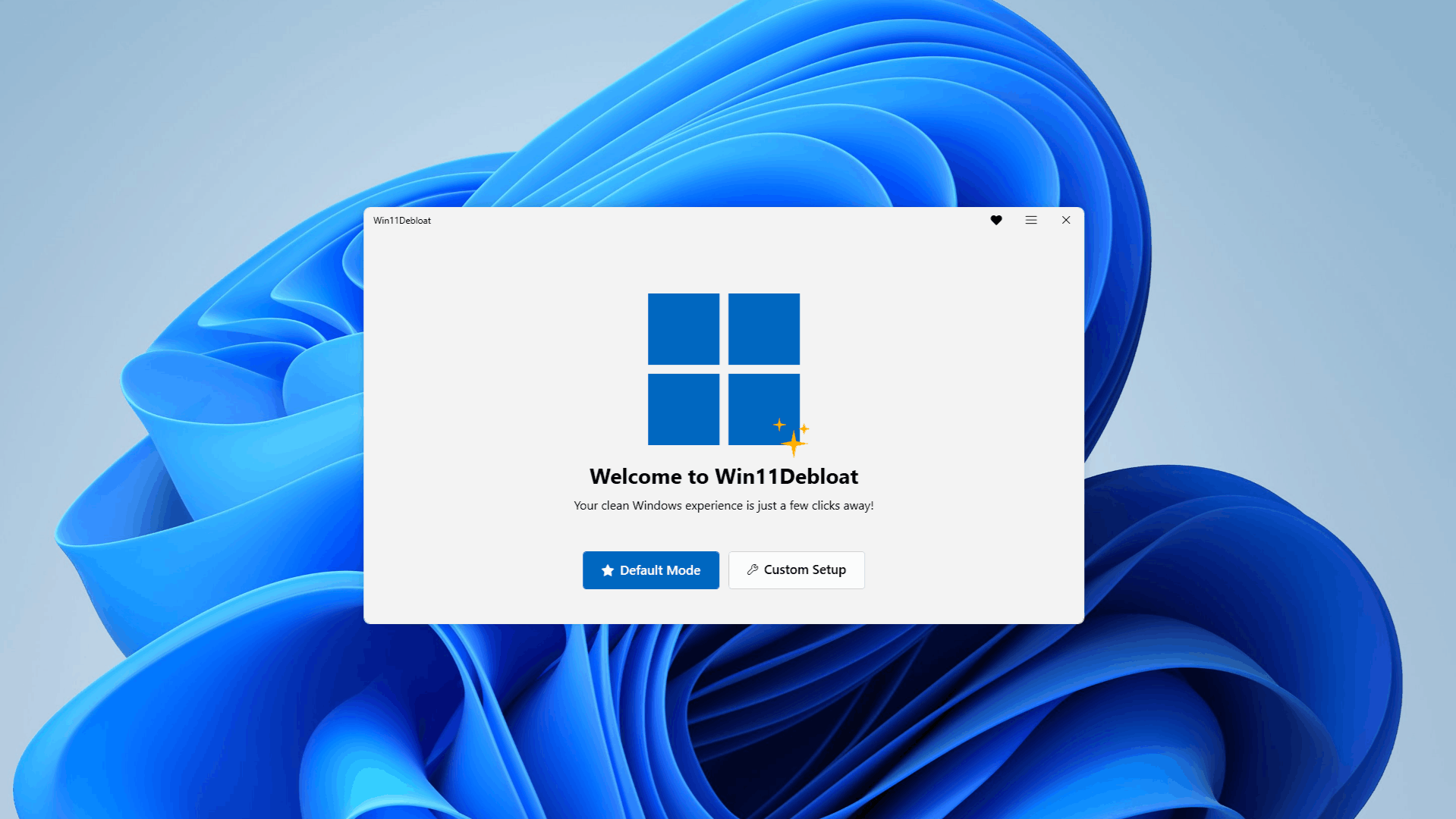
i use Win11Debloat after i have removed all that i want removed with Revo-uninstaller.
i just use the default setting, option 1. and let it run, no problems thus far.

best of luck Steve ..
 

My Computers

System One System Two

  • OS
    Debian Trixie KDE Windows 11 Home
    Computer type
    PC/Desktop
    Manufacturer/Model
    HP 24" AiO
    CPU
    Ryzen 7 5825u
    Motherboard
    HP
    Memory
    64GB DDR4 3200
    Graphics Card(s)
    Ryzen 7 5825u
    Sound Card
    RealTek
    Monitor(s) Displays
    24" HP AiO
    Screen Resolution
    1920 x 1080 @60 Hz
    Hard Drives
    1TB WD Blue SN580 M2 SSD Partitioned.
    2x 1TB USB HDD External Backup/Storage.
    PSU
    90W external power brick
    Case
    24" All in One
    Cooling
    Default Air Cooling
    Keyboard
    HP WiFi UK extended
    Mouse
    HP WiFi 3 Button
    Internet Speed
    1GB full fibre
    Browser
    Edge & Firefox
    Antivirus
    AVG Internet Security/Windows Defender
    Other Info
    Mainly Open Source Software
  • Operating System
    Ubuntu 22.04.5 LTS
    Computer type
    Laptop
    Manufacturer/Model
    Dell 13" Latitude 2017
    CPU
    i5 7200u
    Motherboard
    Dell
    Memory
    16GB DDR4
    Graphics card(s)
    Intel
    Sound Card
    Intel
    Monitor(s) Displays
    13" Dell Laptop
    Hard Drives
    250GB Crucial 2.5" SSD
    Mouse
    Generic WiFi 3 button
    Internet Speed
    WiFi only
    Browser
    Firefox
    Antivirus
    ClamAV TK
    Other Info
    Mainly Open Source Software
On a clean install, I run WinUtil from Chris Titus (mostly to quickly install what I regularly use and some of the tweaks like O&O ShutUp), then I pull out Bulk Crap Uninstaller and remove what it safe to remove (while I don't use OneDrive or Edge, I keep them installed - in my personal experience, it's a PITA to remove them since they're so ingrained into the OS these days), then I use Autoruns to stop everything I don't need running (like the aforementioned Edge and OD as well as other apps that I don't need running all the time).
 

My Computer

System One

  • OS
    Windows 11 Pro 25H2 (26200.8457)
    Computer type
    PC/Desktop
    Manufacturer/Model
    Pre-built
    CPU
    AMD Ryzen 7 7800X3D
    Motherboard
    MSI Pro B650-VC WiFi
    Memory
    32gb Team Group (T-Force) DDR5-6000
    Graphics Card(s)
    Zotac nVidia GeForce RTX 4070 SUPER - 12gb
    Sound Card
    Sound BlasterX G6
    Monitor(s) Displays
    Koorui G2421V and ViewSonic VX2453
    Screen Resolution
    P:2560x1440 S:1920x1080
    Hard Drives
    WD Blue SN5000 - 500gb NVME
    WD Blue SN580 - 2TB NVME
    Seagate 4TB HDD - ST4000VN008-2DR166
    Keyboard
    Mountain Everest
    Mouse
    Logitech G502 Hero
    Internet Speed
    T-Mobile Home Internet
    Browser
    Firefox
    Other Info
    QNAP TS-469 Pro NAS
    TP-Link W7200 (2 unit mesh network)
    Elgato Streamdeck
On a clean install, I run WinUtil from Chris Titus (mostly to quickly install what I regularly use and some of the tweaks like O&O ShutUp), then I pull out Bulk Crap Uninstaller and remove what it safe to remove (while I don't use OneDrive or Edge, I keep them installed - in my personal experience, it's a PITA to remove them since they're so ingrained into the OS these days), then I use Autoruns to stop everything I don't need running (like the aforementioned Edge and OD as well as other apps that I don't need running all the time).
This link takes you to GitHub where I can everything in the universe about WinUtil -- except how to DL it! Can anyone help, or better yet, find a link somewhere else to DL it?
 

My Computers

System One System Two

  • OS
    Windows 11 Pro 25H2
    Computer type
    Laptop
    Manufacturer/Model
    Dell/Precision 351
    CPU
    Intel i7 2.60Ghz
    Motherboard
    Dell 0y8h01
    Memory
    16GB
    Graphics Card(s)
    Nvidia Quadro P620 + Intel UHD Graphics 630
    Sound Card
    Realtek
    Monitor(s) Displays
    Laptop screen only
    Screen Resolution
    1920x1080p
    Hard Drives
    PC SN730 NVMe WDC 512GB
    Mouse
    Logitech Gaming Mouse G600
    Browser
    DuckDuckGo
    Antivirus
    BitDefender
  • Operating System
    Win 11
    Computer type
    PC/Desktop
    CPU
    AMD Ryzen 9950X3D
    Motherboard
    Asus ROG Crosshair X870E
    Memory
    Corsair Dominator DDR5 32GB
    Graphics card(s)
    nVidia RTX 5080
    Hard Drives
    2 Samsung NVMe M.2 SSD 9100 4TB
    PSU
    Seasonic GX-1200W
    Case
    LanCool 216
    Keyboard
    Steelseries Apex Pro Gen 3
I’m not into it. The most I generally do is install Revo and uninstall certain Microsoft apps.
I’m too busy using my PC to make money and play the occasional game to care about any excess and being paranoid about telemetry and whatever else the kids these days have phobia’s or are paranoid about.
I don't bother either. I buy a premium laptop, and it does everything I want as fast as I want. I like to think the reason I don't have problems is that I run Windows the way the boys at Redmond designed it.
 

My Computers

System One System Two

  • OS
    Windows 11 Pro
    Computer type
    Laptop
    Manufacturer/Model
    Dell XPS 16 DA16260
    CPU
    Intel Series 3 Core Ultra X9 388H
    Memory
    64GB LPDDR5x 9600 MT/s
    Graphics Card(s)
    Intel Arc graphics B390 Panther Lake
    Monitor(s) Displays
    16" 3.2K Tandem OLED Infinity Edge
    Screen Resolution
    3200 x 2000 16:10 236 PPI
    Hard Drives
    1 Terabyte M.2 PCIe NVMe SSD
    Case
    Black Anodized Aluminum
    Cooling
    Vapor Chamber Cooling
    Mouse
    None
    Internet Speed
    942 Mbps Netgear Mesh + 2 Satellites
    Browser
    Microsoft Edge (Chromium)
    Antivirus
    Windows Security (Defender)
    Other Info
    NPU delivering 67 TOPS
    Microsoft 365 subscription
    Microsoft OneDrive 1TB Cloud
    Microsoft Visual Studio
    Microsoft Visual Studio Code
    Microsoft Sysinternals Suite
    Microsoft BitLocker
    Microsoft Copilot
    Dell Support Assist
    Dell Command | Update
    Macrium Reflect X subscription
    1Password Password Manager
    Amazon Kindle for PC
    Lightroom/Photoshop subscription
    Interactive Brokers Trader Workstation
  • Operating System
    Windows 11 Pro
    Computer type
    Laptop
    Manufacturer/Model
    Microsoft Surface Laptop 7
    CPU
    Snapdragon® X Elite (12 Core) with Hexagon NPU delivering 45 TOPS
    Memory
    32GB LPDDR5x 8448 MT/s
    Graphics card(s)
    Integrated Adreno GPU
    Sound Card
    Omnisonic speakers with Dolby Atmos spatial sound
    Monitor(s) Displays
    13.8″ PixelSense Flow touchscreen 120 Hz 600 NIT
    Screen Resolution
    2304 × 1536 (201 PPI), 3:2 aspect ratio
    Hard Drives
    1 TB PCIe NVMe Gen 4 SSD
    Case
    Black Anodized Aluminum
    Cooling
    Vapor Chamber Cooling
    Mouse
    None
    Internet Speed
    942 Mbps Netgear Mesh + 2 Satellites
    Browser
    Microsoft Edge (Chromium)
    Antivirus
    Windows Security (Defender)
    Other Info
    Microsoft 365 subscription (Office)
    Microsoft OneDrive 1TB Cloud
    Microsoft Visual Studio 2026
    Microsoft Visual Studio Code
    Interactive Brokers Trader Workstation
    Lightroom/Photoshop subscription
    1Password Password Manager
    Microsoft Sysinternals
    Amazon Kindle for PC
    Microsoft BitLocker
    Microsoft Copilot
I just uninstall some stuff installed by default(onedrive, copilot, etc) and disable some services. I saw some people talk about debloat scripts not playing nice with windows updates so I personally don't use them.
 

My Computers

System One System Two

  • OS
    Windows 11 Pro 25H2
    Computer type
    PC/Desktop
    CPU
    5800X3D
    Motherboard
    Asus B550-F Strix
    Memory
    64gb DDR4 3600mhz
    Graphics Card(s)
    RTX 3080
    Screen Resolution
    1440p
    PSU
    Corsair RM850x
    Case
    Corsair 4000D
    Cooling
    Noctua NH-D15
  • Operating System
    Linux Mint
    Computer type
    PC/Desktop
    CPU
    i5-4670K OC @ 4.2ghz
    Memory
    16gb DDR3
    Graphics card(s)
    MSI GTX 1080
    Monitor(s) Displays
    1920x1080 VA panel
    Screen Resolution
    1920x1080p
    Hard Drives
    1x SSD
    PSU
    Corsair RM750x
    Cooling
    Coolermaster 212 air cooler
    Other Info
    RIP Win 10 the 4670k is old but still strong.
There are a lot of space wasters provided by MS. Some users find them useful, some do not. I just go to "Installed Apps" and delete what I don't want (if allowed). The rest of the stuff that I probably would never use (like Edge) , I just ignore it. My disk drive is 930 GB with 691 GB of free space. If something takes up space on my disk drive that I don't want, so what? I have plenty of space to work with.
 

My Computers

System One System Two

  • OS
    Windows 11 Home, 25H2, Latest OS Build
    Computer type
    Laptop
    Manufacturer/Model
    HP 15-dw0xx
    CPU
    Intel(R) Core(TM) i3-8145U CPU @ 2.10GHz 2.30 GHz
    Memory
    8GB
    Screen Resolution
    1366 x 768
    Hard Drives
    930 GB
    Keyboard
    Built In
    Mouse
    Wireless Logitech M325S
    Browser
    Chrome 139.0.7258.128
    Antivirus
    Windows Defender
    Other Info
    Cygwin64
  • Operating System
    Windows 10 Home, Version 22H2, Build19045.3693
    Computer type
    PC/Desktop
    Manufacturer/Model
    HP Pavilion
    CPU
    AMD E-300 with Radeon HD Graphics 1.30 GHz
    Memory
    10GB
    Graphics card(s)
    Radeon HD Graphics 1.30 GHz
    Sound Card
    Realtek
    Monitor(s) Displays
    15"
    Screen Resolution
    1280 x 1024
    Hard Drives
    700 GB
    Keyboard
    Wireless
    Mouse
    Wireless
    Browser
    Chrome
    Antivirus
    Windows Defender
    Other Info
    This computer is connected to my IC-735 radio.
I recently installed windows 11 X-lite optimum (comes in Pro version - preactivated). Its good starting point. During install, you can choose if you want to install with or without Security center/Windows Defender. Updates are paused until 2030 but you can resume it and update as normal. Comes without any bloat and you can add what ever you want from store. You need to install MS store first, which is provided in system after installed. Another thing to point out is that you need to install Edge (also provided) to have webview2 support for apps like new outlook. System is much more snappier, CPU usage with all my apps installed is 1-2% while idle. Boots are also faster.
 

My Computer

System One

  • OS
    Win 11 Pro Insider Beta (26220.8370), Kali Linux
    Computer type
    Laptop
    Manufacturer/Model
    HP Victus 15
    CPU
    AMD Ryzen 5 5600H
    Memory
    16GB (2x8GB) Dual Channel
    Graphics Card(s)
    Nvidia RTX 3050
    Monitor(s) Displays
    1080p IPS 144Hz (Laptop Screen) + 3x 1080p 60Hz screens
    Screen Resolution
    4x 1920x1080 monitors
    Hard Drives
    M.2 NVMe 512GB Samsung - PCIe 4.0x4 - Main system drive

    USB-A and USB-C M.2 NVMe Enclosure with NVMe SSSTC 256GB - NVM Express 1.3 - Ventoy with all install files and all ISO images i use.

    USB External SSD Kingston XS100 1TB - USB 3.2 Gen 2 - WindowsToGo (Clone of my existing Sytem), and all games I play.

    USB External SSHD Seagate FireCuda 2TB - USB 3.0 - For Macrium system images, data, photos, stays always safe at home
    PSU
    200W
    Cooling
    Zalman ZM-NC3 Cooling pad
    Keyboard
    Dell KM7120W
    Mouse
    Dell KM7120W
    Internet Speed
    1Gb/s down / 500Mb/s up
    Browser
    Chrome
    Antivirus
    Windows Defender
If you have not developed the script yourself, you should probably avoid running it. First, try creating a personal script and test it on a virtual machine (VM). This way, if there are any bugs, you can identify and fix them. Once everything works properly, you can run it on your main machine. Avoid making too many modifications, as this could break Windows Update.

If you're looking for a reliable method, try disabling startups. You can use the Revo Uninstaller Startup Manager to check which services, tasks, and apps are running at startup.
 

My Computers

System One System Two

  • OS
    Windows 11 Pro 25H2
    Computer type
    Laptop
    Manufacturer/Model
    Huawei MateBook D15
    CPU
    Ryzen 5 3500U
    Memory
    8GB
    Graphics Card(s)
    Vega 8
    Screen Resolution
    FHD
    Hard Drives
    256GB Samsung SSD + 1TB HDD
    Browser
    Microsoft Edge
    Antivirus
    ESET Smart Security Premium
  • Operating System
    Windows 10 Enterprise LTSC 21H2
    Computer type
    Laptop
    Manufacturer/Model
    MSI GS73 6RF Stealth Pro
    CPU
    intel core i7 6700HQ
    Memory
    16GB
    Graphics card(s)
    Nvidia Geforce GTX1060 (6GB)
    Screen Resolution
    FHD
    Hard Drives
    128GB SSD + 1TB HDD
    Browser
    Microsoft Edge
    Antivirus
    Windows Defender
If you have not developed the script yourself, you should probably avoid running it. First, try creating a personal script and test it on a virtual machine (VM). This way, if there are any bugs, you can identify and fix them. Once everything works properly, you can run it on your main machine. Avoid making too many modifications, as this could break Windows Update.

If you're looking for a reliable method, try disabling startups. You can use the Revo Uninstaller Startup Manager to check which services, tasks, and apps are running at startup.
If you have W11 Pro / Workstations or Enterprise editions just leave all the defaults -- Windows seems to work (usually) OK on pretty well any set of even quite modest hardware -- unless you are a real geek or have some really eseoteric state of the art hardware 99.999% of people will just hose Windows up.

I doubt whether a typical individual just doing average things on Windows can "outsmart" a $ (US) 1 TRILLION corporation. There's always the odd setting or so that might help but large scale changes invariably cause more problems than they solve.

If you want to tinker around at that internal level with OS'es just try any Linux distro -- nearly everything isin public domain with source code available.

Cheers
jimbo
 

My Computer

System One

  • OS
    Windows XP,11 Linux Fedora Rawhide pre-release 45
    Computer type
    PC/Desktop
    CPU
    2 X Intel i7
    Screen Resolution
    4KUHD X 2
I don't bother either. I buy a premium laptop, and it does everything I want as fast as I want. I like to think the reason I don't have problems is that I run Windows the way the boys at Redmond designed it.
Nowadays Windows is designed in India, not in Redmond.
 

My Computer

System One

  • OS
    Windows 11

My Computer

System One

  • OS
    Windows 11 Pro + Win11 Canary VM.
    Computer type
    Laptop
    Manufacturer/Model
    ASUS Zenbook 14
    CPU
    I9 13th gen i9-13900H 2.60 GHZ
    Motherboard
    Yep, Laptop has one.
    Memory
    16 GB soldered
    Graphics Card(s)
    Integrated Intel Iris XE
    Sound Card
    Realtek built in
    Monitor(s) Displays
    laptop OLED screen
    Screen Resolution
    2880x1800 touchscreen
    Hard Drives
    1 TB NVME SSD (only weakness is only one slot)
    PSU
    Internal + 65W thunderbolt USB4 charger
    Case
    Yep, got one
    Cooling
    Stella Artois (UK pint cans - 568 ml) - extra cost.
    Keyboard
    Built in UK keybd
    Mouse
    Bluetooth , wireless dongled, wired
    Internet Speed
    900 mbs (ethernet), wifi 6 typical 350-450 mb/s both up and down
    Browser
    Edge
    Antivirus
    Defender
    Other Info
    TPM 2.0, 2xUSB4 thunderbolt, 1xUsb3 (usb a), 1xUsb-c, hdmi out, 3.5 mm audio out/in combo, ASUS backlit trackpad (inc. switchable number pad)

    Macrium Reflect Home V8
    Office 365 Family (6 users each 1TB onedrive space)
    Hyper-V (a vm runs almost as fast as my older laptop)

My Computer

System One

  • OS
    Windows XP,11 Linux Fedora Rawhide pre-release 45
    Computer type
    PC/Desktop
    CPU
    2 X Intel i7
    Screen Resolution
    4KUHD X 2
Most definitely "Debloat". Maybe not to extreme levels of de-bloat (stripping down the Windows image - of all features deemed as bloat - including Windows Security or Windows update features - which are rather ambiguous this days) - but personally - i consider a common sense level of de-bloat rather necessary. For most part - you don't even need an extra tool, just.... patience - since most of it can be disabled from the Settings Menu - they even included the option to remove all kinds of windows features - using the default uninstaller (no need to remove them forcefully using PowerShell - as was the case for quite a long time). For example: Game Bar, Xbox, OneDrive, Remote Desktop, etc... can now be uninstalled safely with Windows integrated uninstaller. Which, obviously - will remove only the app - and not the embed features - like Game Bar Menu (from Gaming section) - but that too can be disabled/unticked. Same goes for OneDrive - you can uninstall it - but you'll still find its affiliation in any feature/app - where it's embed (like the Cloud related features or apps like Photos). Tho, accessing any of this features/apps - can now properly identify - that they've been uninstalled - and won't try to interact with them (waste resources tying to load something - that's not there anymore).

A fresh/clean install of Windows this days - is indeed in the worst state it has ever been... bloatware wise. Even before starting Windows - embed in the Lock Screen - you're already greeted by an embed web applet. Then in Windows - the Taskbar, the Start Menu - they're all infected by similar corporate BS web apps/widgets - involving curated news articles and nonsensical recommendations (common sense wise). So hey, i truly get the sentiment of every Windows 10 user - who did a clean install of Windows 11 - and felt a Windows 8 Metro Deja Vu while booting their freshly installed Windows...

giphy.gif


...but, not the resolution...

giphy.gif


As a company - Microsoft ideology is heavily into people pleasing (trying to please the share-holders - by including features which generate profit and also the OEM partners - by officially limiting Windows 11 support with the aim of compelling Windows 7 - 10 clients - into buying new hardware, trying to please both the newbs but also the power users - by offering options to disable a lot of features - one might dislike, they're even trying to please - specific Linux dystro users - by offering a dedicated feature for running a Linux dystro within Windows, and so on and so forth... ). My point is, as mentioned in the beginning.... Yes, a fresh install of Windows looks rather nasty this days - "but it's not locked in place (the macOS way of doing things), quite the opposite - you can de-bloat it really close to Windows 10 functionality. They're over-exaggerating - acting as if Windows 10 was more like Windows 2K/XP (far from that). :facepalm:

And sure. using third party tools like O&OShutUp or more complex - like CrapFixer... works too (if you know what you're doing).

 

My Computer

System One

  • OS
    WinDOS 25H2
    Computer type
    Laptop
    CPU
    Intel & AMD
    Memory
    SO-DIMM SK Hynix 15.8 GB Dual-Channel DDR4-2666 (2 x 8 GB) 1329MHz (19-19-19-43)
    Graphics Card(s)
    nVidia RTX 2060 6GB Mobile GPU (TU106M)
    Sound Card
    Onbord Realtek ALC1220
    Screen Resolution
    1920 x 1080
    Hard Drives
    1x Samsung PM981 NVMe PCIe M.2 512GB / 1x Seagate Expansion ST1000LM035 1TB
Most definitely "Debloat". Maybe not to extreme levels of de-bloat (stripping down the Windows image - of all features deemed as bloat - including Windows Security or Windows update features - which are rather ambiguous this days) - but personally - i consider a common sense level of de-bloat rather necessary. For most part - you don't even need an extra tool, just.... patience - since most of it can be disabled from the Settings Menu - they even included the option to remove all kinds of windows features - using the default uninstaller (no need to remove them forcefully using PowerShell - as was the case for quite a long time). For example: Game Bar, Xbox, OneDrive, Remote Desktop, etc... can now be uninstalled safely with Windows integrated uninstaller. Which, obviously - will remove only the app - and not the embed features - like Game Bar Menu (from Gaming section) - but that too can be disabled/unticked. Same goes for OneDrive - you can uninstall it - but you'll still find its affiliation in any feature/app - where it's embed (like the Cloud related features or apps like Photos). Tho, accessing any of this features/apps - can now properly identify - that they've been uninstalled - and won't try to interact with them (waste resources tying to load something - that's not there anymore).

A fresh/clean install of Windows this days - is indeed in the worst state it has ever been... bloatware wise. Even before starting Windows - embed in the Lock Screen - you're already greeted by an embed web applet. Then in Windows - the Taskbar, the Start Menu - they're all infected by similar corporate BS web apps/widgets - involving curated news articles and nonsensical recommendations (common sense wise). So hey, i truly get the sentiment of every Windows 10 user - who did a clean install of Windows 11 - and felt a Windows 8 Metro Deja Vu while booting their freshly installed Windows...

giphy.gif


...but, not the resolution...

giphy.gif


As a company - Microsoft ideology is heavily into people pleasing (trying to please the share-holders - by including features which generate profit and also the OEM partners - by officially limiting Windows 11 support with the aim of compelling Windows 7 - 10 clients - into buying new hardware, trying to please both the newbs but also the power users - by offering options to disable a lot of features - one might dislike, they're even trying to please - specific Linux dystro users - by offering a dedicated feature for running a Linux dystro within Windows, and so on and so forth... ). My point is, as mentioned in the beginning.... Yes, a fresh install of Windows looks rather nasty this days - "but it's not locked in place (the macOS way of doing things), quite the opposite - you can de-bloat it really close to Windows 10 functionality. They're over-exaggerating - acting as if Windows 10 was more like Windows 2K/XP (far from that). :facepalm:

And sure. using third party tools like O&OShutUp or more complex - like CrapFixer... works too (if you know what you're doing).
Nope. Waste of time - I never bother with this nonsense and my pc idles at 1% CPU.
 

My Computer

System One

  • OS
    Windows 11 Pro + Win11 Canary VM.
    Computer type
    Laptop
    Manufacturer/Model
    ASUS Zenbook 14
    CPU
    I9 13th gen i9-13900H 2.60 GHZ
    Motherboard
    Yep, Laptop has one.
    Memory
    16 GB soldered
    Graphics Card(s)
    Integrated Intel Iris XE
    Sound Card
    Realtek built in
    Monitor(s) Displays
    laptop OLED screen
    Screen Resolution
    2880x1800 touchscreen
    Hard Drives
    1 TB NVME SSD (only weakness is only one slot)
    PSU
    Internal + 65W thunderbolt USB4 charger
    Case
    Yep, got one
    Cooling
    Stella Artois (UK pint cans - 568 ml) - extra cost.
    Keyboard
    Built in UK keybd
    Mouse
    Bluetooth , wireless dongled, wired
    Internet Speed
    900 mbs (ethernet), wifi 6 typical 350-450 mb/s both up and down
    Browser
    Edge
    Antivirus
    Defender
    Other Info
    TPM 2.0, 2xUSB4 thunderbolt, 1xUsb3 (usb a), 1xUsb-c, hdmi out, 3.5 mm audio out/in combo, ASUS backlit trackpad (inc. switchable number pad)

    Macrium Reflect Home V8
    Office 365 Family (6 users each 1TB onedrive space)
    Hyper-V (a vm runs almost as fast as my older laptop)
Simplest debloat is go to Startup under Apps in Settings and toggle off all running apps you don't use. Windows will feel lighter and run faster without every app trying to hog memory. The only things that should run are what you allow.
Been there done that, it's not working like that. They still eating resource in back unless u uninstall them completely with third party programmes
 

My Computers

System One System Two

  • OS
    windows 11 home 23H2 22631.6199
    Computer type
    Laptop
    Manufacturer/Model
    HP
    CPU
    Intel core i7 (2nd gen) Turbo 3.10 ghz
    Memory
    6gb
    Graphics Card(s)
    Amd Radeon HD 7400m 1GB & Intel hd graphics
    Sound Card
    BeatsAudio
    Hard Drives
    128gb SSD
  • Operating System
    macOS Sequoia
    Computer type
    PC/Desktop
    Manufacturer/Model
    iMac 24"
    CPU
    M1 3.2 ghz
    Memory
    8gb onboard
    Graphics card(s)
    igpu
    Monitor(s) Displays
    Retina 4.5K
    Screen Resolution
    4480x2520
    Hard Drives
    512gb SSD

Latest Support Threads

Back
Top Bottom