Microsoft Mechanics Blog:
The speed that AI can now discover and exploit vulnerabilities means that our defenses also need to adjust.
For the devices that you manage where you can afford to tighten deployment timelines, we’ll explain updated recommendations and show you how to speed up patching.It starts with assessing your risk exposure for unpatched devices using the new Autopatch report in Microsoft Intune, then tightening deferral policies on the devices where it makes sense, using Hotpatch to activate protection on install — without requiring reboots. Windows Autopatch automates your update deployments using rings to progressively apply updates to the device groups that you help define, including updates for Windows, Microsoft 365 Apps and the Edge browser. And to keep internal resources protected, you can enforce access controls using Conditional Access to block non-compliant devices.
Jeremy Chapman, Microsoft 365 Director, shares what’s changed along with the approaches you can take to help counter the growing number of AI-discovered vulnerabilities and stay protected.
Move AI vulnerabilities from discovery to exploit in hours.
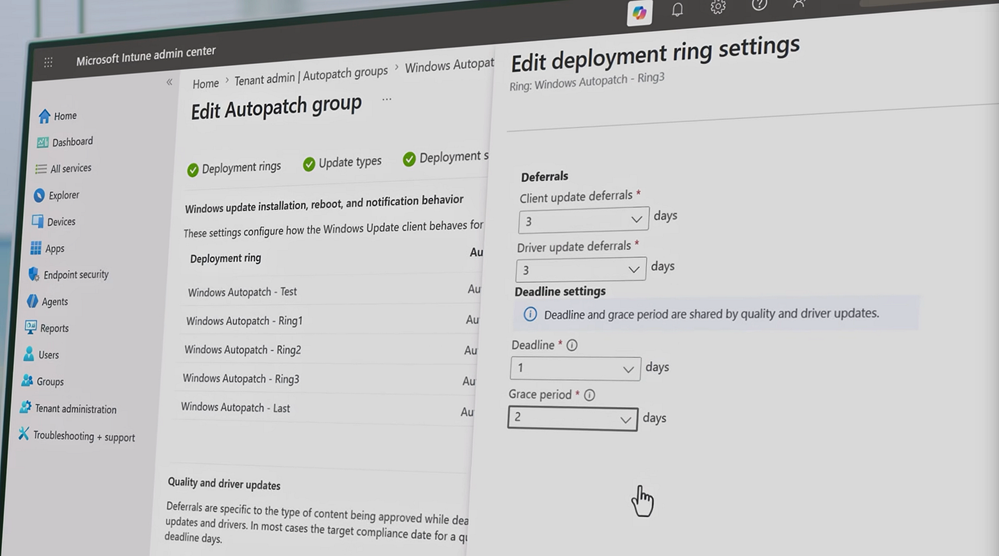
For Windows devices in your estate where you can tighten deployment timelines, Microsoft’s updated patching recommendations show exactly where to set the bar. See how it works.
Fewer reboots. Immediate protection.
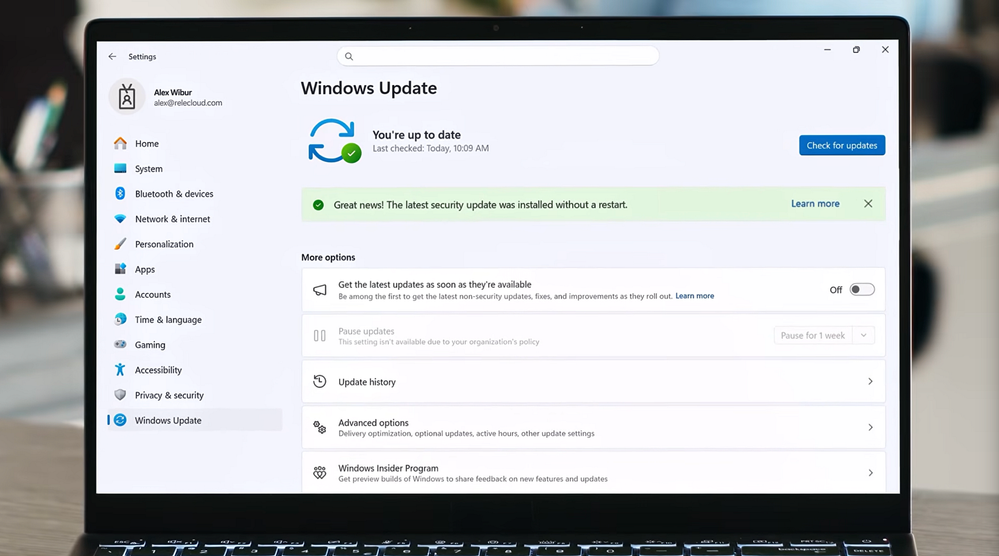
Hotpatch in Microsoft Intune applies security fixes the moment they install, no restart required. Check it out.
Configure once.
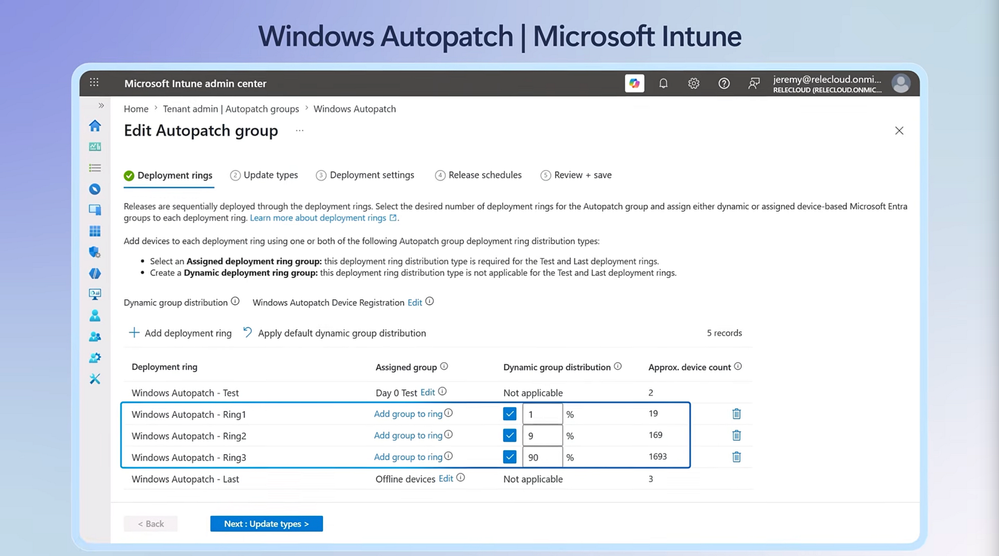
Ring-based Windows Autopatch policies paired with Microsoft 365 Apps on Monthly Enterprise Channel automate your full patching pipeline. See it here.
Source:


 Apple 13" Macbook Pro 2020 (m1)