If the KEK is not updated, you will stop receiving update to DB and DBX from Microsoft in June 2026. If you ran the command and booted at least twice and still KEK is not updated, it indicates that Dell has not provided Microsoft with a new signed KEK to install. If your computer is still receiving UEFI updates from Dell, you should just wait. Either Dell or Microsoft will eventually update the KEP (hopefully!). If you know that Dell no longer supports your PC, you will need to use the Mosby tool. That tool is a bit complicated to install on a flash drive but easy to run. However, it deletes the OEM PK in doing so. This means that updated from Dell to the UEFI will probably not install. So don't use Mosby if you ever expect to update the UEFI again. Dell does not make it simple to enter Secure Boot setup mode. With Secure Boot still enabled, select Custom Mode instead of Standard Mode. Delete all Secure Boot keys: PK, DB, DBX, and KEK. Then set Secure Boot to disabled. Boot from the Mosby drive. Type "mosby" in the prompt. Let it generate a new PK. When it is done. Enter the UEFI and set Secure Boot to enabled. Then in Windows, set the registry to run one last update to Secure Boot. Run the Powershell command that triggers it and reboot. Note: if you go ahead and revoke the 2011 certificate now, you can no longer run Memtest from Windows and the Windows Secure Boot Recovery will no longer work. These have not been updated by Window yet. I highly recommend backing up the four Secure Boot keys to a flash drive; then, you don't really need Secure Boot Recovery.This topic is way beyond my limited technical knowledge.
When I start reading about running Mosby and entering setup mode on my Dell XPS 13 9360 (which is a bit awkward when it comes to using the BIOS), I get scared and afraid of bricking the PC.
I've repeated the commands several times without success.
The command in Powershell doesn't seem to execute, even though I run it as an administrator.
Maybe I'll wait a little longer before things get worse.
And yes, this is the key I need (2023 Microsoft Corporation KEK 2k CA 2023 key).
I don't know why it won't enter the BIOS.
PS - Thanks for the important and valuable help you've given.
Very grateful!
Thanks a lot!
My Computer
At a glance
Windows 11 ProIntel i9-13900KF32 GB Corsair Vengeance DDR5-6000 MHzASUS Dual GeForce RTX 4070
- OS
- Windows 11 Pro
- Computer type
- PC/Desktop
- Manufacturer/Model
- iBUYPOWER
- CPU
- Intel i9-13900KF
- Motherboard
- ASUS ROG Maximus Z790 Hero
- Memory
- 32 GB Corsair Vengeance DDR5-6000 MHz
- Graphics Card(s)
- ASUS Dual GeForce RTX 4070
- Sound Card
- none
- Monitor(s) Displays
- Dell U2412M
- Screen Resolution
- 1920 x 1200
- Hard Drives
- WD Black SN850X NVMe SSD - 1 TB
- PSU
- Thermaltake Toughpower GF3 1000W
- Case
- Fractal Design Meshify 2 RGB
- Cooling
- Corsair H150i RGB Elite
- Keyboard
- Deck Hassium Pro
- Mouse
- Logitech MX Master 4
- Internet Speed
- 1500 Mbps download, 40 Mbps upload
- Browser
- Firefox
- Antivirus
- Bitdefender Internet Security


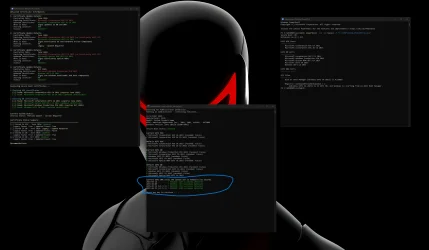

 re-did all the steps from scratch using that script I posted above with the exemption of updating the dbx for revocation which is what it's saying in the screenshot that needs updating , restarted my pc and boom all the failures showing up in red for the current dbx were all gone and turned green that's all i wanted really without breaking windows lol. Yea I heard about MOSBY but never tried my bios is in it's virgin state when it comes to that. Anyway thanks for all the responses.