- Local time
- 11:18 PM
- Posts
- 711
- Location
- Zuid-Holland, NL
- OS
- Win 11 Pro 26H2 Build 26300.9711, Zorin OS Pro
It seems that the Microsoft Corporation KEK 2K CA 2023, Windows UEFI CA 2023 and Microsoft UEFI CA 2023 are already installed as they should have.....
But it ends up back to "NotStarted".
Any more suggestions?
JohnD
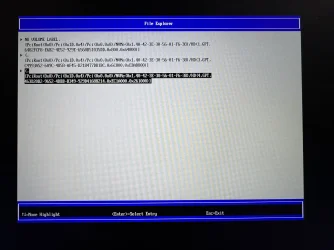
Attached Secure Boot BIOS certificate listing.
What are you wanting to do with that 0x40 assignment? With this "command" you want to update the following certificates;
- Windows UEFI CA 2023 (already there)
- Microsoft UEFI CA 2023 (already there)
- Microsoft Option ROM UEFI CA 2023 (missing??)
Can you execute (powershell as admin) this statement? : "Get-UEFISecureBootCerts -Variable db" In the list as result it will show you what is installed in your current and active DB. It should contain the following certificates from MS; These are already there; Bold&Underline. Are you missing "Microsoft Option ROM UEFI CA 2023"? If so then this scheduled task needs to run with that 0x40 as assignment.....
77fa9abd-0359-4d32-bd60-28f4e78f784b CN=Microsoft Corporation UEFI CA 2011, O=Microsoft Corporation, L=Redmond, S=Wa...
77fa9abd-0359-4d32-bd60-28f4e78f784b CN=Microsoft Windows Production PCA 2011, O=Microsoft Corporation, L=Redmond, S...
77fa9abd-0359-4d32-bd60-28f4e78f784b CN=Microsoft Option ROM UEFI CA 2023, O=Microsoft Corporation, C=US
77fa9abd-0359-4d32-bd60-28f4e78f784b CN=Microsoft UEFI CA 2023, O=Microsoft Corporation, C=US
77fa9abd-0359-4d32-bd60-28f4e78f784b CN=Windows UEFI CA 2023, O=Microsoft Corporation, C=US
The status "NotStarted" Is this task disabled?
Can you take a look with (Win+R) taskschd.msc and goto Microsoft - Windows - PI and see the status of that task: Secure-Boot-Update? If it has the status disabled then that the reason it did not started. Set is on enabled and try again. (rightclick on the task and "execute" will start it immediately. When done the status will return to "ready" *May refresh will refresh the screen*) When it runs that confirms that this did it job.
If not then you mean "NotStarted" inside the registry value "HKLM\SYSTEM\CurrentControlSet\Control\SecureBoot\Servicing\UEFICA2023Status is stating "NotStarted" instead of "Updated"?? Can you see if there is an error key visible in this part of this tree or look at the value of "HKLM\SYSTEM\CurrentControlSet\Control\SecureBoot\AvailableUpdates (Where that 0x40 was injected to. When done it will return a value. It can be 0x4000 when successful or an other value when there was an error) What see you for value now?
My Computers
-
At a glance
Win 11 Pro 26H2 Build 26300.9711, Zorin OS ProIntel® Core™ i7-12700KF 12th Gen. (S1700)32GB DDR5 5600-36 Vengeance (2x16)PCIe4.0 Asus NVIDIA RTX3060Ti- OS
- Win 11 Pro 26H2 Build 26300.9711, Zorin OS Pro
- Computer type
- PC/Desktop
- Manufacturer/Model
- Self built
- CPU
- Intel® Core™ i7-12700KF 12th Gen. (S1700)
- Motherboard
- ASUS Prime Z690-A, BIOS v4505 (Z690 Intel Chipset)
- Memory
- 32GB DDR5 5600-36 Vengeance (2x16)
- Graphics Card(s)
- PCIe4.0 Asus NVIDIA RTX3060Ti
- Sound Card
- Onboard; Realtek
- Monitor(s) Displays
- 34" LG 34UC79G-B Curved 21:9 144Hz
- Screen Resolution
- 2560x1080 (No HDR)
- Hard Drives
- 250Gb Samsung 870PRO NVMe (Win 11 Pro)
1Tb Samsung 980PRO NVMe
1Tb Samsung 970EVO NVMe
2Tb Samsung 990PRO NVMe with heatsink.
4Tb WDC WD40EZRZ Blue SATA (Int.)
4Tb WDC WD40EZRZ Blue SATA (Int.)
3Tb WDC WD30EFRZ Red SATA (Int.)
256Gb Samsung 840PRO SSD (RHEL 9,5)
256Gb Samsung 850PRO SSD (Zorin OS Pro 18)
- PSU
- Coolermaster 850W V2 Gold with internal 12cm exaust fan
- Case
- Be-Quiet Pure Base 600.
- Cooling
- 3x Be-Quiet! 12/14cm "Silent Wings 4" casefans, 1x Arctic Freezer i35 CPU towerblock with fan.
- Keyboard
- Steelseries APEX 7 keyboard.
- Mouse
- Logitech G-502 Hero
- Internet Speed
- 1Gb
- Browser
- Brave
- Antivirus
- F-Secure
- Other Info
- No Noise system.
256Gb Kingston Travler USB 3.0 drive.
64Gb Sandisk USB 3.2 drive. (Ventoy)
8Gb Philips USB 3.0 drive. (Win. Inst.)
8Gb Philips USB 3.0 drive. (Rescue disk)
2Tb WD USB 3.0 Passport drive.
USB Ext. 500Gb WD SATA drive.
External USB 3.0 C.A. CD/DVD* burner.
-
At a glance
Windows 11 Pro 26H2Intel® Core™ i7-6700K 6th Gen. (S1151)32Gb DDR4 2400 Corsair Vengeance (4x8)ASUS GeForce GTX1080- Operating System
- Windows 11 Pro 26H2
- Computer type
- PC/Desktop
- Manufacturer/Model
- Selfbuild
- CPU
- Intel® Core™ i7-6700K 6th Gen. (S1151)
- Motherboard
- ASUS Maximus VIII Ranger (Intel Chipset Z170)
- Memory
- 32Gb DDR4 2400 Corsair Vengeance (4x8)
- Graphics card(s)
- ASUS GeForce GTX1080
- Sound Card
- Onboard; Realtek
- Monitor(s) Displays
- LG IPS277L 27" WideLED, IPS
- Screen Resolution
- 1920x1080
- Hard Drives
- Samsung 850 Pro SSD
- PSU
- Zalman ZM600-HP with internal exhaust fan. Heatpipes & Modular cables.
- Case
- Cooler Master Aero
- Cooling
- Scythe Mugen 4 dual fan towerblock.
- Keyboard
- Red Dragon
- Mouse
- Red Dragon
- Internet Speed
- 1Gb
- Browser
- Brave
- Antivirus
- F-Secure