- Local time
- 10:13 AM
- Posts
- 261
- OS
- Wind 11 Pro 24H2 (Dev Channel)/23H2Beta (offline)
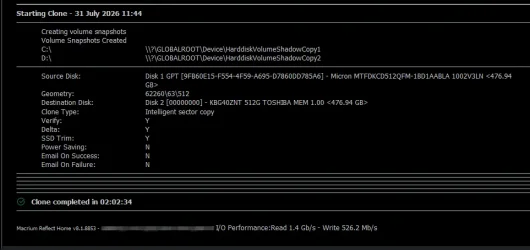
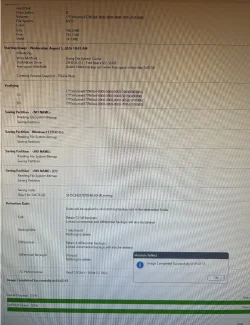
Will check out the Haselo. I backed up 950GBSomething doesn't seem right to me that your image takes that long to make (and to restore) unless you have an exhorbitant amount of data or are using hdds both ways.
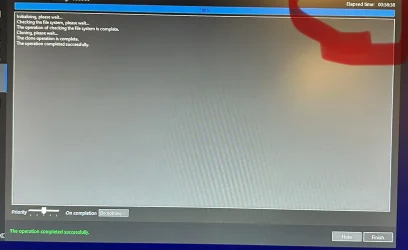
As a comparison, I can image and verify that image of all partitions of my system drive (nvme) with a size of 125gb to an external nvme in an enclosure in 6 minutes. I can restore that image in 4 minutes.
My storage drive is an external nvme in enclosure and is 100 GB in size. I can image that drive to another external nvme (in an enclosure) in 22 minutes. I've never had to restore that image. All my external nvme drives are through old usb 3.0.
By the way, Haselo Backup Suite Free images are comparable in time to Macrium. I use both Macrium 8.1 Workstation and Haselo and am gradually weaning myself away from the now unsupported Macrium which I love. It's hard to let it go but I can't afford to buy licenses for 4 computers every year. You might want to check it out rather than use Macrium 8.0 which is very old. Haselo supports BitLocker and UEFI Secure Boot functionality within its Windows environment and emergency recovery media.
My Computer
At a glance
Wind 11 Pro 24H2 (Dev Channel)/23H2Beta (offl...2 Intel Xeon 5680120 GbMSI(Nvidia) GeForce GTX 970
- OS
- Wind 11 Pro 24H2 (Dev Channel)/23H2Beta (offline)
- Computer type
- PC/Desktop
- Manufacturer/Model
- DELL T7500
- CPU
- 2 Intel Xeon 5680
- Memory
- 120 Gb
- Graphics Card(s)
- MSI(Nvidia) GeForce GTX 970
- Monitor(s) Displays
- Dell S2719DGF
- Screen Resolution
- 2560 x 1440 (155Hz)
- Hard Drives
- Samsung 2TB 870 (24H2 Device)
Samsung 1TB 860 (23H2 Beta)
- PSU
- Dell 1100W
- Antivirus
- Premium Malwarebyte, AdwCleaner (Malwarebyte)