Solved Do You Use A Third Party Start Menu?


Do You Use A Third Party Start Menu?

  • Yes

    Votes: 35 45.5%
  • No

    Votes: 42 54.5%

  • Total voters
    77
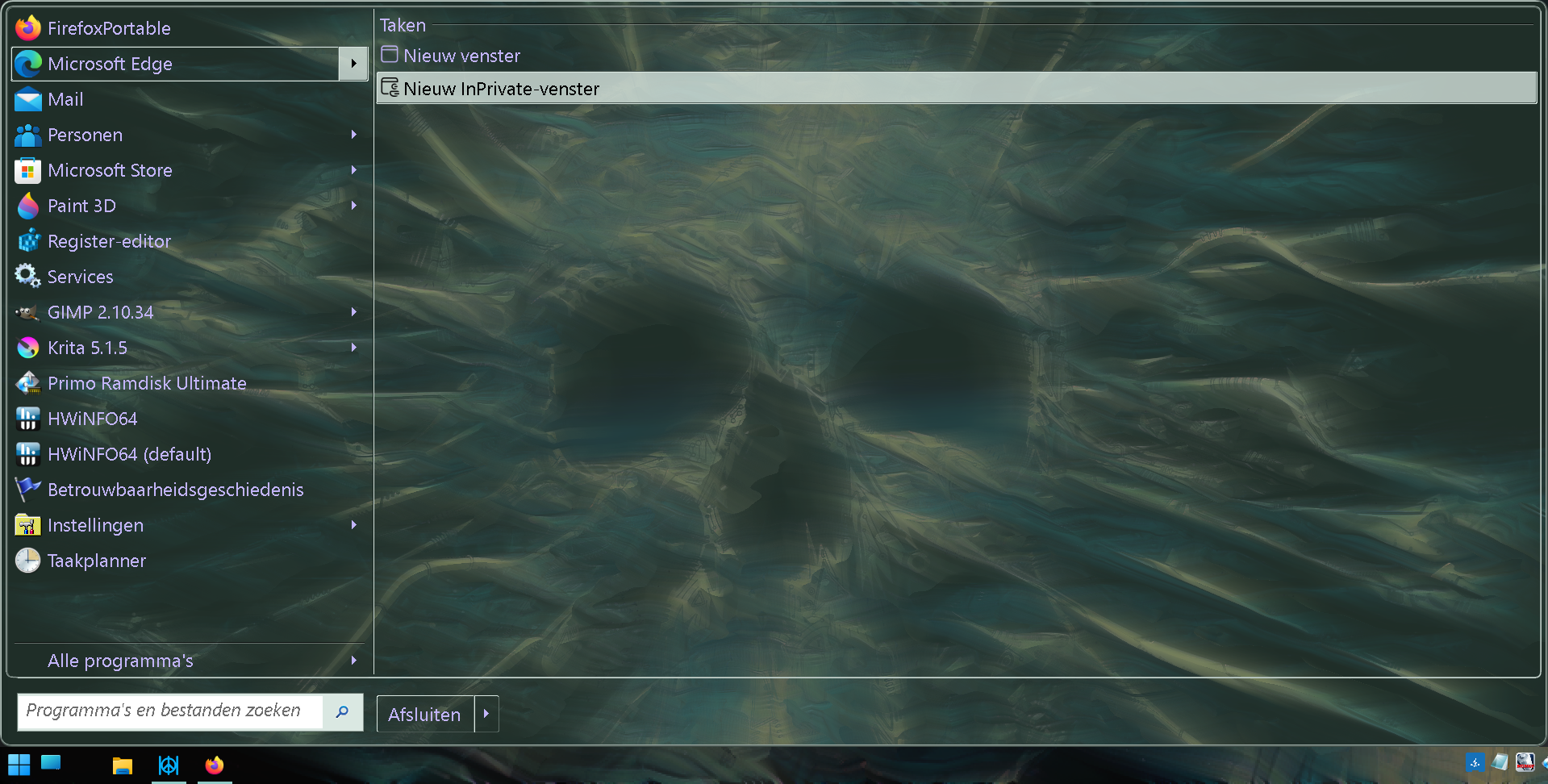
It's not that important IMO, as background pictures can also help to make it look nicer. I ditched TranslucentTB because Open-Shell has taskbar opacity and taskbar texture, which works well if you use ExplorerPatcher to bring back the Windows 10 taskbar on Windows 11.

vCHtQ71.png
That looks nice
 

My Computers

System One System Two

  • OS
    Windows 11 Home 25H2
    Computer type
    Laptop
    Manufacturer/Model
    HP Pavilion 14-ce3606sa
    CPU
    Core i5-1035G1
    Memory
    32gb
    Hard Drives
    Samsung 870 evo sata ssd
    Cooling
    Could be better
    Internet Speed
    50 mbps Starlink
    Browser
    Firefox
    Other Info
    Originally came installed with a 500gb H10 Optane ssd
  • Operating System
    Windows 11 Home
    Computer type
    Laptop
    Manufacturer/Model
    HP Pavilion ce3606sa
    CPU
    Intel Core i5-1035G1
    Memory
    16gb
    Hard Drives
    Hynix Gold P31 2TB
    Internet Speed
    200mbps Starlink
    Browser
    Firefox
    Antivirus
    Defender
Hi,
Yep explorer patcher does just fine for basic win-10 start menu just showing all apps.
Something 11 should be able to do but doesn't.
 

My Computer

System One

  • OS
    Win-7-10-11Pro's
    Computer type
    PC/Desktop
    Manufacturer/Model
    Acer 17" Nitro 7840sn/ 2x16gb 5600c40/ 4060/ stock 1tb-os/ 4tb sn850x
    CPU
    10900k & 9940x & 5930k
    Motherboard
    z490-Apex & x299-Apex & x99-Sabertooth
    Memory
    Trident-Z Royal 4000c16 2x16gb & Trident-Z 3600c16 4x8gb & 3200c14 4x8gb
    Graphics Card(s)
    Titan Xp & 1080ti FTW3 & evga 980ti gaming
    Sound Card
    Onboard Realtek x3
    Monitor(s) Displays
    1-AOC G2460PG 24"G-Sync 144Hz/ 2nd 1-ASUS VG248QE 24"/ 3rd LG 43" series
    Screen Resolution
    1920-1080 not sure what the t.v is besides 43" class scales from 1920-1080 perfectly
    Hard Drives
    2-WD-sn850x 4tb/ 970evo+500gb/ 980 pro 2tb.
    PSU
    1000p2 & 1200p2 & 850p2
    Case
    D450 x2 & 1 Test bench in cherry Entertainment center
    Cooling
    Custom water loops x3 with 2x mora 360mm rads only 980ti gaming air cooled
    Keyboard
    G710+x3
    Mouse
    Redragon x3
    Internet Speed
    xfinity gigabyte
    Browser
    Firefox
    Antivirus
    mbam pro
@hdmi in my case I have also icons on the desktop, which would be a problem with full menu transparency.
On Win 7 with Classic Shell, this wasn't a problem. The menu was just opaque enough (see the icons below?):

View attachment 89432

On Win 11 I have yet to find this kind of semi-opaqueness on my Open-Shell start menu. And I won't be using another start menu because I just like Open-Shell for that purpose. :-)

BTW sorry for the question, but why bring back Win 10 taskbar on Win 11? I don't even know what ExplorerPatcher is, so... 😅
I started using ClassicShell when it was still an early beta on Windows 7. (Ivo Beltchev is called Ivo on Sevenforums.com and as a matter of fact I'm the guy whose forum signature on there references Ivo. lol) AFAIK Microsoft got rid of Aero glass with the release of Windows 8 because Aero glass was being perceived by many as "proof" that Microsoft were too obsessed with stuff that was sacrificing more processing power in exchange for only cosmetics, i.e. as opposed to Microsoft spending more effort on improving the OS in ways that could have had a more positive impact on productivity factors and overall "true" quality of the OS. There was considerable backlash about this back then, and comments sections below tech articles online everywhere were rife with it. On average, for the most part, Windows 8 felt generally slicker, more responsive than Windows 7.

To clarify, I was an early adopter of Windows 8, and I stayed on Windows 8.1 until the beginning of 2018, but I also kept a close eye on how Windows 10 was evolving during the second half of this whole period. So, at the beginning of 2018, I moved to Windows 10, and I stopped using ClassicShell because I was aware that there were incompatibility problems between these two, but I didn't start using Open-Shell until Windows 11 came out, which was some time after Open-Shell had all its wrinkles already ironed out.

As for ExplorerPatcher, it's a free open source software on GitHub. Bringing back the Windows 10 taskbar lets me continue to:
  • use my taskbar toolbars and the scripts I wrote myself to automate them, and that make them play a rather important role in my workflow.
  • keep all my notification area icons always visible excepting only when in fullscreen mode.
  • have smaller icons both on the taskbar and in the notification area thereof, and have narrower spacing between notification area icons, to see a MUCH clearer overview of icons and to prevent icon overflow. (With all due respect to the visually impaired, who else besides them needs icons shown on the taskbar to be bigger than a house? I mean, Belgium is a small country. I only have a 55 inch TV so, I don't want taskbar icons to be THAT much taller than the Space Needle in Seattle. :rolleyes:)
  • have the taskbar height reduced to a noticeably smaller minimum height to make it not waste too much screen estate. See above. (But when you do, please be careful not to hurt your neck...)
  • see undistracting horizontal lines below icons of opened apps as opposed to have nightmares from getting abducted by wiener sausages.
  • use Open-Shell to customize the clock's font color, i.e. to make the clock's moving seconds undistracting.
  • avoid various bugs that still affect the Windows 11 taskbar.
  • ...
 

My Computers

System One System Two

  • OS
    11 Home
    Computer type
    Laptop
    Manufacturer/Model
    Asus TUF Gaming F16 (2024)
    CPU
    i7 13650HX
    Memory
    16GB DDR5
    Graphics Card(s)
    GeForce RTX 4060 Mobile
    Sound Card
    Eastern Electric MiniMax DAC Supreme; Emotiva UMC-200; Astell & Kern AK240
    Monitor(s) Displays
    Sony Bravia XR-55X90J
    Screen Resolution
    3840×2160
    Hard Drives
    512GB SSD internal
    37TB external
    PSU
    Li-ion
    Cooling
    2× Arc Flow Fans, 4× exhaust vents, 5× heatpipes
    Keyboard
    Logitech K800
    Mouse
    Logitech G402
    Internet Speed
    30Mbit/s up, 500Mbit/s down
    Browser
    FF
    Antivirus
    What's an antivirus?
  • Operating System
    11 Home
    Computer type
    Laptop
    Manufacturer/Model
    Medion S15450
    CPU
    i5 1135G7
    Memory
    16GB DDR4
    Graphics card(s)
    Intel Iris Xe
    Sound Card
    Eastern Electric MiniMax DAC Supreme; Emotiva UMC-200; Astell & Kern AK240
    Monitor(s) Displays
    Sony Bravia XR-55X90J
    Screen Resolution
    3840×2160
    Hard Drives
    2TB SSD internal
    37TB external
    PSU
    Li-ion
    Keyboard
    Logitech K800
    Mouse
    Logitech G402
    Internet Speed
    30Mbit/s up, 500Mbit/s down
    Browser
    FF
No 3rd party start menu for me either, tbh I don't interact with the start menu at all anyway.
I use blender & Gimp a lot and that is nearly all keyboard shortcuts for an efficient workflow, the habit continues into Windows so the start menu is pretty redundant for me for the most part.
Most of the software I use runs in full screen mode so what Windows looks like doesn't matter much to me.
Interesting point of view!
 

My Computers

System One System Two

  • OS
    Windows 11 Professional
    Computer type
    PC/Desktop
    Manufacturer/Model
    Alienware
    CPU
    Intel® Core™ i9 14900F (24-Core, 68MB Total Cache
    Motherboard
    Alienware
    Memory
    2x32 64 Gbyte DDR5 5600 MT/IS
    Graphics Card(s)
    NVIDIA® GeForce RTX™ 4070Ti SUPER 16GB GDDR6X
    Sound Card
    Creative Labs Z 5.1 Surround Sound with THX
    Hard Drives
    1 TB, M.2, PCIe NVMe, SSD 4x6.0 TB RAID 0 NAS HDDs.
    PSU
    Alienware
    Case
    Alienware
    Cooling
    Alienware Liquid Cool System
    Keyboard
    Alienware Gaming Keyboard.
    Mouse
    Alienware Gaming Pro Elite
    Internet Speed
    1000 Gig Download, 50 Gig Upload
    Browser
    Edge
    Antivirus
    Avast One
  • Operating System
    Windows 11 Professional
    Computer type
    Laptop
    Manufacturer/Model
    Alienware m18
I'm currently trying Satrdock Start11
1709894085755.png
 

My Computers

System One System Two

  • OS
    Windows 11 Entreprise
    Computer type
    Laptop
    Manufacturer/Model
    Alienware
    CPU
    Intel Core i5 4690K @ 4.00 GHz
    Motherboard
    Asus B85E-M
    Memory
    16 GB DDR3 1866 MHz
    Graphics Card(s)
    AMD Radeon R7 550 4 GB
    Monitor(s) Displays
    LG Flatron W2053TQ
    Screen Resolution
    1600 x 900
    Hard Drives
    2x SSD Hynix 1 TB Stripped Volume (Windows 11)
    2x SSD Hynix 1 TB Stripped Volume (Swap & Programs)
    1x HDD 4 TB (Data)
    2x HDD 500 GB Mirrored Volume (System Image)
    PSU
    Corsair 500W
    Case
    Generic Mid Tower
    Internet Speed
    1 Gbps
    Other Info
    OLD RIGS ARE BRAVE
  • Operating System
    Windows Server 2016 Standard
    Computer type
    PC/Desktop
    Manufacturer/Model
    DELL
    CPU
    Core 2 Quad Q9550
    Motherboard
    DELL
    Memory
    8 GB DDR3 1333 MHZ
    Graphics card(s)
    Intel G41
    Sound Card
    Onboard HD Audio
    Monitor(s) Displays
    AOC 15"
    Screen Resolution
    1366 x 768
    Hard Drives
    1x SSD 1 TB (System)
    1x SSD 240GB (Swap)
    1x HDD 8 TB (Storage)
    PSU
    DELL 320 W
    Case
    Slim
    Cooling
    Stock
    Internet Speed
    1 Gbps
    Other Info
    OLD RIGS ARE BRAVE
Open-Shell with SAB..............BEST !! :wink:
 

My Computer

System One

  • OS
    Windows11 Pro 25H2
    Computer type
    PC/Desktop
    Manufacturer/Model
    Asus
    CPU
    i7
    Motherboard
    z97k
    Memory
    32GB
    Graphics Card(s)
    nVidia
    Sound Card
    Realtek
    Hard Drives
    3
    Cooling
    air
    Browser
    Edge
    Antivirus
    ESET
On Win 11 I have yet to find this kind of semi-opaqueness on my Open-Shell start menu. And I won't be using another start menu because I just like Open-Shell for that purpose. :-)

BTW sorry for the question, but why bring back Win 10 taskbar on Win 11? I don't even know what ExplorerPatcher is, so... 😅

ExplorerPatcher brings back assorted features that MS in its wisdom chose to drop from Win 11. It allows choosing between Win10 and Win11 Start Menu and Task Bar. What I love is that it lets me put the task bar where I want it: vertical task bar on the left side of the screen. All who use it are grateful to Valentin Radu, a Romanian software engineer who developed it. It’s a free utility which you can find at: Releases · valinet/ExplorerPatcher (github.com)
 

My Computer

System One

  • OS
    Windows 11 Pro 24H2
    Computer type
    PC/Desktop
    Manufacturer/Model
    Custom
    CPU
    13th Gen Intel(R) Core(TM) i5-13600K 3.50 GHz
    Motherboard
    GIGABYTE B660M DS3H , DDR4, Dual M.2, PCIe 4.0,2.5GB LAN, USB 3.2, USB C
    Memory
    32GB DDR4
    Graphics Card(s)
    GeForce GT 1030 2GB
    Sound Card
    Realtek
    Monitor(s) Displays
    HP
    Screen Resolution
    1920 x 1080
    Hard Drives
    2 X 2TB Samsung 980 Pro
    PSU
    APEVIA Prestige Series 800W
    Case
    Fractal Design Focus G
    Cooling
    Air 3 x fans
    Keyboard
    WASD V2, Realforce 103U-UW
    Internet Speed
    950 Mbps down, 25 Mbps up
    Browser
    Edge, Firefox
    Antivirus
    Windows Defender
Back
Top Bottom