JavaScript is disabled. For a better experience, please enable JavaScript in your browser before proceeding.
You are using an out of date browser. It may not display this or other websites correctly.
You should upgrade or use an
alternative browser .
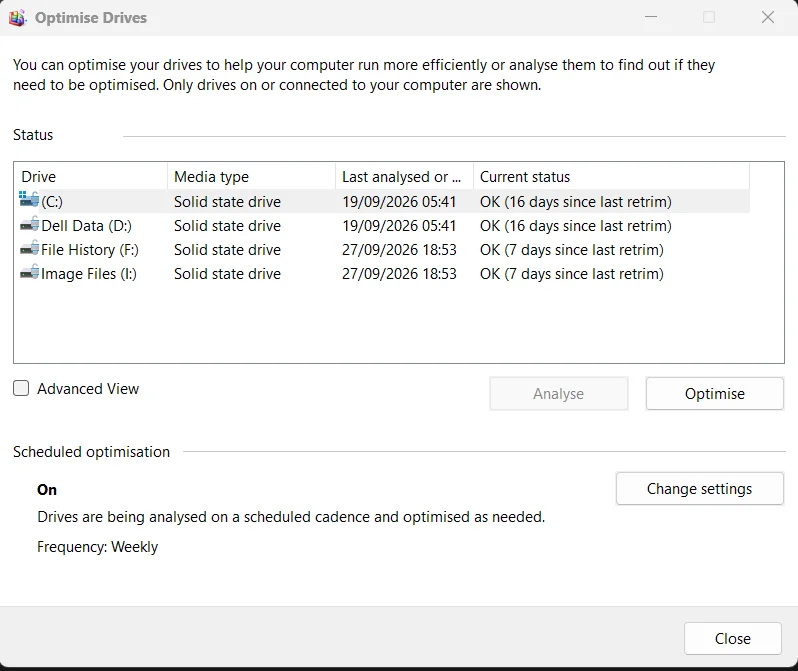
Do your SSD's show as being Optimised correctly and on schedule?
Well-known member
Member
VIP
My main Future Platform Build (latest builds) has suddenly stopped optimising drives weekly. If I run a PowerShell command:
Code:
Optimize-Volume -DriveLetter C -ReTrim -Verbose
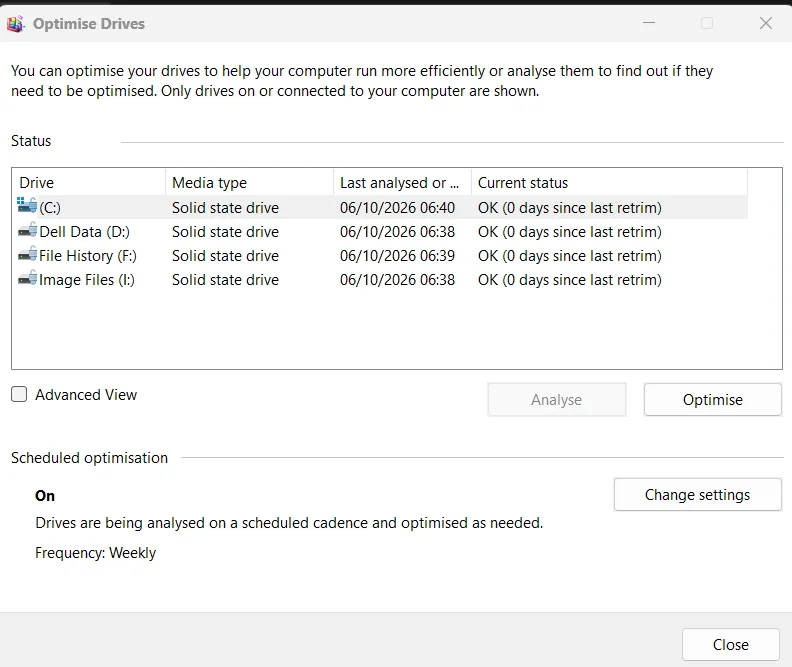
for each partition I can see in the readout in PowerShell that xyz number of GB have been trimmed. The standard user interface then shows that Optimise has occurred.
(Note... my second PC running a two week old clean install of 26H2 reports that Optimise has never run and that all drives need optimising but it never runs, even when left idle)
After PowerShell command:
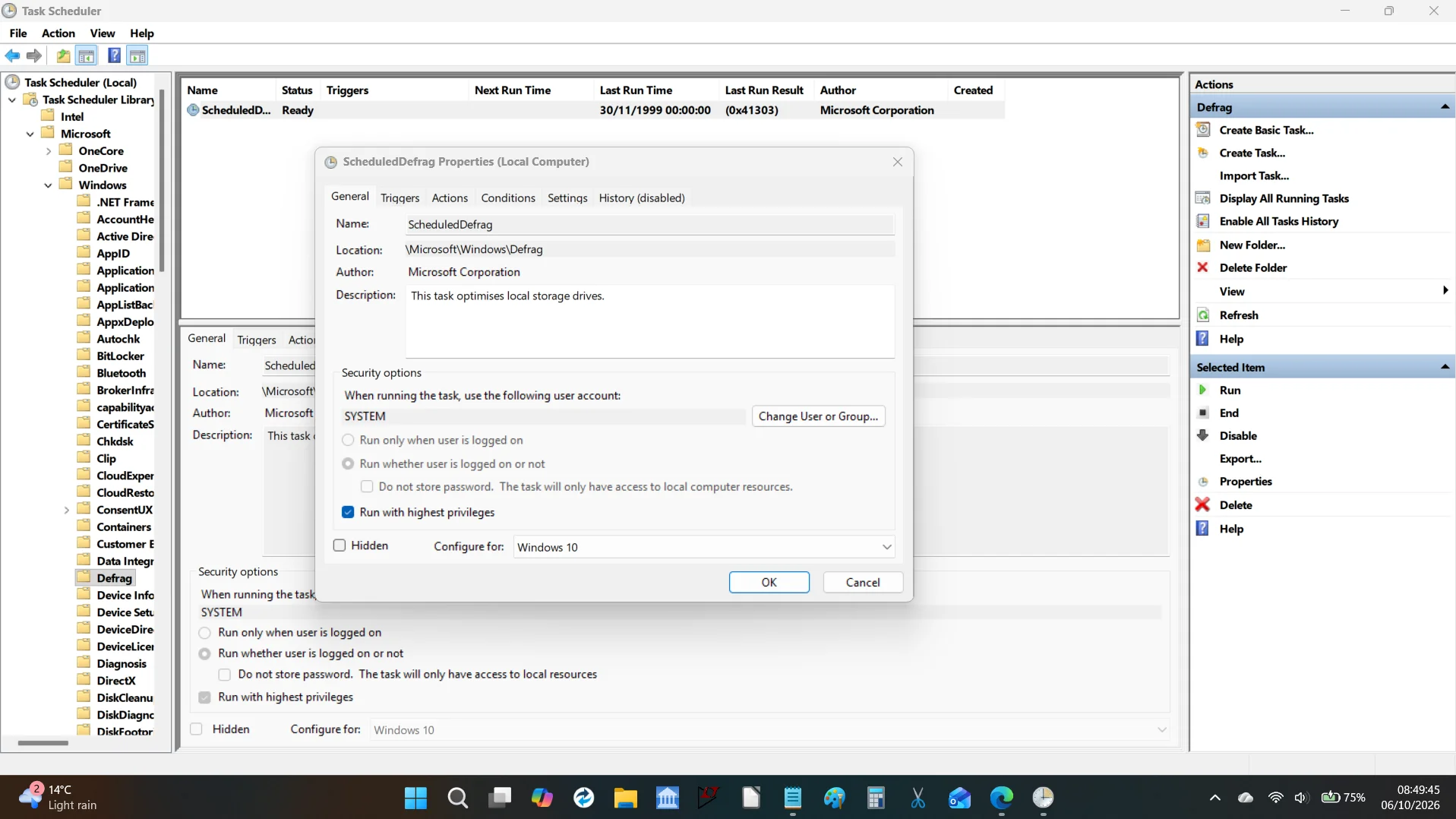
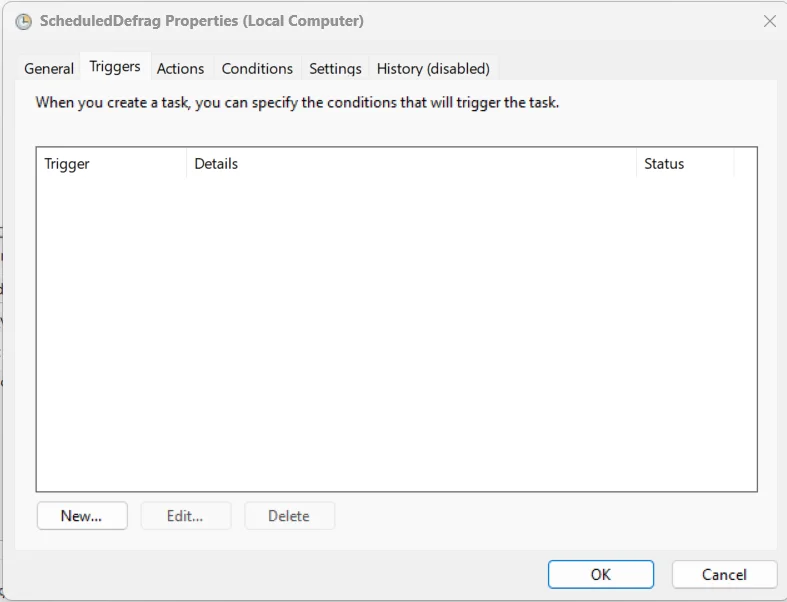
Task Scheduler library shows that all seems OK (I think) but the triggers tab is empty. Look at the last run time and date.
And the trigger tab:
W11 Pro Future Platform 29600 branch latest b... Intel i5 8Gb Intel HD Graphics W11 Pro Future Platform 29600 branch latest build Laptop Dell 7760 Mobile Precision 17" Intel i5 Unknown 8Gb Intel HD Graphics Realtek Internal 2 x 256Gb SSD Dell 240 watt Dell Premier Bluetooth 50Mbps Edge Default Microsoft Security
Well-known member
Power User
VIP
On my clean-installed 26H2 main system the drives are being ptimized weekly as I'd expect.
Windows 11 Home 26H2 RP Intel I3-10100 16 GB Nvidia GT 1030 Windows 11 Home 26H2 RP PC/Desktop Self-build Intel I3-10100 MSI H410M-PRO 16 GB Nvidia GT 1030 Motherboard default Philips 27 inch 1920x1080 Samsung EVO 970 NVMe SSD 256 Gb ATX 450W Logitech Logitech Wireless 930 Mb down / 120 Mb up Edge Windows Defender Microsoft Office 2021 Plus
Windows 11 Home Intel i3-8100 16 Gb Nvidia GT 720 Windows 11 Home PC/Desktop Self-build Intel i3-8100 Gigabyte Z370 D3 16 Gb Nvidia GT 720 Motherboard default Philips 27-inch 1920x1080 Samsung 960 NVMe SSD 256 Gb ATX 450W Microsoft Logitech Wireless 930 Mb down / 120 Mb up Edge Windows Defender
Well-known member
Guru
VIP
I turned the scheduling OFF and pinned "Defragment and Optimize Drives" to my Start Menu.
Win 11 Home ♦♦♦26300.9550 ♦♦♦♦♦♦♦26H2 AMD Ryzen 7 3700X G.Skill (F4-3200C14D-16GTZKW) EVGA RTX 2070 (08G-P4-2171-KR) Win 11 Home ♦♦♦26300.9550 ♦♦♦♦♦♦♦26H2 PC/Desktop Built by Ghot® [May 2020] AMD Ryzen 7 3700X Asus Pro WS X570-ACE (BIOS 5302) G.Skill (F4-3200C14D-16GTZKW) EVGA RTX 2070 (08G-P4-2171-KR) Realtek ALC1220P / ALC S1220A Dell U3011 30" 2560 x 1600 2x Samsung 860 EVO 500GB, PC Power & Cooling 750W Quad EPS12V Cooler Master ATCS 840 Tower CM Hyper 212 EVO (push/pull) Ducky DK9008 Shine II Blue LED Logitech Optical M-100 300/300 Firefox (latest) Bitdefender Total Security Speakers: Klipsch Pro Media 2.1
Windows XP Pro 32bit w/SP3 AMD Athlon 64 X2 5000+ (OC'd @ 3.2Ghz) TWIN2X2048-6400C4DHX (2 x 1GB, DDR2 800) EVGA 256-P2-N758-TR GeForce 8600GT SSC Windows XP Pro 32bit w/SP3 PC/Desktop Built by Ghot® (not in use) AMD Athlon 64 X2 5000+ (OC'd @ 3.2Ghz) ASUS M2N32-SLI Deluxe Wireless Edition TWIN2X2048-6400C4DHX (2 x 1GB, DDR2 800) EVGA 256-P2-N758-TR GeForce 8600GT SSC Onboard ViewSonic G90FB Black 19" Professional (CRT) up to 2048 x 1536 WD 36GB 10,000rpm Raptor SATA PC Power & Cooling Silencer 750 Quad EPS12V Generic Beige case, 80mm fans ZALMAN 9500A 92mm CPU Cooler Logitech Classic Keybooard 200 Logitech Optical M-BT96a 300/300 Firefox 3.x ?? Symantec (Norton) Still assembled, still runs. Haven't turned it on for 15 years?