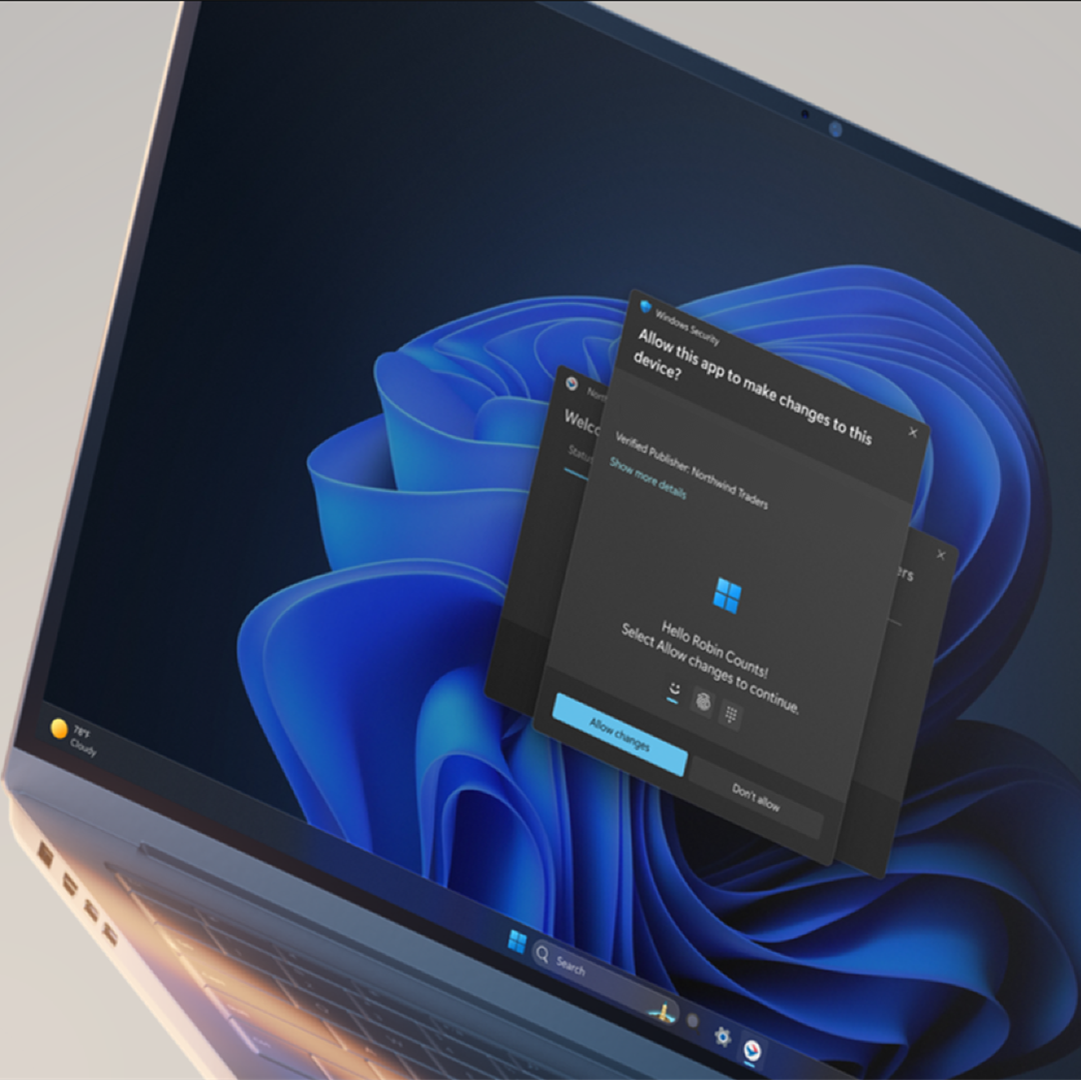
Accounts Enable or Disable Administrator Protection for Admin Approval Mode in Windows 11

  • Thread starter Thread starter Brink
  • Start date Published: Start date Updated Updated:
  • Tags Tags
    uac

Administrator_Protection_banner.webp

This tutorial will show you how to enable or disable Administrator Protection for admin approval mode elevations in Windows 11.

Starting with Windows 11 build 26220.7961 (Beta 25H2) and build 26300.7965 (Dev 25H2), Administrator protection is being gradually re-enabled and aims to protect free floating admin rights for administrator users, allowing them to still perform all admin functions with just-in-time admin privileges. This feature is OFF by default and can be enabled via OMA-URI in Intune or via group policy.

Starting with Windows 11 build 26220.8138 (Beta 25H2), build 26300.8142 (Dev 25H2), and build 2812.2242 (Experimental 26H1), after resuming the rollout of Administrator Protection as enabled by IT admins, we are also now rolling out the ability to enable Administrator Protection in Settings under Privacy & security > Windows Security > Account protection and switching the toggle to on. A restart will be required.

You can enable Administrator Protection to use for Admin Approval Mode (aka: elevated rights) instead of User Account Control (UAC).

Administrator Protection is an upcoming platform security feature in Windows 11, which aims to protect free floating admin rights for administrator users allowing them to still perform all admin functions with just-in-time admin privileges. This feature is off by default and needs to be enabled via group policy. Microsoft plans to share more details about this feature at Microsoft Ignite.

Administrator protection requires that a user verify their identity with Windows Hello integrated authentication before allowing any action that requires administrator privileges. These actions include installing software, changing system settings like the time or the registry, and accessing sensitive data. Administrator protection minimizes the risk of the user making a system-level change by mistake, and, more importantly, helps prevent malware from making silent changes to the system without the user knowing.

At its core, Administrator protection operates on the principle of least privilege. The user is issued the deprivileged user token when they sign in to Windows. However, when admin privileges are needed, Windows will request that the user authorize the operation. Once the operation is authorized, Windows uses a hidden, system-generated, profile-separated user account to create an isolated admin token. This token is issued to the requesting process and is destroyed once the process ends. This ensures that admin privileges do not persist. The whole process is repeated when the user tries to perform another task that requires admin privileges.

Administrator protection introduces a new security boundary with our support to fix any reported security bugs. It should not be confused with User Account Control (UAC), which is more of a defense-in-depth feature. The architectural changes mentioned above help ensure that any access to or tampering with the code or data of elevated session cannot be done without authorization.

Benefits of Administrator protection:
  • Enhanced security: By requiring explicit authorization for every administrative task, Administrator protection protects Windows from accidental changes by users and changes by malware. It helps ensure that users are aware of potentially harmful actions before they occur, which provides an additional layer of defense against cyber threats.
  • The user is always in control: Administrator protection allows users to manage admin rights, granting or restricting access granularly to individual apps. This helps ensure that only authorized apps can make system changes, reducing the risk of accidental or malicious modifications.
  • Malware reduction: Malicious software often relies on admin privileges to change device settings and execute harmful actions. Administrator protection breaks the attack kill chain since malware will no longer be able to silently acquire admin privileges.
Admin Approval Mode runs in legacy mode by default, and uses User Account Control (UAC) for elevation approval.

If you enable Administrator Protection, Admin Approval Mode uses Windows Security for a more secure elevation approval instead of User Account Control (UAC). A C:\Users\ADMIN_<OriginalAdminProfileFolderName> profile folder (ex: "ADMIN_Brink") will be created by the system to use for Administrator Protection.

References:
You must be signed in as an administrator to enable or disable Administrator Protection.


If you don't have the Administrator Protection feature available yet in the builds above and would like to try it now, then you can enable it using the ViVeTool command below.

vivetool.exe /enable /id:60288851


Contents

  • Option One: Enable or Disable Administrator Protection for Admin Approval Mode in Windows Security
  • Option Two: Enable or Disable Administrator Protection for Admin Approval Mode in Local Security Policy
  • Option Three: Enable or Disable Administrator Protection for Admin Approval Mode using REG file


EXAMPLE: Administrator Protection enabled (Windows Security) and disabled (UAC)

UAC.png
Administrator_Protection_with_Windows_Security-1.png
Administrator_Protection_with_Windows_Security-2.webp


Option One

Enable or Disable Administrator Protection for Admin Approval Mode in Windows Security


1 Open Windows Security, and click/tap on Account protection. (see screenshot below)

Administrator_Protection_mode_Windows_Security-1.webp

2 Click/tap on the Administrator protection settings link under Administrator protection. (see screenshot below)

Administrator_Protection_mode_Windows_Security-2.webp

3 Turn on or off (default) Administrator protection for what you want. (see screenshot below)

Administrator_Protection_mode_Windows_Security-3.webp

4 Restart the computer to apply. (see screenshot below)

Administrator_Protection_mode_Windows_Security-4.webp


Option Two

Enable or Disable Administrator Protection for Admin Approval Mode in Local Security Policy


Local Security Policy is only available in the Windows 11 Pro, Enterprise, and Education editions.

All editions can use Option One or Option Three to change the same policy.


1 Open Local Security Policy (secpol.msc).

2 Perform the following actions: (see screenshot below)
  1. Expand open the Local Policies folder in the left pane.
  2. Click/tap on the Security Options subfolder in the left pane.
  3. Double click/tap on the User Account Control: Configure type of Admin Approval Mode policy in the right pane.
Administrator_Protection_secpol-1.png

3 In the Local Security Setting tab, select Legacy Admin Approval Mode (Default) (disable) or Admin Approval Mode with Administrator protection (enable) for what you want in the drop menu, and click/tap on OK. (see screenshot below)

Administrator_Protection_secpol-2.png


Option Three

Enable or Disable Administrator Protection for Admin Approval Mode using REG file


1 Do step 2 (enable) or step 3 (disable) below for what you would like to do.

2 Enable Administrator Protection for Admin Approval Mode

A) Click/tap on the Download button below to download the file below, and go to step 4 below.​

Enable_Administrator_Protection_for_Admin_Approval_Mode.reg


(Contents of REG file for reference)
Code:
Windows Registry Editor Version 5.00

[HKEY_LOCAL_MACHINE\SOFTWARE\Microsoft\Windows\CurrentVersion\Policies\System]
"TypeOfAdminApprovalMode"=dword:00000002

3 Disable Administrator Protection for Admin Approval Mode

This is the default setting.


A) Click/tap on the Download button below to download the file below, and go to step 4 below.​

Disable_Administrator_Protection_for_Admin_Approval_Mode.reg


(Contents of REG file for reference)
Code:
Windows Registry Editor Version 5.00

[HKEY_LOCAL_MACHINE\SOFTWARE\Microsoft\Windows\CurrentVersion\Policies\System]
"TypeOfAdminApprovalMode"=dword:00000001

4 Save the .reg file to your desktop.

5 If you have Smart App Control turned on, you will need to unblock the downloaded REG file.

6 Double click/tap on the downloaded .reg file to merge it.

7 When prompted, click/tap on Run, Yes (UAC), Yes, and OK to approve the merge.

8 Restart the computer to apply.

9 You can now delete the downloaded .reg file if you like.


That's it,
Shawn Brink


Attachments

Last edited:
When I had this turned on briefly yesterday, it was popping up when trying to open the Task Manager for goodness sake, way too draconian for my needs. I get it this setting could be useful in a work environment, or where there are multiple users on a family PC but for me the only user of my computers it is unnecessary.
 

My Computers My Computers

  • At a glance

    Windows 11 Pro 25H2Intel Core i9 13900KCorsair Dominator Platinum 64gb 5600MT/s DDR5...Sapphire NITRO+ AMD Radeon RX 7900 XTX Vapor-...
    OS
    Windows 11 Pro 25H2
    Computer type
    PC/Desktop
    Manufacturer/Model
    Homebuilt
    CPU
    Intel Core i9 13900K
    Motherboard
    Asus ProArt Z790 Creator WiFi - Bios 3107
    Memory
    Corsair Dominator Platinum 64gb 5600MT/s DDR5 Dual Channel
    Graphics Card(s)
    Sapphire NITRO+ AMD Radeon RX 7900 XTX Vapor-X 24GB
    Sound Card
    External DAC: Cambridge Audio DACMagic200M - Headphone Amp: Topping L50
    Monitor(s) Displays
    Panasonic MX950 Mini LED 55" TV 120hz
    Screen Resolution
    3840 x 2160 120hz
    Hard Drives
    Samsung 980 Pro 2TB (OS)
    Samsung 980 Pro 1TB (Files)
    Lexar NZ790 4TB
    LaCie d2 Professional 6TB external - USB 3.1
    Seagate Expansion 16TB external - USB 3.2
    Seagate One Touch 18TB external HD - USB 3.0
    PSU
    Corsair RM1200x Shift
    Case
    Corsair RGB Smart Case 5000x (white)
    Cooling
    Corsair iCue H150i Elite Capellix XT
    Keyboard
    Incase Ergonomic USB (Microsoft clone)
    Mouse
    Logitech MX Master 3S
    Internet Speed
    Fibre 900/500 Mbps
    Browser
    Microsoft Edge Chromium
    Antivirus
    Bitdefender Total Security
    Other Info
    AMD Radeon Software & Drivers 26.1.1
    Hasleo Backup Suite
    Dashlane password manager
    Kensington Verimark fingerprint reader
    Logitech Brio 4K webcam
    Orico 10-port powered USB 3.0 hub
  • At a glance

    Windows 11 Pro 25H2Intel® Core™ i9-13900H32GB DDR4-3200 Dual channel*Intel Iris Xᵉ Graphics G7
    Operating System
    Windows 11 Pro 25H2
    Computer type
    Laptop
    Manufacturer/Model
    Asus Vivobook X1605VA
    CPU
    Intel® Core™ i9-13900H
    Motherboard
    Asus X1605VA bios 309
    Memory
    32GB DDR4-3200 Dual channel
    Graphics card(s)
    *Intel Iris Xᵉ Graphics G7
    Sound Card
    Realtek | Intel SST Bluetooth & USB
    Monitor(s) Displays
    16.0-inch, WUXGA 16:10 aspect ratio, IPS-level Panel
    Screen Resolution
    1920 x 1200 60hz
    Hard Drives
    512GB M.2 NVMe™ PCIe® 3.0 SSD
    Mouse
    Logitech MX Ergo Trackball
    Antivirus
    Bitdefender Total Security
    Other Info
    720p Webcam
    WiFi & USB to ethernet
I am not using an insider build but It can also be enbled with vive-tool. You folks likely already know that though.
 

My Computers My Computers

  • At a glance

    25H2 > to 10.0.26200 26200.8894AMD Ryzen 7 8845HSDDR5-5600 / PC5-44800 DDR5 SDRAM SO-DIMM32GAMD Radeon 780M
    OS
    25H2 > to 10.0.26200 26200.8894
    Computer type
    PC/Desktop
    Manufacturer/Model
    Beelink SER8 Mini
    CPU
    AMD Ryzen 7 8845HS
    Motherboard
    AZW SER8 AMD Promontory/Bixby FCH
    Memory
    DDR5-5600 / PC5-44800 DDR5 SDRAM SO-DIMM32G
    Graphics Card(s)
    AMD Radeon 780M
    Sound Card
    AMD Zen - Audio Processor - HD Audio Controller
    Monitor(s) Displays
    1 LG HDR 32"
    Screen Resolution
    2560x1440
    Hard Drives
    1TB Crucial NVMe
    2TB Crucial NVME
    WD 1TB SSD SATA to USB3
    1 Seagate BUP Slim 2TB SATA to USB3
    1 Seagate BUP Slim 4TB SATA to USB3
    Samsung SSD 1TB SATA to USB3
    Samsung 500G SATA to USB3
    500G Crucial SSD to USB3
    PSU
    Beelink Proprietary
    Case
    Beelink Proprietary
    Cooling
    Beelink Proprietary
    Keyboard
    Logitech Backlit USB
    Mouse
    Logitech M510
    Internet Speed
    T-Mobile 5G 500 T-Mobile Home Internet -Asus ZenWifi AX Mesh
    Browser
    Edge, Firefox, Chrome
    Antivirus
    Microsoft Security 1.451.235.0 version created 6-2-2026
    Other Info
    Macrium X Build 10.0.8843
    Minitool Pro Ultimate 13.6
    Aomie Partition Assistant Pro 10.11.0
    REVO Pro 5.5.0.0 Portable
    JAM Treesize 9.7.2.2203 Perpetual Outdated.
    JAM Ultrasearch Pro 4.9.1.1204 Perpetual Outdated.
    Malwarebytes Pro 5.5.7.255 Update 1.0.110434 Component 157.0.5633
    Screenpresso Pro 2.2.12.3 beta (.Net 4.8) 2026-5-026
    Hamrick Vue Scan Pro 9.8.51.13
    Visio 2021 Pro 2021 MSO (Version 2605 Build 16.0.20026.20076) 64-bit
    Droid Transfer-Android 26.2.26.0
    Thunderbird 151.0.1
    em Client 10.4.5326
    Affinity Suite 3.2.1
    Microsoft 365 MSO (Version 2605 Build 16.0.20026.20076) 64-bit
    Adobe Creative cloud Version 6911 Apps 6.9.0.618 CCLibrary 4.16.2 (Photo subscription)
    HXD Hex Editor Version 2.5.0.0
    DAW Software Reaper-Izotope Plugins
    TGRMN Software ViceVersa Pro Build 6015 and VVEngine 3 Build 3000
    ISOBuster Pro 5.8.0.0
    Microsoft Visio Pro 2021 Version 2605 Build 16.0.20026.20076
    Many Other free and paid applications
    WYSIWYG Web Builder 21.07
    Filezilla 3.70.5
    Putty .83 and Putty Gen .83
    System Informer 4.0.26144.416 Stable
    O&O Regedit Version12 Build 2172
    WINRAR 7.22
    Lockhunter 3.4.3.146. x64
    Advanced IP Scanner 2.5.1
    Epson Eco Tank Printers and Epson Scanners.
    Bluestacks for Ring Cameras
    PEAK DCA Transistor Graphical USB Interface for Viewing Transistor Operational Curves. Win 10 Version and has functioneded on Win11 perfectly. Version 1.1.1963.
    Games - Card Games -Microsoft FSX "Pro Gold Flight Sim with add ons. Still works perfectly.
    Still run a few older onese successfully on win11 as well with no graphic issue.
  • At a glance

    Win11 Pro OEM 25H2 OS Build 26200.7019AMD Ryzen 7 8845HSDDR5 32GBeelink SER7
    Operating System
    Win11 Pro OEM 25H2 OS Build 26200.7019
    Computer type
    PC/Desktop
    Manufacturer/Model
    Beelink
    CPU
    AMD Ryzen 7 8845HS
    Motherboard
    AMD
    Memory
    DDR5 32G
    Graphics card(s)
    Beelink SER7
    Sound Card
    Beelink SER7
    Monitor(s) Displays
    Dell
    Screen Resolution
    Native
    Hard Drives
    1TB Crucial NVMe SSD 2G SATA
    PSU
    Beelink Proprietary
    Case
    Beelink Proprietary
    Cooling
    Beelink Proprietary
    Keyboard
    gaming keyboard
    Mouse
    MS
    Internet Speed
    T-Mobile 5G
    Antivirus
    Defender Malwarebytes
    Other Info
    Microsoft 365 Family Office
    Macrium X Subscription1 Version 10
    Mini-Tool Ultimate 13.0 Lifetime
    Malwarebytes Premium w/VPN 5
    Revo Pro Portable Pro 5
    Roboform 9.7.7.
    Others. (All legit)
When I had this turned on briefly yesterday, it was popping up when trying to open the Task Manager for goodness sake, way too draconian for my needs. I get it this setting could be useful in a work environment, or where there are multiple users on a family PC but for me the only user of my computers it is unnecessary.
thats what uac does on its highest setting as well. And even if your the only one running a computer, using an admin account isnt safe, despite having uac set to its highest setting. At some point this will replace UAC and admin accounts will be more protected for those who refuse to use a limited account for daily tasks. Me included.
 

My Computers My Computers

  • At a glance

    Windows 11 ProRyzen 7 5700 X3D64 GB DDR4 3600mhz Gskill Ripjaws VRTX 4070 Super , 12GB VRAM Asus EVO Overclock
    OS
    Windows 11 Pro
    Computer type
    PC/Desktop
    Manufacturer/Model
    Custom Built
    CPU
    Ryzen 7 5700 X3D
    Motherboard
    MSI MPG B550 GAMING PLUS
    Memory
    64 GB DDR4 3600mhz Gskill Ripjaws V
    Graphics Card(s)
    RTX 4070 Super , 12GB VRAM Asus EVO Overclock
    Monitor(s) Displays
    Gigabyte M27Q (rev. 2.0) 2560 x 1440 @ 170hz HDR
    Hard Drives
    2TB Samsung nvme ssd
    4TB Western Digital nvme ssd
    PSU
    CORSAIR RMx SHIFT Series™ RM750x 80 PLUS Gold Fully Modular ATX Power Supply
    Case
    CORSAIR 3500X ARGB Mid-Tower ATX PC Case – Black
    Cooling
    ID-COOLING FROSTFLOW X 240 CPU Water Cooler
    Keyboard
    Logitech G213
    Mouse
    Logitech G203
    Internet Speed
    1.2gbps Fiber 😎
  • At a glance

    Chrome OSIntel Pentium Quad Core4GB LPDDR4
    Operating System
    Chrome OS
    Computer type
    Laptop
    Manufacturer/Model
    HP Chromebook
    CPU
    Intel Pentium Quad Core
    Memory
    4GB LPDDR4
    Monitor(s) Displays
    14 Inch HD SVA anti glare micro edge display
    Hard Drives
    64 GB emmc
despite having uac set to its highest setting
Andrew,

These claims have been around for years but when I tried testing some of the claims, in about 2021, I found that having UAC at its highest setting defeated them all i.e. Admin accounts were not compromised.
If such malware can now bypass UAC then I can understand the need for change. I think the introduction of Account Administrator protection means MS believe such malware already exists or might soon exist.

Since I use local accounts I'll move to dacrone's post #13 solution*** of forcing UAC Username & password entry even for Admin users.
- Since this will be a pain in the neck, I know I'll end up simplifying my main Admin account password to something I can type in from a paper scrap I'll have to keep in my wallet. But I won't reduce to passwords shorter than 18-21 characters because that's a threshold I apply even to MSOffice documents [passwords-to-open rather than internal ones such as Excel sheet protection].
- *** By which I really mean the solution given in Change UAC Behavior for Administrators - ElevenForumTutorials

@Brink - This is a new subject for me and I'm studying 4 forum threads about it. Just to help me along the way, did you test the effects of Account Administrator protection on computers with only local accounts? Someone posted about that early on in this thread but I did not quite follow the comments about it.


Yours,
Denis
 
Last edited:

My Computer My Computer

At a glance

Windows 11 Home x64 Version 25H2 Build 26200....
OS
Windows 11 Home x64 Version 25H2 Build 26200.8037
@Brink - This is a new subject for me and I'm studying 4 forum threads about it. Just to help me along the way, did you test the effects of Account protection on computers with only local accounts? Someone posted about that early on in this thread but I did not quite follow the comments about it.

Yours,
Denis

Hello Denis, :alien:

I haven't noticed any difference. You can still use an admin's password or Windows Hello to approve.
 

My Computers My Computers

  • At a glance

    Windows 11 Pro for WorkstationsIntel i7-8700K 5 GHz64 GB (4x16GB) G.SKILL TridentZ RGB DDR4 3600...ASUS ROG-STRIX-GTX1080TI-O11G-GAMING (11GB GD...
    OS
    Windows 11 Pro for Workstations
    Computer type
    PC/Desktop
    Manufacturer/Model
    Custom self build
    CPU
    Intel i7-8700K 5 GHz
    Motherboard
    ASUS ROG Maximus XI Formula Z390
    Memory
    64 GB (4x16GB) G.SKILL TridentZ RGB DDR4 3600 MHz (F4-3600C18D-32GTZR)
    Graphics Card(s)
    ASUS ROG-STRIX-GTX1080TI-O11G-GAMING (11GB GDDR5X)
    Sound Card
    Integrated Digital Audio (S/PDIF)
    Monitor(s) Displays
    2 x Samsung Odyssey G75 27"
    Screen Resolution
    2560x1440
    Hard Drives
    1TB Samsung 990 PRO M.2,
    4TB Samsung 990 PRO M.2,
    TerraMaster F8 SSD Plus NAS
    PSU
    Seasonic Prime Titanium 850W
    Case
    Thermaltake Core P3 wall mounted
    Cooling
    Corsair Hydro H115i
    Keyboard
    Amazon Basics Wired Full Keyboard MD005
    Mouse
    Logitech MX Master 4
    Internet Speed
    2 Gbps Download and 100 Mbps Upload
    Browser
    Chrome and Edge
    Antivirus
    Microsoft Defender
    Other Info
    Logitech Z625 speaker system,
    Logitech BRIO 4K Pro webcam,
    HP Color LaserJet Pro MFP M477fdn,
    CyberPower CP1500PFCLCD
    Galaxy S23 Plus phone
  • At a glance

    Windows 11 ProSnapdragon X Elite (12 core) 3.42 GHz16 GB LPDDR5x-7467 MHz
    Operating System
    Windows 11 Pro
    Computer type
    Laptop
    Manufacturer/Model
    Surface Laptop 7 Copilot+ PC
    CPU
    Snapdragon X Elite (12 core) 3.42 GHz
    Memory
    16 GB LPDDR5x-7467 MHz
    Monitor(s) Displays
    15" HDR
    Screen Resolution
    2496 x 1664
    Hard Drives
    1 TB SSD
    Internet Speed
    Wi-Fi 7 and Bluetooth 5.4
    Browser
    Chrome and Edge
    Antivirus
    Microsoft Defender
Thanks. I'll get back to my studies now.

By the way, @BrianInEngland & @pseymour report that Account Administrator protection creates an extra [Admin] user account & user folder named in the pattern
ADMIN_OriginalAdminUserAccountUserName
I didn't spot that naming pattern being referred to in the tutorial. Perhaps I'm just overwhelmed today. I think it would help people to state that that naming pattern is used so they don't worry about such user folders & user accounts having been created.


All the best,
Denis
 

My Computer My Computer

At a glance

Windows 11 Home x64 Version 25H2 Build 26200....
OS
Windows 11 Home x64 Version 25H2 Build 26200.8037
It's mentioned in blog posts and such. btw, it's Administrator Protection, not Account Protection.


My Computer My Computer

At a glance

Windows 11 Enterprise 25H2 [rev. 8893]
OS
Windows 11 Enterprise 25H2 [rev. 8893]
Oh, dear. Thanks for the correction [which I'm correcting above & in other threads].


All the best,
Denis
 

My Computer My Computer

At a glance

Windows 11 Home x64 Version 25H2 Build 26200....
OS
Windows 11 Home x64 Version 25H2 Build 26200.8037
Thanks for all the replies, looks like nothing to worry about!
 

My Computer My Computer

At a glance

Windows 11 Pro 25H2 (RP channel)AMD Ryzen 7 9800X3D 8-core64GB Corsair Titanium 6000/CL30MSI Suprim 5080 SOC
OS
Windows 11 Pro 25H2 (RP channel)
Computer type
PC/Desktop
Manufacturer/Model
MSI
CPU
AMD Ryzen 7 9800X3D 8-core
Motherboard
MEG X870E Godlike
Memory
64GB Corsair Titanium 6000/CL30
Graphics Card(s)
MSI Suprim 5080 SOC
Sound Card
Soundblaster AE-9
Monitor(s) Displays
ASUS TUF Gaming VG289Q
Screen Resolution
3840x2160
Hard Drives
Samsung 9100 Pro 4TB (gen 5 x4, system drive/games)
Samsung 990 Pro 2TB
Samsung 980 Pro 2TB
Samsung 870 Evo 4TB
Samsung 870 Evo 2TB
Samsung T9 4TB
PSU
Seasonic PX-2200
Case
Bequiet! Dark Base Pro 901
Cooling
Noctua NH-D15S Chromax black
Keyboard
Logitech G915 X (wired)
Mouse
Logitech G903 with PowerPlay charger
Internet Speed
900Mb/sec
Browser
Microsoft Edge
Antivirus
Windows Defender
It's mentioned in blog posts and such. btw, it's Administrator Protection, not Account Protection.

Speaking of Admin Protection, does anyone have it yet? Or are we victims to "gradual rollout"?

I have it enabled in Group Policy, but nothing on Security Center.
 

My Computer My Computer

At a glance

Windows 7
OS
Windows 7
Speaking of Admin Protection, does anyone have it yet? Or are we victims to "gradual rollout"?

I have it enabled in Group Policy, but nothing on Security Center.
I enabled it in secpol.msc but it did nothing at first, then it started working. It was annoying me every time I opened regedit or disk cleanup so I disabled it again
Enabling it today does nothing!
Not showing in security centre
 

My Computer My Computer

At a glance

Windows 11 Pro 25H2 (RP channel)AMD Ryzen 7 9800X3D 8-core64GB Corsair Titanium 6000/CL30MSI Suprim 5080 SOC
OS
Windows 11 Pro 25H2 (RP channel)
Computer type
PC/Desktop
Manufacturer/Model
MSI
CPU
AMD Ryzen 7 9800X3D 8-core
Motherboard
MEG X870E Godlike
Memory
64GB Corsair Titanium 6000/CL30
Graphics Card(s)
MSI Suprim 5080 SOC
Sound Card
Soundblaster AE-9
Monitor(s) Displays
ASUS TUF Gaming VG289Q
Screen Resolution
3840x2160
Hard Drives
Samsung 9100 Pro 4TB (gen 5 x4, system drive/games)
Samsung 990 Pro 2TB
Samsung 980 Pro 2TB
Samsung 870 Evo 4TB
Samsung 870 Evo 2TB
Samsung T9 4TB
PSU
Seasonic PX-2200
Case
Bequiet! Dark Base Pro 901
Cooling
Noctua NH-D15S Chromax black
Keyboard
Logitech G915 X (wired)
Mouse
Logitech G903 with PowerPlay charger
Internet Speed
900Mb/sec
Browser
Microsoft Edge
Antivirus
Windows Defender
Andrew,

These claims have been around for years but when I tried testing some of the claims, in about 2021, I found that having UAC at its highest setting defeated them all i.e. Admin accounts were not compromised.
If such malware can now bypass UAC then I can understand the need for change. I think the introduction of Account Administrator protection means MS believe such malware already exists or might soon exist.
There has always been numerous ways to bypass UAC. UAC is security theater at best. It can be disabled by a running service, it can be hijacked and bypassed by using disk cleanup, dll highjacks, registry key locations, scheduled task etc etc there are multiple ways around it. Even on always notify.

When it proved ineffective microsoft started claiming it was made for convenience sake instead of a security feature. Which to be fair it was a convenient way to run as a limited user and then elevate yourself as admin for those tasks. (Running as a limited account is what's recommended by microsoft.)

One common question people ask is, “why are there no CVEs for UAC security bypass attacks?” This is because Microsoft doesn’t consider UAC to be a security bypass, so this is another reason why UAC is a joke.

But the goal from what I can see was security from the start. When vista was created, uac was made to solve the issue of everyone running as admin all the time like they did on windows xp. Microsoft had a malware problem and were trying to fix it. UAC was created to strengthen security so that people that ran as admin accounts were better protected. This also attempted to solve another problem microsoft was experiencing. Malicious drivers. They wanted them made more secure. Vista was not a bad OS, it was bad because of third party drivers taking time to make a more security thoughtful approach. Which is why when windows 7 came around, most of the issues with admin accounts and access was fixed.

Because everyone complained about uac in vista, in windows 7, it was made less annoying. Hence, less secure. And the default uac was set. And it was pointless. You had to set to always notify to regain almost the level of vistas uac.

But some time after that, multiple ways were discovered around that.

As for admin protection and how it differs, More detail here:


My Computers My Computers

  • At a glance

    Windows 11 ProRyzen 7 5700 X3D64 GB DDR4 3600mhz Gskill Ripjaws VRTX 4070 Super , 12GB VRAM Asus EVO Overclock
    OS
    Windows 11 Pro
    Computer type
    PC/Desktop
    Manufacturer/Model
    Custom Built
    CPU
    Ryzen 7 5700 X3D
    Motherboard
    MSI MPG B550 GAMING PLUS
    Memory
    64 GB DDR4 3600mhz Gskill Ripjaws V
    Graphics Card(s)
    RTX 4070 Super , 12GB VRAM Asus EVO Overclock
    Monitor(s) Displays
    Gigabyte M27Q (rev. 2.0) 2560 x 1440 @ 170hz HDR
    Hard Drives
    2TB Samsung nvme ssd
    4TB Western Digital nvme ssd
    PSU
    CORSAIR RMx SHIFT Series™ RM750x 80 PLUS Gold Fully Modular ATX Power Supply
    Case
    CORSAIR 3500X ARGB Mid-Tower ATX PC Case – Black
    Cooling
    ID-COOLING FROSTFLOW X 240 CPU Water Cooler
    Keyboard
    Logitech G213
    Mouse
    Logitech G203
    Internet Speed
    1.2gbps Fiber 😎
  • At a glance

    Chrome OSIntel Pentium Quad Core4GB LPDDR4
    Operating System
    Chrome OS
    Computer type
    Laptop
    Manufacturer/Model
    HP Chromebook
    CPU
    Intel Pentium Quad Core
    Memory
    4GB LPDDR4
    Monitor(s) Displays
    14 Inch HD SVA anti glare micro edge display
    Hard Drives
    64 GB emmc

My Computer My Computer

At a glance

Windows 11 Enterprise 25H2 [rev. 8893]
OS
Windows 11 Enterprise 25H2 [rev. 8893]
It's like this Windows feature doesn't have a PM. Brandon (was) a product evangelist, not an owner.

Can we bring back Brian Valentine or Steve Sinofsky to manage Windows with an iron fist? If they promised Windows would have a feature, it was there.
 

My Computer My Computer

At a glance

Windows 7
OS
Windows 7
you can try vivetool

Code:
C:\ViVeTool\ViVeTool.exe /enable /id:45907030

although i assume both of you already knew that...
 

My Computer My Computer

At a glance

Windows 11 Pro
OS
Windows 11 Pro
That's not the point, it was promised to IT admins last October. Your typical admin isn't going to use ViveTool, because it's considered a no-no and you have to disable ReconcileFeatures task to prevent Redmond from robbing your unlocked features when it resyncs.

The ADMX template entry was shipped last year. If the feature wasn't ready then MS should have never released the template. It's about a string of broken promises to IT admins. MS screws over the retail market all the time but you're not supposed to do that to the enterprise market which really pays for their dev salaries.
 

My Computer My Computer

At a glance

Windows 7
OS
Windows 7
i'm tracking that viewpoint. i was merely stating that for "if you wanted to test it, etc".
 

My Computer My Computer

At a glance

Windows 11 Pro
OS
Windows 11 Pro

Change dateChange description
October 01, 2025A feature previously listed in the September 2025 non-security update (KB5065789) will roll out in a future date.

[Administrator Protection Preview] Administrator protection aims to protect free floating admin rights for administrator users allowing them to still perform all admin functions with just-in-time admin privileges. This feature is off by default and needs to be enabled via OMA-URI in Intune or via group policy.
 

My Computers My Computers

  • At a glance

    Windows 11 Pro for WorkstationsIntel i7-8700K 5 GHz64 GB (4x16GB) G.SKILL TridentZ RGB DDR4 3600...ASUS ROG-STRIX-GTX1080TI-O11G-GAMING (11GB GD...
    OS
    Windows 11 Pro for Workstations
    Computer type
    PC/Desktop
    Manufacturer/Model
    Custom self build
    CPU
    Intel i7-8700K 5 GHz
    Motherboard
    ASUS ROG Maximus XI Formula Z390
    Memory
    64 GB (4x16GB) G.SKILL TridentZ RGB DDR4 3600 MHz (F4-3600C18D-32GTZR)
    Graphics Card(s)
    ASUS ROG-STRIX-GTX1080TI-O11G-GAMING (11GB GDDR5X)
    Sound Card
    Integrated Digital Audio (S/PDIF)
    Monitor(s) Displays
    2 x Samsung Odyssey G75 27"
    Screen Resolution
    2560x1440
    Hard Drives
    1TB Samsung 990 PRO M.2,
    4TB Samsung 990 PRO M.2,
    TerraMaster F8 SSD Plus NAS
    PSU
    Seasonic Prime Titanium 850W
    Case
    Thermaltake Core P3 wall mounted
    Cooling
    Corsair Hydro H115i
    Keyboard
    Amazon Basics Wired Full Keyboard MD005
    Mouse
    Logitech MX Master 4
    Internet Speed
    2 Gbps Download and 100 Mbps Upload
    Browser
    Chrome and Edge
    Antivirus
    Microsoft Defender
    Other Info
    Logitech Z625 speaker system,
    Logitech BRIO 4K Pro webcam,
    HP Color LaserJet Pro MFP M477fdn,
    CyberPower CP1500PFCLCD
    Galaxy S23 Plus phone
  • At a glance

    Windows 11 ProSnapdragon X Elite (12 core) 3.42 GHz16 GB LPDDR5x-7467 MHz
    Operating System
    Windows 11 Pro
    Computer type
    Laptop
    Manufacturer/Model
    Surface Laptop 7 Copilot+ PC
    CPU
    Snapdragon X Elite (12 core) 3.42 GHz
    Memory
    16 GB LPDDR5x-7467 MHz
    Monitor(s) Displays
    15" HDR
    Screen Resolution
    2496 x 1664
    Hard Drives
    1 TB SSD
    Internet Speed
    Wi-Fi 7 and Bluetooth 5.4
    Browser
    Chrome and Edge
    Antivirus
    Microsoft Defender
Great, one year later... they're back to calling it a Preview feature. :facepalm:
 

My Computer My Computer

At a glance

Windows 7
OS
Windows 7
Confirmed its on but it doesn't show up in Account Protection in 25H2.
 

My Computers My Computers

  • At a glance

    Windows 11 Education For 25H2Intel® Core i7 5500u8 GBIntel HD Family Graphics 5500 AMD Firepro 4150M
    OS
    Windows 11 Education For 25H2
    Computer type
    Laptop
    Manufacturer/Model
    HP ZBook G2
    CPU
    Intel® Core i7 5500u
    Motherboard
    HP
    Memory
    8 GB
    Graphics Card(s)
    Intel HD Family Graphics 5500 AMD Firepro 4150M
    Sound Card
    Realtek High Audio
    Hard Drives
    1 TB SSD
    Mouse
    HP USB Mouse
    Antivirus
    Windows Defender
  • At a glance

    Windows 11 Pro For Workstations 25H2Xeon 1535m v632 GBAMD Quadro Pro 4100
    Operating System
    Windows 11 Pro For Workstations 25H2
    Computer type
    Laptop
    Manufacturer/Model
    HP Zbook G4
    CPU
    Xeon 1535m v6
    Motherboard
    HP
    Memory
    32 GB
    Graphics card(s)
    AMD Quadro Pro 4100
    Sound Card
    Bang and Olufson Audio
    Hard Drives
    1TB SSD
    Mouse
    HP USB Mouse
    Antivirus
    Windows Defender

Latest Support Threads

Back
Top Bottom