Accounts Enable or Disable Administrator Protection for Admin Approval Mode in Windows 11

  • Thread starter Thread starter Brink
  • Start date Published: Start date Updated Updated:
  • Tags Tags
    uac

Administrator_Protection_banner.webp

This tutorial will show you how to enable or disable Administrator Protection for admin approval mode elevations in Windows 11.

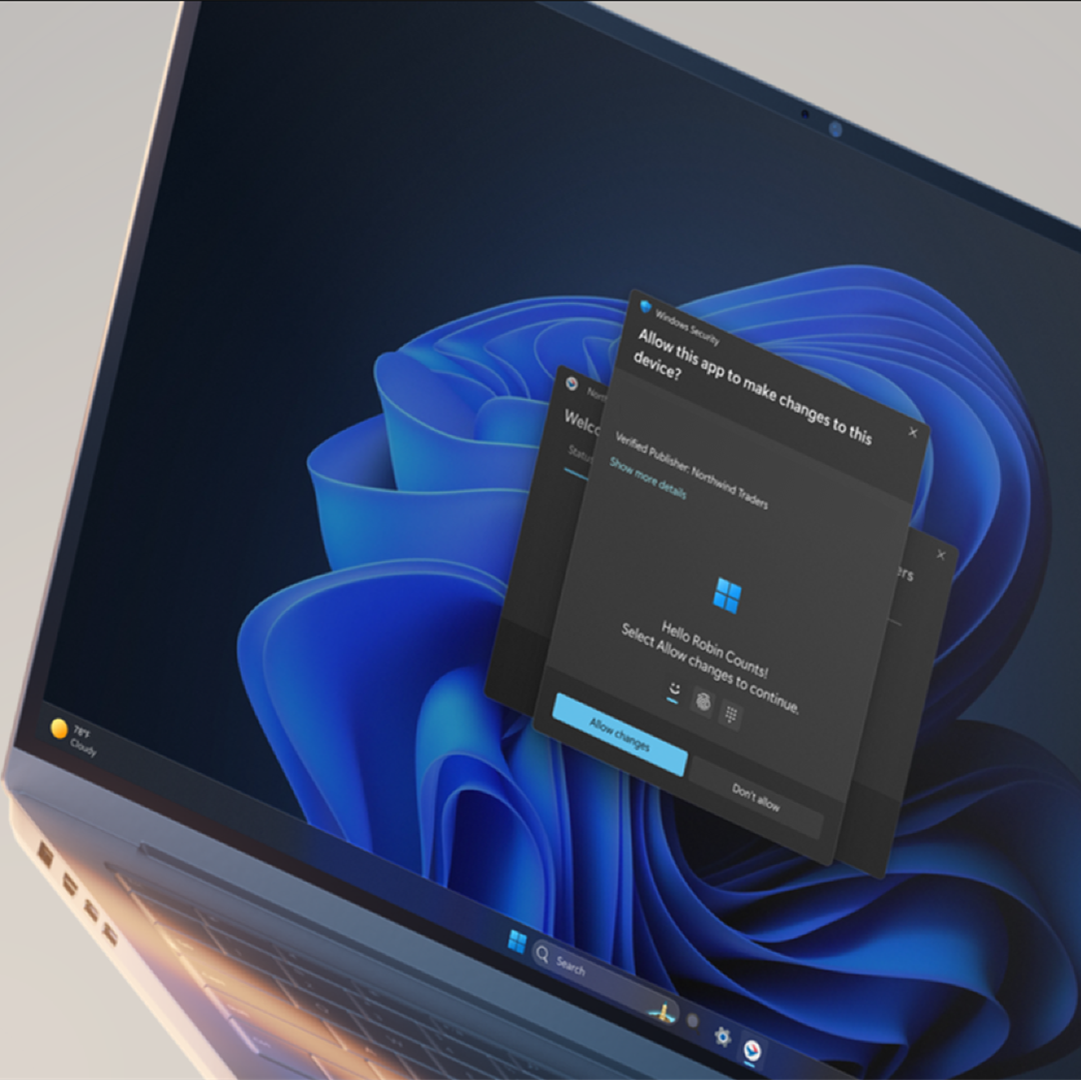
Starting with Windows 11 build 26220.7961 (Beta 25H2) and build 26300.7965 (Dev 25H2), Administrator protection is being gradually re-enabled and aims to protect free floating admin rights for administrator users, allowing them to still perform all admin functions with just-in-time admin privileges. This feature is OFF by default and can be enabled via OMA-URI in Intune or via group policy.

Starting with Windows 11 build 26220.8138 (Beta 25H2), build 26300.8142 (Dev 25H2), and build 2812.2242 (Experimental 26H1), after resuming the rollout of Administrator Protection as enabled by IT admins, we are also now rolling out the ability to enable Administrator Protection in Settings under Privacy & security > Windows Security > Account protection and switching the toggle to on. A restart will be required.

You can enable Administrator Protection to use for Admin Approval Mode (aka: elevated rights) instead of User Account Control (UAC).

Administrator Protection is an upcoming platform security feature in Windows 11, which aims to protect free floating admin rights for administrator users allowing them to still perform all admin functions with just-in-time admin privileges. This feature is off by default and needs to be enabled via group policy. Microsoft plans to share more details about this feature at Microsoft Ignite.

Administrator protection requires that a user verify their identity with Windows Hello integrated authentication before allowing any action that requires administrator privileges. These actions include installing software, changing system settings like the time or the registry, and accessing sensitive data. Administrator protection minimizes the risk of the user making a system-level change by mistake, and, more importantly, helps prevent malware from making silent changes to the system without the user knowing.

At its core, Administrator protection operates on the principle of least privilege. The user is issued the deprivileged user token when they sign in to Windows. However, when admin privileges are needed, Windows will request that the user authorize the operation. Once the operation is authorized, Windows uses a hidden, system-generated, profile-separated user account to create an isolated admin token. This token is issued to the requesting process and is destroyed once the process ends. This ensures that admin privileges do not persist. The whole process is repeated when the user tries to perform another task that requires admin privileges.

Administrator protection introduces a new security boundary with our support to fix any reported security bugs. It should not be confused with User Account Control (UAC), which is more of a defense-in-depth feature. The architectural changes mentioned above help ensure that any access to or tampering with the code or data of elevated session cannot be done without authorization.

Benefits of Administrator protection:
  • Enhanced security: By requiring explicit authorization for every administrative task, Administrator protection protects Windows from accidental changes by users and changes by malware. It helps ensure that users are aware of potentially harmful actions before they occur, which provides an additional layer of defense against cyber threats.
  • The user is always in control: Administrator protection allows users to manage admin rights, granting or restricting access granularly to individual apps. This helps ensure that only authorized apps can make system changes, reducing the risk of accidental or malicious modifications.
  • Malware reduction: Malicious software often relies on admin privileges to change device settings and execute harmful actions. Administrator protection breaks the attack kill chain since malware will no longer be able to silently acquire admin privileges.
Admin Approval Mode runs in legacy mode by default, and uses User Account Control (UAC) for elevation approval.

If you enable Administrator Protection, Admin Approval Mode uses Windows Security for a more secure elevation approval instead of User Account Control (UAC). A C:\Users\ADMIN_<OriginalAdminProfileFolderName> profile folder (ex: "ADMIN_Brink") will be created by the system to use for Administrator Protection.

References:
You must be signed in as an administrator to enable or disable Administrator Protection.


If you don't have the Administrator Protection feature available yet in the builds above and would like to try it now, then you can enable it using the ViVeTool command below.

vivetool.exe /enable /id:60288851


Contents

  • Option One: Enable or Disable Administrator Protection for Admin Approval Mode in Windows Security
  • Option Two: Enable or Disable Administrator Protection for Admin Approval Mode in Local Security Policy
  • Option Three: Enable or Disable Administrator Protection for Admin Approval Mode using REG file


EXAMPLE: Administrator Protection enabled (Windows Security) and disabled (UAC)

UAC.png
Administrator_Protection_with_Windows_Security-1.png
Administrator_Protection_with_Windows_Security-2.webp


Option One

Enable or Disable Administrator Protection for Admin Approval Mode in Windows Security


1 Open Windows Security, and click/tap on Account protection. (see screenshot below)

Administrator_Protection_mode_Windows_Security-1.webp

2 Click/tap on the Administrator protection settings link under Administrator protection. (see screenshot below)

Administrator_Protection_mode_Windows_Security-2.webp

3 Turn on or off (default) Administrator protection for what you want. (see screenshot below)

Administrator_Protection_mode_Windows_Security-3.webp

4 Restart the computer to apply. (see screenshot below)

Administrator_Protection_mode_Windows_Security-4.webp


Option Two

Enable or Disable Administrator Protection for Admin Approval Mode in Local Security Policy


Local Security Policy is only available in the Windows 11 Pro, Enterprise, and Education editions.

All editions can use Option One or Option Three to change the same policy.


1 Open Local Security Policy (secpol.msc).

2 Perform the following actions: (see screenshot below)
  1. Expand open the Local Policies folder in the left pane.
  2. Click/tap on the Security Options subfolder in the left pane.
  3. Double click/tap on the User Account Control: Configure type of Admin Approval Mode policy in the right pane.
Administrator_Protection_secpol-1.png

3 In the Local Security Setting tab, select Legacy Admin Approval Mode (Default) (disable) or Admin Approval Mode with Administrator protection (enable) for what you want in the drop menu, and click/tap on OK. (see screenshot below)

Administrator_Protection_secpol-2.png


Option Three

Enable or Disable Administrator Protection for Admin Approval Mode using REG file


1 Do step 2 (enable) or step 3 (disable) below for what you would like to do.

2 Enable Administrator Protection for Admin Approval Mode

A) Click/tap on the Download button below to download the file below, and go to step 4 below.​

Enable_Administrator_Protection_for_Admin_Approval_Mode.reg


(Contents of REG file for reference)
Code:
Windows Registry Editor Version 5.00

[HKEY_LOCAL_MACHINE\SOFTWARE\Microsoft\Windows\CurrentVersion\Policies\System]
"TypeOfAdminApprovalMode"=dword:00000002

3 Disable Administrator Protection for Admin Approval Mode

This is the default setting.


A) Click/tap on the Download button below to download the file below, and go to step 4 below.​

Disable_Administrator_Protection_for_Admin_Approval_Mode.reg


(Contents of REG file for reference)
Code:
Windows Registry Editor Version 5.00

[HKEY_LOCAL_MACHINE\SOFTWARE\Microsoft\Windows\CurrentVersion\Policies\System]
"TypeOfAdminApprovalMode"=dword:00000001

4 Save the .reg file to your desktop.

5 If you have Smart App Control turned on, you will need to unblock the downloaded REG file.

6 Double click/tap on the downloaded .reg file to merge it.

7 When prompted, click/tap on Run, Yes (UAC), Yes, and OK to approve the merge.

8 Restart the computer to apply.

9 You can now delete the downloaded .reg file if you like.


That's it,
Shawn Brink


Attachments

Last edited:
Found out you can still enable Administrator Protection with build 7262 and onward even though it has been disabled.
Using ViveTool, the two new features to activate have ID 59275076 (ShadowAdmin, changed ID recently) and 57048231
 

My Computer My Computer

At a glance

Windows 11Intel(R) Core(TM) i7-1065G732 GBIntel Iris Plus / NVidia GeForce 1660 Ti Max-Q
OS
Windows 11
Computer type
Laptop
Manufacturer/Model
Microsoft Surface Book 3
CPU
Intel(R) Core(TM) i7-1065G7
Memory
32 GB
Graphics Card(s)
Intel Iris Plus / NVidia GeForce 1660 Ti Max-Q
  • Like
Reactions: OAT
OK I understand now why Microsoft disabled it.

Do NOT force enable it if you have a laptop and/or use sleep. I noticed my laptop (Surface Book 3) wasn't able to resume sleep/hibernation when Admin protection was enabled. When enabled, I either have a black screen or I get stuck on the lock screen with the mouse cursor lagging. Seems something didn't have the right to reenable some services and it was looping trying it.

If you did enable it with my method, disable only 59275076.
 

My Computer My Computer

At a glance

Windows 11Intel(R) Core(TM) i7-1065G732 GBIntel Iris Plus / NVidia GeForce 1660 Ti Max-Q
OS
Windows 11
Computer type
Laptop
Manufacturer/Model
Microsoft Surface Book 3
CPU
Intel(R) Core(TM) i7-1065G7
Memory
32 GB
Graphics Card(s)
Intel Iris Plus / NVidia GeForce 1660 Ti Max-Q
OK I understand now why Microsoft disabled it.

Do NOT force enable it if you have a laptop and/or use sleep. I noticed my laptop (Surface Book 3) wasn't able to resume sleep/hibernation when Admin protection was enabled. When enabled, I either have a black screen or I get stuck on the lock screen with the mouse cursor lagging. Seems something didn't have the right to reenable some services and it was looping trying it.

If you did enable it with my method, disable only 59275076.
I had similar issues when I force-enabled it on my laptop. I talk about it in a reply to another thread here.
 

My Computer My Computer

At a glance

Windows 11AMD Ryzen 7 7445HSNvidia GeForce RTX 4050 Laptop GPU, AMD Radeo...
OS
Windows 11
Computer type
PC/Desktop
Manufacturer/Model
HP Victus Gaming Laptop 15-fb3xxx
CPU
AMD Ryzen 7 7445HS
Graphics Card(s)
Nvidia GeForce RTX 4050 Laptop GPU, AMD Radeon 740M iGPU
Screen Resolution
1920 x 1080p
Hard Drives
Samsung SSD 970 Evo Plus 1TB
Browser
Firefox
Antivirus
Windows Security
On last Beta build 26220.7344, it works again fine with sleep mode. I activated it again with ViVe (59275076) and have no issues since.
 

My Computer My Computer

At a glance

Windows 11Intel(R) Core(TM) i7-1065G732 GBIntel Iris Plus / NVidia GeForce 1660 Ti Max-Q
OS
Windows 11
Computer type
Laptop
Manufacturer/Model
Microsoft Surface Book 3
CPU
Intel(R) Core(TM) i7-1065G7
Memory
32 GB
Graphics Card(s)
Intel Iris Plus / NVidia GeForce 1660 Ti Max-Q
I filed feedback about this recently and they either saw it or the devs had the same idea, because in a recent Insider build they updated Task Manager to launch unelevated by default with a button to "Run as administrator". I'm not certain if this is only the case when AP is turned on, or if it's always like this by default now.View attachment 149145

this is not tied to Administrator Protection, unfortunately. enabled AP on 26200.7462 and its not there
 

My Computer My Computer

At a glance

Windows 11 Pro
OS
Windows 11 Pro
this is not tied to Administrator Protection, unfortunately. enabled AP on 26200.7462 and its not there
How did you enable it? Using vivetool /enable /id:59275076 and making sure the policy is enabled doesn't work for me on this build.
 

My Computer My Computer

At a glance

Windows 11AMD Ryzen 7 7445HSNvidia GeForce RTX 4050 Laptop GPU, AMD Radeo...
OS
Windows 11
Computer type
PC/Desktop
Manufacturer/Model
HP Victus Gaming Laptop 15-fb3xxx
CPU
AMD Ryzen 7 7445HS
Graphics Card(s)
Nvidia GeForce RTX 4050 Laptop GPU, AMD Radeon 740M iGPU
Screen Resolution
1920 x 1080p
Hard Drives
Samsung SSD 970 Evo Plus 1TB
Browser
Firefox
Antivirus
Windows Security
How did you enable it? Using vivetool /enable /id:59275076 and making sure the policy is enabled doesn't work for me on this build.
57048231
 

My Computer My Computer

At a glance

Windows 11 Pro
OS
Windows 11 Pro
How did you enable it? Using vivetool /enable /id:59275076 and making sure the policy is enabled doesn't work for me on this build.
Both 59275076 and 57048231 have to be enabled yeah
 

My Computer My Computer

At a glance

Windows 11Intel(R) Core(TM) i7-1065G732 GBIntel Iris Plus / NVidia GeForce 1660 Ti Max-Q
OS
Windows 11
Computer type
Laptop
Manufacturer/Model
Microsoft Surface Book 3
CPU
Intel(R) Core(TM) i7-1065G7
Memory
32 GB
Graphics Card(s)
Intel Iris Plus / NVidia GeForce 1660 Ti Max-Q
CVE-2025-60718 Windows Administrator Protection Elevation of Privilege Vulnerability

A vulnerability exists in the Windows Administrator Protection feature that allows a low privileged process to get full access to a UI Access process which can be leveraged to access to a shadow administrator process leading to elevation of privilege.


My Computers My Computers

  • At a glance

    Windows 11 Pro for WorkstationsIntel i7-8700K 5 GHz64 GB (4x16GB) G.SKILL TridentZ RGB DDR4 3600...ASUS ROG-STRIX-GTX1080TI-O11G-GAMING (11GB GD...
    OS
    Windows 11 Pro for Workstations
    Computer type
    PC/Desktop
    Manufacturer/Model
    Custom self build
    CPU
    Intel i7-8700K 5 GHz
    Motherboard
    ASUS ROG Maximus XI Formula Z390
    Memory
    64 GB (4x16GB) G.SKILL TridentZ RGB DDR4 3600 MHz (F4-3600C18D-32GTZR)
    Graphics Card(s)
    ASUS ROG-STRIX-GTX1080TI-O11G-GAMING (11GB GDDR5X)
    Sound Card
    Integrated Digital Audio (S/PDIF)
    Monitor(s) Displays
    2 x Samsung Odyssey G75 27"
    Screen Resolution
    2560x1440
    Hard Drives
    1TB Samsung 990 PRO M.2,
    4TB Samsung 990 PRO M.2,
    TerraMaster F8 SSD Plus NAS
    PSU
    Seasonic Prime Titanium 850W
    Case
    Thermaltake Core P3 wall mounted
    Cooling
    Corsair Hydro H115i
    Keyboard
    Amazon Basics Wired Full Keyboard MD005
    Mouse
    Logitech MX Master 4
    Internet Speed
    2 Gbps Download and 100 Mbps Upload
    Browser
    Chrome and Edge
    Antivirus
    Microsoft Defender
    Other Info
    Logitech Z625 speaker system,
    Logitech BRIO 4K Pro webcam,
    HP Color LaserJet Pro MFP M477fdn,
    CyberPower CP1500PFCLCD
    Galaxy S23 Plus phone
  • At a glance

    Windows 11 ProSnapdragon X Elite (12 core) 3.42 GHz16 GB LPDDR5x-7467 MHz
    Operating System
    Windows 11 Pro
    Computer type
    Laptop
    Manufacturer/Model
    Surface Laptop 7 Copilot+ PC
    CPU
    Snapdragon X Elite (12 core) 3.42 GHz
    Memory
    16 GB LPDDR5x-7467 MHz
    Monitor(s) Displays
    15" HDR
    Screen Resolution
    2496 x 1664
    Hard Drives
    1 TB SSD
    Internet Speed
    Wi-Fi 7 and Bluetooth 5.4
    Browser
    Chrome and Edge
    Antivirus
    Microsoft Defender
Untrusted search path in Windows Administrator Protection allows an authorized attacker to elevate privileges locally.
:lmao: yet another smooth feature implementation by Microsoft
 

My Computer My Computer

At a glance

Windows 11 Pro
OS
Windows 11 Pro
CVE-2025-60718 Windows Administrator Protection Elevation of Privilege Vulnerability

A vulnerability exists in the Windows Administrator Protection feature that allows a low privileged process to get full access to a UI Access process which can be leveraged to access to a shadow administrator process leading to elevation of privilege.


But this was patched five weeks ago, right?
 

My Computer My Computer

At a glance

Windows 11
OS
Windows 11
Computer type
Laptop

My Computers My Computers

  • At a glance

    Windows 11 Pro for WorkstationsIntel i7-8700K 5 GHz64 GB (4x16GB) G.SKILL TridentZ RGB DDR4 3600...ASUS ROG-STRIX-GTX1080TI-O11G-GAMING (11GB GD...
    OS
    Windows 11 Pro for Workstations
    Computer type
    PC/Desktop
    Manufacturer/Model
    Custom self build
    CPU
    Intel i7-8700K 5 GHz
    Motherboard
    ASUS ROG Maximus XI Formula Z390
    Memory
    64 GB (4x16GB) G.SKILL TridentZ RGB DDR4 3600 MHz (F4-3600C18D-32GTZR)
    Graphics Card(s)
    ASUS ROG-STRIX-GTX1080TI-O11G-GAMING (11GB GDDR5X)
    Sound Card
    Integrated Digital Audio (S/PDIF)
    Monitor(s) Displays
    2 x Samsung Odyssey G75 27"
    Screen Resolution
    2560x1440
    Hard Drives
    1TB Samsung 990 PRO M.2,
    4TB Samsung 990 PRO M.2,
    TerraMaster F8 SSD Plus NAS
    PSU
    Seasonic Prime Titanium 850W
    Case
    Thermaltake Core P3 wall mounted
    Cooling
    Corsair Hydro H115i
    Keyboard
    Amazon Basics Wired Full Keyboard MD005
    Mouse
    Logitech MX Master 4
    Internet Speed
    2 Gbps Download and 100 Mbps Upload
    Browser
    Chrome and Edge
    Antivirus
    Microsoft Defender
    Other Info
    Logitech Z625 speaker system,
    Logitech BRIO 4K Pro webcam,
    HP Color LaserJet Pro MFP M477fdn,
    CyberPower CP1500PFCLCD
    Galaxy S23 Plus phone
  • At a glance

    Windows 11 ProSnapdragon X Elite (12 core) 3.42 GHz16 GB LPDDR5x-7467 MHz
    Operating System
    Windows 11 Pro
    Computer type
    Laptop
    Manufacturer/Model
    Surface Laptop 7 Copilot+ PC
    CPU
    Snapdragon X Elite (12 core) 3.42 GHz
    Memory
    16 GB LPDDR5x-7467 MHz
    Monitor(s) Displays
    15" HDR
    Screen Resolution
    2496 x 1664
    Hard Drives
    1 TB SSD
    Internet Speed
    Wi-Fi 7 and Bluetooth 5.4
    Browser
    Chrome and Edge
    Antivirus
    Microsoft Defender
:lmao: yet another smooth feature implementation by Microsoft
its honestly funny how much better windows security has gotten, but also not at the same time.
 

My Computers My Computers

  • At a glance

    Windows 11 ProRyzen 7 5700 X3D64 GB DDR4 3600mhz Gskill Ripjaws VRTX 4070 Super , 12GB VRAM Asus EVO Overclock
    OS
    Windows 11 Pro
    Computer type
    PC/Desktop
    Manufacturer/Model
    Custom Built
    CPU
    Ryzen 7 5700 X3D
    Motherboard
    MSI MPG B550 GAMING PLUS
    Memory
    64 GB DDR4 3600mhz Gskill Ripjaws V
    Graphics Card(s)
    RTX 4070 Super , 12GB VRAM Asus EVO Overclock
    Monitor(s) Displays
    Gigabyte M27Q (rev. 2.0) 2560 x 1440 @ 170hz HDR
    Hard Drives
    2TB Samsung nvme ssd
    4TB Western Digital nvme ssd
    PSU
    CORSAIR RMx SHIFT Series™ RM750x 80 PLUS Gold Fully Modular ATX Power Supply
    Case
    CORSAIR 3500X ARGB Mid-Tower ATX PC Case – Black
    Cooling
    ID-COOLING FROSTFLOW X 240 CPU Water Cooler
    Keyboard
    Logitech G213
    Mouse
    Logitech G203
    Internet Speed
    1.2gbps Fiber 😎
  • At a glance

    Chrome OSIntel Pentium Quad Core4GB LPDDR4
    Operating System
    Chrome OS
    Computer type
    Laptop
    Manufacturer/Model
    HP Chromebook
    CPU
    Intel Pentium Quad Core
    Memory
    4GB LPDDR4
    Monitor(s) Displays
    14 Inch HD SVA anti glare micro edge display
    Hard Drives
    64 GB emmc
My thanks to everone involved in the research and creation of this tutorial and others. I was waiting for microsoft to implement this when I first read about It months ago.... I found this tutorial and successfull implemented it with option 2. This allowed me to remove admin permission's from my local ID. and use it instead of my Microsoft ID. I try to do my part by using passkey's, a password manager and keep my computers up to date... This is a great addition!
 

My Computer My Computer

At a glance

Windows 11 & Zorin ProIntel® Core™ Ultra 9 Processor 275HX 2.7 GHz32 gbNVIDIA® GeForce RTX™ 5060 Laptop GPU
OS
Windows 11 & Zorin Pro
Computer type
Laptop
Manufacturer/Model
Asus Rog Strix G16
CPU
Intel® Core™ Ultra 9 Processor 275HX 2.7 GHz
Motherboard
AsusteK Computer
Memory
32 gb
Graphics Card(s)
NVIDIA® GeForce RTX™ 5060 Laptop GPU
Sound Card
Realtek High Definition Audio
Monitor(s) Displays
Laptop 16 inch
Screen Resolution
2560 X 1600
Hard Drives
Boot: Samsung 9100 NVME 2 TB Microsoft Storage Controller: Standard NVM Express Driver: Microsoft 6/21/2006. No SATA/AHCI on my motherboard or in bios
Mouse
Pad
Browser
Google Chrome
Antivirus
Microsoft
Other Info
Printer: HP Color LaserJet MFP M477dw
Aaaaand the last Beta build broke Admin Protection again. God dang it...
The two previous ViVetootl IDs (59275076 and 57048231) do not work anymore. I would be happy if someone identifies the new IDs to enable
 

My Computer My Computer

At a glance

Windows 11Intel(R) Core(TM) i7-1065G732 GBIntel Iris Plus / NVidia GeForce 1660 Ti Max-Q
OS
Windows 11
Computer type
Laptop
Manufacturer/Model
Microsoft Surface Book 3
CPU
Intel(R) Core(TM) i7-1065G7
Memory
32 GB
Graphics Card(s)
Intel Iris Plus / NVidia GeForce 1660 Ti Max-Q
They’re still working on the flaws that Project Zero found.
 

My Computer My Computer

At a glance

Windows 11 Enterprise 25H2 [rev. 8893]
OS
Windows 11 Enterprise 25H2 [rev. 8893]
They’re still working on the flaws that Project Zero found.

But James Forshaw mentions:
Note: As of 1st December 2025 the Administrator Protection feature has been disabled by Microsoft while an application compatibility issue is dealt with. The issue is unlikely to be related to anything described in this blog post so the analysis doesn’t change.
 

My Computer My Computer

At a glance

Windows 7
OS
Windows 7
Okay and?
 

My Computer My Computer

At a glance

Windows 11 Enterprise 25H2 [rev. 8893]
OS
Windows 11 Enterprise 25H2 [rev. 8893]
If MS followed all the details in his Project Zero paper, Admin Approval would never ship this year. Knowing MS, they'll fix the app compatibility issue and re-enable AA just to pretend the rollout hasn't been a [bleep].

Then silently rework AA in the background because a re-architecture of the UAC would have to trigger a deep dive that drags multiple Windows and Windows security devs into the process. AA sounds like someone at MS thought this feature would be a relatively "cheap" project in terms of dev time.
 

My Computer My Computer

At a glance

Windows 7
OS
Windows 7
Build 7961 post on Beta channel says it has been reintroduced, however it is still disabled on my laptop even with the group policy on. Is there a new group policy or method?
 

My Computer My Computer

At a glance

Windows 11Intel(R) Core(TM) i7-1065G732 GBIntel Iris Plus / NVidia GeForce 1660 Ti Max-Q
OS
Windows 11
Computer type
Laptop
Manufacturer/Model
Microsoft Surface Book 3
CPU
Intel(R) Core(TM) i7-1065G7
Memory
32 GB
Graphics Card(s)
Intel Iris Plus / NVidia GeForce 1660 Ti Max-Q

Latest Support Threads

Back
Top Bottom