Error code 0xc000014x


Deadhouse

New member
Local time
6:12 AM
Posts
1
OS
Windows 11
When I boot windows it has a blue screen which says:

“Your PC/Device needs to be repaired
The operating system couldn't be loaded because the system registry file is missing or contains errors.
File: \Windows\system32\config\system”

When I use the windows 11 installation media usb and click repair my pc it just reboots the pc which sends me back to the same blue screen as before. Same thing when I try to enter recovery environment. What do I do?

This started after I followed a tutorial which told me to load msoftware hive, then go to windows nt, then passwordless, then set devicepasswordlessbuildversion from 2 to 0. Then unload the msoftware hive. Do you think that was what caused it?
 
Windows Build/Version
Windows 11

My Computer My Computer

At a glance

Windows 11
OS
Windows 11
Computer type
PC/Desktop
See if the computer can boot to advanced startup > Windows Recovery Environment (RE)


My Computer My Computer

At a glance

Windows 10Intel(R) Core(TM) i7-4800MQ CPU @ 2.70GHz16 GB Total: Manufacturer : Samsung MemoryTyp...NVIDIA Quadro K3100M; Intel(R) HD Graphics 4600
OS
Windows 10
Computer type
Laptop
Manufacturer/Model
HP
CPU
Intel(R) Core(TM) i7-4800MQ CPU @ 2.70GHz
Motherboard
Product : 190A Version : KBC Version 94.56
Memory
16 GB Total: Manufacturer : Samsung MemoryType : DDR3 FormFactor : SODIMM Capacity : 8GB Speed : 1600
Graphics Card(s)
NVIDIA Quadro K3100M; Intel(R) HD Graphics 4600
Sound Card
IDT High Definition Audio CODEC; PNP Device ID HDAUDIO\FUNC_01&VEN_111D&DEV_76E0
Hard Drives
Model Hitachi HTS727575A9E364
Antivirus
Microsoft Defender
Other Info
Mobile Workstation
I would try the following from Microsoft Learn...

You will need a Windows installation media USB. or a recovery drive to fix this issue.

Boot from the the installation media or recovery USB.

Choose your language and click Next.

Click Repair your computer in the bottom-left corner.

Select Troubleshoot, then open Command Prompt.

Type the following commands and press Enter after each one:

bootrec /fixmbr
bootrec /fixboot
bootrec /rebuildbcd

If prompted to add the installation to the boot list, type Y for yes and press Enter.

Run a disk check by typing chkdsk C: /f /x /r and pressing Enter.

Restart your computer and remove the USB drive.
 

My Computer My Computer

At a glance

Windows 11 Pro 25H2
OS
Windows 11 Pro 25H2
Computer type
Laptop
Manufacturer/Model
Toshiba
When I use the windows 11 installation media usb and click repair my pc it just reboots the pc which sends me back to the same blue screen as before.


"Create Windows 11 Installation Media"
- Build 26200.9168

"Download Windows 11 Disk Image (ISO) for x64 devices"
- Build 26200.8037

There is a bug in the installation media currently created by the Media Creation Tool (build 26200.9168). The same bug is also present in some earlier installation-media builds, but it is not present in the direct-download ISO, build 26200.8037.

On the "Select setup option" screen, you can open a Command Prompt by pressing Shift + F10. However, if you need installation media that provides access to the recovery options (Repair my PC > Next), go to the Windows 11 download page, select the "Download Windows 11 Disk Image (ISO) for x64 devices" option, and then create a bootable USB flash drive using Rufus (Partition scheme: GPT).

bootrec /fixmbr
bootrec /fixboot

These commands are intended for legacy BIOS/MBR-based systems. They are not compatible with boot repairs on UEFI/GPT configurations, where the UEFI firmware loads EFI executables (.efi) directly from the FAT32-formatted EFI system partition, bypassing traditional MBR/VBR boot sector chaining.

bootrec /rebuildbcd

There is no indication of a problem with the Boot Configuration Data (BCD) store.

Immediately before Windows stopped booting, OP had been modifying the offline SOFTWARE registry hive. System Restore is a reasonable first recovery attempt here.
 

My Computers My Computers

  • At a glance

    Windows 11 ProAMD Ryzen 9 9950X3DKingston FURY Beast 64GB (2x32GB) DDR5 6000MT/sASUS TUF Gaming Radeon RX 9070 OC Edition 16G...
    OS
    Windows 11 Pro
    Computer type
    PC/Desktop
    CPU
    AMD Ryzen 9 9950X3D
    Motherboard
    ASRock B650E Taichi Lite
    Memory
    Kingston FURY Beast 64GB (2x32GB) DDR5 6000MT/s
    Graphics Card(s)
    ASUS TUF Gaming Radeon RX 9070 OC Edition 16GB GDDR6
    Hard Drives
    Solidigm P44 Pro 2TB M.2 NVMe SSD
  • At a glance

    Windows 11 HomeIntel Core Ultra 9 275HX64GB (2x 32GB) DDR5-6400NVIDIA GeForce RTX 5080 16GB GDDR7 Laptop GPU
    Operating System
    Windows 11 Home
    Computer type
    Laptop
    Manufacturer/Model
    Lenovo Legion Pro 7i Gen 10 16"
    CPU
    Intel Core Ultra 9 275HX
    Memory
    64GB (2x 32GB) DDR5-6400
    Graphics card(s)
    NVIDIA GeForce RTX 5080 16GB GDDR7 Laptop GPU
    Hard Drives
    2x 1TB M.2 NVMe SSD (SK Hynix)
When I use the windows 11 installation media usb
🛠️ Advanced Fix: Extracting a Clean Registry Hive from Windows 11 USB
Since your RegBack folder is empty and you don't have System Restore points, we can extract a brand-new, clean SYSTEM registry file directly from your Windows 11 Installation USB media. This will allow your PC to boot up so you can save your data and apps.

Step 1: Boot from the Windows 11 USB

1. Insert your Windows 11 installation USB drive into the corrupted PC.
2. Restart the PC and press the boot menu key (usually F12, F11, F8, or Esc depending on your motherboard) to boot from the USB.
3. When the Windows Setup screen appears (where you select language and keyboard), press Shift + F10 on your keyboard. This will open the black Command Prompt window.

Step 2: Identify Your Drive Letters
In the recovery environment, drive letters often change. We need to find your actual Windows drive and your USB drive.

1. Type C: and press Enter, then type dir and press Enter.
* Look for the Windows and Users folders. If you see them, C: is your Windows drive. If not, try D:, E:, etc., until you find it.
* For the rest of this guide, we assume C: is your Windows drive.
2. Find your USB drive letter by typing dir D:\sources\boot.wim or dir E:\sources\boot.wim.
* Once it successfully finds the file, note that letter. For the rest of this guide, we assume D: is your USB drive.

Step 3: Mount the Clean Image and Replace the File
Now we will use the DISM tool to temporarily unpack a clean Windows image into a temporary folder, copy the fresh SYSTEM registry hive, and replace your broken one.
Run the following commands one by one, pressing Enter after each:

1. Create a temporary folder on your hard drive:

md C:\scratch

2. Mount (unpack) the clean boot image from the USB into that folder:

dism /mount-wim /wimfile:D:\sources\boot.wim /index:1 /mountdir:C:\scratch

(Wait a few moments for the progress bar to reach 100% and show "The operation completed successfully")
3. Create a safety backup of your current broken registry folder (just in case):

md C:\Windows\System32\config\broken-reg
copy C:\Windows\System32\config\* C:\Windows\System32\config\broken-reg\

4. Copy the fresh, clean SYSTEM file from the unpacked USB image into your actual Windows registry folder:

copy C:\scratch\Windows\System32\config\SYSTEM C:\Windows\System32\config\SYSTEM

(Type Y to confirm and overwrite the existing broken file)
5. Unmount and clean up the temporary directory:

dism /unmount-wim /mountdir:C:\scratch /discard
rd C:\scratch


Step 4: Reboot Your PC
Close the Command Prompt by typing:

exit

Now click the X on the Windows Setup window to cancel the installation. The PC will reboot. Unplug the USB drive and let it boot into your normal Windows 11.
⚠️ What to expect after booting:
Since we replaced the SYSTEM hive with a generic factory one, your personal files and installed programs will still be safely on the disk, but Windows might "forget" some hardware drivers (like Wi-Fi, audio, or graphics card). Once you are back on your desktop, make sure to copy your important files to an external drive first, and then run Windows Update or your manufacturer's driver utility to re-install any missing drivers.

 

My Computer My Computer

At a glance

Windows 11 Insider Experimental (26H2)Intel Core i5-1140032Gb (DDR4 SDRAM)Intel(R) UHD Graphics 730
OS
Windows 11 Insider Experimental (26H2)
Computer type
PC/Desktop
Manufacturer/Model
Gigabyte Technology Co., Ltd.
CPU
Intel Core i5-11400
Motherboard
Z590 AORUS PRO AX
Memory
32Gb (DDR4 SDRAM)
Graphics Card(s)
Intel(R) UHD Graphics 730
Sound Card
Realtek USB Audio
Monitor(s) Displays
LG 27US500-W 4K UHD UltraFine™
Screen Resolution
3840x2160
Hard Drives
Samsung SSD 980 PRO 1TB
WDC WD7501AALS
PSU
Montech CENTURY, 650W, 80+ Gold
Case
Cougar Airface ECO RGB
Cooling
ID-COOLING SE-224-XTS BLACK
Keyboard
Microsoft SideWinder X6 Keyboard
Mouse
Microsoft SideWinder Mouse
Internet Speed
Internet speed of 1 Gbit/s
Browser
Vivaldi browser
Antivirus
Windows Defender
Windows 11 does not back up registry hives if you have back up use it or use system restore tool but something telling me you may need to reinstall Windows 11.
 

My Computer My Computer

At a glance

Windows 11AMD Ryzen 7 5700GMicron Technology DDR4-3200 16GBNVIDIA GeForce RTX 3060
OS
Windows 11
Computer type
PC/Desktop
Manufacturer/Model
HP Pavilion
CPU
AMD Ryzen 7 5700G
Motherboard
Erica6
Memory
Micron Technology DDR4-3200 16GB
Graphics Card(s)
NVIDIA GeForce RTX 3060
Sound Card
Realtek ALC671
Monitor(s) Displays
Samsung SyncMaster U28E590
Screen Resolution
3840 x 2160
Hard Drives
SAMSUNG MZVLQ1T0HALB-000H1
I recently had a similar issue when I was installing some applications including Adobe Audition CC 2015 (last version to save as AC3) in my wife's new laptop. Audition added a DVD filter in Registry (code to identify DVD media) that was incompatible with current Windows 11 25H2 builds and caused this issue. I couldn't even load Windows in Safe Mode. I had to load Windows choosing the Command Prompt option and then run regedit to load Registry Editor and delete specific keys. I don't remember which, Google "remove lower filters in Windows 11" and follow AI instructions. Adobe Audition wasn't affected after deleting the offending Registry keys and it works as expected.
 

My Computers My Computers

  • At a glance

    Windows 11 Pro 23H2 (5699), 25H2 (9168)Mobile DualCore Intel Core 2 Duo T7250, 2000 MHz4GBMobile Intel(R) GMA 4500M (Mobile 4 series)
    OS
    Windows 11 Pro 23H2 (5699), 25H2 (9168)
    Computer type
    Laptop
    Manufacturer/Model
    Acer Extensa 5630EZ
    CPU
    Mobile DualCore Intel Core 2 Duo T7250, 2000 MHz
    Motherboard
    Acer Extensa 5630
    Memory
    4GB
    Graphics Card(s)
    Mobile Intel(R) GMA 4500M (Mobile 4 series)
    Sound Card
    Realtek ALC268 @ Intel 82801IB ICH9 - High Definition Audio Controller
    Monitor(s) Displays
    1
    Screen Resolution
    1280x800
    Hard Drives
    Samsung SSD 850 EVO 250GB SATA Device (250 GB, SATA-III)
    Internet Speed
    802.11g wireless 54 Mbps
    Browser
    MICROSOFT EDGE
    Antivirus
    WINDOWS DEFENDER
    Other Info
    Legacy MBR installation, no TPM, no Secure Boot, no WDDM 2.0 graphics drivers, no SSE4.2, cannot get more unsupported ;) This is only my test laptop. I had installed Windows 11 here before upgrading my main PC. For my main PC I use everyday see my 2nd system specs.
  • At a glance

    Windows 11 Pro v25H2 (build 26200.9168)Intel Core-i7 3770 3.40GHz s1155 (3rd generat...2x Kingston Hyper-X Blu 8GB DDR3-1600GIGABYTE GeForce RTX 3050 WINDFORCE OC V2 6GB...
    Operating System
    Windows 11 Pro v25H2 (build 26200.9168)
    Computer type
    PC/Desktop
    Manufacturer/Model
    Custom-built PC
    CPU
    Intel Core-i7 3770 3.40GHz s1155 (3rd generation)
    Motherboard
    Asus P8H61 s1155 ATX
    Memory
    2x Kingston Hyper-X Blu 8GB DDR3-1600
    Graphics card(s)
    GIGABYTE GeForce RTX 3050 WINDFORCE OC V2 6GB (GV-N3050WF2OCV2-6GD)
    Sound Card
    Realtek HD audio (ALC887)
    Monitor(s) Displays
    Sony Bravia KDL-19L4000 19" LCD TV via VGA
    Screen Resolution
    1440x900 32-bit 60Hz
    Hard Drives
    WD Blue SA510 2.5 1000GB SSD as system disk, Western Digital Caviar Purple 4TB SATA III (WD40PURZ) as second
    PSU
    Thermaltake Litepower RGB 550W Full Wired
    Case
    SUPERCASE MIDI-TOWER
    Cooling
    Deepcool Gamma Archer CPU cooler, 1x 8cm fan at the back
    Keyboard
    Mitsumi 101-key PS/2
    Mouse
    Microsoft Compact Optical Mouse
    Internet Speed
    802.11ac 5GHz wireless 260Mpbs
    Browser
    Microsoft Edge, Mozilla Firefox
    Antivirus
    Microsoft Windows Defender
    Other Info
    Legacy BIOS (MBR) installation, no TPM, no Secure Boot, WDDM 3.0 graphics drivers, WEI score 7.4
This started after I followed a tutorial which told me to load msoftware hive, then go to windows nt, then passwordless, then set devicepasswordlessbuildversion from 2 to 0. Then unload the msoftware hive. Do you think that was what caused it?
Exactly what tutorial and exactly what were you trying to accomplish by using it? Did the problen start on the next boot after working in the registry?
 

My Computers My Computers

  • At a glance

    Windows 11 Pro 25H2 26200.9168i9-10900 10 core 20 threads32 gbnone-Intel UHD Graphics 630
    OS
    Windows 11 Pro 25H2 26200.9168
    Computer type
    PC/Desktop
    Manufacturer/Model
    Dell Optiplex 7080
    CPU
    i9-10900 10 core 20 threads
    Motherboard
    DELL 0J37VM
    Memory
    32 gb
    Graphics Card(s)
    none-Intel UHD Graphics 630
    Sound Card
    Integrated Realtek
    Monitor(s) Displays
    Benq 27
    Screen Resolution
    2560x1440
    Hard Drives
    2x1tb Solidigm m.2 nvme /External drives 512gb Samsung m.2 sata+2tb Kingston m2.nvme
    PSU
    500w
    Case
    MT
    Cooling
    Dell Premium
    Keyboard
    Logitech wired
    Mouse
    Logitech wireless
    Internet Speed
    so slow I'm too embarrassed to tell
    Browser
    #1 Edge #2 Firefox
    Antivirus
    Defender+MWB Premium
  • At a glance

    Windows 11 Pro 24H2 26200.9168AMD Ryzen 7 6800U32 gbintegrated
    Operating System
    Windows 11 Pro 24H2 26200.9168
    Computer type
    PC/Desktop
    Manufacturer/Model
    Beelink Mini PC SER5
    CPU
    AMD Ryzen 7 6800U
    Memory
    32 gb
    Graphics card(s)
    integrated
    Sound Card
    integrated
    Monitor(s) Displays
    Benq 27
    Screen Resolution
    2560x1440
    Hard Drives
    1TB Crucial nvme
    Keyboard
    Logitech wired
    Mouse
    Logitech wireless
    Internet Speed
    still too embarrassed to tell
    Browser
    Firefox
    Antivirus
    Defender
  • System 3 is non compliant Dell 9020 i7-4770/24gb ram Win11 PRO 26200.9168
These commands are intended for legacy BIOS/MBR-based systems. They are not compatible with boot repairs on UEFI/GPT configurations
No indication that the OP has a UEFI/GPT config.

System Restore is a reasonable first recovery attempt here
Hopefully, the OP has restore points.

All else failing, an offline drive image restore (hopefully, there are backups) would be the best solution.

Thanks.
 

My Computer My Computer

At a glance

Windows 11 Pro 25H2
OS
Windows 11 Pro 25H2
Computer type
Laptop
Manufacturer/Model
Toshiba
When Windows is working well these are some options to recover if there are future problems:


a) backup images


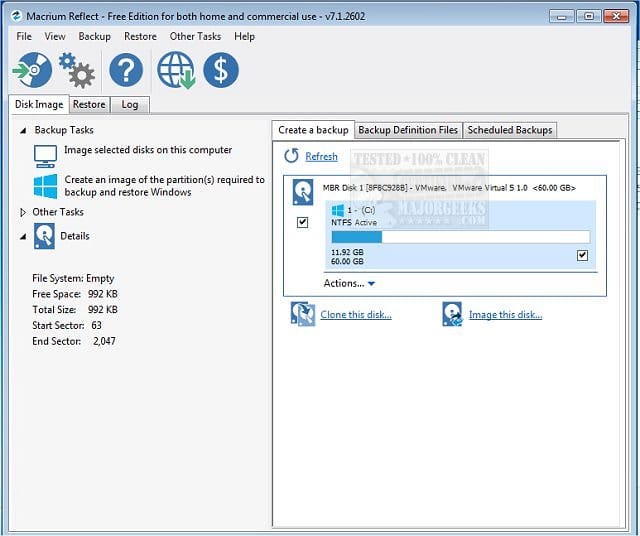
(Acronis, Aoemi, EaseUS, Hasleo, Macrium, Paragon, etc.)

Macrium is widely used in Ten Forums.

Macrium Software | Your Image is Everything


Backup and Restore with Macrium Reflect


b) regback


c) system restore points


My Computer My Computer

At a glance

Windows 10Intel(R) Core(TM) i7-4800MQ CPU @ 2.70GHz16 GB Total: Manufacturer : Samsung MemoryTyp...NVIDIA Quadro K3100M; Intel(R) HD Graphics 4600
OS
Windows 10
Computer type
Laptop
Manufacturer/Model
HP
CPU
Intel(R) Core(TM) i7-4800MQ CPU @ 2.70GHz
Motherboard
Product : 190A Version : KBC Version 94.56
Memory
16 GB Total: Manufacturer : Samsung MemoryType : DDR3 FormFactor : SODIMM Capacity : 8GB Speed : 1600
Graphics Card(s)
NVIDIA Quadro K3100M; Intel(R) HD Graphics 4600
Sound Card
IDT High Definition Audio CODEC; PNP Device ID HDAUDIO\FUNC_01&VEN_111D&DEV_76E0
Hard Drives
Model Hitachi HTS727575A9E364
Antivirus
Microsoft Defender
Other Info
Mobile Workstation
@SIW2 may have some rescue options.
 

My Computer My Computer

At a glance

Windows 10Intel(R) Core(TM) i7-4800MQ CPU @ 2.70GHz16 GB Total: Manufacturer : Samsung MemoryTyp...NVIDIA Quadro K3100M; Intel(R) HD Graphics 4600
OS
Windows 10
Computer type
Laptop
Manufacturer/Model
HP
CPU
Intel(R) Core(TM) i7-4800MQ CPU @ 2.70GHz
Motherboard
Product : 190A Version : KBC Version 94.56
Memory
16 GB Total: Manufacturer : Samsung MemoryType : DDR3 FormFactor : SODIMM Capacity : 8GB Speed : 1600
Graphics Card(s)
NVIDIA Quadro K3100M; Intel(R) HD Graphics 4600
Sound Card
IDT High Definition Audio CODEC; PNP Device ID HDAUDIO\FUNC_01&VEN_111D&DEV_76E0
Hard Drives
Model Hitachi HTS727575A9E364
Antivirus
Microsoft Defender
Other Info
Mobile Workstation

Latest Support Threads

Back
Top Bottom